
Discover a mix of tutorials on everything from how to install the latest versions of apps or enable new features, to workarounds for known issues – alongside general ‘configuring Ubuntu’ advice.

Ubuntu users dipping their toes into the glossy pool of Kubuntu can often be left bamboozled by the look and behaviour of the KDE desktop.
A day or two back we ran a nifty how-to feature on controlling Skype from your instant messaging application in Ubuntu 11.04. This approach integrated your Skype contacts into your Empathy or Pidgin buddy list, but also told you how to 'hide' the lurid green icon from the system tray. Whilst many of you found this a neat tip a number of you weren't so keen to give up easy access to Skype itself and sought something a little less final - such as adding Skype to the Ubuntu Messaging Menu.
Launchpad user jf has patched up Pidgin to take advantage of the unread message badge on Unity's Launcher.
Gzap stopped by the OMG! Ubuntu! inbox to drop off a tip that unifies Skype and Empathy; by installing the pidgin-skype plugin from the Ubuntu Software Centre you can manage your Skype contacts from the buddy-list of Ubuntu's default IM client Emapthy.
I think it is fair to say that the Desktop Cube has been one of Linux's iconic features. The cube provided both an easy way to visualise workspaces as well as a nice bit of eye-candy when using it.
There are bugs in Banshee, as I write this, 815 known or suspected bugs to be specific. Likely there are many more... and you, the user, is thus at risk of hitting one. Here is what to remember when experiencing a Banshee problem.
Kyle Baker recently posted a short guide on adding Quicklist options to Opera's launcher in Unity, and whilst his guide relates to Opera, the Unity developers have made it an easy enough 'hack' to apply to a variety of applications.
Ubuntu 11.04 users can free up some screen space and gain desktop consistency in LibreOffice by enabling LibreOffice Global Menu support.
Managing your Skype chats and controlling you Skype status with Dock application 'Docky' is simple.

QR Codes are nifty time-saving shortcuts; sort of like hyperlinks for the real world. Qrencode is a small command-line utitlity that allows you to create your own QR codes (saved as .png image file) for whatever you like - a blog, a secret message - whatever!
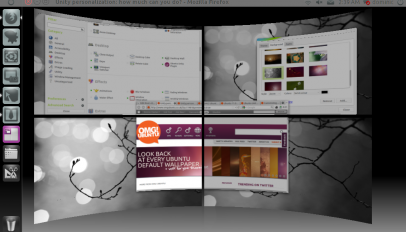
In such a short time of development, improvements in speed, aesthetics, usability and more have come to life in the Compiz version of Unity. But what about customization?
If you want - nay need - to record something from a radio station, a live web-cast performance or some other 'audio' event playing on your computer in Ubuntu how can you do so?
Longing to install and try out the open-source accelerated 'Nouveau' driver in Ubuntu 10.04 or 10.10? There's a guide that just might help... Nouveau is a project tasked with creating Open Source 3D drivers for NVidia cards. Whilst they don't (yet) provide anywhere near the same level of performance as the proprietary drivers most folks use they are a free and capable drop-in.

Can't live without Shutter/Dropbox/Opera/insert-other-app-here sitting in Natty's system panel? Quick fix ahoy.
We love Yorba here at OMG! Ubuntu! and no-doubt many of you do to. Share some of that love by getting your coding digits dirty and compiling the latest Shotwell from trunk to hunt down bugs ahead of Shotwell's next release...
This tip is solely for Ubuntu 11.04 testers, but it's a dozy worth sharing.
It was chosen as one of our top 5 readers desktops and now it’s owner, Joakim Wahlgren, has put together a slick how-to letting you in on how to get the same slick look on […]
As a hostage of ancient hardware I'm forced to keep a copy of Windows XP close to hand. If there's one thing I hate more than the need to run virtualization software at all it's the lack of harmony it creates in my daily workflow. That's why I use an Ambiance theme for Windows XP.