

GNOME developers have unveiled an ambitious set of UX changes they hope to implement in GNOME 40. We take a closer look at the proposed redesign.

We show you how to unlock the hidden GNOME Classic Mode in Ubuntu 18.04 LTS and above. The Classic session sports a traditional app menu, task bar and more.
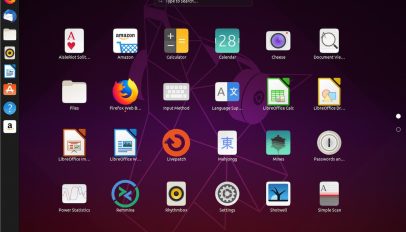
Development work on GNOME Shell may finally resolve a long-standing issue with truncated app titles in the 'Applications Overview' grid screen.
A world of change is headed to Ubuntu as the distro switches from Unity to GNOME Shell. Long time Unity users accustomed to the workflow, feature set and quirks of Ubuntu’s incumbent releases will need […]
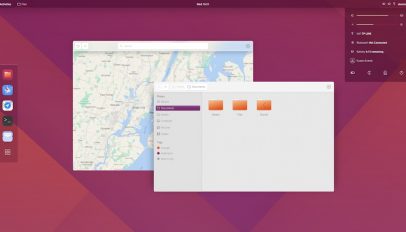
Jovan Petrović's stunning Ubuntu 18.04 desktop concept is now a real working theme for GNOME Shell, and it's available for you to download.
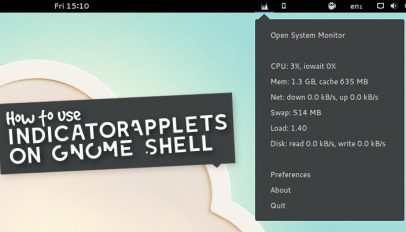
You can see, use and integrate Indicator Applets with GNOME Shell using a single GNOME extension. Once enabled, it's hard to know to spot the difference!
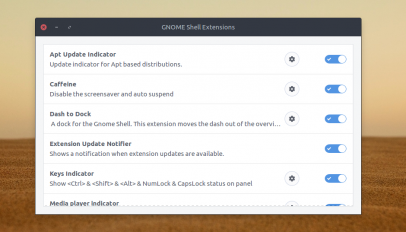
Did you know that GNOME Shell hides a really useful GNOME Extensions configuration app? The gnome-shell-extension-prefs utility lets you configure and tweak preferences of your favourite GNOME extensions without needing to go to the ‘Installed Extensions’ page of the official […]

Simple Dock is a GNOME Shell extension that puts a handy application launcher and task switch right where you can see it: on the desktop.

Want to make the GNOME Shell app launcher a little tidier? This post will walk you though the process of adding category folders to the overlay dashboard.

With version 3.6 released –and in the Ubuntu in the repositories– GNOME Shell 3.7 paves the way for 3.8, receiving much attention with the 'Every Detail Matters' initiative.

Reader Ryan Davies dropped this little treat in my inbox recently - a GNOME-Shell theme based on the design of this very website!

Several months back we posted a preview of a new ‘Dash’ like extension for GNOME-Shell. That extension, renamed ‘Bolt’ (a play on the word ‘Dash’), is now available for the GNOME Shell users amongst you […]
Not too long ago I stumbled upon a very nifty Extension that brings Unity's quicklist functionality to Gnome-Shell's Activity Bar and Dash. And with more and more developers adding quicklist support to their applications this extension ensures that GNOME users don't miss out.
A new GNOME extension aims to bring Unity Dash-like features to the GNOME Shell desktop. "I love GNOME Shell but miss the application categories from Gnome 2, dislike the visual interruption when searching for an application and don't use the overview to manage any of my windows," the developer of the extension, Zac Barton, told us. The result of his work is 'Launchy'.
Want your desktop to look totally different to others? Meet the 'Edgebound' desktop set-up. This marvellous-looking mash-up combines elements of Unity-2D and GNOME 3 with the Avant Window Navigator into a slick , easy to use desktop.
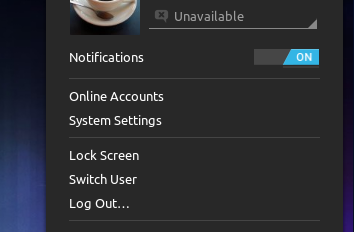
I'm hungry for Ice Cream Sandwich. Very Hungry. As it's going to be a while before the 4.0 update trickles down to my phone and tablet the following Android 4.0 GNOME-Shell theme by Faenza icon set creator tiheum is helping to stave off my hunger pangs...
The expression ‘Have your cake and eat it‘ springs to mind when looking at the following GNOME-Shell tweak put together by Tobias Mann. ‘Unitary GNOME’ lets you run a modified version of the Unity 2D […]
As visually slick as Ubuntu’s new ALT+Tab switcher looks I will confess to missing the days of old where even the most mundane elements of the desktop were made needlessly blingy via a compiz plugin […]