


Linux lacks native versions of industry-grade creative tools like Adobe Photoshop and Illustrator, and while open-source options are capable, not everyone is willing to relearn and adapt to different tools.
Thankfully, the gap in commercial design software is plugged with workarounds involving Wine, the Windows compatibility layer – which is how you can run Affinity v3 on Linux.
Affinity, acquired by Canva in 2024, moved to a freemium model in 2025. Photo, Designer and Publisher tools are now a unified app, which is free to download and use on Windows and macOS (generative AI features require a Canva Pro subscription).
Interestingly, the new Affinity team has said it is taking calls for an official Linux version seriously. But until it does more than answer user requests with something tangible, the community has stepped in.
AffinityOnLinux: Run Affinity Easily
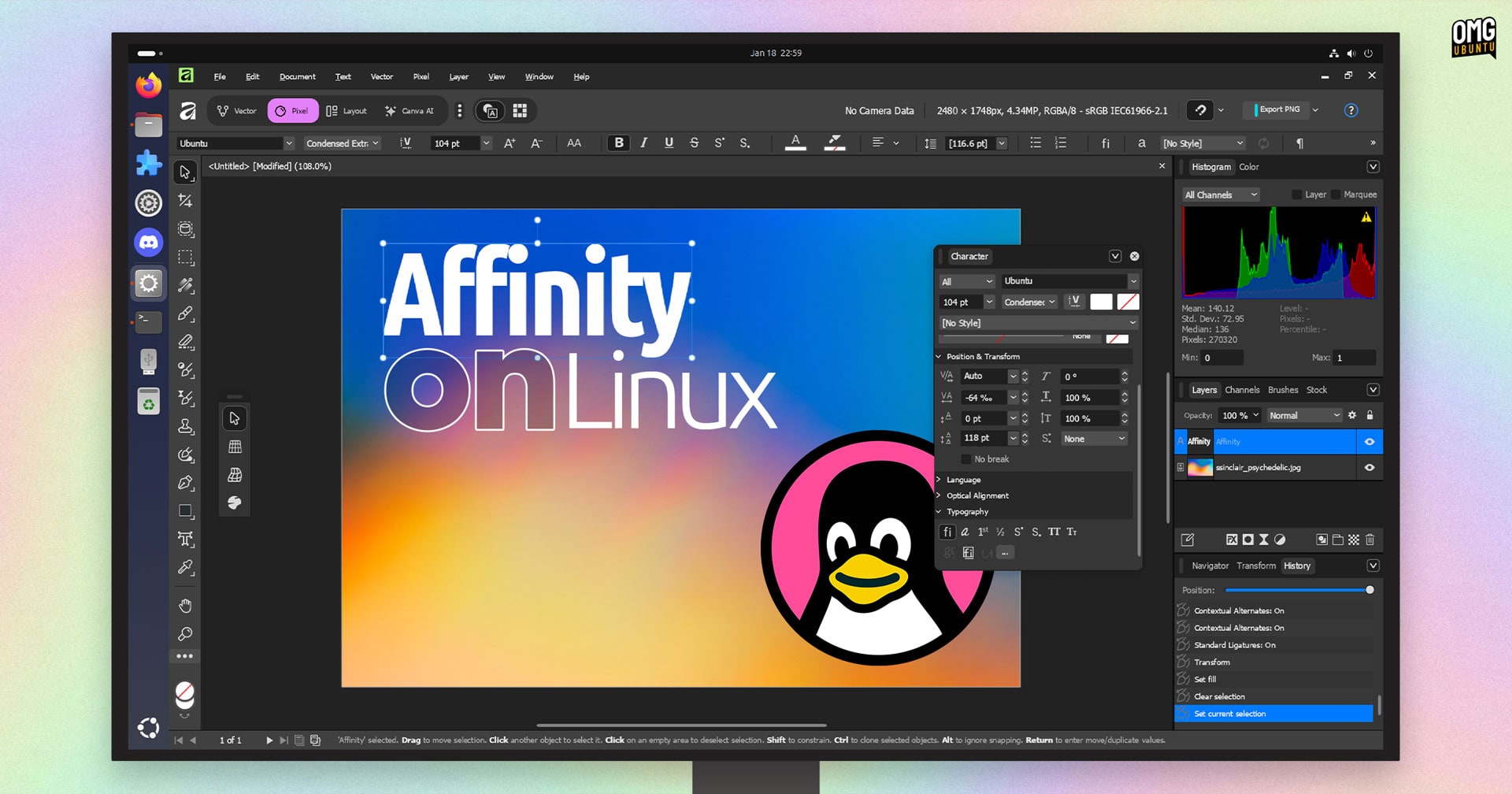
The Linux Affinity Installer project has made it easy to run the Windows version of this creative suite – which handles raster graphics, vector and desktop publishing – on Linux.
There are two ways to go about it:
The first is a regular installation method that uses your local version of Wine (and required dependencies) installed from your distro’s repo and applies some tweaks.
The second, ideal for those looking for something easier, is a standalone AppImage that contains everything needed to run Affinity on Linux.
But, the project GitHub page lists Ubuntu (and Ubuntu-based distros like Linux Mint and ZorinOS) as “unsupported” for the regular installation method owing to outdated or missing dependencies.
libfuse2t64 first.
Thankfully, the AppImage route works fine.
I opted to use the AppImage on my Ubuntu 24.04 LTS install. Affinity ran well enough on my low-power Chuwi laptop for me to test do some actual design work (in ‘Pixel’ mode; I am awful at vector art). All tools, dialogs, options and filters and effects worked as I expected.
Performance did dip once I opened a few Photoshop (.PSD) files to test. Those pack in a lot layers, style effects, smart objects, masks, nested effect groups, etc. Things crawled, so it felt like I was reaching a limit somewhere – likely my hardware1.
Limitations with the AppImage
Before you dive in, there are a few limitations worth knowing about.
You won’t be able to sign into your Canva account (and definitely don’t click “Sign Out” as you can’t log back in. Views which use WebView2 (like the in-built help system, and the ‘welcome’ screen with downloadable templates) has issue rendering, too.
The AppImage does include most dependencies and should “just work” for most, but there are differences to the regular Python-based method. It uses DXVK for graphics acceleration but lacks OpenCL support, so heavy filters and effects will run on CPU.
If you have an Intel iGPU (hybrid graphics setups may fall back to this) OpenCL is buggy, and DXVK handles rendering smoothly (where supported), so this isn’t a huge loss. NVIDIA dGPU users who need OpenCL need to use the full installation method.
What I lose in disk space (since I have Wine installed) I gain in time: the AppImage is less hassle, so there’s no fighting with Wine configs and prefixes, checking logs for missing libraries, figuring out what to install and where, re-trying, etc.

The AppImage bundles the Windows version of Affinity 3.0.2 alongside a preconfigured Wine 10.x install, along with a slew of dependencies and tweaks. Download it, mark it executable, and run – that’s it.
But perfection isn’t a given. The small volunteer group working on this effort led by ~ryzendew do so on a best-effort basis.
A DPI slider appears the first time you run the AppImage to adjust UI scaling, and you can access Wine settings by running the AppImage with the --winecfg command from your terminal if needed.
Check the project’s known issues page for the full list.
Download and Try
Interested to kick the tyres? You’ll find details on the project GitHub, including links to known issues, and installation instructions if you don’t want to use the AppImage. If you do, download the AppImage from the Affinity Linux Installer releases page.
This AppImage is only available for 64-bit Intel/AMD systems (not ARM as it uses the official Windows installer), and you should make sure you have enough free disk space for both the ~1.2GB AppImage and the files and folders it will generate on first-run (~3GB).
If you run into issues or have questions, the AffinityOnLinux Discord community and GitHub issues page are both solid places to find help and troubleshooting tips.
Would you like to see Canva bring Affinity to Linux officially, even as a Wine wrapper? Or would you prefer more effort to go into making FOSS tools like Krita, Inkscape and GIMP? Let me know in the comments.
- I was testing on a laptop powered by measly Intel m3-8100y and UHD Graphics 615. Great couch laptop, but it’s not exactly a powerhouse! ↩︎