

Barely day after GNOME devs added it to Empathy, working MSN XMPP support has landed in Ubuntu 12.04. The feature allows stable connection to the MSN Network using the open standard XMPP service. The use of such a well supported standard should give Linux users a stable and consistent connection to what is one of the worlds largest IM networks. If you're already using Ubuntu 12.04 you'll find this update sliding down the update pipes very shortly.
We take a look at the Linux Deepin Software Centre - an application that is as user-friendly as it is beautiful.
Firefox 9 is now ready for download. The latest update to the flagship open-source browser from Mozilla adds: – Improved JavaScript performance Support for querying Do Not Track status via JavaScript Support for font-stretch and text-overflow Improved standards support […]
Accessing your virtual Windows desktop has just gotten easier in Ubuntu with the launch of VMWare View Client for Linux. The application allows easy connection to remotely-hosted servers running Windows. Although it's unlikely that Joe User will have much need for the tool its availability on Linux is nevertheless a welcome one.
A new development release of music player ‘Nightingale’ has been made available for download. Songbird fork Nightingale was born after the former dropped official support for the Linux platform – a move that, it’s fair […]
Empathy users can look forward to native MSN XMPP in the version 3.3.2 of the popular chat app. The feature comes days after Microsoft announced connection to their millions-strong MSN messaging service via the popular open XMPP standard.
The Ubuntu 12.04 Software Centre has added a new category – ‘Books and Magazines’. Although a variety of e-books are already available to purchase in Ubuntu 11.10 there is no distinct ‘filter’ available for their […]
Ever hand a pang curiosity about whether or not an app available in the Ubuntu Software Centre but not been near Ubuntu to see? Did you know that you can browse the entire contents of the Ubuntu Software Centre online - from any browser on any OS?
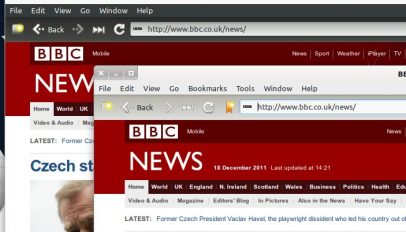
A new release of lightweight webkit web browser Midori is available for download. See what's new and learn how to upgrade by clicking on the 'read more' button below...
Oracle's Sun Java JDK packages are to be removed from the Ubuntu partner repositories and disabled on users systems. Oracle, in retiring the 'Operating System Distributor License for Java', means Canonical no longer have permission to distribute the package. The change will affect Ubuntu 10.04 LTs, Ubuntu 10.10 and 11.04 users only.
The familiar login sound of Ubuntu has been disabled by default in an update to Ubuntu 12.04.
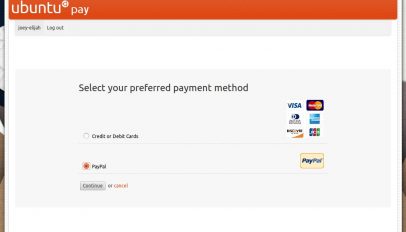
PayPal payment support is now available in the Ubuntu Software Centre, as we previously reported. The update, which is only available to users of Ubuntu 11.10, provides millions of Ubuntu users with another safe and secure payment method for accessing the continually growing range of paid software and digital-publishings that are available through the Ubuntu Software Centre.