
The second beta of Ubuntu 15.10 Wily Werewolf is available to download, right on schedule.
Arriving alongside the main Ubuntu 15.10 Beta 2 release are beta candidates for the rest of the Ubuntu family. The change logs on offer for these releases vary. Some spins pack more significant changes than others, but […]
The first Ubuntu 15.10 Wily Werewolf beta releases are now available to download.

More than a year after launching a public beta the open-source code editor Atom has gone stable.
Daily Builds of Ubuntu 15.10 are now available to download, and we've got the links you need.

Xubuntu has introduced a new slimmed down version of the main distro called Xubuntu Core.
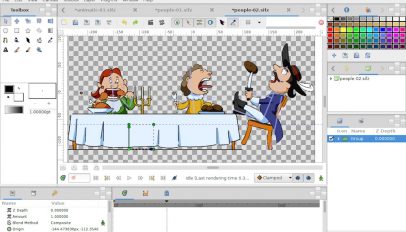
A new version of free animation software Synfig Studio is available for download, and features a new bones system and a single-window mode.

Well, here we are. After six busy months, one beta and a bunch of minor changes, the final stable release of Ubuntu 15.04 is now ready for you to download.

You can now Download Ubuntu 15.04 Beta 2, the latest release in the Vivid Vervet release cycle.
The Ubuntu 15.04 Vivid Vervet beta is now available to download, with most community flavors taking part.

A new stable release of Firefox — Firefox 36 — has been made available for download by Mozilla, and contains a number of small new features.
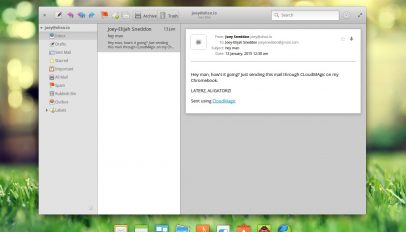
The second beta release of elementary Freya is now available for download, and arrives some six months after the first beta was released to much excitement.

USB sticks at the ready: Ubuntu 15.04 Alpha 2 downloads have been released for Ubuntu GNOME, Lubuntu and Kubuntu testers to play with.

Reading LibreOffice documents on the go gets a heap easier from today with the beta release of LibreOffice Viewer for Android.
The first alpha releases in the Ubuntu 15.04 development cycle are now available to download for testing.
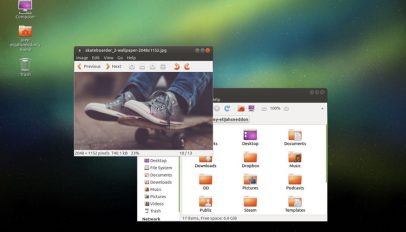
Fans of the traditional desktop can rejoice, as the first long-term support release of Ubuntu MATE is now live and available for download.

Like your Ubuntu-based Linux distributions a little more free? There's a brand new LTS release of Trisquel ready for download.
A new minor release of the hugely popular open-source office suite LibreOffice has been made available for immediate download.