
Discover a mix of tutorials on everything from how to install the latest versions of apps or enable new features, to workarounds for known issues – alongside general ‘configuring Ubuntu’ advice.
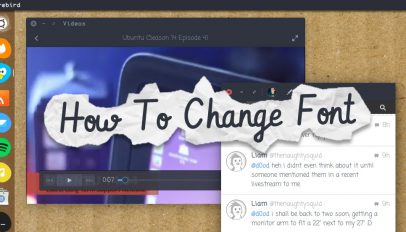
So you want to change font on Ubuntu but you don't know how? Read this post! We show how to change font and adjust font size on Ubuntu and GNOME Shell.

An open-source font brings full color emoji to Linux desktops and is based on the EmojiOne glyph set. We show you how to install the font on Ubuntu.
We show you how to fix the 'failed to fetch' apt error on Ubuntu, an issue caused by Google dropping 32-bit Chrome for Linux earlier this month.
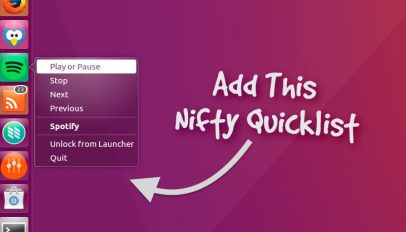
The latest stable release of Spotify for Linux has a missing system tray icon. We show you how to add a Unity quicklist to control playback.
Want to install the latest release of open-source torrent client Transmission on Ubuntu? Just follow these steps to add the official PPA.
Want to disable automatic system update notifications on Ubuntu? It's easy to do, and in this article we show you how.

If you want to run multiple Conky themes at the same time you can do so easily, without installing any extra packages. In this quick tip we show you how.

If you want to install the latest stable release of Cinnamon on Ubuntu 14.04 LTS you're in luck. A new PPA makes installing the desktop environment a cinch.

We've shown you how to install the ace Corebird Twitter app on Ubuntu — now we'll show you how to use it like a pro.

After what feels like forever, the best desktop Twitter app for Linux is finally available to install on Ubuntu - no PPA or risky ready-made Deb package needed.

Want to know how to watch Hulu on Ubuntu 14.04 LTS and up? Well, we're going to show you.
We show you how to upgrade GNOME 3.16 in Ubuntu 15.04 to get all of the latest GNOME features on Ubuntu.

Xubuntu has introduced a new slimmed down version of the main distro called Xubuntu Core.
KDE Plasma 5.3 has been released. We show you how you can upgrade to Plasma 5.3 in Kubuntu 15.04 using the official backports PPA.
In this entry to our Ubuntu Basics series we cover changing the default apps that handle web and e-mail links.

The go-to media player of millions, VLC 2.2 'Weathermax' was released this weekend and brings some nifty new features to the desktop.

Facebook video chat now works in Ubuntu and other Linux distributions out-of-the-box using web technologies — no plugin or extra download required.
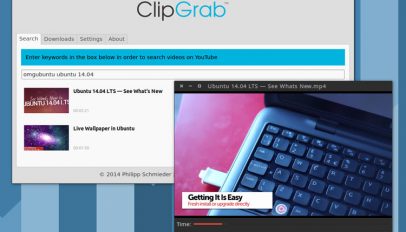
Clipgrab is a great free app that lets you download YouTube videos in Ubuntu quickly. In this article I show you how to install and use it.