

A new version of ONLYFFICE Desktop Editors, a open source office suite for Windows, macOS and Linux, is out with a fresh set of features and tools.
ONLYOFFICE 9.3 adds more signature options for PDF forms, multipage view for documents, new solver tools and regex formulas in the spreadsheets and support for animated GIFs in presentation slides made with the suite’s PowerPoint equivalent.
But there’s a less-obvious change lurking within that may have a more appreciable impact on day-to-day document editing.
For a closer look at the changes this update brings, read on.
ONLYOFFICE 9.3: Highlights
ONLYOFFICE Desktop Editors provide a word processor, spreadsheet tool, presentation maker, form creator, and a PDF file viewer/editor. Like any good office suite, it lets you open, import and edit Microsoft Office file formats like DOCX, XLSX, PPTX.
In v9.3, the document, spreadsheet and presentation editors benefit from updated macro recording, while the PDF editor gains macro recording for the first time for adding/deleting/editing of pages, forms, shapes, tables, annotations, images etc.
Having added AI features in the ONLYOFFICE 9.2 release, this version adds a ‘Use AI functions’ option to the main applications settings page. You can now link Box and Dropbox cloud accounts if you wish to edit and save documents from those providers.
PDFs, Forms and Documents

One pointedly (heh) useful feature istext mouse select in the Document Editor. This lets you select a word or an entire paragraphs by double or triple-clicking with your mouse. This can make precise text selection faster than using traditional click and drag.
Multi-page view had been added to PDF Editor and Document Editor (with zoom control support). This enables you to view multiple pages of a document side by side. To enable it, go to View > Multiple Pages, then adjust the zoom in the View tab to fit them on screen.
Document Editor also now supports saving to Markdown (.md) files, and moves the document header/footer settings to a dedicated Header & Footer tab for easier discovery and configuration of things like page numbering, margins, etc.
There are new signature options when working with forms. If you take a photo of a handwritten signature, there’s an option to remove the white background when inserting it. You can also type custom signatures with a font, or draw one out using your mouse.
The PDF Editor has an “Unprotect document” option to allow editing of password protected PDF files (you’ll need to enter its password). Text redaction tool can be access in the pop-up tool panel, and you can add link annotations to areas/text within PDF files.
New Spreadsheet features
Spreadsheet Editor includes regular expressions (regex) functions in v9.3, supporting REGEXTEST, REGEXREPLACE, REGEXEXTRACT. The existing COUNTIF function benefit from a set of memory and calculation fixes, per the release notes.
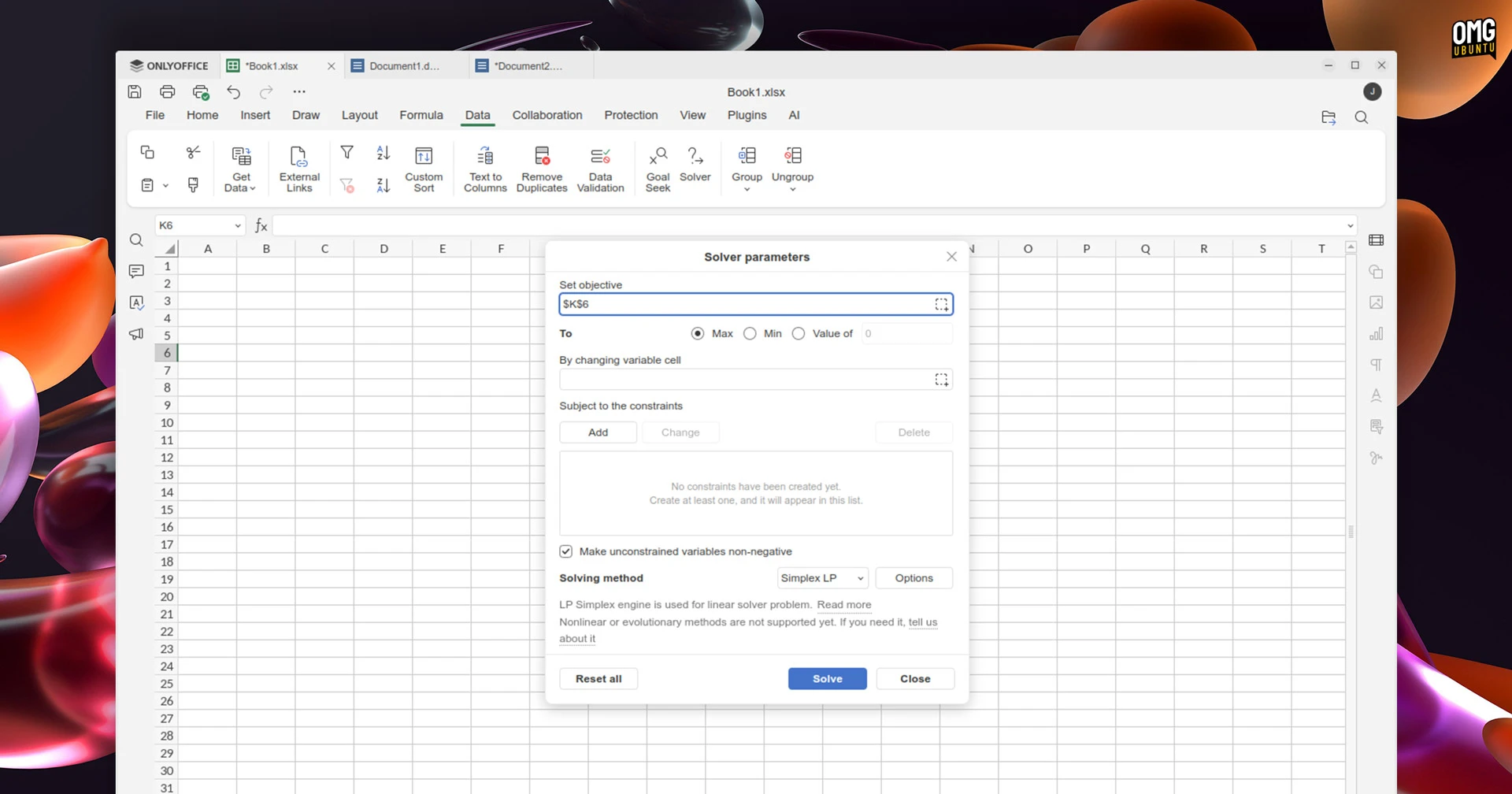
A new solver function (Data > Solver) can solve linear problems (Simplex LP) based on set parameters, while dynamic array option allows “formulas to return multiple results” that automatically ‘spill’ into neighbouring cells.
Beyond that, this update adds a new ‘format’ button to the Home tab, making it easier to access formatting settings for sheets, rows, and columns from one location, rather than split out across other menus.
Other improvements
Besides those already mentioned, other changes in ONLYOFFICE 9.3 include:
- Add links to images, shapes, or groups in all editors
- PDFs now have dedicated page print settings
- Open
TSVfiles in Spreadsheet Editor (read-only) - Document comments now use colours for differernt users
Installing ONLYOFFICE 9.3
If you use Windows, macOS or Linux you can download ONLYOFFICE Desktop Editors from the official website. You can also grab an installer from the project GitHub page (unfurl ‘assets’ at the bottom to find the DEB installer for Ubuntu, Linux Mint, et al).
On Linux, those standalone versions don’t offer automatic updates to newer versions. If you want to be able to update to new releases more easily, install the ONLYOFFICE Snap or Flatpak build that’s available on Flathub.
h/t Gareth