


February 2026 delivered a fresh batch of Linux app releases, with updates to Ardour, Lutris and Bazaar among the many that filtered out during the month.
I covered some of the month’s biggest releases with full-length features, including Firefox 148’s new AI ‘kill switch’, the ONLYOFFICE 9.3 and LibreOffice 26.2 productivity suite updates, and Linux weather app Typhoon’s Qt 6 port.
But they weren’t the only software updates to slip out.
Below, I run through a fleet of other app updates February played host to. Some updates were of the modest maintenance variety, while others saw more substantial changelogs.
Ardour’s big update finally arrived
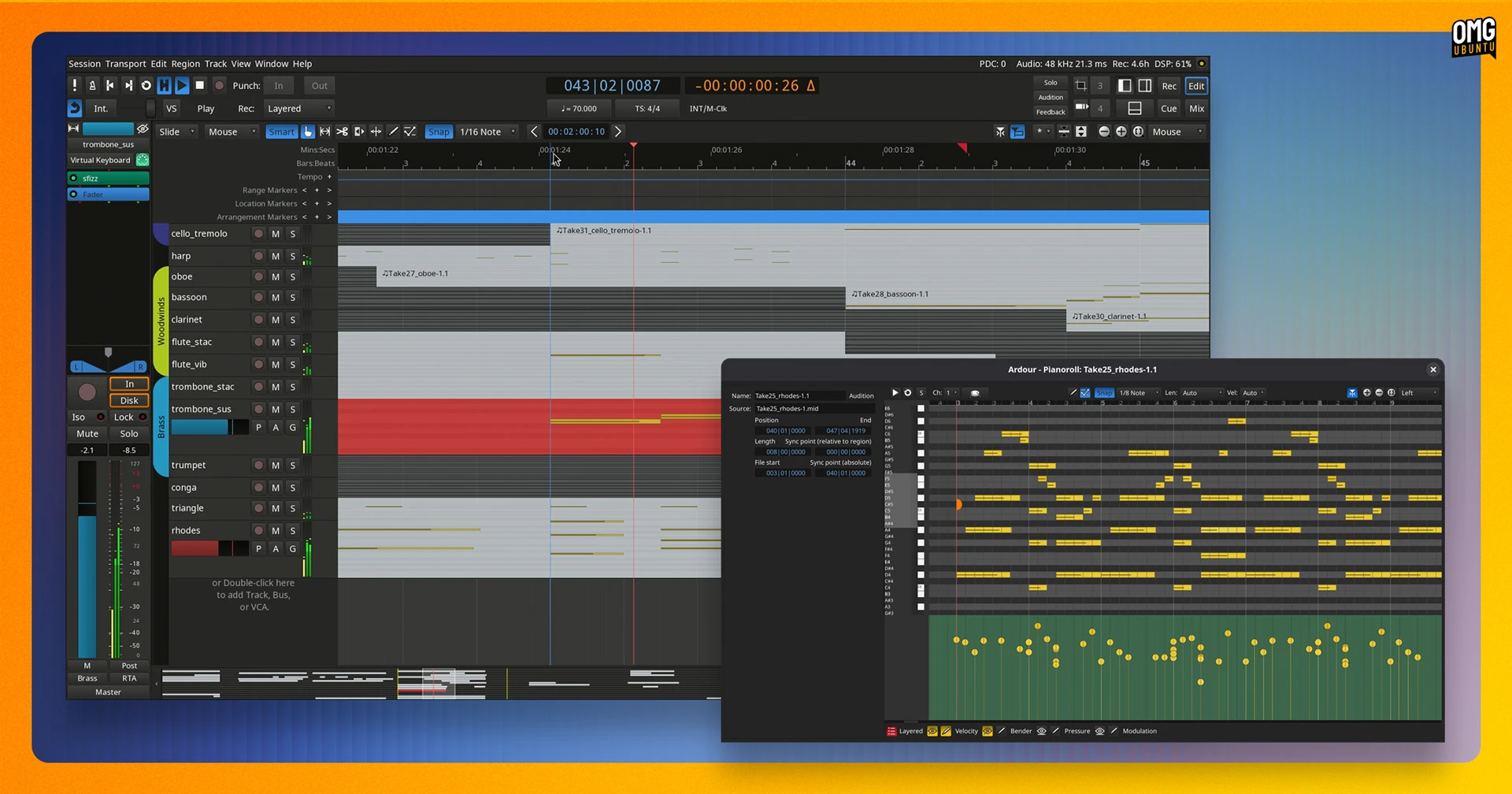
Ardour, the open-source digital audio workstation (DAW), saw its first major release since 2024, adding a stack of features users have requested “over a long period of time”, like Region FX, pianoroll windows, cue recording and more.
Ardour 9.0 landed in early February (and a v9.2 hot fix release was issued a few weeks later). Given it’s the first release a while, the change set is huge. I have pulled out the major highlights below, but there are plenty of smaller quality-of-life tweaks included also.
Region FX enables plugins to be applied to individual audio regions, with the effect (and any automation) tracking that region wherever it gets moved on the timeline. All processing happens at disk-read time, so there’s no additional DSP load.
Dedicated pianoroll windows make it easier to edit tracks away from the main timeline. Double-click on a MIDI region to edit it in a floating window or via a bottom pane. To use the new note brushing feature, press shift + drag to fill a pattern of notes.
If you’ve wanted to use Ardour as a looper, the new Cue Recording feature in Ardour 9.x lets you record directly into cue slots, and whatever you capture plays back immediately at the next quantisation point. You have the option to pre-set the recording length or stop manually.
The default recording format has shifted to RF64, which sounds more of a show-stopper than it is. If you’ve never hit the 4GB WAV ceiling, the format shift won’t change anything, but if you have, you can say “finally”.
Other additions include a realtime perceptual analyser for overlaying frequency spectra across multiple tracks and busses, keyboard-driven automation, and mixer strip import/export across sessions. Ardour 9.x also now supports multi-touch interaction on Linux and Windows.
The Ardour 9.2 hot-fix sorted out issues with broken editor bottom-pane behaviour, and added a couple of new features: MIDI note chasing (locate mid-note and it plays from there) and faster quick note duplication using the ctrl + d shortcut.
Ardour is free to download as source code, but you’ll need to pay to access official binaries for Linux, macOS and Windows. Ardour is also available on Flathub (not verified) and Snap Store(unofficial).
If you run Ubuntu 26.04 LTS, Ardour 9.0 is present in the resolute repos. Run sudo apt install ardour to install it.
Lutris added Steam Family support
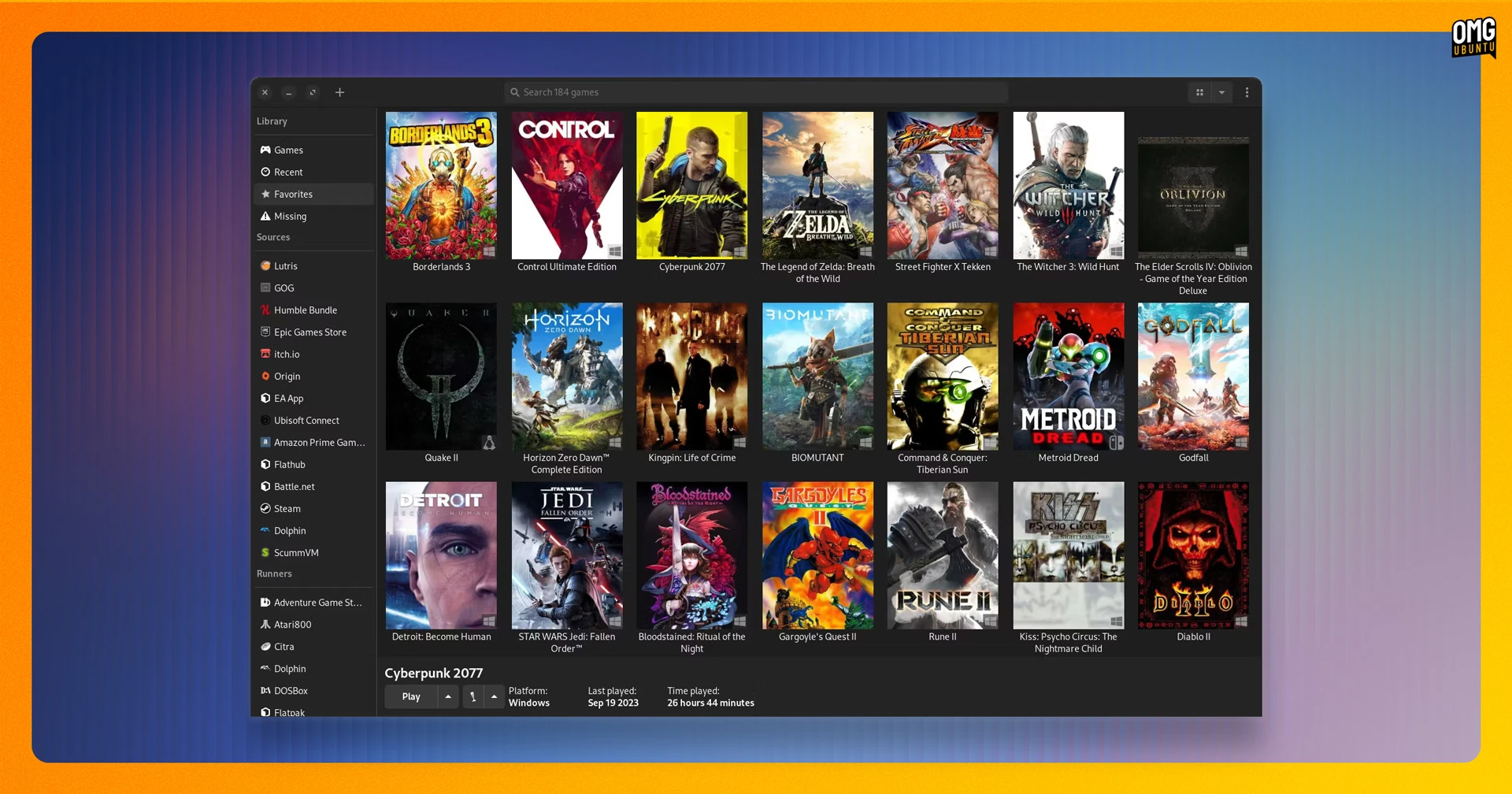
Lutris, the open-source game manager that makes it easier to install and launch games from multiple stores/sources in one place, made its first stable release of the year in February.
The headline addition? Steam Family support. Games shared through Steam’s family sharing feature will now appear with the rest of your library. Another new source is the ZOOM Platform, a DRM-free store in the same mould as GOG.
There’s a new option to hide games from specific sources from also appearing in the main Games view, which is useful if you want to keep your GOG or Steam libraries separate.
Double-clicking .lutris installer files will now run them directly, and Itch.io authentication makes use of API keys, rather than username/password.
Lutris makes Proton-GE (via umu) the default for its Wine runner. Umu keeps it up to date automatically, so you don’t need to manage Proton versions yourself. And Esync, Fsync, and DXVK settings are now correctly passed through to Proton.
On the emulation side, Lutris 0.5.22 adds an Azahar runner for Nintendo 3DS, and updates its TIC-80, mGBA, EasyRPG, Rosalie’s Mupen GUI, Ruffle and 86Box runners. Commodore 64 ROM importing is in, and you can set an emulator BIOS file location (used by libretro) in Preferences.
Lutris is available to install on Ubuntu from Flathub or through the DEB package on the GitHub releases page. Other options are available, depending on your distro; see the Lutris downloads page for details.
SaveDesktop can save more things
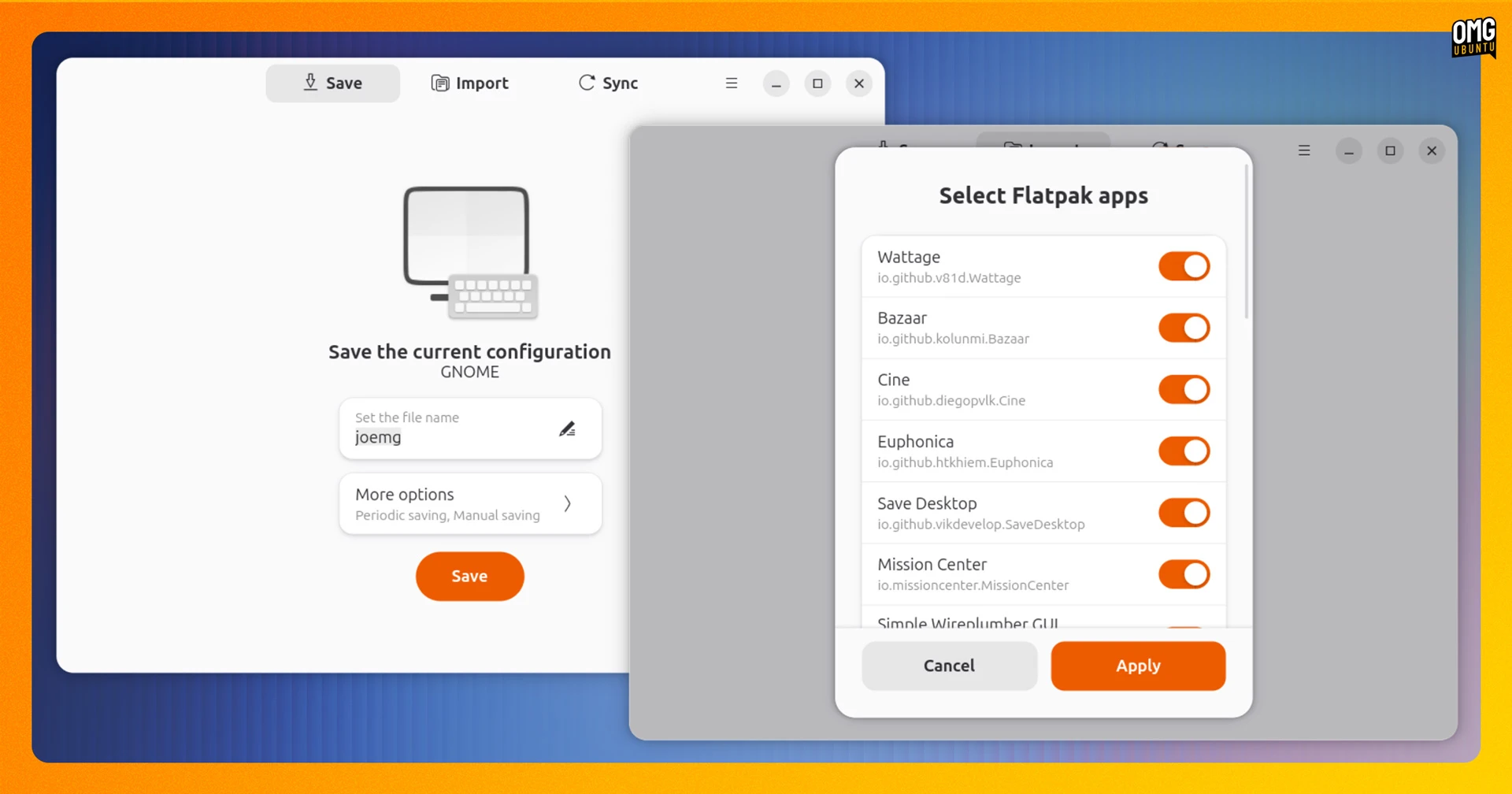
SaveDesktop, a tool that backs up and restores your desktop configuration (wallpaper, icons, themes, keyboard shortcuts, installed Flatpak apps, etc), is handy for those tend to set up their systems in a similar way.
February saw SaveDesktop 4.0 released. It adds custom folder support to backups, so you’re no longer limited to only backing up things SaveDesktop already knows about. If you’ve got a custom folder full of AppImages, or a set of obscure dot files, you can loop ’em in.
A redesign of the Flatpak apps picker makes it easier to understand which app is which as it now shows app names rather than Flatpak ID (e.g., “io.github.joeysneddon.myamazingapp”). It also backs up selected apps with their user data, rather than treating them separately.
The other big new addition is the ability to sync selected configuration items across different devices, so that archives remain consistent between machines. This is vital if you try to maintain the same setup on more than one system.
Since backup is only one half, there’s improvements to import. The item selection dialog now only shows what’s actually in the archive you’re restoring from, rather than showing everything – and leaving it to you to find out something isn’t there!
SaveDesktop is available on Flathub, or download source code on the project GitHub.
Bazaar re-stocked design changes
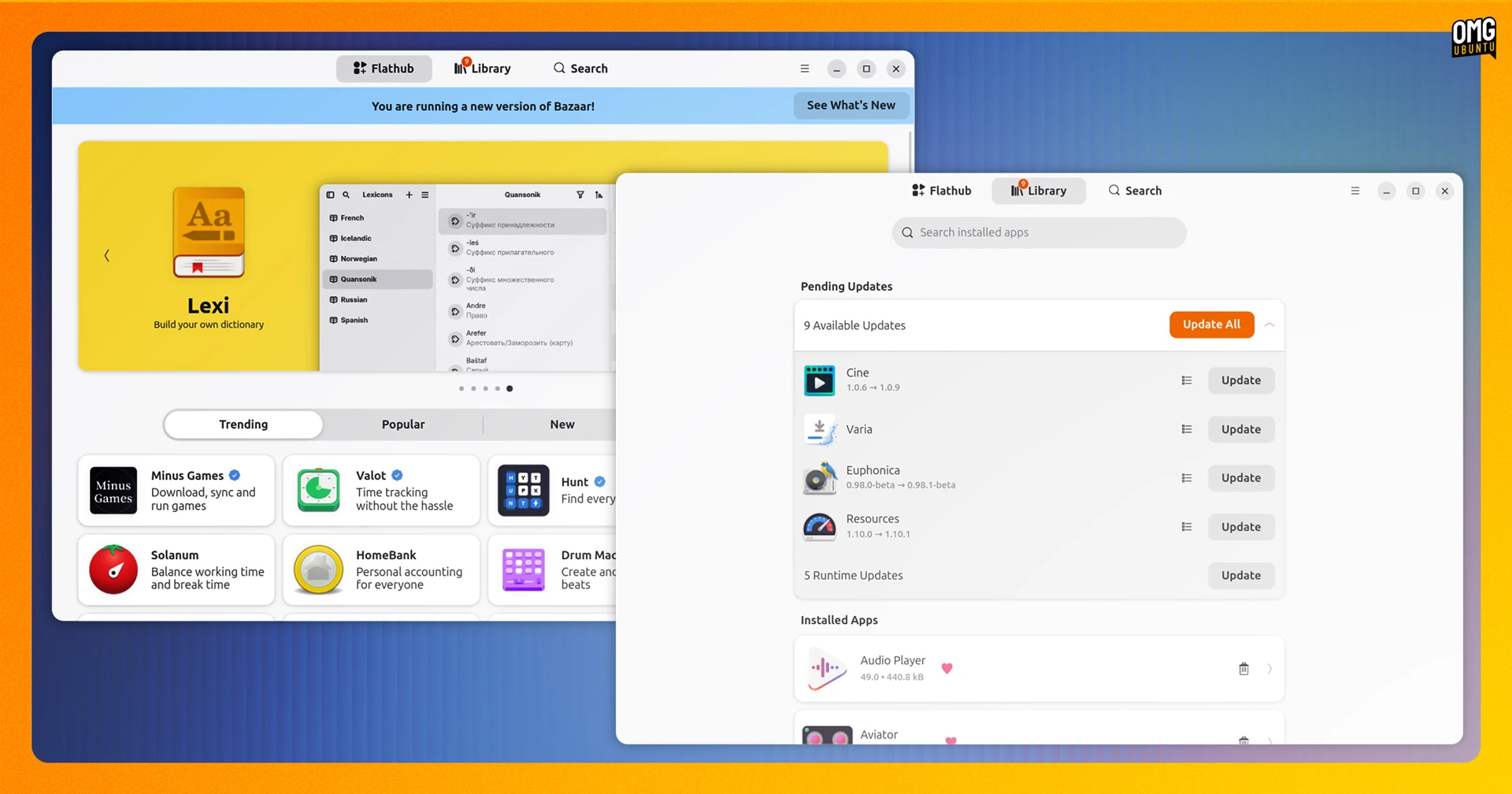
Bazaar, the Flathub-focused desktop tool, saw several updates in February. Among which, it dropped its transactions sidebar in favour of a new Library Page. You now get a single place from which to manage installs, track active tasks and uninstall installed apps. Tidier.
You can now cancel transactions mid-way through; you can hold Shift skips confirmation prompts (if you know what you’re doing, of course), and search results are better too as they are based on Flathub’s own rankings rather than Bazaar’s.
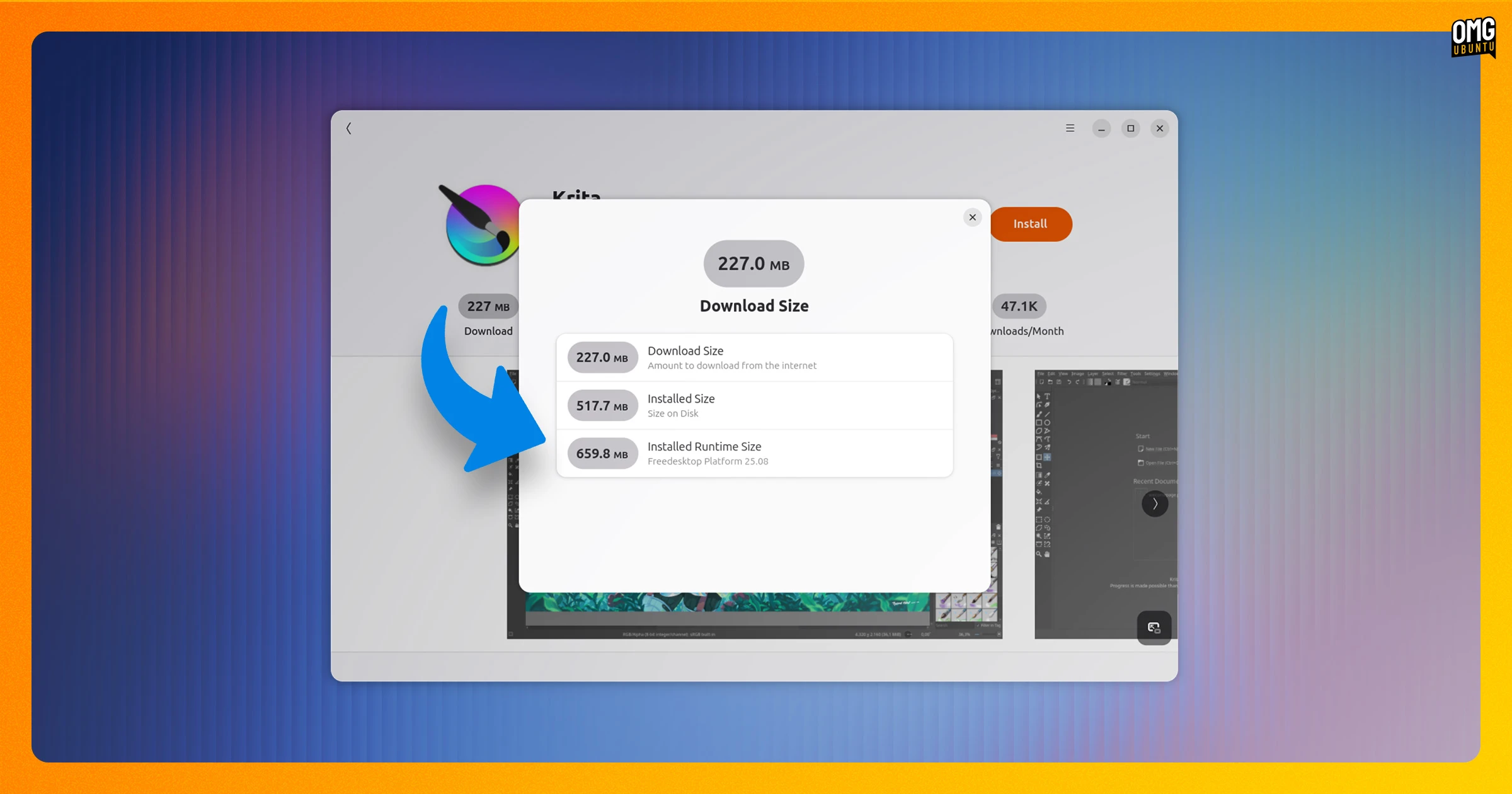
Many Flatpak apps make use of shared runtimes. These need to be downloaded alongside the app, but only if not already available. Bazaar makes it easier to see runtime sizes (click the install download size pill), so you’re not wondering why that 5MB IRC client is taking a while to install…
This update also fixes end of life (EOL) runtime detection, which had apparently been broken prior to now. As such, apps like Lutris – covered above – and OBS might flash an EOL runtime warning they weren’t showing before. Keep that in mind.
Bazaar is free, open source software. The latest release can be installed (obviously) from Flathub.
Zen debuted live folders

Zen, the privacy-focused Firefox-based fork with a heady dose of unique features (like tab splits, which are heading to Firefox proper since good ideas are contagious), has rebased atop the newest Firefox 148 update.
But there’s an interesting new feature addition: live folders.
If you remember Firefox’s old live bookmarks – a feature I made heavy use of up until its removal in Firefox 64 in 2018 – live folders are RSS feeds.
In Zen, you can add an RSS feed as a folder, and control the frequency, amount and freshness of content. Though regular news feeds work, Zen has made it it easy to log in to your GitHub so you can create live folders of issues and merge requests.
To add a live folder in Zen 1.19b or later, click the + button in the sidebar and choose Live Folder. Page through to add a feed (requires a valid URL), or hook up GitHub for developed-focused feeds.
Elsewhere, dragging a tab onto another tab and holding for a split second will now prompt you to open a split-tab, and holding shift when you click to Un-split a set of split tabs will now leave focus on the active tab, rather than switching to the un-split one.
Zen is free, open source software available to download for Linux, macOS, and Windows.
Gradia annotated its own UI (kinda)
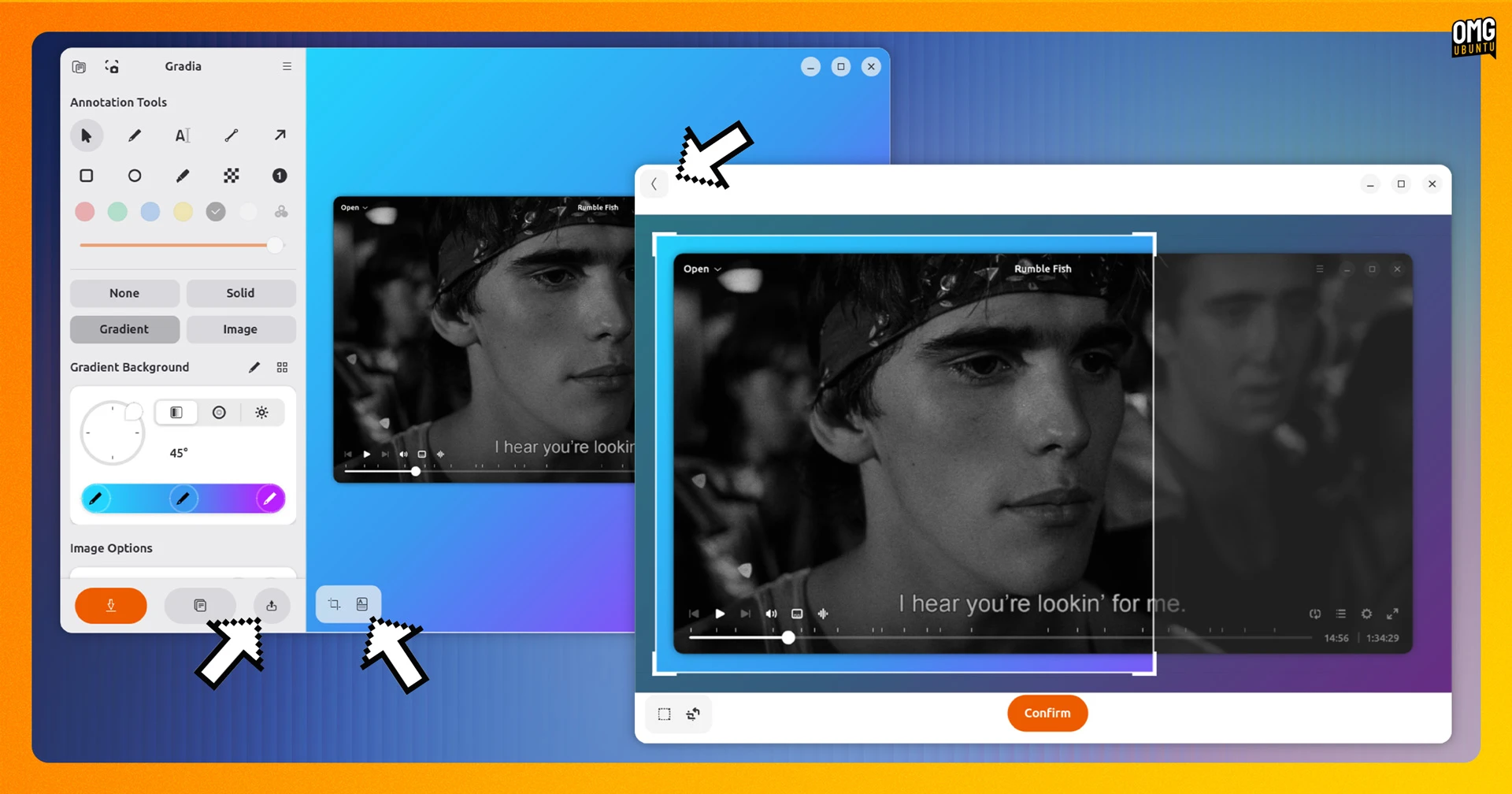
Gradia, the GTK4/libadwwaita image annotation tool for making screenshots look good, saw a small but tidy update in February.
The text recognition and upload provider buttons are now always visible, making them easier to find without mousing through menus.
A back button has been added in crop mode, making it possible to back out of a crop rather than commit and undo, while a revamped background switcher gives translations more breathing room.
If you had issues exporting transparent JPG, those are resolved in this version, as is the censor tool stretching when dragged out of bounds.
Gradia is available on Flathub or from the Snap Store.
If you hear about a software update you think I should cover, the contact form is always open!
h/t Javier