


If you spent July dodging the summer heatwave, catch up on the best Linux app releases and updates you might have missed last month in this roundup.
You likely already know about the Firefox 153 release, with its “new” container tabs confusing those who swear they’ve had ’em for ages. That update also enabled rounded window bottom corners on GTK-based Linux desktops, Ubuntu included.
Slick system monitor Mission Center also dropped a big update, so if you like swotting over resource stats, don’t sleep on checking that out. Something you can safely sleep on: Anthropic’s Linux beta of its Claude Desktop app, with a .deb for easy install on Ubuntu.
However, as ever, there was plenty more to the software scene than the surface-level set. If your update manager didn’t already tell you about these, here’s my selection of releases from July that caught my eye.
Typhoon weather app gained a tray icon
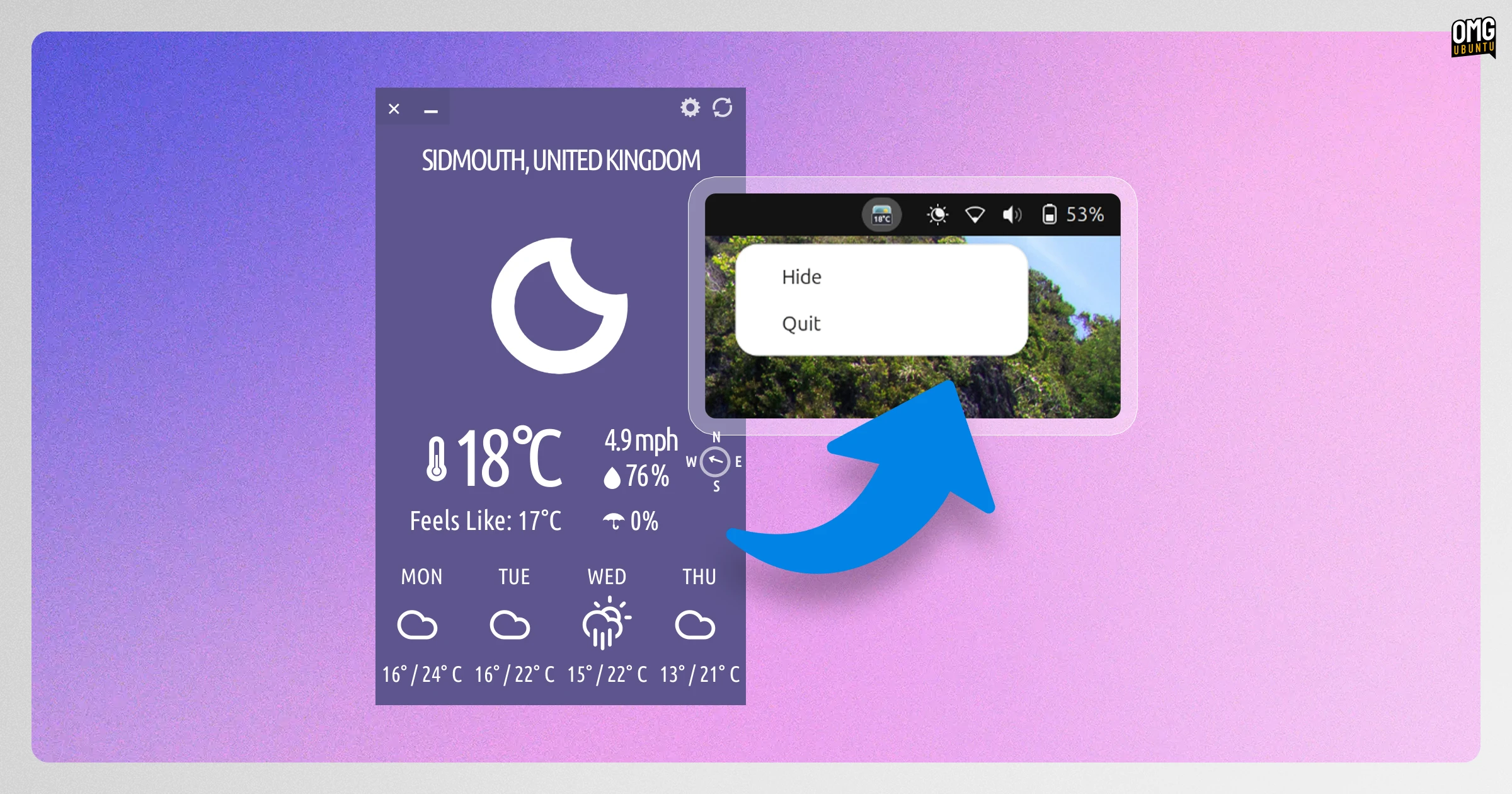
Cross-platform and open-source weather app Typhoon added a system tray icon in its v1.9.0 update. This makes it possible to keep an eye on the temperature from the panel when the app isn’t in the foreground, but quickly bring it to focus when needed.
This month also saw the app add an interactive 24-hour rain probability and temperature forecasts, alongside a few bug fixes.
Typhoon is a modern revival of the iconic Stormcloud (and a later fork, Cumulus) weather app, but very much its own thing now. It was rewritten in Qt6 earlier this year and kitted out with additional desktop integrations, making it one of the best weather apps for Linux.
A tray icon is a small change, but ideal for those who want the at-a-glance benefits of a panel applet with the ability to jump in to the app when needed.
Download details can be found on the Typhoon website. A Snap build, Flatpak and a dedicated PPA for Ubuntu users are also available.
VirtualBox prepped for Linux 7.2
Oracle released a new VirtualBox 7.2 maintenance release, v7.2.14, with stability and bug fixes.
Initial support for the upcoming Linux 7.2 kernel release on Linux hosts (where VirtualBox is installed) was added, and Linux guest support on RHEL 9.8 and 9.9 kernels fixed.
Other changes were largely Windows-specific: installer support for Visual C++ runtime detection, clipboard handling of Unicode formats and a “possible bug check and reboot of Windows 11 when updating Secure Boot DBX entries” on UEFI.
VirtualBox 7.2.14 is available from the VirtualBox website for Windows, macOS, Solaris and Linux.
PhotoGIMP continued to ape Adobe
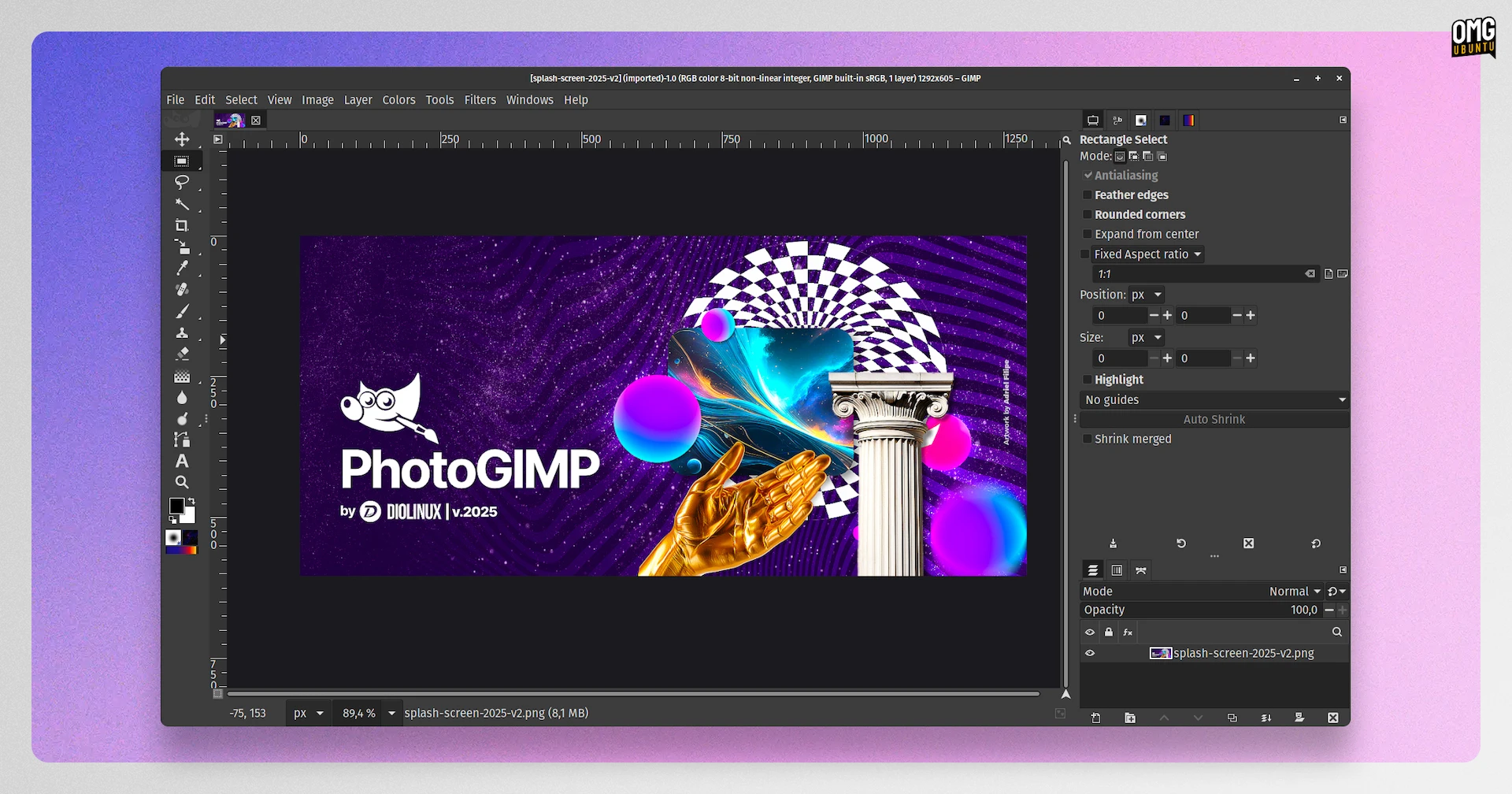
PhotoGIMP is not an “app” but a modification pack for GIMP that makes it look and behave more like Adobe Photoshop. Not a perfect salve for Linux creatives – not now Canva’s Affinity runs on Linux – but many find the tweaks enough to help them switch.
The first update to PhotoGIMP this year, v3.1, improves its Photoshop-style keyboard shortcuts and tool layout, not least by adding the bracket-key ([ & ]) shortcut to adjust brush size up and down during editing. It also now adds alpha channels to imported images.
Other changes are more perfunctory. Old GIMP configuration files have been cleaned out, documentation for installation and setup improved and improved support for GIMP Flatpak builds.
PhotoGIMP is a free, open-source patch set for GIMP 3.x on all major OSes, Linux included. Download the latest version from the project GitHub.
Bazaar added an Ubuntu warning
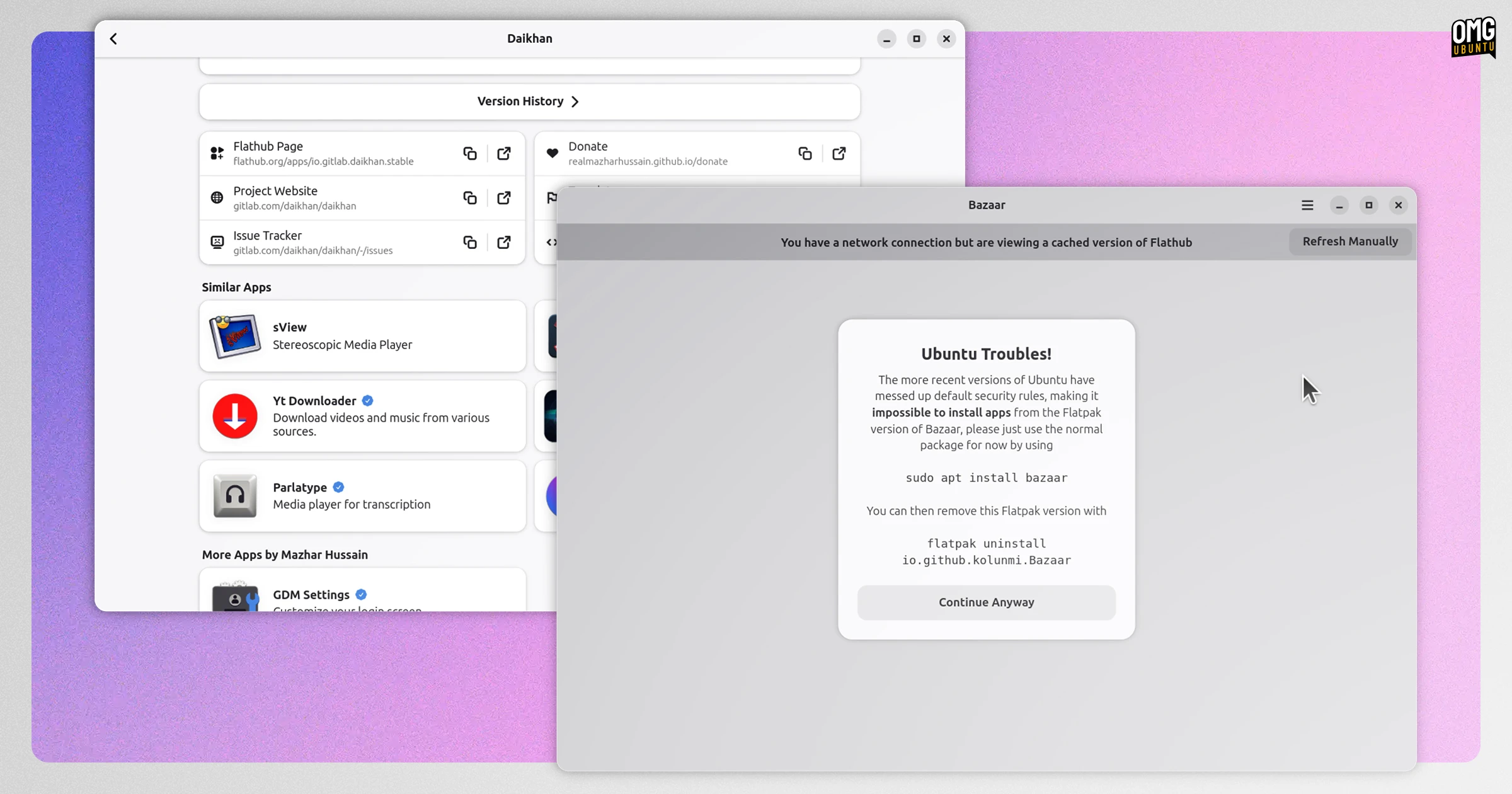
Bazaar, a desktop front-end for browsing, installing and managing Flatpak apps on Flathub, gained a ‘Similar Apps’ feature in its v0.9.1 update in July. Much like callouts on other app stores, this makes it easier for you to find software like the one you’re viewing.
Scores of bug fixes and backend tweaks are included too. For end-users, most of those tune-ups translate to a more reliable experience.
If you run the Bazaar Flatpak build on Ubuntu 26.04 LTS you’ll be shown a message:
“The more recent versions of Ubuntu have messed up default security rules, making it impossible to install apps from the Flatpak version of Bazaar, please just use the normal package for now”, it says.
Ubuntu doesn’t play nice with the fusermount wrapper that the Bazaar Flatpak (among other Flatpak) use for ‘host’ operations. An AppArmor workaround can patch it but, ideally, the distro should tend to its broken apparmor permissions, not users.
Install Bazaar on Ubuntu 26.04 LTS using the App Center or open your terminal and sudo apt install bazaar . If you have the Flatpak installed, run flatpak uninstall io.github.kolunmi.Bazaar to get it gone (and prevent conflicts).
Get the latest version of Bazaar on Flathub.
Firefox announced new ESR
Firefox 153 is the new extended Support Release (ESR) of Mozilla’s famed browser, aimed at enterprises.
Users on the current Firefox 140.x based ESR won’t be automatically upgraded to Firefox 153 ESR yet, so those on that branch continue to receive security updates for a little while longer (12 weeks).
A cumulative set of changes since Firefox 140 ESR are rolled up, including the new profile management system, PDF editing, tab Split View, AI kill-switch, redesigned Settings, privacy protections, tab containers and more.
Download Firefox ESR from the Firefox website, with Enterprise info on Mozilla Support.
Shotcut added a slim stock asset library
The free, open-source video editor Shotcut’s prolific developement pace saw no let-up in July1.
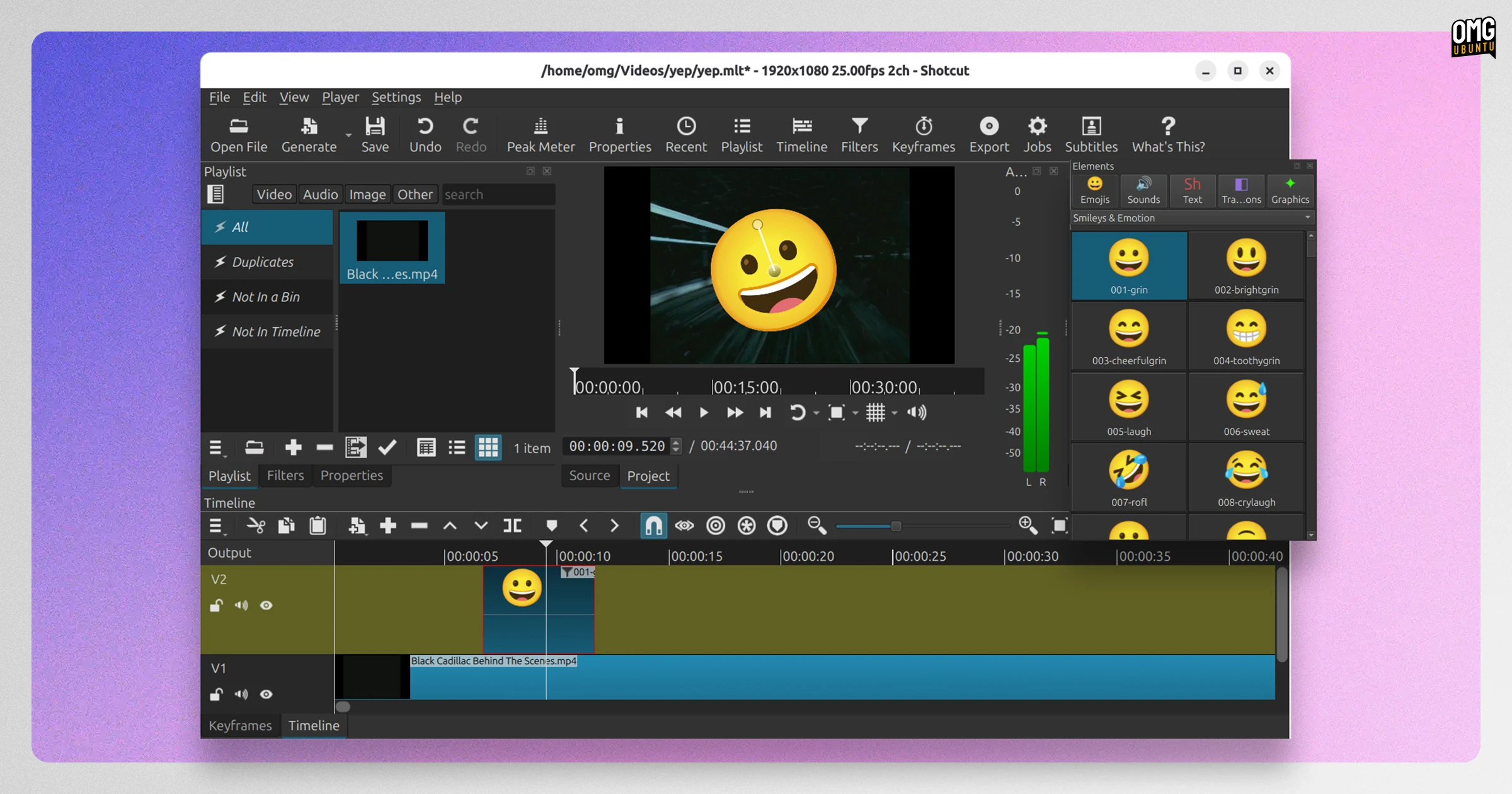
Shotcut 26.8.1 brings a new Elements panel. This provides a built-in ‘stock asset library of emoji stickers, sounds, overlay transitions, animated text and graphics. All of it royalty-free and available for commercial users without the need for attribution.
A new GPU selection option was added too. This lets users on Windows and Linux systems where more than one GPU is present – in this economy?! – to select which one the editor uses. Head to Settings > Graphics Adapter to check or set.
Elsewhere, a Shake video filter was added for mock handheld looks, and the look of tabs and Subtitles under the Fusion Dark and Fusion Light themes was improved.
Bug fixes and regressions patched ranged from missing VST2 and LV2 audio plugins support to missing Motion Tracker keyframes, even after hitting save and reload.
More details on those, and everything new in this release, on the project website.
Shotcut 26.8.1 is available now from shotcut.org, or install it from the Snap Store or Flathub.
BleachBit can free space from AI coding tools
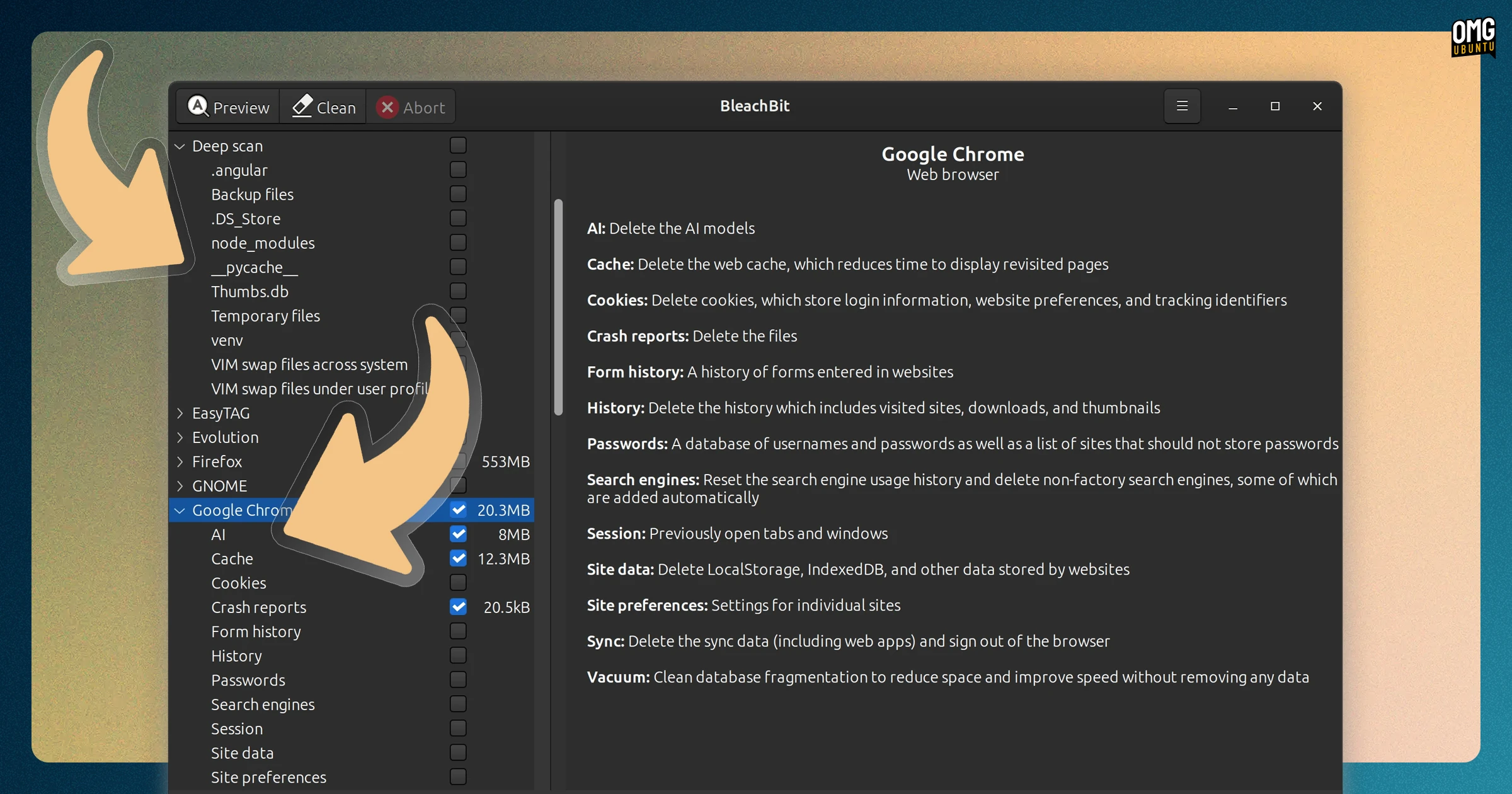
New cleaners have been added to free system cleaner BleachBit in its v6.0.2 update, which is the stable release of the beta I covered in June’s roundup. Sorry for the deja vu.
The tool comes equipped to clear out cruft from AI coding tools, including Antigravity, Cursor, Windsurf, Devin and Claude Code. It’s also able to junk the 4GB AI model Google Chrome often downloads in the background, but Chrome might re-downloaded it again, FYI.
Other cross-platform support includes cleaning multiple browser profiles on Chrome and Edge, DNS cache and expunging the clipboard after shredding files pasted in, and deep scan can detect venv, __pycache__, node_modules, and .angular folders/files.
On Linux, BleachBit 6.0.2 improves detection of trash files and is able to clean Deb installs of the Librewolf web browser and Flatpak versions of BitTorrent client Transmission. Fixes improve Snap handling and lets BleachBit’s CLI mode to run as root on Wayland.
BleachBit 6.0.2 is available to download from download.bleachbit.org, including new AppImage option.
LibreOffice filed further fixes
The Document Foundation issued LibreOffice 26.2.5, the fifth maintenance update in the LibreOffice 26.2 series.
They tout “targeted bug fixes and stability improvements”, but note skia rendering on macOS and Windows is back in experimental mode because of crashes and hangs reported by those upgrading from LibreOffice 25.8.x – that version reached EOL last month.
If bug fixes is boring, never fear. LibreOffice 26.8 will be released at the end of August with a sizeable set of new features onboard.
LibreOffice 26.2.5 is available for download at libreoffice.org. Ubuntu 26.04 LTS users get it as a software update in the coming weeks.
Blender moved physics into the node editor
Blender 5.2 LTS arrived in July 2026 and is supported until July 2028. It added an experimental XPBD Solver node, bringing hair and cloth physics into the Geometry Nodes rather than keeping them in separate simulation tools.
For rendering, cycles added a texture cache to lower memory use and Blender’s default material shader gained a ‘Thin Wall mode’ to fix the flat, waxy look that thin things often got. EEVEE renders scenes full of repeated objects up to twice as fast.
Geometry nodes also gained a Sample Sound Frequencies node allowing an audio file to be loaded in a node tree to drive animation or simulations off its frequency data, and a Mesh Bevel node for procedural edge and vertex control.
Grease Pencil gets a new Delaunay-based fill algorithm, replacing the old fill tool with automatic gap detection and a noticeable uptick in speed, and Sculpting adds a Scene Project brush and an Add Primitive operator.
There’s a lot more to Blender 5.2 than just those highlights. If you’re an animator, video editor or general 3D modeller do check out the full 30-minute long release video or mini-site to learn more about all of the changes included.
Blender 5.2 LTS is available now from blender.org, or via the Snap Store.
Halloy communicated more changes
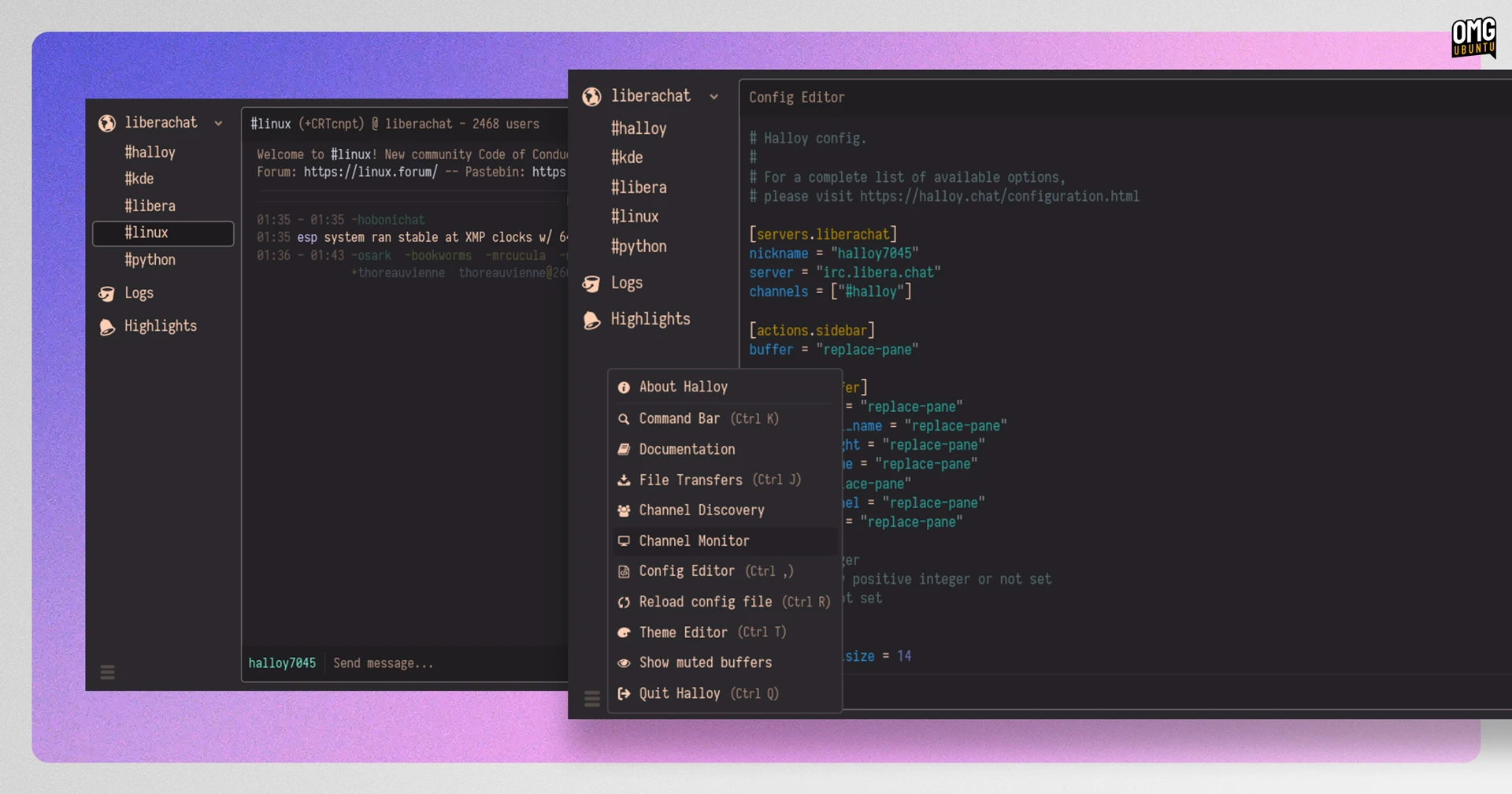
Halloy, the open-source, Rust-based IRC client, added a Channel Monitor. This lets you view messages from every joined channel in one place. While a new GUI config editor lets you edit Halloy’s config file without switching out to a text editor.
The sidebar was made more flexible too. Servers can now be collapsed and expanded, things can be pinned and channel queries (and other ‘buffers’) muted so they only nag you when there’s an unread message or alert.
Elsewhere, undo/redo shortcuts now work in the message box and the new config editor and you can configure what clicking on a nickname or link does. Login credentials can now be stored in the system keyring rather than Halloy’s config file.
Smaller additions include setting connection attempt limits before autoconnect gives up, blocking specific requests per server, controlling log file retention – and a lot more.
Halloy 2026.8 is available now, details on halloy.chat, or install from Flathub or the Snap store.
Rio terminal split itself in two
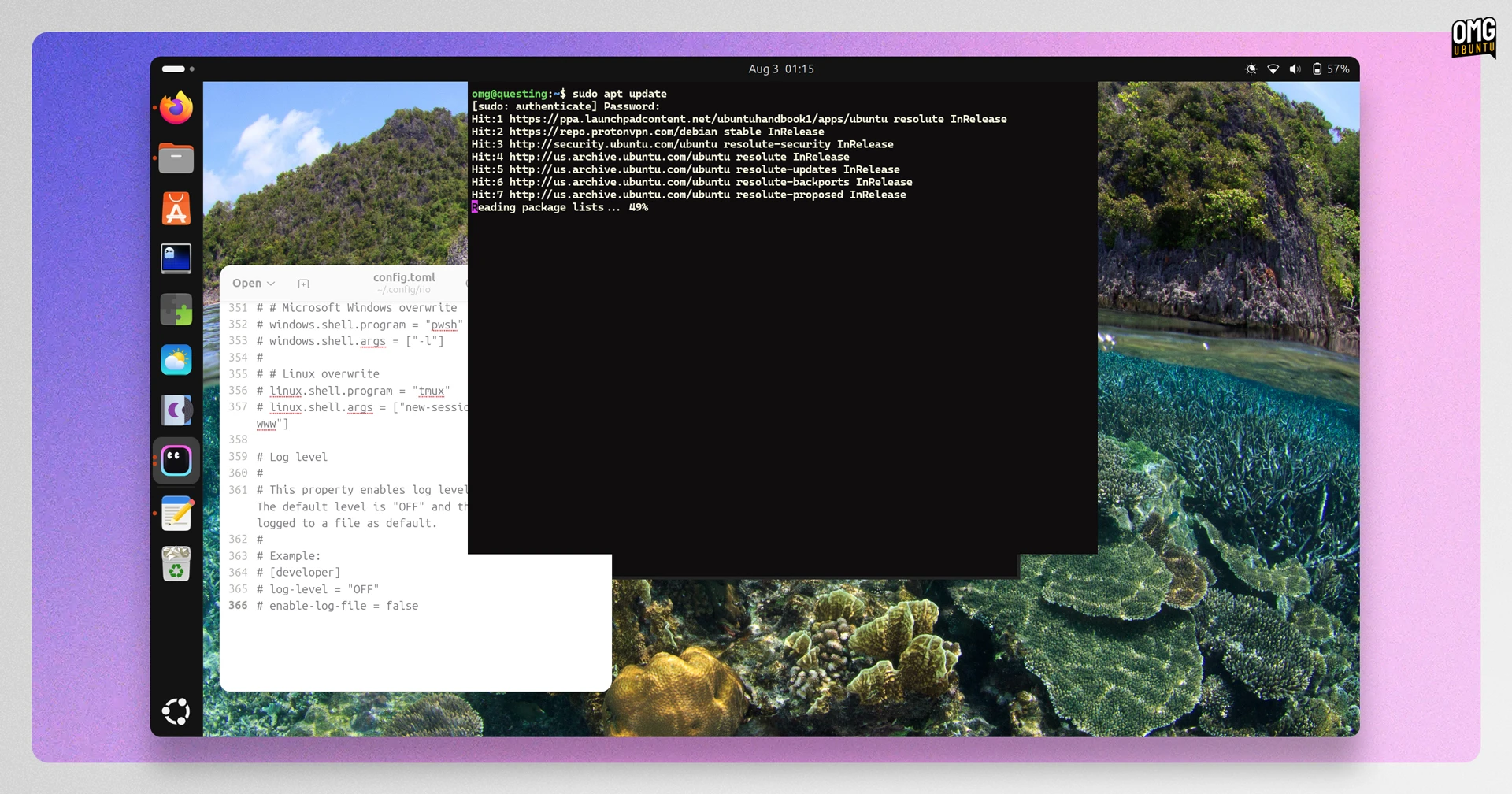
Rio, the cross-platform GPU-accelerated terminal (that isn’t one of the other cross-platform, GPU-accelerated terminals), saw a flurry of activity last month.
Rio developer Raphael Amorim gas split out the terminal engine from its renderer, publishing it as rio-vt, a standalone Rust crate, and librio, the same core wrapped in a C interface. Other devs can build their own terminal frontends on Rio’s tech, without using Rio itself.
Across the many updates, it also gained a ‘quake’ mode. This lets you assign a keyboard hotkey to have a terminal appear under your cursor. That shortcut can respond when Rio is unfocused on Xorg/X11 desktops but not under Wayland, sadly.
Performance improved too, and substantially, per Amorim. Full-screen TUI redraws are up to 1.6x faster and scroll-heavy plaintext (e.g., an avalanche of apt print) now parses up to 2.7x faster.
Other changes in Rio 0.5.x include the return of Sixel and iTerm2 inline images, fixes for the Kitty graphics protocol and, on Linux, Rio now follows system light/dark preference in both Wayland and X11 sessions by reading the standard XDG Desktop Portal.
Rio is free, open-source software written in Rust. Download the latest version from its website, or grab a .deb from its GitHub releases page.
Smaller updates
A few smaller updates of note for recurring spots in this series:
Plank Reloaded made codebase cleanups and improved its docklets, boldering battery detection (power docklet), KDE trash monitoring (trash docklet), workspace previews (workspace docklet) and image tracking in Clippy (clipboard docklet).
Cine video player improved tooltips and thumbnail performance. It also added a preference for Graphics Offload, which bypasses GTK’s renderer to reduce CPU and GPU overhead and may result in smoother playback (especially at higher resolutions).
Whisp, an ‘antinote’ clone for Linux, gained a distraction free ‘slate’ mode. Press alt + s to make all toolbars out of view. The two text sorting :: expanders now split notes into sections, though respect markdown headers.
Calibre, the ‘kitchen sink’ of open-source e-book tools, introduced plugin support for its content server, as well as an option to convert GIFs to JPEG or WebP during edits. You can more easily sort Table of Contents via a newly-added button, too.
That’s July’s digest. If you see a new app release you thin readers should know about, be sure to drop me a line via the contact form or directly via email.
- The release announcement went out on 1 August but the pre-release went out in mid-July. I wrote this section for the pre-release, but since it’s now stable, I’m blending the timelines and included it here. ↩︎