
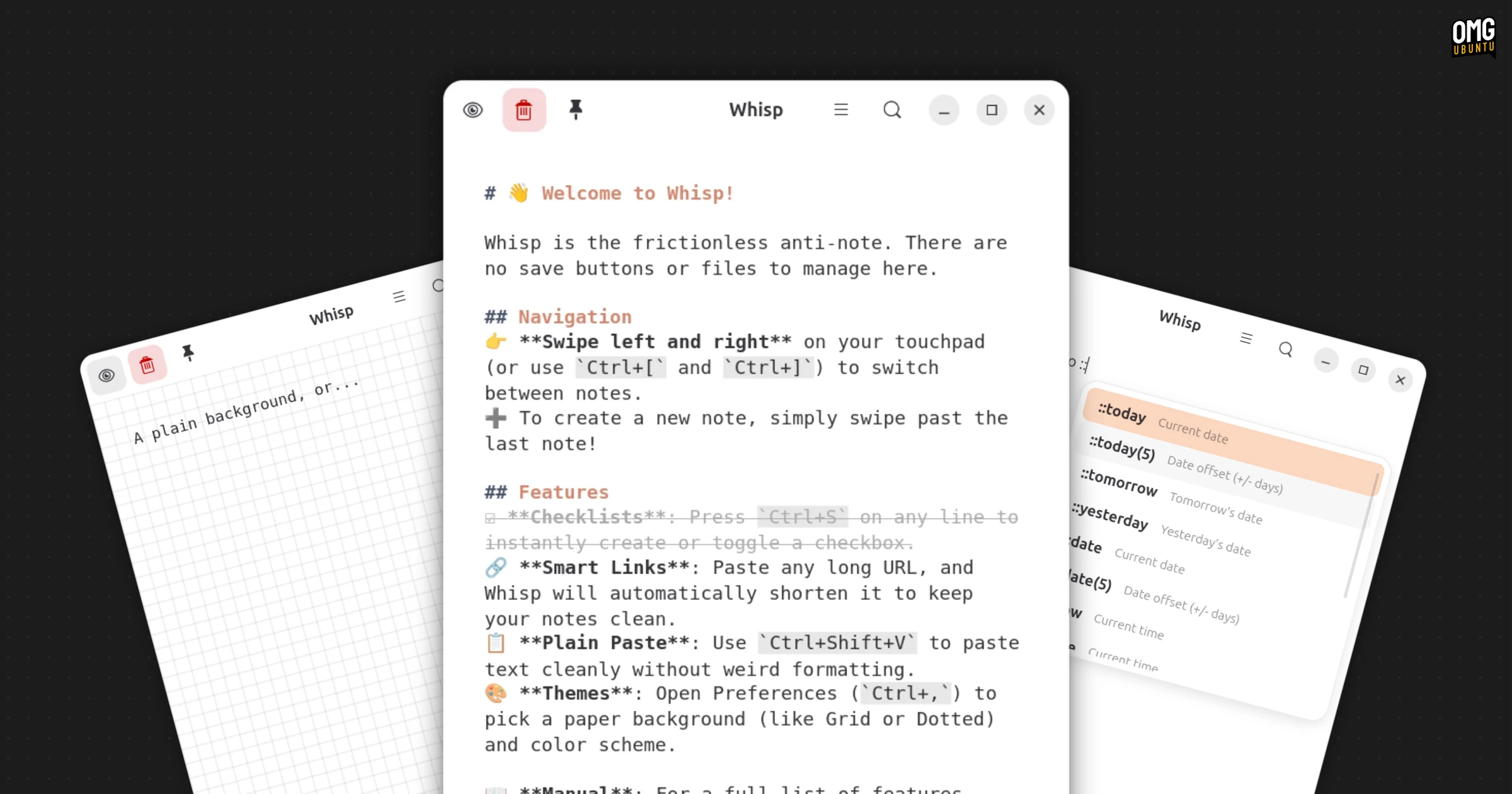

New GTK4/libadwaita app Whisp is positioning itself as the note-taking app for people fed up with note-taking apps (the best one is always the next one, right?).
Scratch that; Whisp pitches itself as “the anti-note for GNOME”, a riff on Antinote, a macOS app with a similar look and feature set. Developer Tanay Bhomia describes it as “a fluid, gesture-driven scratchpad designed for absolute speed”.
The website takes shots at the complexity of Obsidian and Notion, but Whisp isn’t out to compete with either. It’s a foil to notes relying on databases, hierarchies and corkboard-and-red-string organisational complexity.
Me? I am a disorganised savage. Pen and Post-Its until the novelty wears off, then plain text files, phone notes and the occasional screed I hunt-and-peck into a draft post here, on the blog.
Simplicity is the feature here.
You don’t need to give your notes a title – a notion that makes me twitch – and you don’t need save notes as separate files. There aren’t any folders and no tags system either. “Just open the app and start typing instantly”, says the website.
Navigating your notes is gesture-driven:
Yup, there’s no sidebar; instead, your notes exist in a swipeable carousel. Swipe left or right, click on the edges of the window or use ctrl + [ / ] keyboard shortcuts to move between them. When you swipe past the last note, a blank one appears.
Markdown supports lets you format notes using the common syntax, and there’s a WYSIWYG toggle for real-time previewing.
Throwing together a checklist is as simple as typing List:, though I couldn’t find a way to check items off.
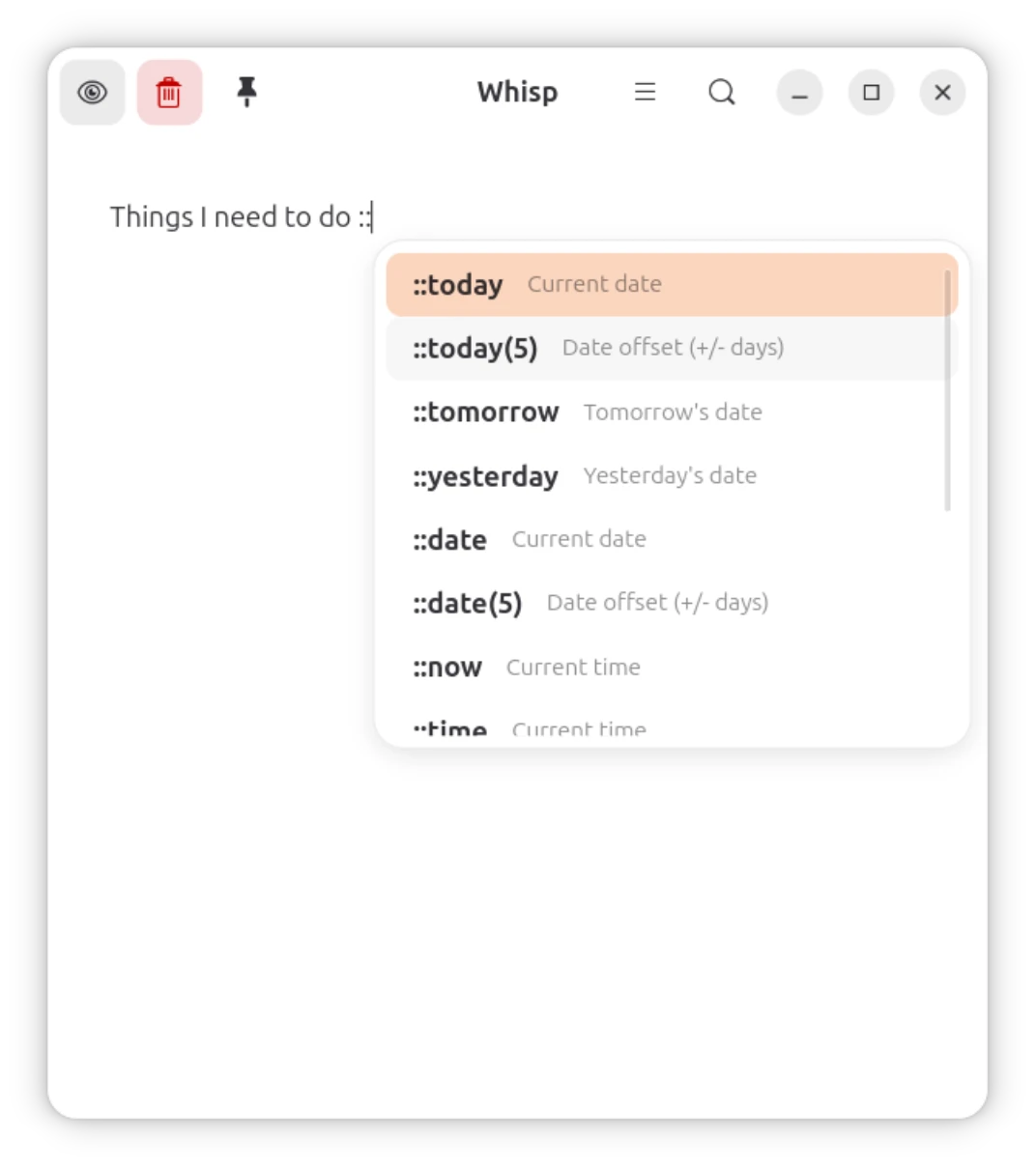
Smart text expansion for dates and times lets you type :: to trigger an autocomplete dropdown: ::today, ::tomorrow, ::now.
A global search matches across all your notes. Activate it from the button in the header bar or press ctrl + f. Clicking on a result jumps you straight to it.
Other features include:
- Automatic saving
- Smart URL pasting (collapses long links)
- Adjustable line spacing
- Grid, lined, or plain background
- Session launch preferences (new note or session restore)
- Automated inactive note cleanup (1 month, 1 year or never)
- Launch with global shortcut (app can run in background)
- Note pinning
- Custom fonts
- Deletion undo
Whisp is a scratchpad, more of a transitory jotter, not an archive; a recepticle for midnight mind vomits, meandering screeds and whatever else that would feel better said out than kept in. And there’s no risk of going mad organising since there’s little to organise with.
There’s clearly an appetite for a focused, modern note-taking tool on Linux as Whisp was downloaded more than 2,500 times in its first few weeks of debuting on Flathub.
Interested in trying it out yourself?
Get Whisp on Flathub.