


Roll credits on Totem, roll camera on Showtime — GNOME developers have officially cast a new video player in GNOME 49, out in September.
Per an upstream merge, GNOME has formally replaced the aged GTK3 Totem video player with the newer, fresher and all-the-more modern GTK4/libadwaita app Showtime in its Core Apps1 lineup.
Like its predecessor, Showtime’s user-facing name in GNOME 49 will be changed to the generic moniker of Video Player (I’d wager most of us will continue to call it by its codename, the same way we refer to Files as Nautilus).
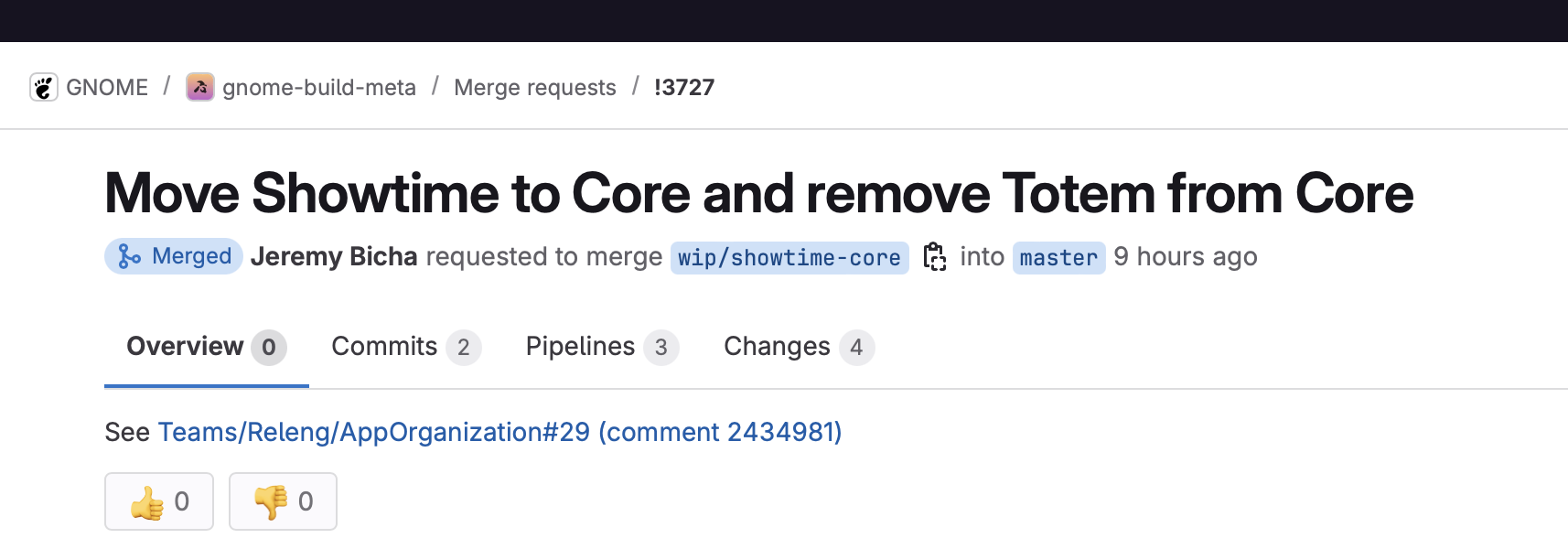
Showtime may be new in GNOME’s Core Apps, but it’s not new to the scene.
It’s been in development as part of GNOME Incubator for a while, I’ve covered the app previously, and anyone can install stable builds from Flathub (or the repos of Linux distros, including Ubuntu 25.04).
Why does Totem need to be replaced?
Totem is still a GTK3 app and is unmaintained (in part due to a crusty codebase), seeing no major development in years. Replacing it with a modern GTK4/libadwaita app designed to use modern technologies and meet modern needs has been a “high priority” for GNOME.
Linux distributions will (likely) keep packaging Totem, and some continue ship it by default. This news doesn’t mean Totem has ceased to exist, merely that it’s no longer the A-list star it once was.
Showtime for Showtime

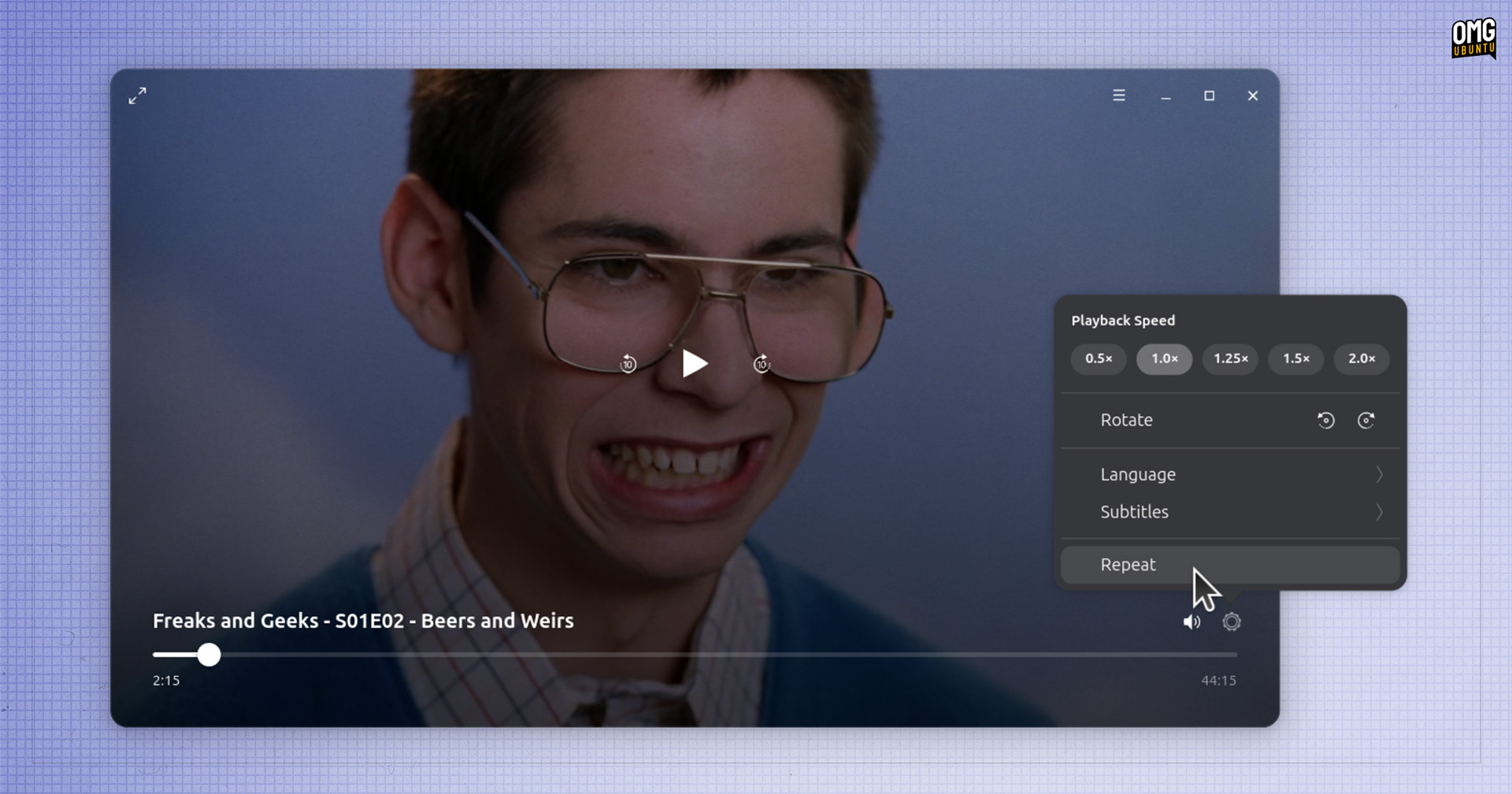
The application’s tagline is “watch without distraction” and, as soon as you hit play on a video you learn why: the window is borderless, with controls fading out of view to allow content to take centre stage, as in the picture above (right-hand side).
Features available in Showtime include: playing any media file GStreamer can, adjusting playback speed, enabling subtitles (embedded or from an external file), switching audio tracks, rotating video (handy if viewing smartphone footage), and playing clips on repeat.
Of course, nothing is perfect (apart from the enduring brilliance of Freaks and Geeks, pictured in my screenshots). Showtime doesn’t offer the exact same features as Totem. There’s no DVD playback support, for instance.
But this likely isn’t an issue in 2025 when few people play discs on laptops or PCs, and those who do have more capable software choices, like VLC.
Showtime’s job as a core app is to handle the core functionality that the majority of people need, rather than trying to compete with feature-filled or more specialised third-party apps. Or to frame it another way: “we have VLC at home“.
On that score, I find out works better than the software it supplants – the amount of excuses Totem gives when I ask it to play anything…), and being actively maintained with a clear design direction means we can expect to hear about new features being added.
Some are already on the way: a merge request is pending to allow opening of media URLs.
Will Ubuntu Switch to Showtime?
Now it’s official into GNOME Core, might Showtime wangle its way into a future Ubuntu release (for extended selection installations)? Perhaps!
I haven’t heard anything to suggest it will but a) I’m hopeful and b) Ubuntu did pre-emptively swap Evince for Papers so… Watch this space movie.
How to install Showtime on Ubuntu
If you want to try Showtime out for yourself, you can install the latest stable release from Flathub (as it relies on the shared GNOME 48 runtime so the Flatpak for that has to be downloaded too if it’s not already present).
On Ubuntu 25.04? You can install Showtime as a DEB directly from the Plucky repos. Search it out manually in App Center (with filter set to Debian packages), or skip the clicks and run this command (the second package is needed to play certain file formats):
sudo apt install showtime ubuntu-restricted-extras
I find that the DEB version of the app in Ubuntu 25.04 doesn’t render subtitles. Bugs open upstream show people reporting similar issues with subtitle’s appearing in other distros/formats too. Yet, others chime in to say they don’t – keep it in mind if subtitles are important.
- That link lists all the Core Apps, but will link to Totem until GNOME 49 is released. ↩︎