

Ubuntu 24.04.4 LTS is now available to download.
This is the fourth point release in the Ubuntu 24.04 LTS ‘Noble Numbat’ series since it launched in April 2024. The new installer image (ISO) contains all of the security, bug and software updates released since the Ubuntu 24.04.3 release last August.
More notably, Ubuntu 24.04.4 LTS ships with a new hardware enablement stack (HWE) offering Linux kernel 6.17 and Mesa 25.2.8, both back-ported from Ubuntu 25.10 and available to install on existing Ubuntu 24.04 systems – no fresh install required.
Updated Wayland Protocols are also included in the Ubuntu 24.04.4 HWE update. This has no huge impact on most users, but helps provide features that some recent software releases can use with the Wayland display server.
The ‘point’ of point releases is to make sure that long-term support releases are able to boot and work on hardware that wouldn’t have been released at the time the original ISO was made (April 2024). It also cuts down on the amount of updates that need to installed.
If you already run Ubuntu 24.04 LTS you don’t need to download the new ISO and do a clean install. In fact, there’s nothing here you won’t already have – assuming you’ve been installing updates, that is!
Updated packages in Ubuntu 24.04.4 LTS
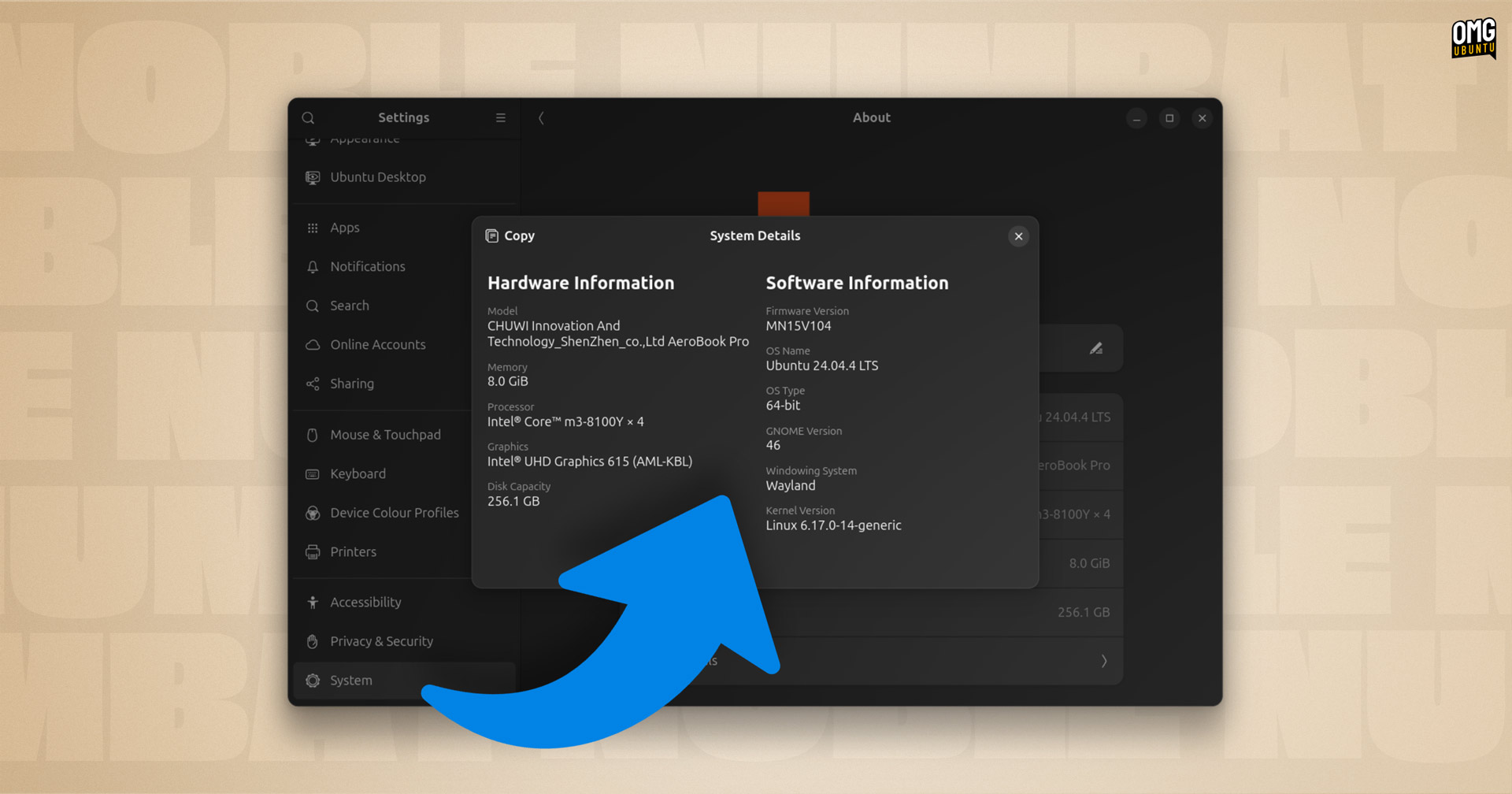
Ubuntu 24.04.4 LTS doesn’t introduce any major new user-facing features, but Linux kernel 6.17 and the Mesa graphics driver update offer scores of low-level enablements and fixes that improve performance, albeit subtly – unless you’re a gamer.
Updated packages on the new ISO include:
- Linux kernel 6.17
- Mesa 25.2.8
- Snapd 2.73
- LibreOffice 25.8.4
- Mozilla Firefox 147 (snap; auto-updates to newer)
The ISO also packs in scores of bug fixes, security patches and other in-series updates to noble’s underlying package set. Far too many (and minor) to list individually. There’s also a set of mirror updates to provide a pathway for upgrading to Ubuntu 26.04 LTS later this year.
Again, the change delta between Ubuntu 24.04.3 and Ubuntu 24.04.4 only affects the installation media. All of these updates were released to existing users over the past five months, there’s no big “upgrade” button to hit for existing users.
How to ‘Upgrade’ to Ubuntu 24.04.4
If you currently run Ubuntu 24.04 LTS you should have everything here, but if you don’t see “24.04.4 LTS” when looking at the in Settings > System > About dialog (or on the GRUB boot loader during startup), you can fix that easily:
- Open Software Updater
- Install the
base-filesupdate
The base-files package is what modifies the version number shown throughout the system.
Download Ubuntu 24.04.4 LTS
Download Ubuntu 24.04.4 LTS for desktop, Raspberry Pi, server, and other devices direct from the Ubuntu website releases page, the main Ubuntu website download page (points to the same ISO), or your preferred official flavour website.
Ubuntu 24.04 LTS receives support until April 2029. After that, you can choose to receive security coverage for a further 5 years by signing up for a free Ubuntu Pro account.
For businesses who really don’t want to upgrade, Canonical now offers the option to pay for an additional 5 years on top of the standard 5 years and 5 years with Ubuntu Pro, giving 15 years Ubuntu LTS support in total – which is crazy.
The next point release will be Ubuntu 24.04.5 LTS. This will deliver the final HWE update to noble users, backporting the kernel and graphics driver stack from Ubuntu 26.04 LTS.
Long-term support (LTS) versions of Ubuntu are supported for a minimum of 5 years. During the first 3 years, periodical ‘point releases’ are put out. These refresh the install image (ISO) so new users don’t have to download up to 3 years worth of updates after installing.