


When you log in to the Ubuntu 24.10 desktop an audio clip greets you —a lengthy audio clip slowly building to a plinky-plonky crescendo that you (and those around you) might tire of having to listen to!
You can turn the Ubuntu startup sound off, or swap it for an audio clip more to your taste/amusement.
For a sizeable part of Ubuntu’s early years musical startup and login sounds were a staple feature. The distro decided to disable them in Ubuntu 12.04 LTS following feedback that, actually, they can be rather annoying or even embarrassing at times!
12 years later, Ubuntu 24.10 brought the startup sound back in the form of a celebratory ‘easter egg’ to honour the distro’s 20th anniversary. The sound selected was, fittingly, the first login sound ever used way back in Ubuntu 4.10.
The login chime is a lovely touch that adds personality to the latest short-term release, irrespective of whether the person hearing it is aware it’s a nod to Ubuntu’s past.
But you might not want to keep hearing each and every time you turn your laptop on, or find yourself HEARING IT VERY LOUDLY ON THE REGULAR because you forget to adjust volume level for your speakers prior to starting up.
Either way, here’s how.
Turn Ubuntu Startup Sound Off
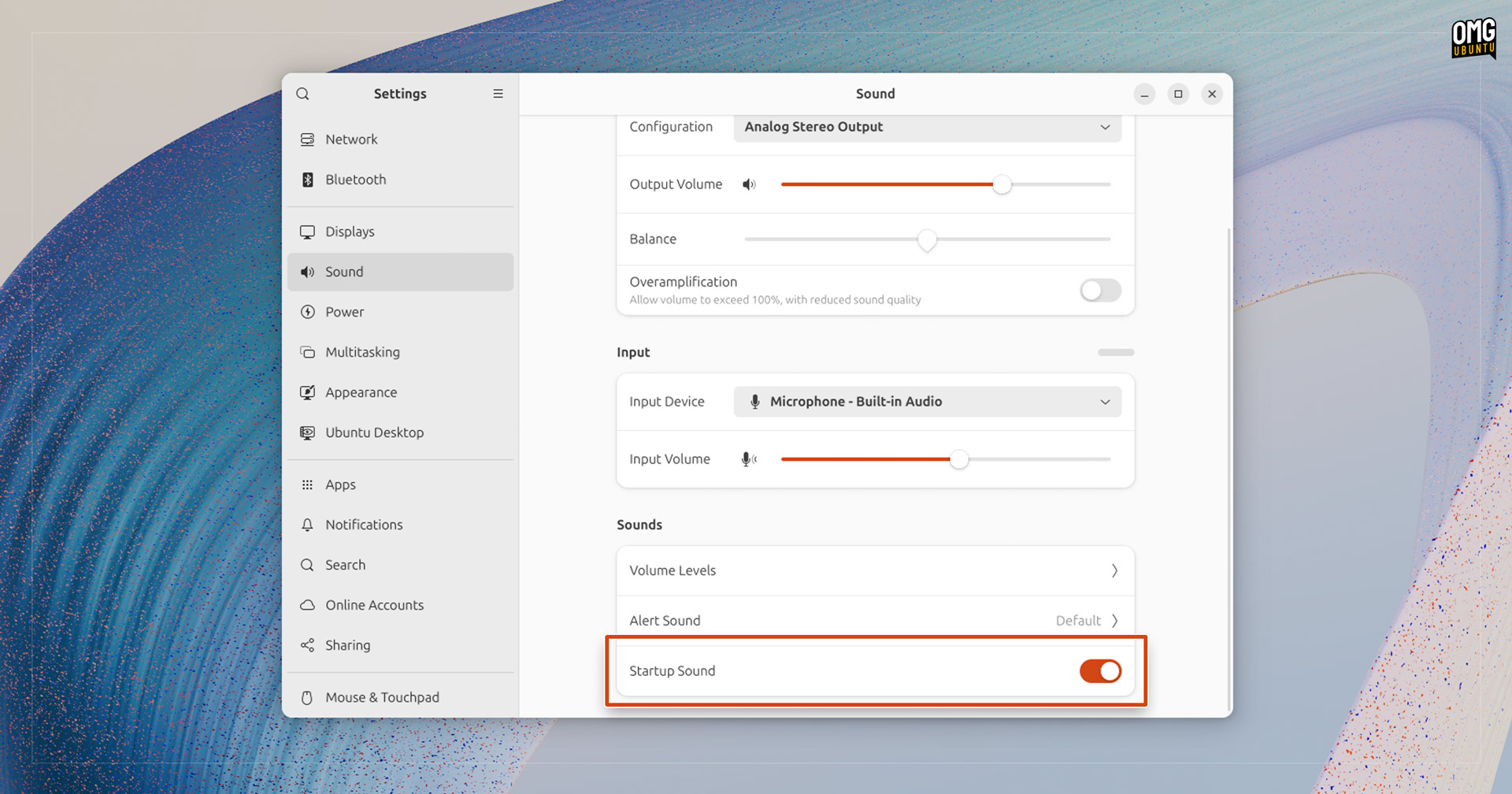
I have a fairly good reason to disable the startup sound: the speakers in my low-power Chuwi laptop are borked (and have been since I bought it). They hiss LOUDLY whenever a system audio sound plays—even a ding in the Terminal sets ’em off.
So each time I boot into Ubuntu 24.10 I have to sit through 11 seconds of static hiss.
So on that particular laptop, I turn this sound off – and as it’s so easy to, it’s no hardship.
To disable Ubuntu’s new login sound:
- Open Settings
- Go to the Sound page
- Scroll to the bottom
- Slide the Startup Sound toggle to ‘off’
Slide it off, and et voila: no more audio accompaniment to the routine act of logging in.
Change Ubuntu 24.10’s Startup Sound
Do you like hearing a sound play each time you login to Ubuntu, but you want hear a different sound entirely? If so, you can replace the sound file manually—a bit hacky but it won’t screw your system up.
All you need to do is overwrite/replace the .oga file in /usr/share/sounds/Yaru/stereo/warty-startup.oga with an alternative OGG/OGA file, remembering to keep the same file name.
To listen to the legendary Ubuntu login sound on login in Ubuntu 24.10:
- Download the classic Ubuntu login sound (.OGG)
- Open a Terminal and run:
nautilus admin:/usr/share/sounds/Yaru/stereo/
- Rename/backup the stock
warty-startup.ogafile - Move over your new
warty-startup.oggfile - Log out and back in…
Now, when you log in you’ll hear your personally selected sound play.