

I was flummoxed to read a report on how much memory Microsoft’s Weather app uses on Windows 11 – more than 1GB just to render what is, ostensibly, a fancy table of stats.
Less surprising is that the GNOME Weather app does the same job for under a fifth of the reported Windows figure, while Mousam, my go-to weather app, uses around a third of Microsoft’s effort (and with a nicer design, too).
Not everyone on Windows 11 is seeing memory usage as high as the 1.1GB figure given in Windows Latest viral post. But when I check on my low-power Chuwi laptop the app was sitting on north of 900MB – bafflingly high given that complex apps do more with less.

Microsoft builds many of its own apps using the WebView2 framework, rather than the native WinUI. This is powered by Microsoft Edge’s Chromium engine (as do the taskbar news-and-weather panels, similarly admonished for gorging on RAM).
The desktop Weather app also packs in sponsored content and ads, following Microsoft’s standard ‘billboard-first, functionality-second’ approach to design.
High-end gaming rigs wouldn’t notice a dent in responsiveness from using this, but on devices with modest amounts of memory, opening Weather could cause memory pressure increases (RAM gets compressed first, then the page file gets pulled in) that lead to a sluggish system.
How do Linux weather apps compare?
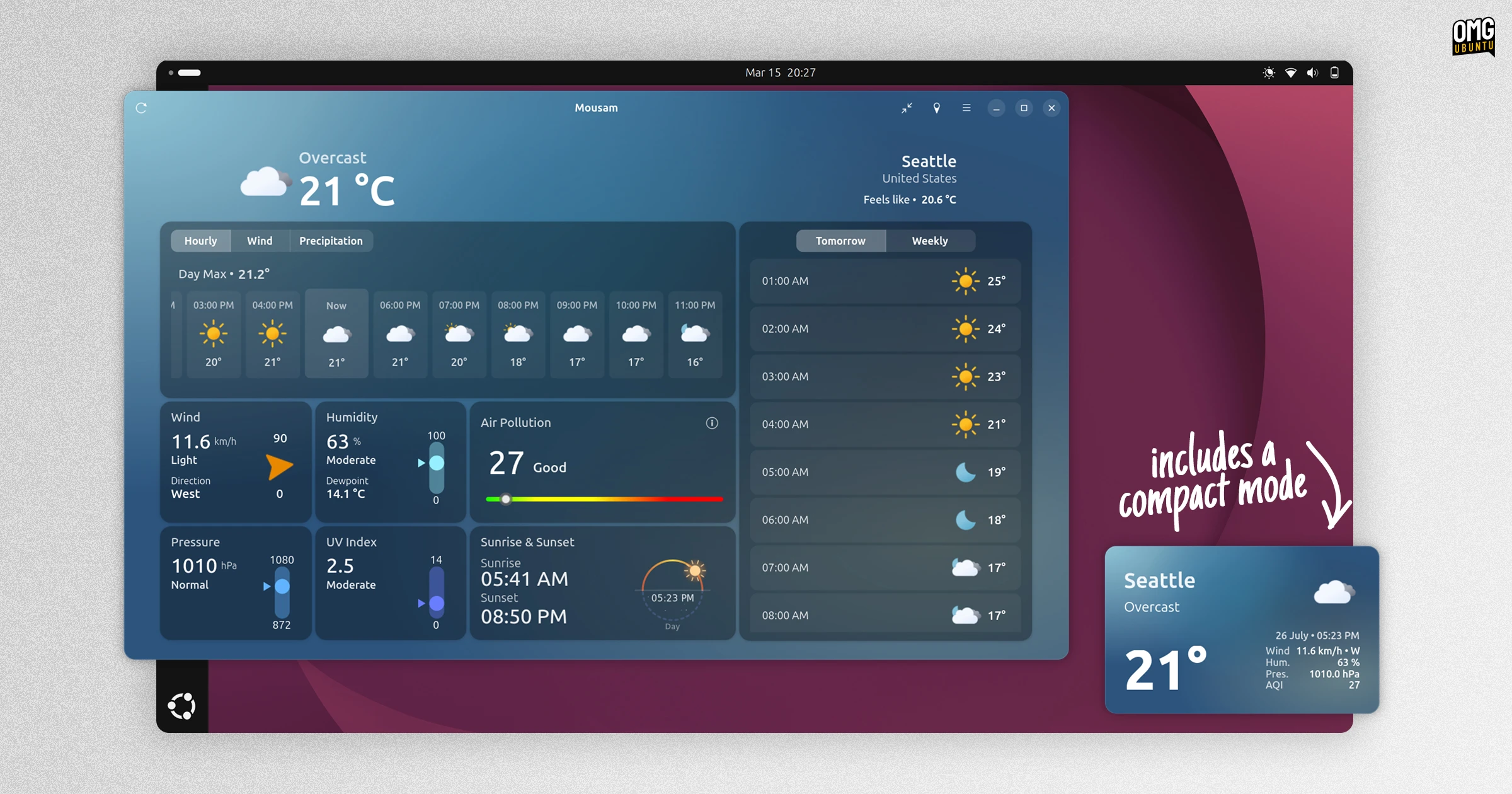
I was curious how Linux weather apps – not panel applets, though those are more popular – compare to Windows. I opened the ones I have installed on Ubuntu 26.04 LTS to check their memory usage in Resources and Mission Center.
My laptop’s specs aren’t top-of-the-range: a low-power Intel m3-8100y processor, 8GB RAM and a 250GB NVMe SSD. But as it’s the only device I have that runs Windows 11, it seemed an ideal testbed on which to check:
| App | Operating System | Memory Usage (MiB) |
|---|---|---|
| Microsoft Weather | Windows 11 | 918 MB |
| Mousam | Ubuntu 26.04 LTS | 290 MB |
| Typhoon1 | Ubuntu 26.04 LTS | 240 MB |
| GNOME Weather | Ubuntu 26.04 LTS | 160 MB |
| (Apple) Weather | macOS 13.7.8 (Intel)2 | 90 MB |
| (Apple) Weather | macOS 26 (ARM) | 250 MB |
Memory figure is the average of 3 runs during active use. Microsoft’s Weather app fluctuates heavily in memory usage (across 9 subprocesses) depending on what’s being loaded, from where, whether it’s in focus, and so on.
The fact Linux apps were more efficient won’t be stopping any presses. But I was shocked by how inefficient Microsoft’s app is. I didn’t hit the same 1.1GB high that the Windows Latest testers saw, but it came close enough.
Using a quarter of the minimum RAM requirement for Windows 11, officially just 4GB (“Yeah right!” – the world.) just to let know if it’s raining is, frankly, shocking..
To Linux users, seeing how badly Windows software runs is succour to confirmation bias. And while it’s tempting to take stats as proof Linux just does things better by default, really it’s proof that Microsoft doesn’t care enough to try.
Which is why performance benchmarks – empirical or anecdotal – aren’t the real be-all-and-end-all, so much as intent.
Microsoft would rather ship a browser tab with ads bolted on to pad its own pocket than build an optimised app that respects both its users and their hardware – a more compelling reason for users to switch than how inefficient its weather app is.
Used a different weather app or seen different numbers on Windows? Share your own memory readings below.
via NotebookCheck
- Typhoon is cross-platform app written in Qt, On Linux, Resources reported it used <4 MB, but a Python process belonging to it used 250-300MB. Mission Center reported a combined figure. Average is taken from the combined figure. ↩︎
- For macOS I (obviously) had to glean values using Apple devices. I took a Weather app reading from an Intel i5-based 2017 iMac 4k with 32GB RAM, and a reading from a mate’s MacBook Pro with M4 Max and (enviable) 64GB RAM running macOS 26. ↩︎