
Discover a mix of tutorials on everything from how to install the latest versions of apps or enable new features, to workarounds for known issues – alongside general ‘configuring Ubuntu’ advice.
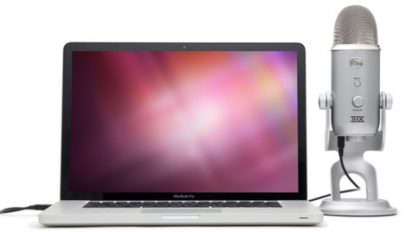
I asked Santa Claus for a new microphone so I can improve the quality of voice-overs in OMG! Ubuntu YouTube videos. And whaddya know: the famous white-bearded one (no, not Gandalf!) kindly obliged, stuffing a […]

We've blogged about it endlessly of late - but now Ubuntu 11.10 users can finally try it out for themselves. What am I jabbering about? Empathy with Microsoft's newly-implemented MSN XMPP support...
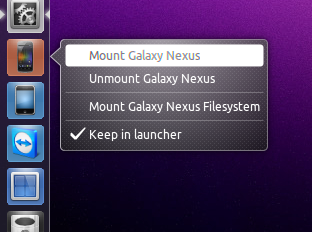
Mounting your Galaxy Nexus phone in Ubuntu has just gotten a whole lot easier. The following script adds a Unity applet with quicklist options for mounting and un-mounting the device safely - no terminal commands necessary.

Longing for the look and feel of the classic GNOME desktop in Ubuntu 11.10? Well it's easier to achieve than you might think. Peek on in for a guide to aping the look of old school GNOME in new school GNOME.
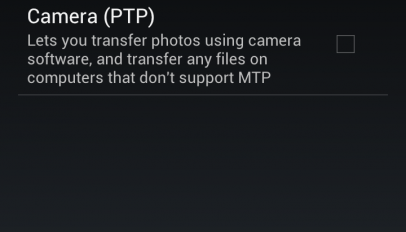
The Galaxy Nexus - such a great phone, and one that wows anyone who uses it. But there is one area in which the phone falls short: getting it hooked up to my Ubuntu laptop. Read on for a quick guide on accessing your Nexus S files from Ubuntu.

Marlin is a sleek, fast and sexy Nautilus alternative. Just over a week ago we told you How to Install Marlin File Browser in Ubuntu 11.10. Since then Marlin has been updated with a handful of additional changes - some which might tempt the more reluctant into giving it a try.
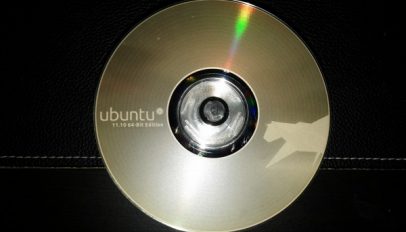
Ever wondered how to burn lightscribe discs in Ubuntu? So did Dean Howell - who found that installing and setting up the tools needed for burning pretty labels in Linux is not as simple as grabbing an app from the Ubuntu Software Centre.
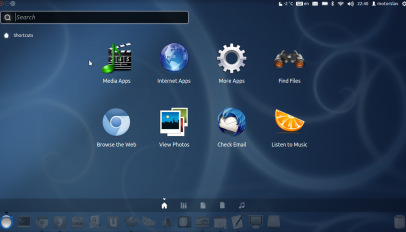
Ubuntu 11.10 bring a lot of nifty changes in Unity featuring - chameleon theming, active blur, ability to change launcher opacity, relocation of the Ubuntu button from the panel to the launcher, and so on. These new features have opened up the door for a lot more customisation in Unity than many think possible. Read on for a guide on radically changing the look of Unity in Ubuntu 11.10...
Does the placing of the 'back' and 'forward' navigation buttons in GNOME 3's Nautilus bug you? Let it no more: OMG! Ubuntu! reader Tim has written up a solution on switching the navigation arrows back to their old placing.
Among the things that I love most in KDE is it's file manager - Dolphin. Dolphin is fast, looks great and is future-rich. Recently I've thought "How can Dolphin possibly get any better?" and today I stumbled upon a very neat and useful tweak for Dolphin that makes it almost perfect - service menus.
Hardcore Banshee user Leo McArdle sent in the following handy tip: – “Hey, today I stumbled upon the NOT operator in the search of banshee. For example, if I want to only see tracks without “demo” […]

Bored of Nautilus? Tired of Thunar? Desperate to ditch Dolphin? Maybe it's time to try a new file browser? Marlin is a lightweight file browser built from the ground-up to be responsive, simply designed and easy to use - and here's how to install it in Ubuntu 11.10
GNOME's default web browser is 'Epiphany' - but very few GNOME-using distributions ship with it. With the release of GNOME 3 (and the subsequent GNOME 3.2) the webkit-using browser added a slew of new features, many of which have turned the app from an 'also-ran' into a dependable, fast and responsive choice.
Mozilla Thunderbird is the default email client in Ubuntu. It is easy to use and setup, has many advanced features and allows for easy customisation. And customization is exactly what this article is all about.
Google Music, the search giants cloud-music player/storage service, slipped off its beta tag and emerged into the land of 'available to all' yesterday. But how do you go about making the most of it on Ubuntu?
This blog post isn’t only directed to ThinkPad owners as most notebook Linux users with Intel Core Duo 1/2 and i3/i5/i7 processors have been affected by this bug if not all. And yes, this problem […]
Unity's Application Lens is pretty much perfect: you can search apps by text, or by category. Simple stuff, right? Well it's not simple enough for those who prefer the more traditional approach to application-menu structure. To that end the maintainer of the Unity Application Lens, Mikkel Kamstrup Erlandsen, has put together an GNOME Menu inspired alternative. A lens he's called 'Unity Bliss'.
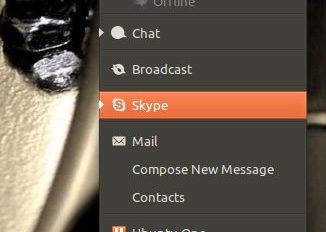
Want Skype in the Ubuntu Messaging Menu? Here's how...