

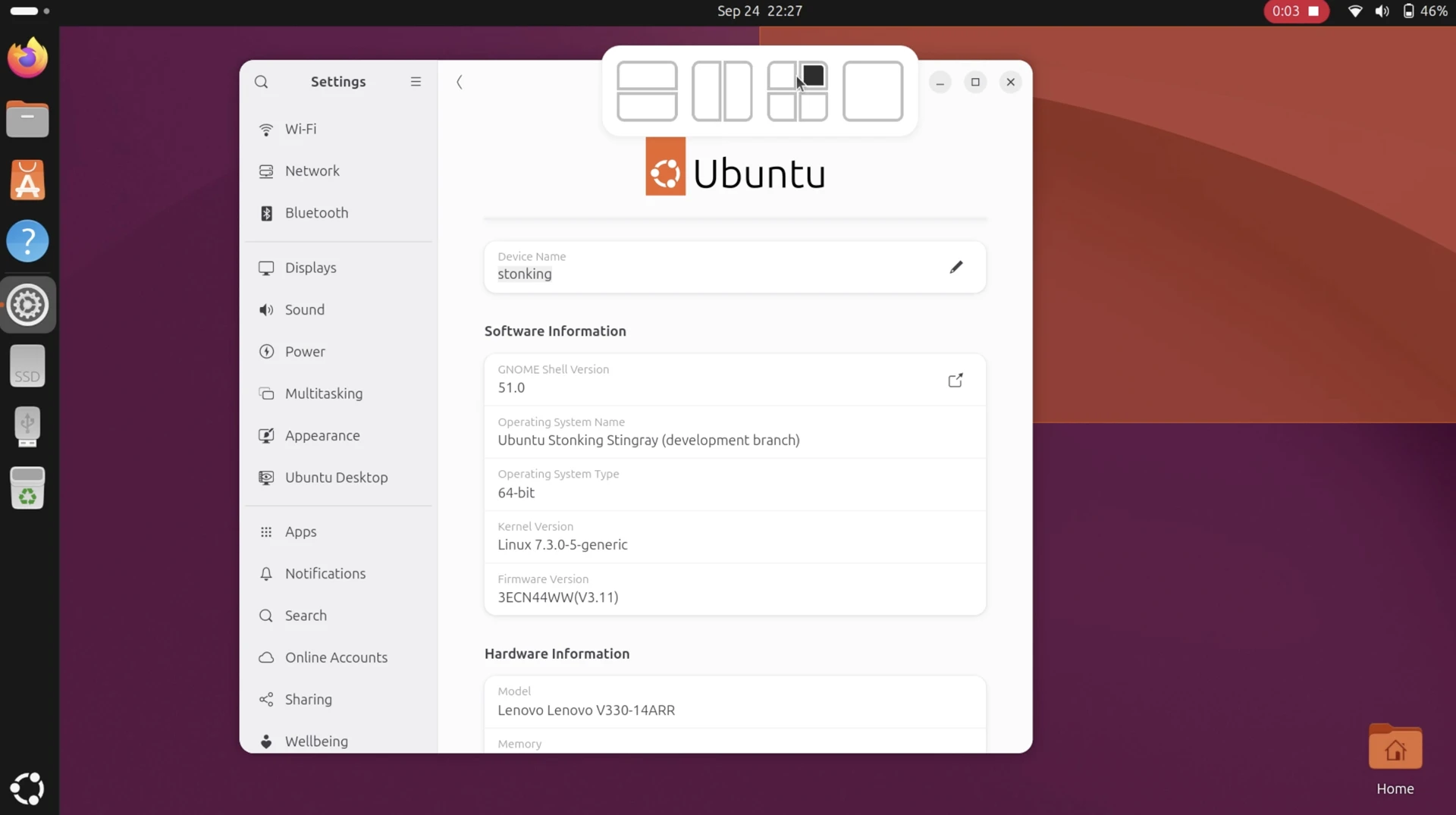
Ubuntu 26.10 offers a new way to tile your apps, with a layout picker sliding in from the top of the screen when you move a window.
This “dropzone” concept for quick tiling will be familiar to users of Windows 11 users or those who’ve tried the Tiling Shell extension for GNOME Shell – they do, broadly, the same thing.
When you drag a window a layout picker with a small set of preset layouts drop zones moves in from the top of the display. You drag your window up over a layout zone (a ‘ghost’ preview of where the window will snap is shown) and release to tile it:
After tiling, Tiling Assistant will (as it does for regular edge-snapping) suggest other open windows to tile alongside it, filling in the other spaces. So, if you use the picker and drop a window to snap to a quarter, tile suggestions will fill out the remaining quadrants.
The layouts shown in the picker are the same as the ones supported by dragging windows to screen edges. You can’t add or edit layouts, something Tiling Shell offers (a mix of sizes, columns and rows), but that would be additional complexity.
I was a little surprised to see this present on my test install. It appears to be a rather late addition in the Stonking Stingray cycle, well past the distribution’s user-interface freeze (after which major user-facing changes are not supposed to arrive).
Looking at GitHub, the new layout picker was only merged into the extension a few days ago (as of writing). A merge had been open since June, with the feature’s code contributed by one of the designers working on the Yaru icon theme.
I’m glad this made it in; Ubuntu took forever to support quarter tiling – that only arrived in 2023 – and though this picker doesn’t divvy up screen space any better (also limited to 2 columns/rows), it’s a boost for for multi-tasking.
Only…there’s currently no off-switch for the layout picker, not in Settings > Ubuntu Desktop. I don’t imagine everyone will want to use this (it is visually distracting seeing the picker bar gesture itself when moving a window), so hopefully one will be added.
However, an off switch is available in the extension’s settings – along with other settings Ubuntu doesn’t expose, like configurable gaps – but you can only get to that via third-party tools, such as the Extensions Manager desktop app.