
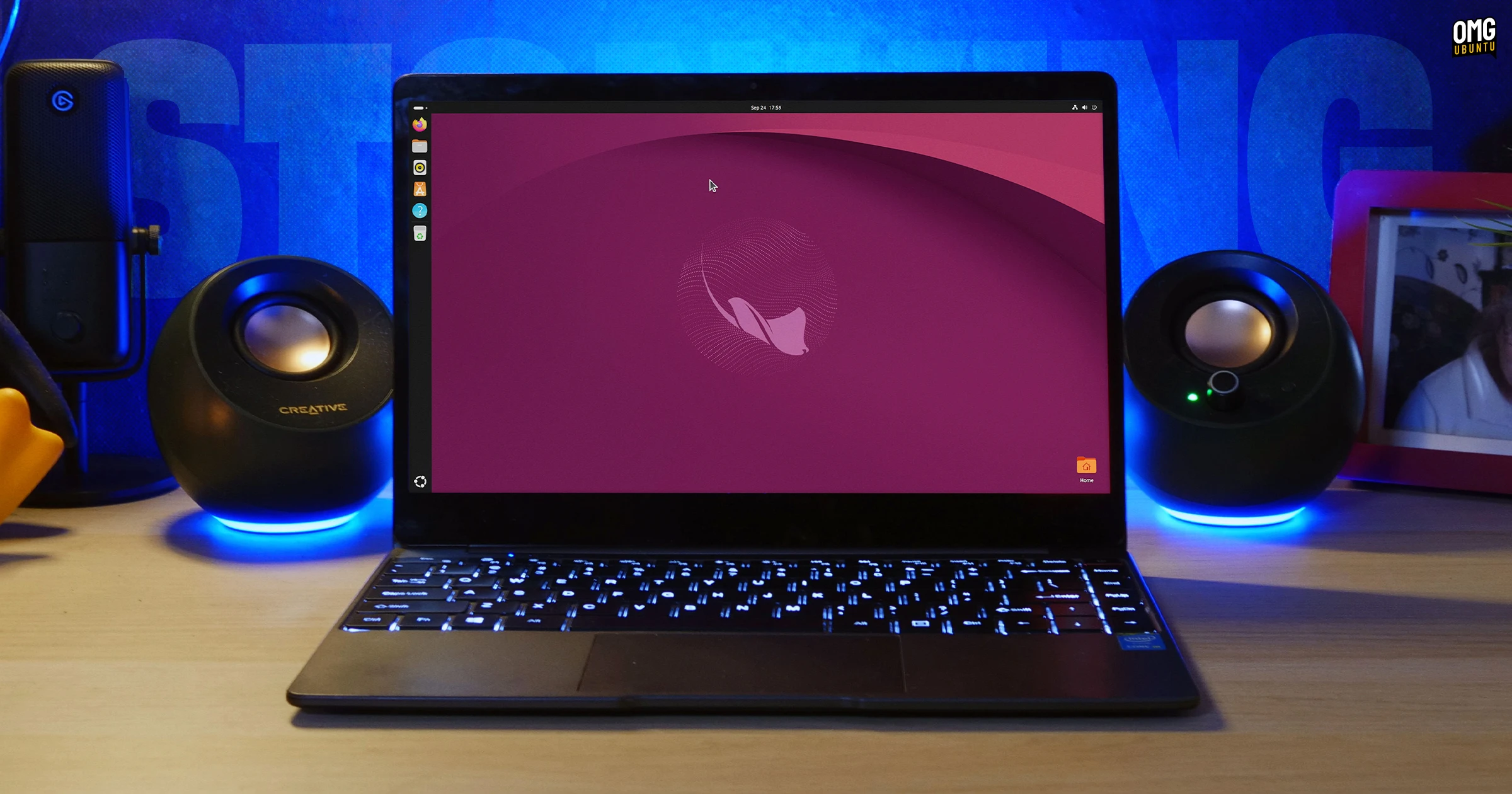

The beta release of Ubuntu 26.10 (Stonking Stringray) is now available for download – a week later than planned.
Ubuntu 26.10 Beta runs on the Linux 7.3 kernel (release candidate) and ships the GNOME 51 desktop. Lower-level changes include a complete set of Rust core utilities and better handling of low-memory situations.
Beta builds are not final or stable, but generally more reliable than earlier snapshots. Users and developers alike can test the new release and report any bugs they find so any fixes can land in time for the final, stable release of Ubuntu 26.10, out on 15 October 2026.
For a concise overview of what ships in the Stonking Stingray, read on.
What’s new in Ubuntu 26.10?
Desktop & Apps
The GNOME 51 release delivers the bulk of Ubuntu 26.10’s user-facing changes. It brings, among other things, a new Reduced Motion accessibility setting to dial-down most UI animations, makes fingerprint enrolment easier and rejigs the system info panel.
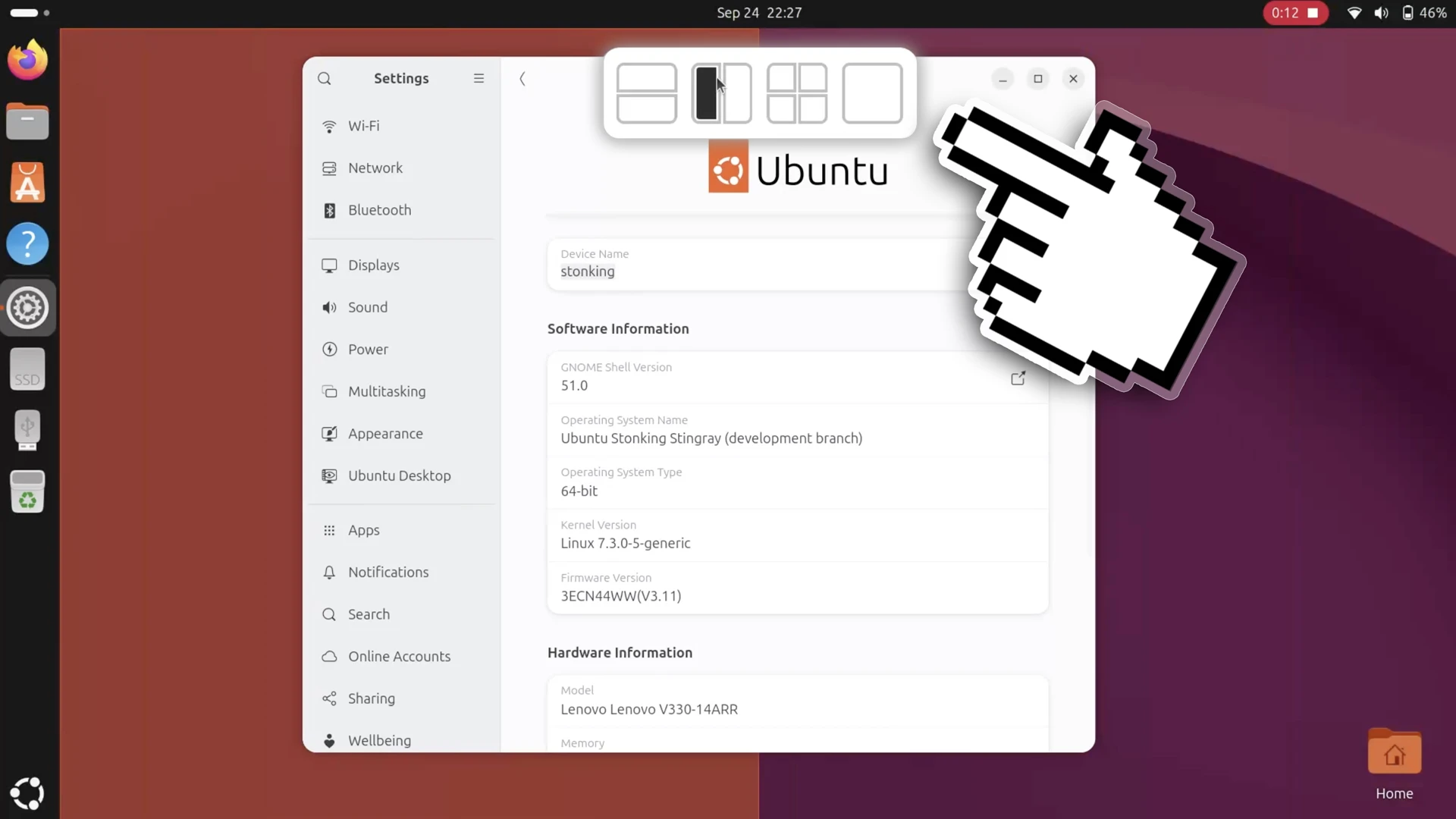
Snapping windows has been made easier too.
Ubuntu’s Tiling Assistant – one of the preinstalled GNOME Shell extensions– gains a Windows-style layout picker. Drag a window and a small box slides in from the top of the screen with layout options. Drop your window on the one you want to use.
The desktop icons extension DING has been ported to GTK4. Visual elements (context menus, dialogs, etc) are now consistent with the rest of the desktop. Keyboard shortcuts were added for desktop icon stacks and clipboard handling made asynchronous.
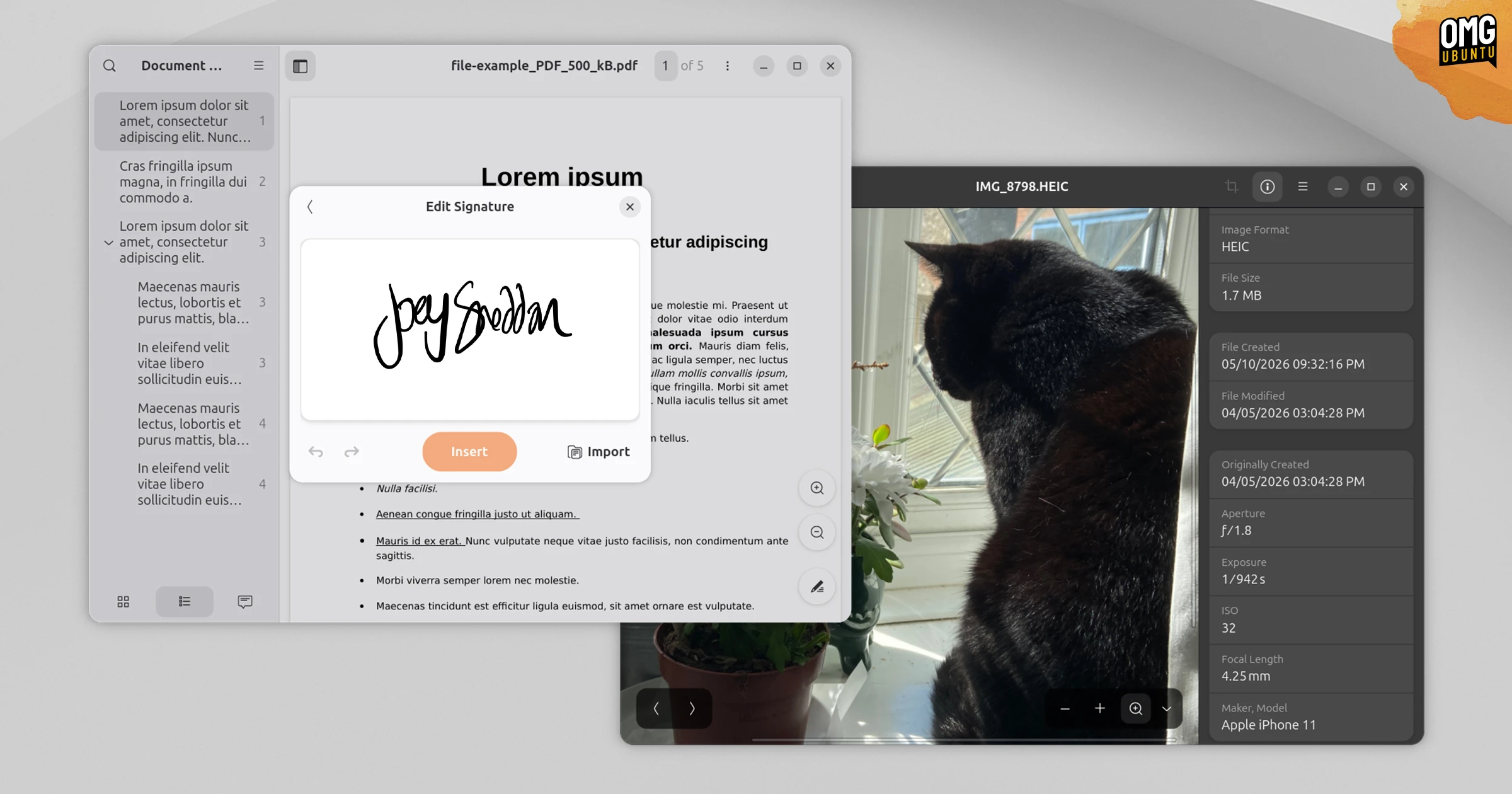
Default apps gain see improvements. You can now add written signatures to PDF documents in Document Viewer, keep track of AMD NPU usages in Resources system monitor and see a file stack count when dragging multiple images in the Nautilus file manager.
Mutter, GNOME’s underlying compositor, has revised how frame clocks are estimated. It should mean fewer dropped frames during UI animations, leading to a smoother overall desktop experience.

FIDO2/passkey and web-based login (QR code or URL) support was added to the login and lock screens, alongside existing support for smartcards. It’ll benefit users of corporate or managed setups.
Enabling third-party drivers in Ubuntu has been tricker since the removal of the Software & Updates tool in 26.04, so developers have begun work to integrate hardware driver management in to the App Center.
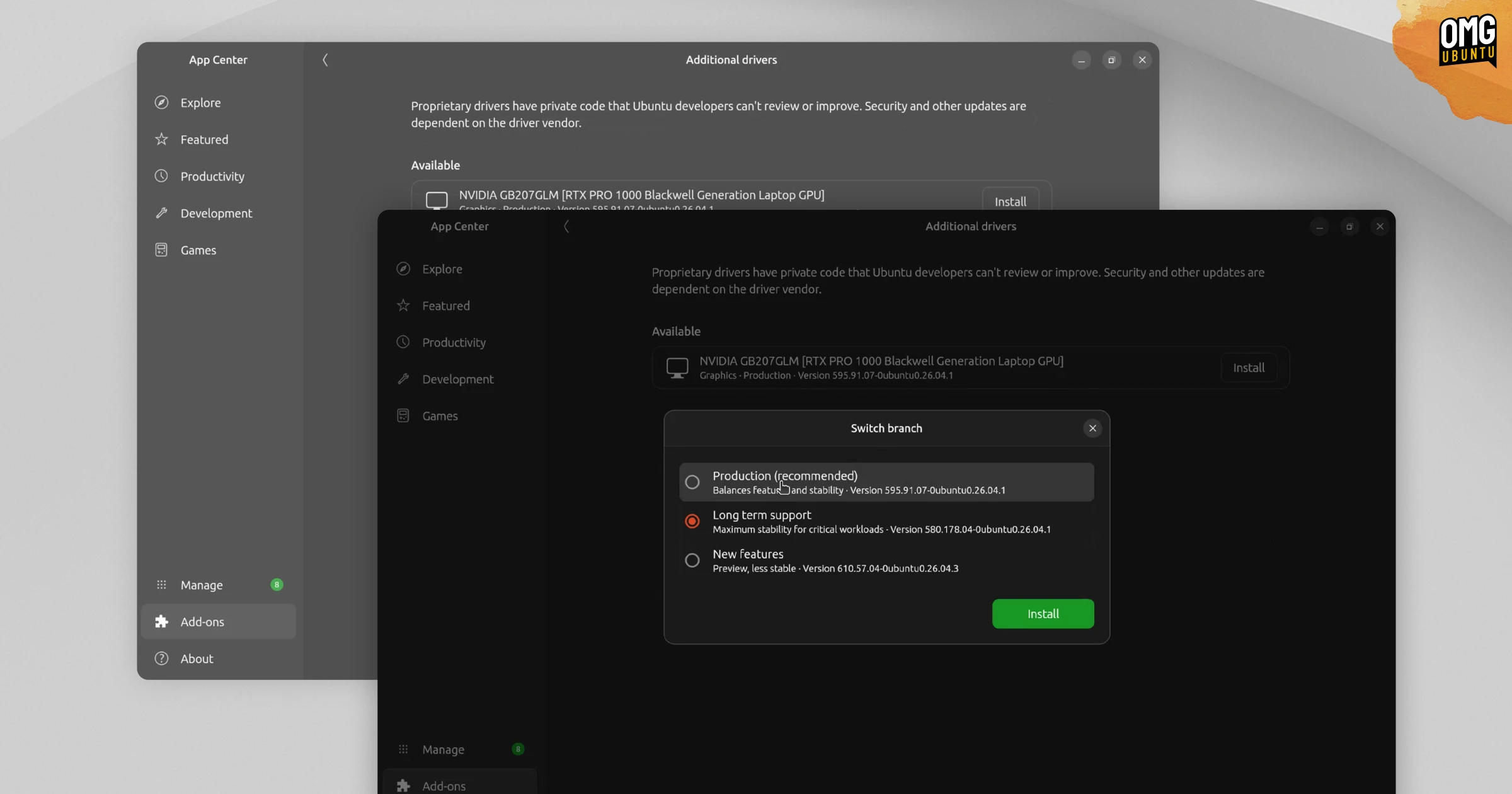
However, the new Add-ons > Additional drivers section only appears on devices for which closed-sourced drivers packaged in the Ubuntu archives are needed. If you don’t see it at all, it’s not a bug – your hardware is using the best drivers available.
One think won’t find onboard is Myna, Ubuntu’s local AI dictation tool, as it’s under active development. All the pieces are available if you want to try it – check my guide on how to install Myna on Ubuntu if you’re interested in seeing what it can do.
Backend and lower-level
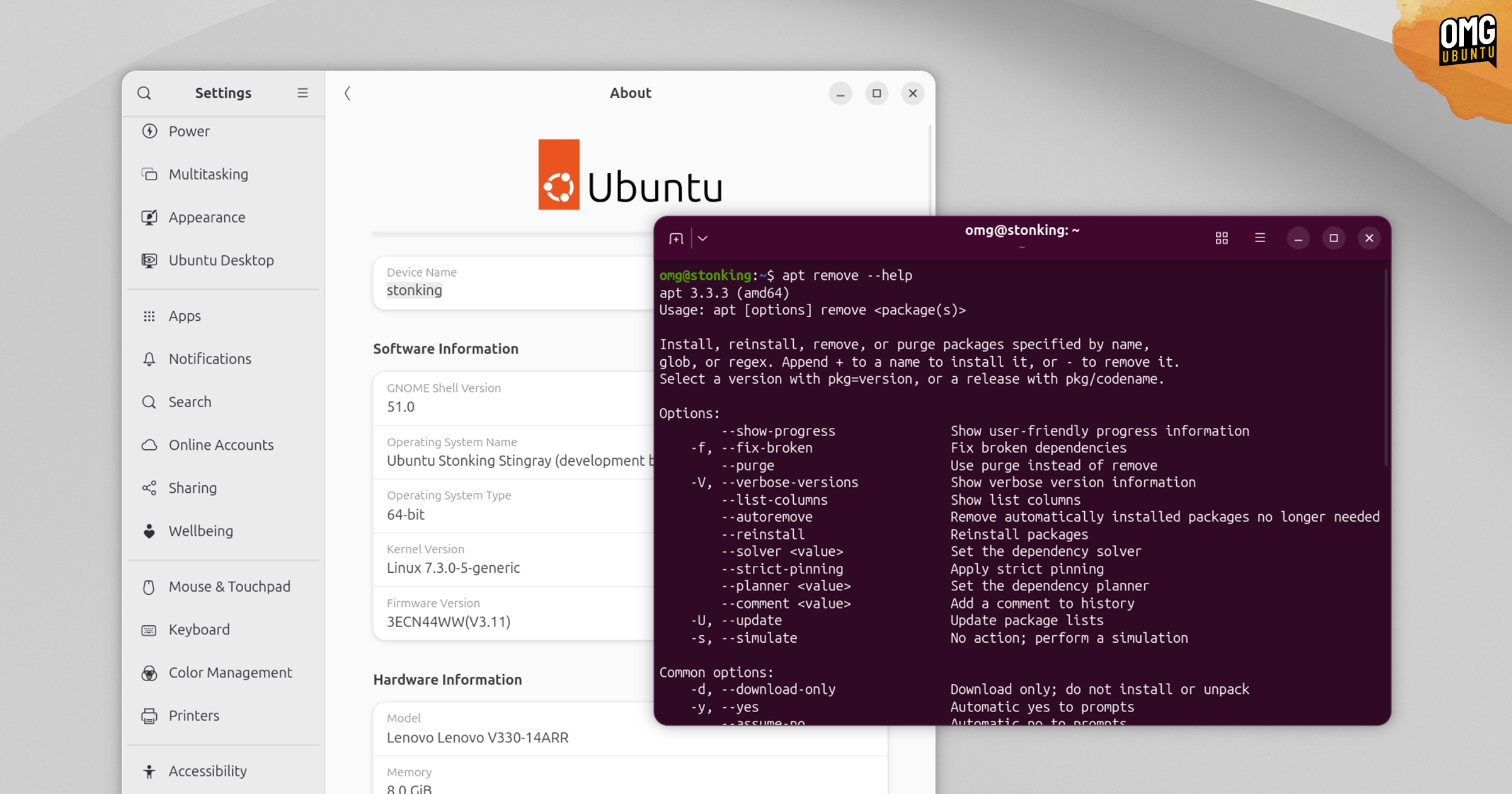
Ubuntu 26.10 Beta runs on Linux 7.3 kernel – a version that’s still in development and is not expected to see a stable release until after 15 October.
Linux 7.3 highlights include a streamlined multi-block allocator for EXT4 to make file space pre-allocations quicker during large downloads, FUSE io_uring zero-copy buffer pools and a KSM fix to reduce UI micro-stutters under heavy memory loads.
Mesa 26.2 GPU drivers provide a bump over the 26.0.x series in Ubuntu 26.04 LTS, with mesh shaders support in NVK, low-latency Vulkan Video encode and decode for AMD users via RADV and Vulkan descriptor heap support enabled by default.
Ubuntu 26.10 changes how low-memory situations are handled to better protect the desktop session from being ‘terminated’ by the OOM daemon. Core desktop processes were given lower OOM scores so, ideally, desktop apps are nixed first.
And this release completes Ubuntu’s migration to Rust-based core utilities, an effort that began in 2025 to improve the security of the distro by eliminating entire classes of bugs in core, low-level utilities. With cp, mv & rm are now pulled from uutils.
A bullet-point overview of Ubuntu 26.10 for the skim-readers:
- Linux kernel 7.3 (release candidate)
- NVIDIA 615 & Mesa 26.2 GPU drivers
- AMDv3 ISO with optimised packages for newer CPUs
- Dbus-broker replaces dbus-daemon
- OOM changes to protect core desktop processes
- APT 3.3.3
--helpis specific to options - 100% Rust coreutils & new Rust PGP tools
- Hardware reporting tool
hwctlis now a snap
And on the desktop and software side:
- GNOME 51 – smoother UI, auth logins + more
- Window snapping – new slide-in layout picker
- Desktop icons extension – ported to GTK4
- Nautilus – faster folder reloading, file drag counts
- Document Viewer – visual signatures
- App Center – new driver management panel
- Ubuntu Certified status – shown in Settings for select devices
- New set of desktop wallpapers – lots of stingrays
Plus, plenty of the stuff you’d expect like bug fixes, performance tweaks, library updates and so on.
Download Ubuntu 26.10 Beta
Download Ubuntu 26.10 Beta from the Ubuntu release server.
You’ll find ISOs for Intel/AMD 64-bit PCs, including the new Amd64-v3 optimised image (only works on devices with modern CPUs). Plus, a generic ARM image (may not work on all devices) and a preinstalled image for Raspberry Pi devices.
If you choose to install Ubuntu 26.10 Beta, you can upgrade to the final, stable release without reinstalling. Just install updates as they come and, by 15 October 2026, you’ll be using the same software stack as a clean install.
Prefer Ubuntu with a different flavour? Beta builds of Ubuntu flavours are available for testing, like Lubuntu 26.10 with LXQt 2.4.0, Kubuntu 26.10 with KDE Plasma 6.7 and Ubuntu Cinnamon 26.10 with Cinnamon 6.6.2.
Share your thoughts on this beta and its features down in the comments.