

KDE Plasma 6.7 has been released, and it brings a feature many of its users have been requesting for decades: independent per-screen virtual desktops.
The latest stable update also sees a classic KDE theme revived, supports simultaneous HDR and ICC profiles and packs in an assortment of usability, UI and performance tweaks.
This release is dedicated to Eric Laffoon, a longtime KDE supporter who passed away in May 2026.
Users of the Ubuntu-based KDE Neon and rolling-release distributions like Arch will be able to install Plasma 6.7 in the coming days. Kubuntu 26.04 LTS users should check the Kubuntu Backports PPA in the coming weeks, as new release are often made available there.
What’s new in KDE Plasma 6.7?
Per-screen virtual desktops
One of KDE’s longest-standing feature requests was finally implemented in Plasma 6.7 – it only took the best part of 20 years to do it!
Previously, changing your virtual desktop moved all connected monitors to the same workspace simultaneously. In Plasma 6.7, each connected monitor can show a separate virtual desktop. Switching workspaces on one monitor leaves the others untouched.
Intel GPU performance boost
KWin, Plasma’s window compositor, enables hardware overlay planes by default for integrated Intel GPUs (using Intel i915 and Xe drivers). This will help compatible apps and games reduce their power consumption and improve their performance.
For full-screen windows, a direct scan-out is now only applied if it will actually save power, rather than being used regardless. Compositor CPU usage was slashed by up to 70 percent for CPU-rendered apps running on high-resolution displays too.
Test your microphone from the system tray
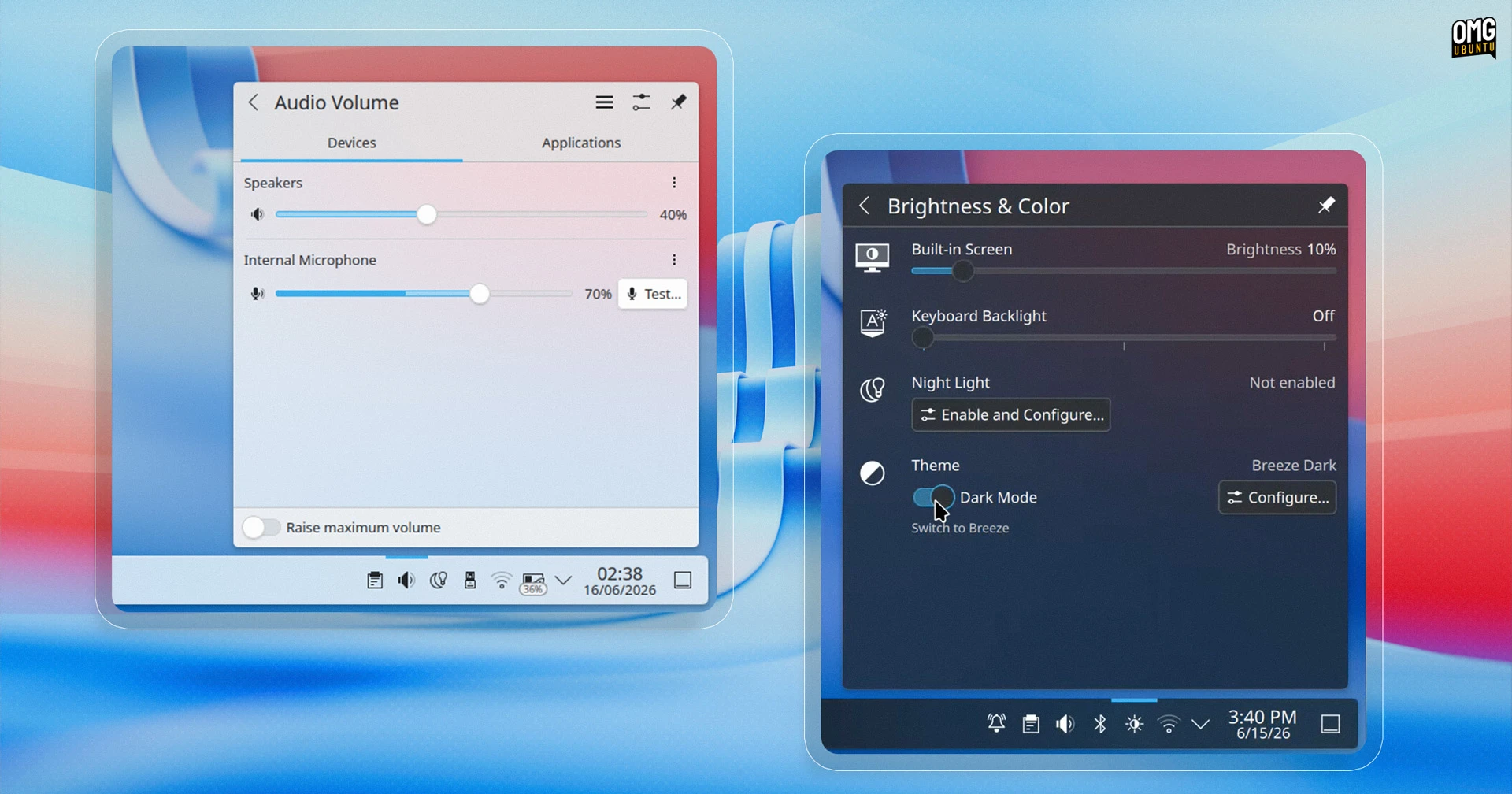
Plasma 6.7 adds a microphone volume test button to the audio controls in the system tray, letting you adjust sensitivity and record a snippet of audio to playback – handy for knowing you are audible before you join a call, rather than finding out mid-meeting that you’re not…
See background apps in system tray
On GNOME, you’re able to tell if Flatpak apps are running in the background (with permission) by opening the Quick Settings menu. It hasn’t been as easy to tell on Plasma – until now.
Plasma 6.7 now uses the system tray to shows Flatpak apps that use the “Background Apps” portal to run when the main window isn’t open or visible, e.g., a music player. An icon for the app will appear in the system. Click this to restore the app.
Use an ICC profile and HDR at the same time
Plasma 6.7 no longer forces you to choose between ICC colour profile support or HDR content. Both now work together.
AMD laptop users also get a new option to control whether screen colours shift towards red at very low brightness levels, a hardware behaviour on some panels.
Classic KDE theme returns
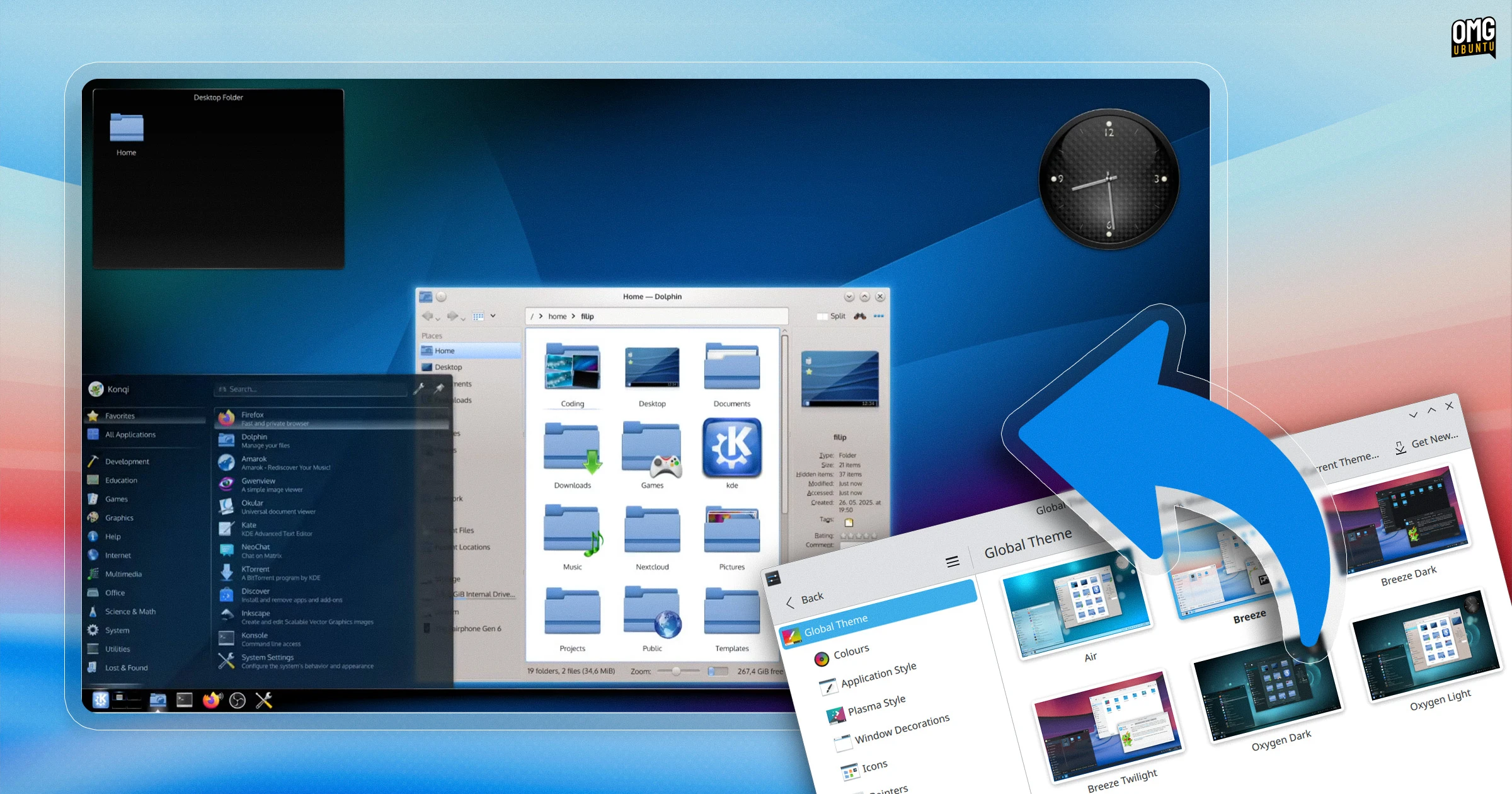
If you used KDE back in the 4.x days and loved the glossy blue aesthetic, take a deep breath and punch the air because Oxygen, which was the default theme in KDE 4, has been revived and updated to work with Plasma 6.
Air, the light variant of Oxygen, also returns, along with the classic KDE 4 Air and Horos wallpapers. Global themes for both include light, dark and twilight variants, along with plenty of fixes and tune-ups, like adaptive opacity and support for different panel positions.
With KDE’s 30th anniversary coming up later this year, it’s great to see nostalgia for themes past on show.
Unified theme is coming
Plasma 6.7 includes the first public release of Union, a new theming layer that, in time, will enable Plasma, QtQuick and QtWidgets apps to be restyled using a unified CSS rather than, as now, separate approaches for each.
Foe now, Union only covers the QtQuick style, and is not enabled by default.
To try it, install the union package (name may vary by distro) and set “Union” in System Settings > Colours & Themes > Application Style. You’ll need to restart apps for the theme to pick it up, and things will look similar to Breeze – for now.
Other notable changes
Notifications are harder to miss in Plasma 6.7, as they now glide in from the nearest screen edge rather than fading in as before. This change may get distracting/annoying if notification heavy apps are open, but I can’t deny that the effect looks great in action.
Want to easily turn light/dark mode on or off for your Global Theme? The Brightness & Colour applet in the system tray has a toggle for this.
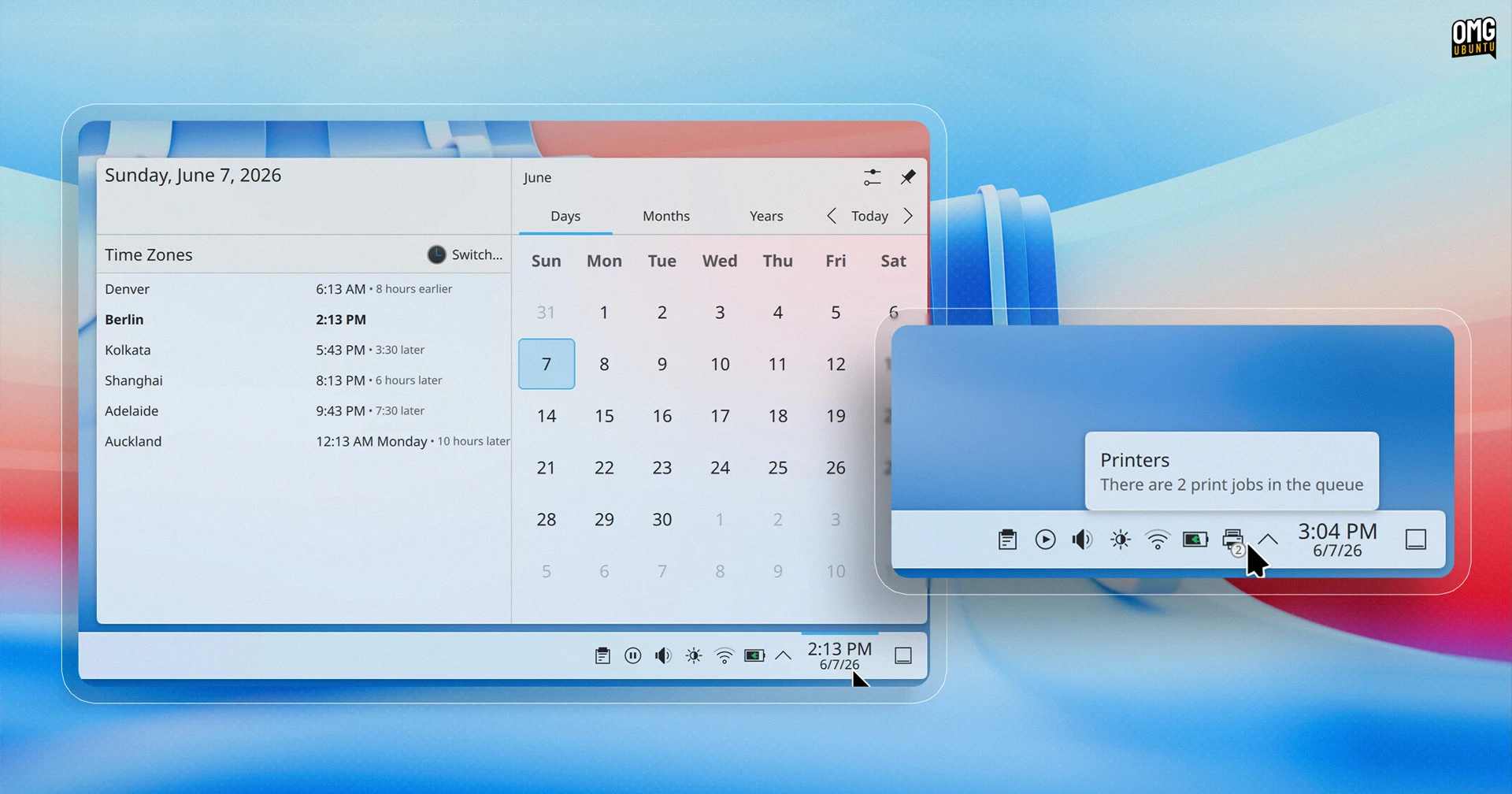
If you track other timezones in the Digital Clock widget it now shows how many hours ahead or behind each configured time zone is relative to your local time. Cue “Fans of mental arithmetic hate this one change!” clickbait.
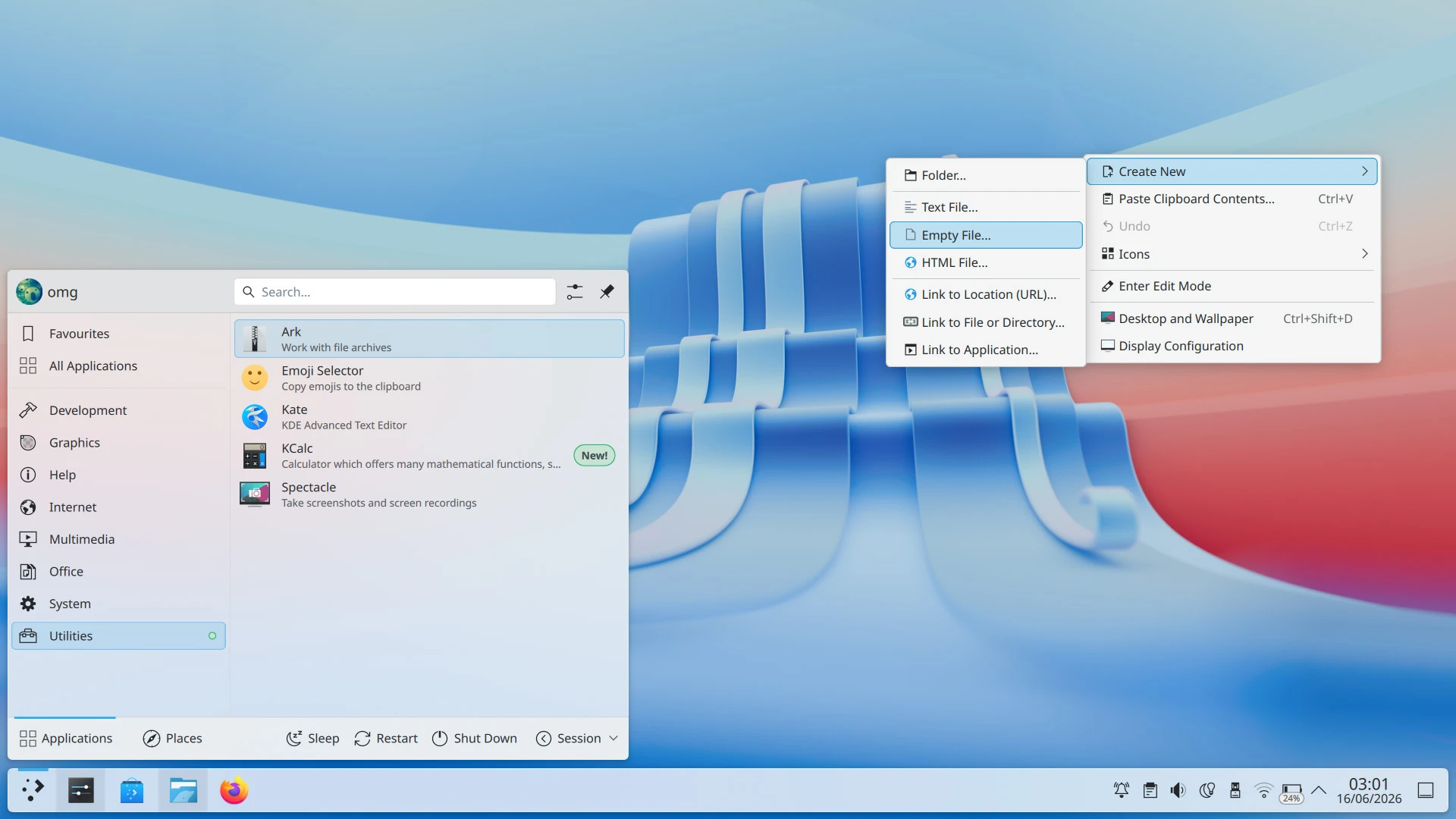
Type-ahead searching can be enabled on the desktop, so you can select files by name faster (assuming you litter use your desktop as a place to keep files and folders. To enable it, right click > Desktop and Wallpaper > Icons > Typing on the desktop.
If you want to hide an app from appearing in screenshots and screen recordings, you can. Plasma per-window “Hide from Screencast” option has been renamed as it can now exclude window content from appearing in static screenshots too.
Plasma 6.7 makes it easier to move between virtual desktops in the Overview screen (press super + w to reveal it) using your mouse scroll wheel or touchpad, or tapping the Pg Up or Pg Down keys.
In Discover, the GUI software manager, apps cards were redesigned, the “Install” button on app pages made more prominent, package searches now sort by Relevance by default and the Installed page separates packages by type, i.e., apps, add-ons, runtimes, etc.
Additionally:
- The system tray printer icon now shows a a job-count badge
- Press-and-hold for special characters on Plasma’s virtual keyboard
- “Keep Above Others” option easier to find in window title bar context menu
- You can duplicate network connections to make minor changes
- Add or remove favourites in the app menu using drag and drop
- Click effects, rounded lists enabled in Breeze theme
- Vietnamese lunar calendar support in Calendar widget
- Emoji Selector supports multi-person emojis with mixed skin tones
- System Monitor now respects your preference for GiB vs GB
- Global Menu widget now shows menus for apps on other monitors
A complete changelog is on the KDE website, if you want to learn more about these and other new features in Plasma 6.7.