


The Desktop Icons NG (aka DING) GNOME Shell extension Ubuntu uses to put icons on your literal desktop, has been busy – it finished its port to GTK4, patched memory leaks and improved a few of its lesser-known features.
The GTK4 port landed in v51.0.0, released this month, alongside early support for GNOME 51 (since that’s the GNOME version Ubuntu 26.10 will ship with in October). Prior to that, there were other, smaller in June with fixes for memory leaks and buffs to usability.
DING’s GTK4 port – not to be confused with a separate GTK4 fork I covered back in 2022 – has been in the works since last year. The benefit is, obviously, using a newer stack that matches the rest of modern GNOME desktop uses.
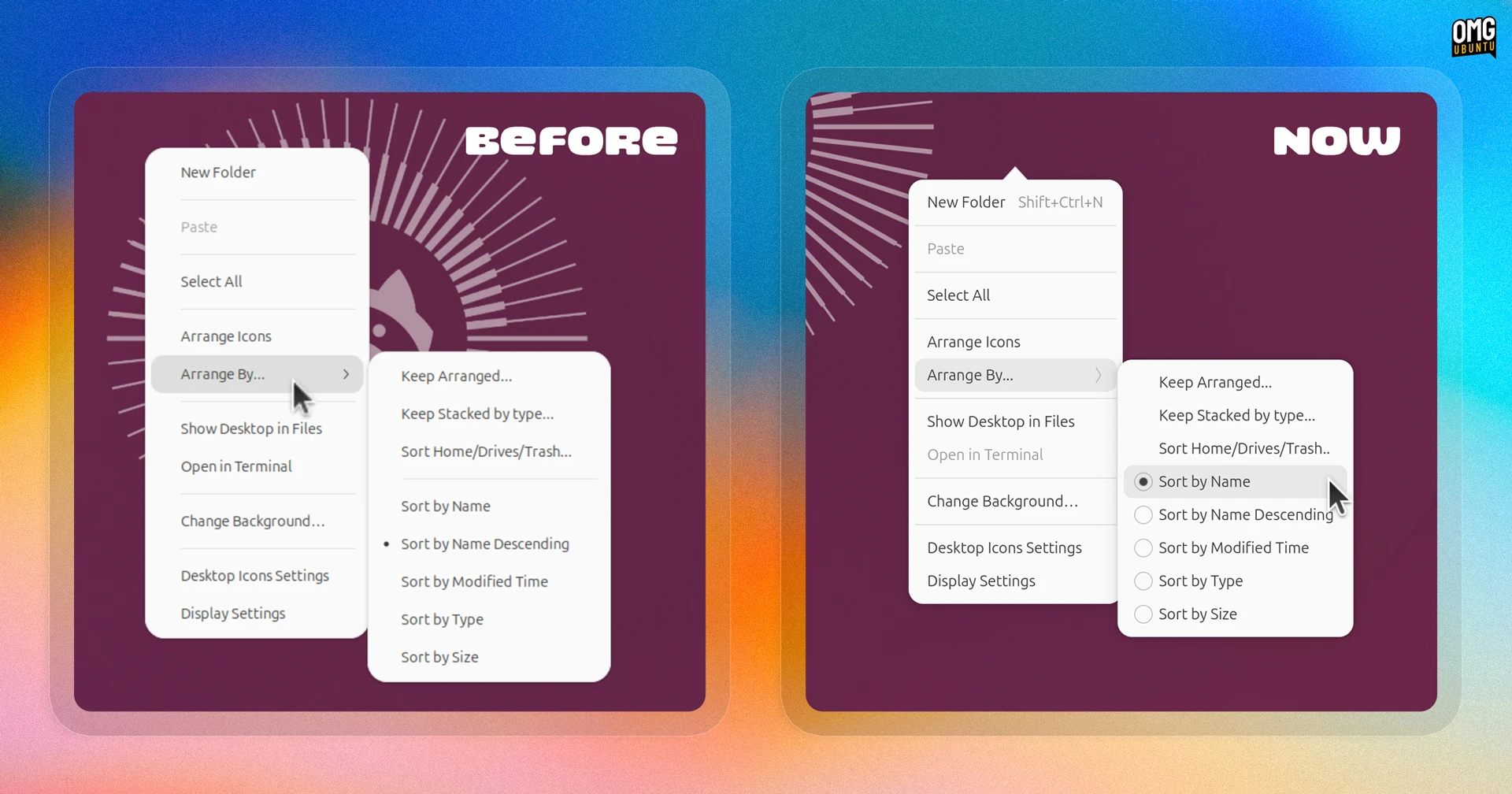
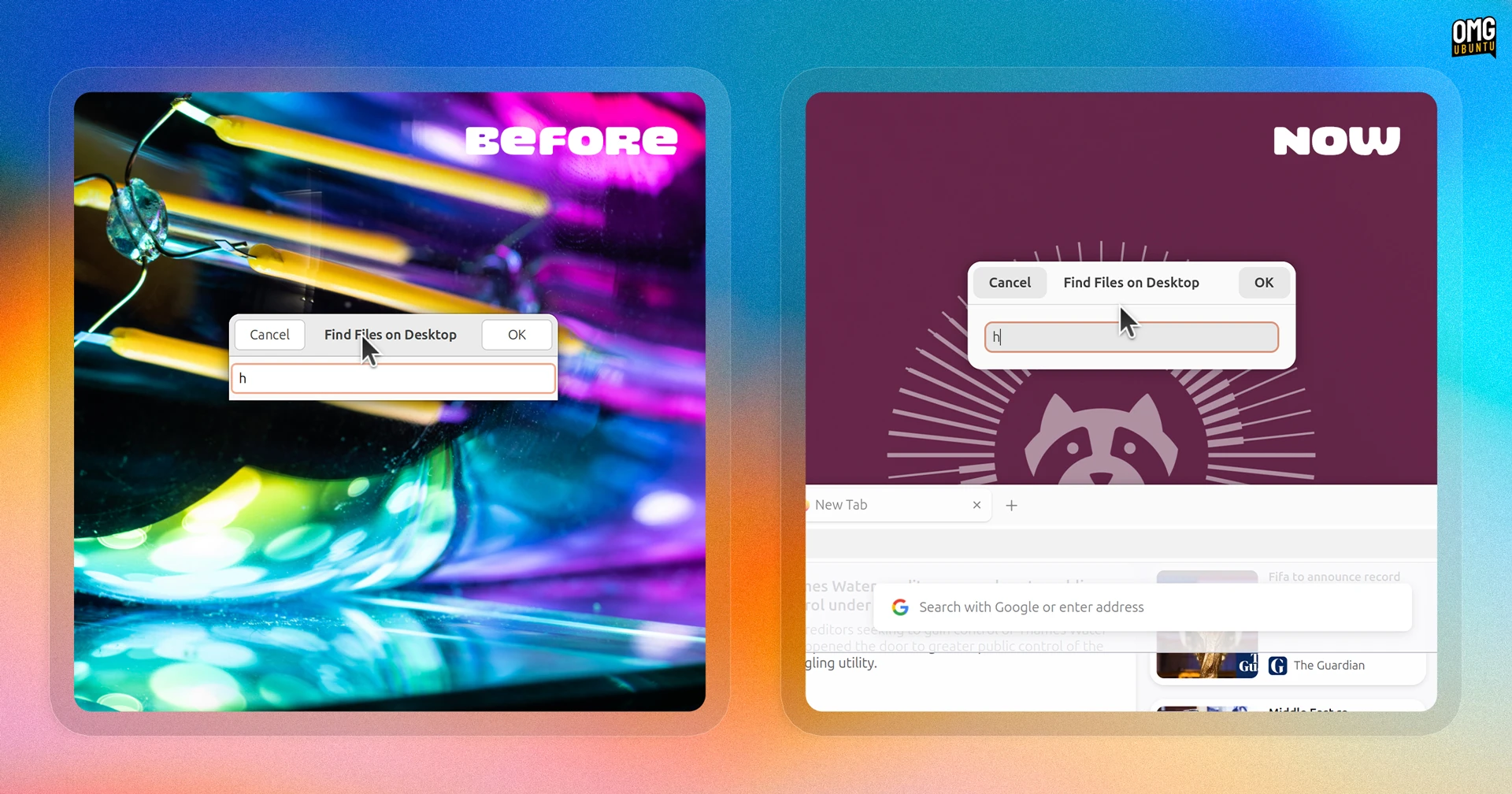
Visually, the port delivers a few noticeable changes, not least a “call out” on the right-click context menu, a modern-looking file-matching dialog (when you type on the desktop with nothing focused) and radio buttons to indicate the active desktop arrangement.
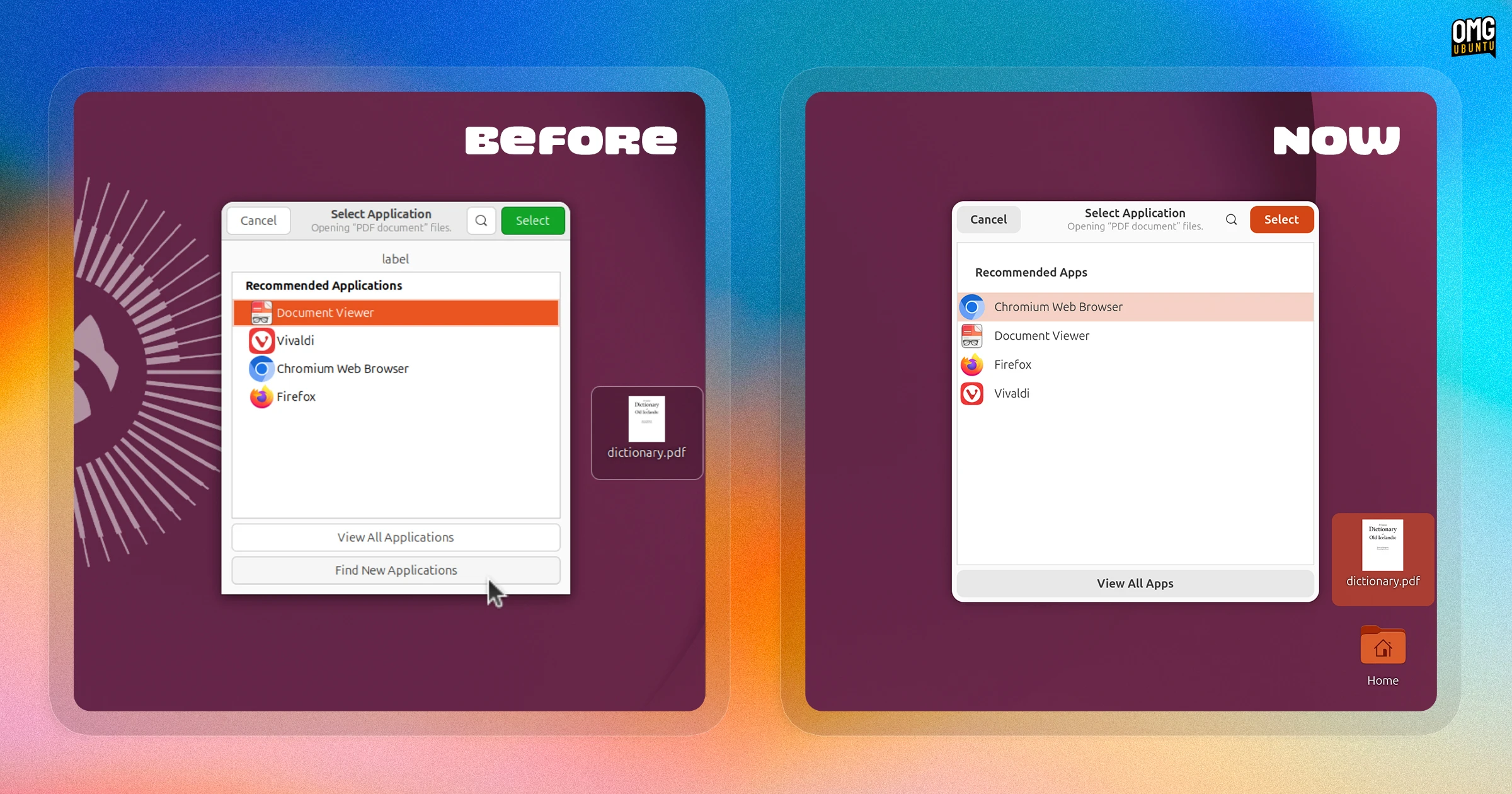
The “Open with…” dialog no longer shows a “Find new apps” button because, on Ubuntu, it was redundant as it tried to open GNOME Software, which isn’t preinstalled.
Right-clicking your desktop (or hitting ctrl + v with it in focus) would always check your clipboard first, which could delay the menu appearing (sometimes considerably) if the app you copied from was slow to respond.
Thanks to a contribution from James Railton, DING now reads your clipboard asynchronously. Checking happens in the background, so the menu appears instantly and Paste becomes available to select as the check finishes.
Stacks (which groups files of the same type into a single icon) now works using keyboard. Previously, the open/close status wasn’t being conveyed properly, so keyboard navigation had no way to tell the stack from a regular file, much less toggle it:
Earlier versions struggled to correct name archives extracted on the desktop without file-roller installed. Filename extension detection was improved, and .zst added to the list of double extensions, so archives like .tar.zst extract cleanly.
When Ubuntu 26.04 LTS raised its recommended memory requirements, I suggested those on RAM-constrained devices could save a couple hundred megabytes by turning DING off. With the latest update fixing more memory issues, perhaps that won’t be needed?
Guess time will tell.
You can install the latest version of Desktop Icons NG from the GNOME Extensions website.
However, on Ubuntu 26.04 LTS, you can’t do that because the extension is preinstalled in a metapackage (gnome-shell-ubuntu-extensions) that also contains the Ubuntu Dock, Tiling Assistant, Snap Search, etc.
You can upgrade the stock version of DING manually, using the source code, but be aware that any changes made would be overwritten by future updates to the system package – these GTK4 port won’t be back ported to Ubuntu 26.04 LTS otherwise.
You can look out for these changes in Ubuntu 26.10, when released on 15 October, 2026.