


September served up a steady stream of Linux app updates. Below is a short roundup of several noteworthy smaller releases from the month, delivering bug fixes, some new features and other improvements that didn’t net a full article on this blog.
I recap the apps which got updates, but not a full write up here…
Plenty of Linux app updates last month did get fuller write ups, from the tab bar changes in Vivaldi web browser to the terrific visual tweaks in Turntable.
Plus, there were updates to VirtualBox, Mozilla Firefox, OBS and Thunderbird, and new development releases of Pinta (adding some great features) and VLC (first update this year).
But what else saw appreciable uplifts last month which you may have missed?
Let’s take a look…
Apostrophe 3.3
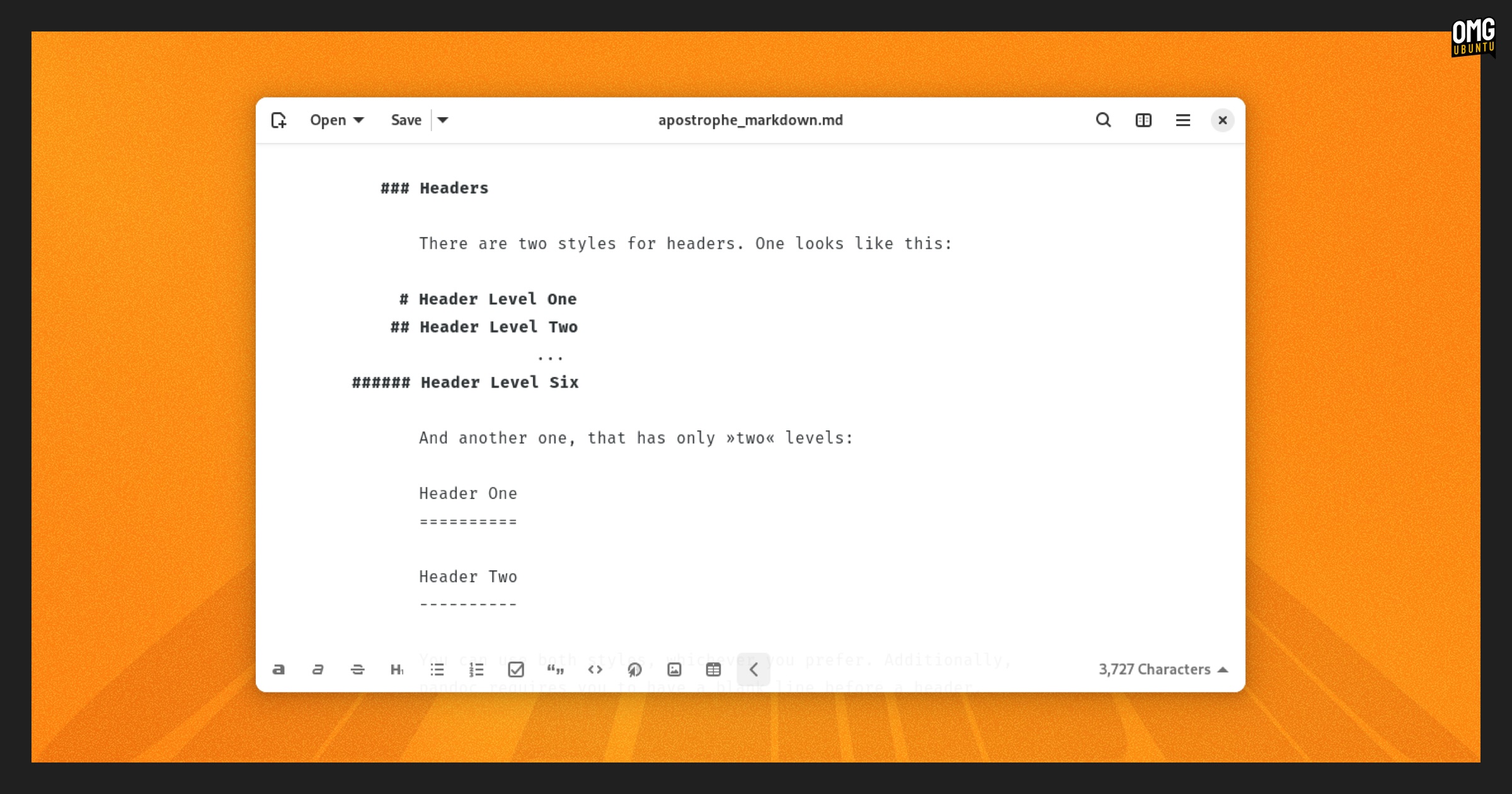
Apostrophe, the ‘distraction free Markdown editor’ written in Python and GTK4/libadwaita, issued an update with an assortment of appreciable improvements.
For one, the app now has a new narrow mode to ensure the editor can be used properly at smaller widths, like on phones or tablets, manually resized, or tiled on screen.
The default render engine is Typst in the new build, so LaTeX is no longer required when exporting notes to PDFs. Inline markdown rendering now respects Pandoc’s markdown specification properly.
And inline previews have been reimplemented. Users can ctrl + click on a word to open a popover producing a preview of any images, formulas, definitions or other supported content types.
Other changes:
- Crash recovery/autosaving functionality
- Recents popover no longer shows deleted items
- Scroll sync between the editor and preview panel improved
- Spellchecking permits different languages in different windows
- Use OTF fonts instead of TTF
- Automatic indent and unindent handling is tweaked
- Persist window size and state between runs
- Touch support buffs
You can find more details on the Apostrophe Gitlab page, or to install it, go get it from Flathub.
Arc Menu
Alright, so Arc Menu is not an app it’s a GNOME Shell extension. But since I haven’t checked in with this slick start menu-style alternative to main app picker in a while, I figured I’d throw it in for fun.
Arc Menu saw two updates in September that added support for GNOME 49, a hotkey open to toggle overwriting the main GNOME Overview hotkey when setting super keybindings for the menu, and increased the maximum size you can expand the width too.
There were bug fixes too, and an adjustment to ensure the ‘donate to Arc Menu’ banner only appears on new major releases, not each time there’s a minor revision to add a translation or patch an error.
Arc Menu works with all major versions of GNOME Shell, and you can install it from GNOME Extensions website (more easily done via the Extensions Manager desktop app on Ubuntu).
Rio Term
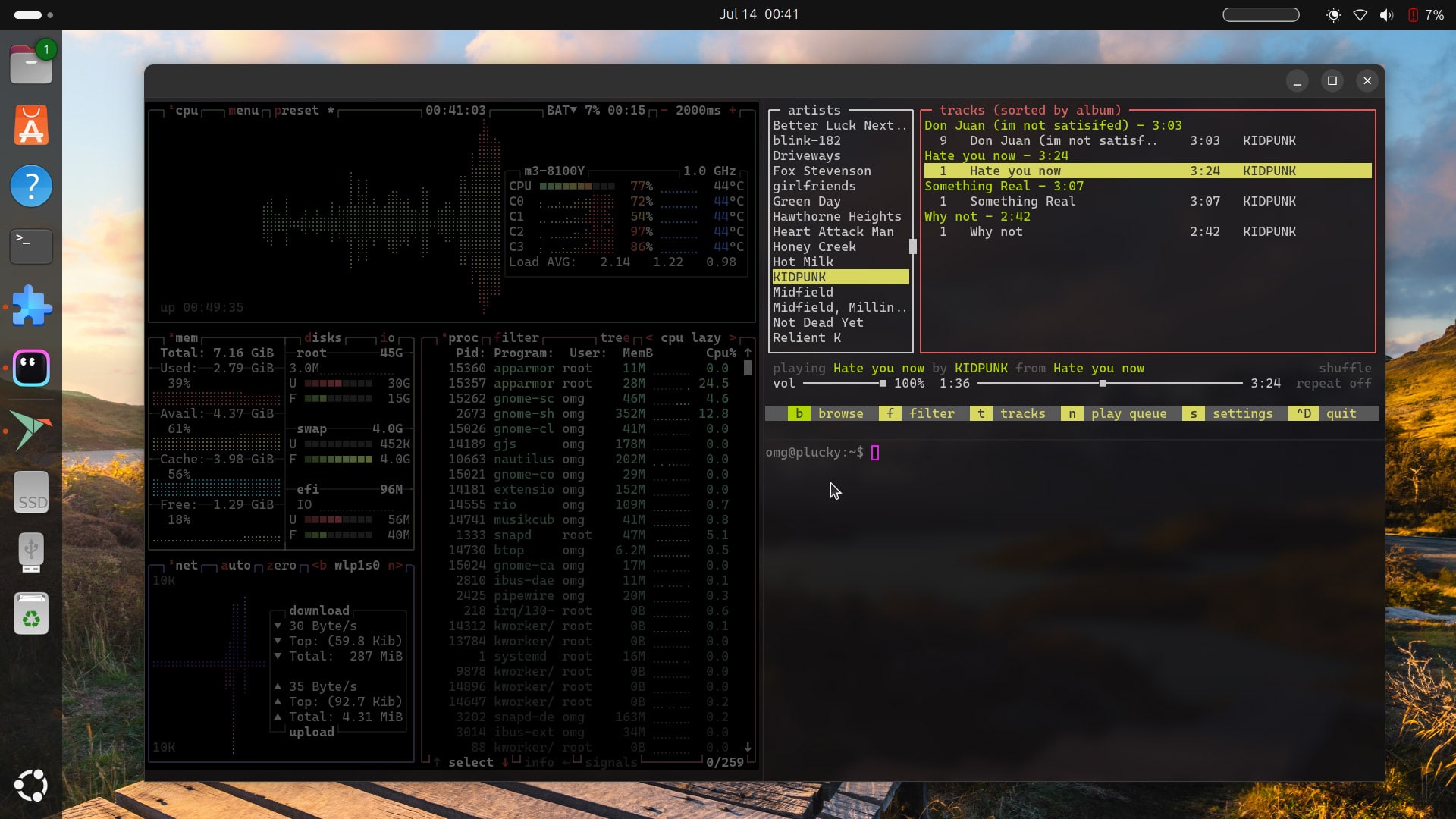
Rio, the WebGPU-accelerated terminal written in Rust, saw a pair of updates in September. The first resolved package conflict issues in its Ubuntu/Debian builds and added that terminal-staple: an audible bell, and a visual ‘bell’ – useful for relaying task completion, errors, etc.
The second of Rio’s stable series September updates bumped Rust to v1.9.0, fixed kitty keyboard recognition, and simplified key binding escape sequences (which may break scripts or workflows, so read over the changes to get up to speed).
Also sorted are a number of “key binding conflicts” which involved issues where some keys, like Page Up or combos like Alt + Enter were said to have “required explicit "None" bindings before they could be reassigned.”
Now, simplified binding conflict resolution logic to automatically remove conflicting default bindings and ensure user-defined bindings take precedence.
Rio is open source software available for Windows, macOS, and Linux — for the latter Rio is on Flathub but Ubuntu users may prefer to download the DEB installer from the Rio GitHub (the DEB doesn’t add a repo, so automatic updates, alas).
Euphonica 0.97.x Beta

I covered updates to Euphonica, the MPD client with self-described ‘delusions of grandeur’, at the start of September, but it squeezed out a couple of additional updates in the weeks after that further up its class quota with style-related tweaks and performance boosts.
Among them, an in-app theme picker, so you can use light or dark mode independent of your system setting (or leave it sync with it, up to you), and an option re-fetch metadata from online sources (which is handy if it’s stale in the cache).
There are also speed and UX improvements.
For instance, basic album/artist info is shown when switching view rather than only loading once any other information, pulled from external wikis, etc, is available. Queuing happens in the background to avoid UI interaction pauses while things wait to respond/complete.
Other tweaks and fixes in recent betas:
- Asynchronous queue updates
- Duplicate albums/artist issue fixed
- Album wiki text and artist avatars not loading resolved
- Consume mode resetting when a new window opens
- Sorting now respects *sort tags before normal ones
Euphonica is free, open source software written in Rust. As an MPD client it does need to connect to an MPD server or instance to play music. You can install the latest release from Flathub, where it’s now verified for peace of mind.
Gradia 1.11
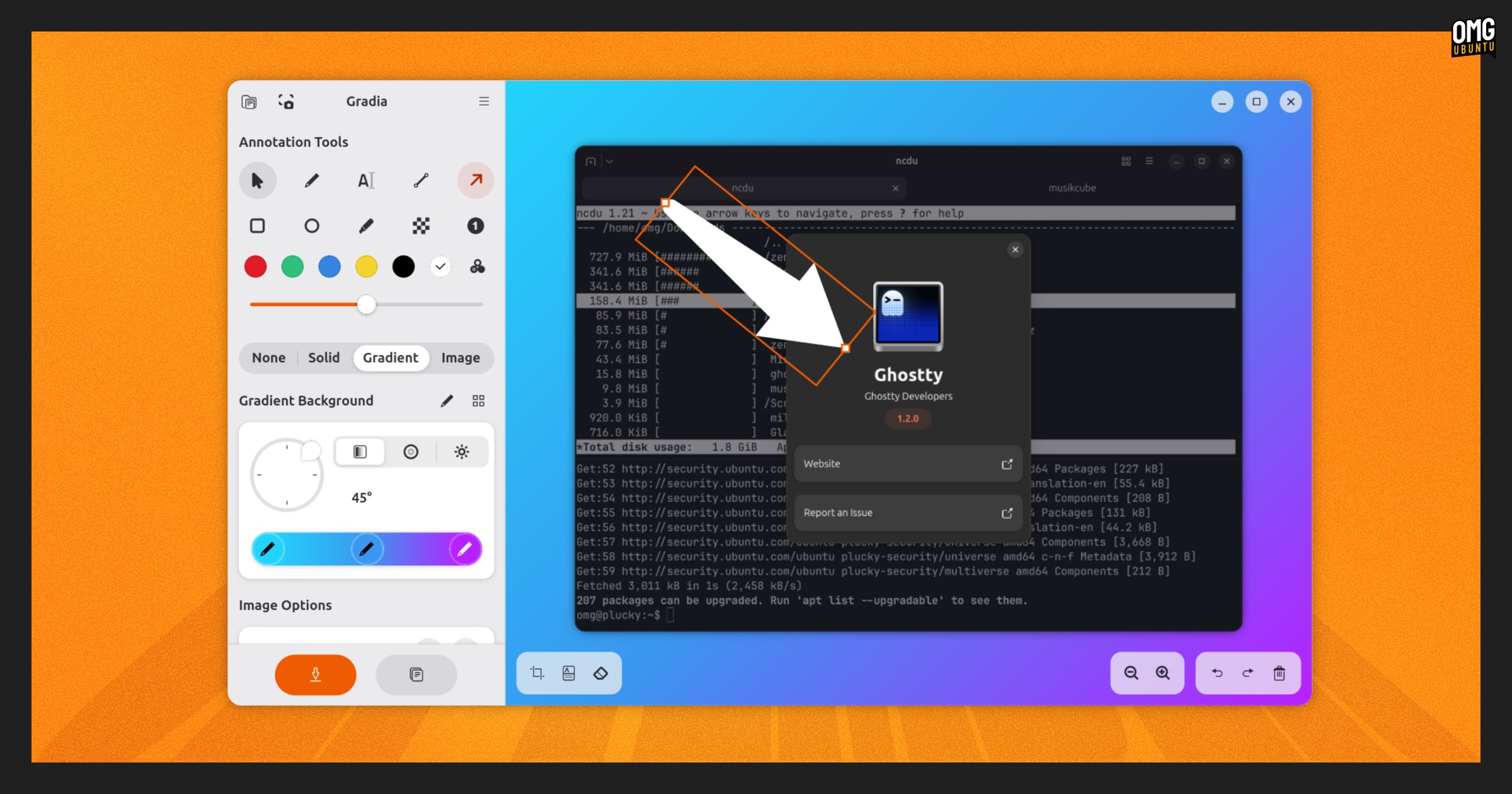
Gradia, the screenshot taking and editing tool (it works great as a way to markup any image, not just screenshots), has gained a glut of extra options, settings, and usability buffs.
The most notable is OCR text recognition, which is supported across 19 languages but which does require you to download a few things (in app) before it works. If you’re working with screenshots and tools with text in, this could be useful.
Other changes Gradia snagged in September include:
- Change the tool size using a scroll wheel
- More transparency in Highlighter tool colours
- Resizing options for more tools, including arrow and rectangle
- Options can be changed for all annotations when selected
- New presets for image backgrounds
- Angle selector on gradient background tab improved
- Arrow tool shape has been redesigned
- Screenshot guide page update
- Gradient steps editor, aspect ratio popover updated
Gradia is free, open-source software. You can install it from Flathub, or get it from the Snap Store (open App Center and search for it, or open a Terminal and run: sudo snap install gradia).
gThumb 3.12.8
gThumb, is a GTK-based image viewer, manager and (very basic) editor app. It’s not undergone any great revolution in a while, but many folks remain faithful fans of it — and version 3.12.8 landed last month.
A lot of photos taken by smartphones embed GPS data within the photo (as the more privacy-minded folks reading this will be aware). If EXIF GPS data is embedded in an image in your library, the image properties panel in gThumb now lists it: latitude, longitude, altitude, etc.
Making use of location metadata is a new Open Map extension – though this doesn’t plot your snaps on an interactive globe or anything novel like that.
Rather, once the Open Map extension is enabled in the app’s Preferences panel it adds a “Map” section to image properties. Unfurl this on images with GPS Exif data to get a clickable link to OpenStreetMap, so you can see exactly where it was taken.
Other changes include:
- White border around photo in image viewer can be disabled
- Dark grey background used in image viewer
- Video viewer now respects video orientation tags
- Images can be sorted by creation time
- AdobeRGB profile support
- TIFF files will apply an embedded ICC profile
- PNG applies colour space listed in EXIF
- Rotation changes now saved for Lossless WEBP and TIFF
You can install the latest version of gThumb on Ubuntu as a Snap, although the snap is unofficial and does require a few post-install commands to correctly read images on removable media (like an SD card you’ve inserted from your camera).
sudo snap install gthumb-unofficial
There is also an unofficial gThumb listing on Flathub. You can, of course, build it from source (of install an older version, lacking the changes above, from the Ubuntu repos).
Zen Browser 1.16.x

Zen browser updated to rebase on top of the Firefox 143 release, and add further new features of its own, such as command bar actions (letting you toggle features, like Compact Mode, more easily). To see all available actions press tab on an empty command bar.
Split View (thing terminal splits, but in the browser) get an upgrade. Along with a revamped split creation UI there’s a nifty new shortcut super + alt + = for creating splits.
Want to open browser extensions or switch between spaces typing their name in the URL bar? Zen lets you do that now — and while you’re there you’ll notice it’s undergone a bit of a visual update for improved usability and richer results.
Zen now sees backgrounds in Compact Mode smoothly transition when you switch between spaces (they had been hard cutting, which was a little abrupt).
Other changes and fixes are also bundled up, bolstering the browser’s look, feel and performance. There are even more icons available to use for folders and workspaces, smoother scrolling, and borderless compact and fullscreen modes.
Other updates
My favourite command-line music player Musikcube got its first update of 2025, picking up support for ffmpeg 8.0 (it remains backwards compatible with ffpmeg 6.x and 7.x). Other dependencies were refreshed, including tagline 2.1.1, openssl 3.5.2 and lib curl 8.15.0.
Until Next Month…
That wraps up this month’s recap of smaller but noteworthy releases. These updates didn’t make headlines of their own, but they are dutiful improvements all the same.
Got a tip about an app update I should cover? The contact form is always open!