

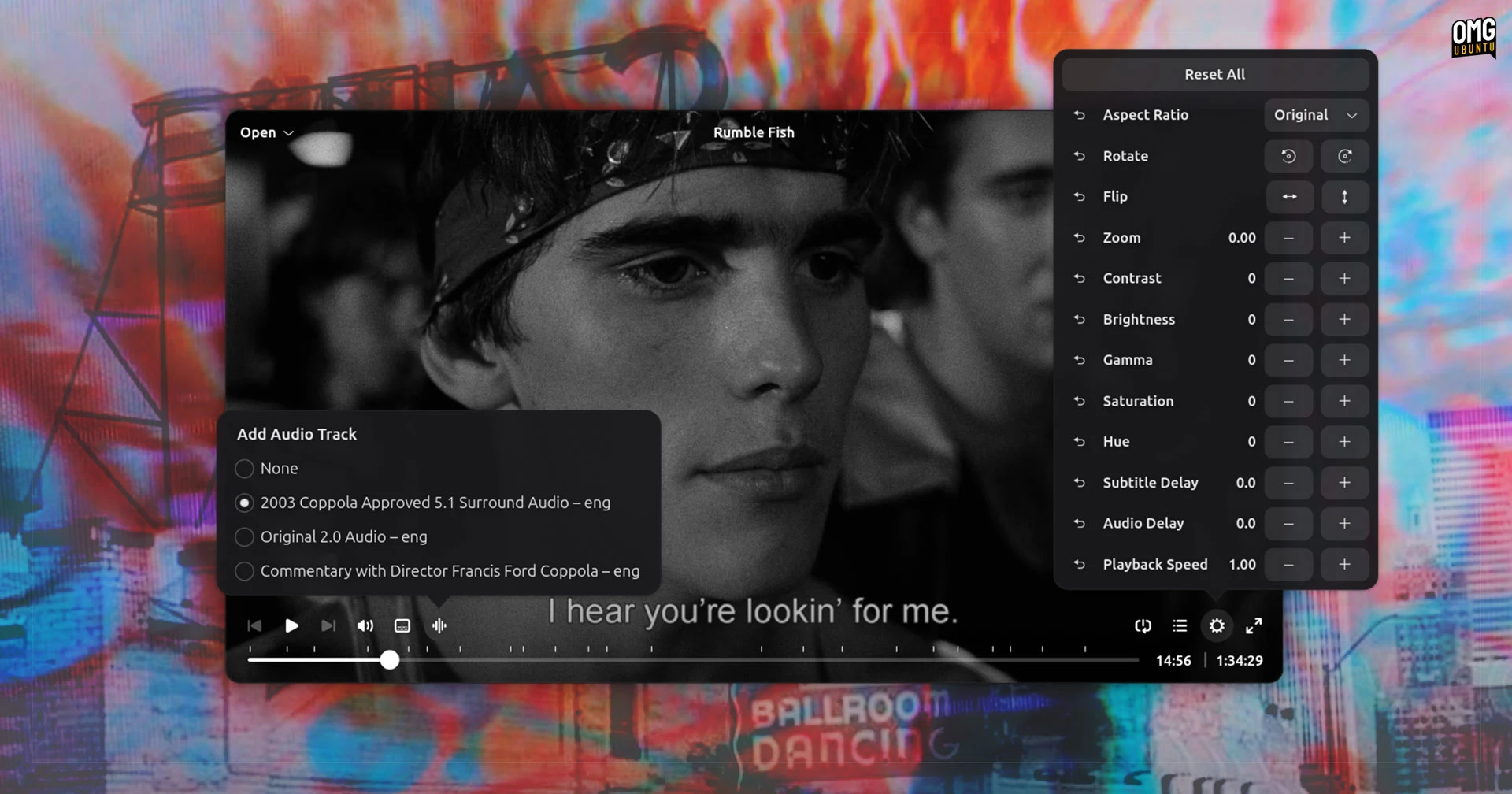
Cine is a new(ish) MPV-based Linux video player built with GTK4/libadwatia and Python, designed specifically for the GNOME desktop environment.
Rather like blockbuster superhero sequels in the cinema, there’s no shortage of video players for Linux. Is there enough mileage in the genre for an audience who’ll appreciate Cine?
I think so.
Cine offers a clean, uncomplicated UI that makes use of the entire window canvas to display your video – no frames, all content. It overlays player controls on top. These fade out view when you mouse away to give a distraction-free look automatically.

Inside, you’ll find all of the expected features present and correct. There’s audio and subtitle track selection, playback controls (including chapter markers), and a playlist. An advanced options menu lets you set a subtitle or audio delay or adjust video brightness, rotation, zoom, etc.
I watch a lot of local videos with subtitles, some of which are standalone .srt files. So I was pleased to see you can change the font, colour and size of subtitles in Cine for the latter type. It’s a feature I like in other video players I use, so I’m glad to see it here.

Most of the player’s various adjustment sliders, steppers and options come with a one-click reset buttons to undo your changes and revert back to how things were originally. This is especially useful since some settings persist between videos.
The Preferences panel allows you, among other things, enable hardware accelerated video decoding and enable a ‘normalise volume’ option – handy if your playlist will be jumping between a quiet indie film and a loud YouTube rip.
Performance in Cine vs. Showtime and Totem
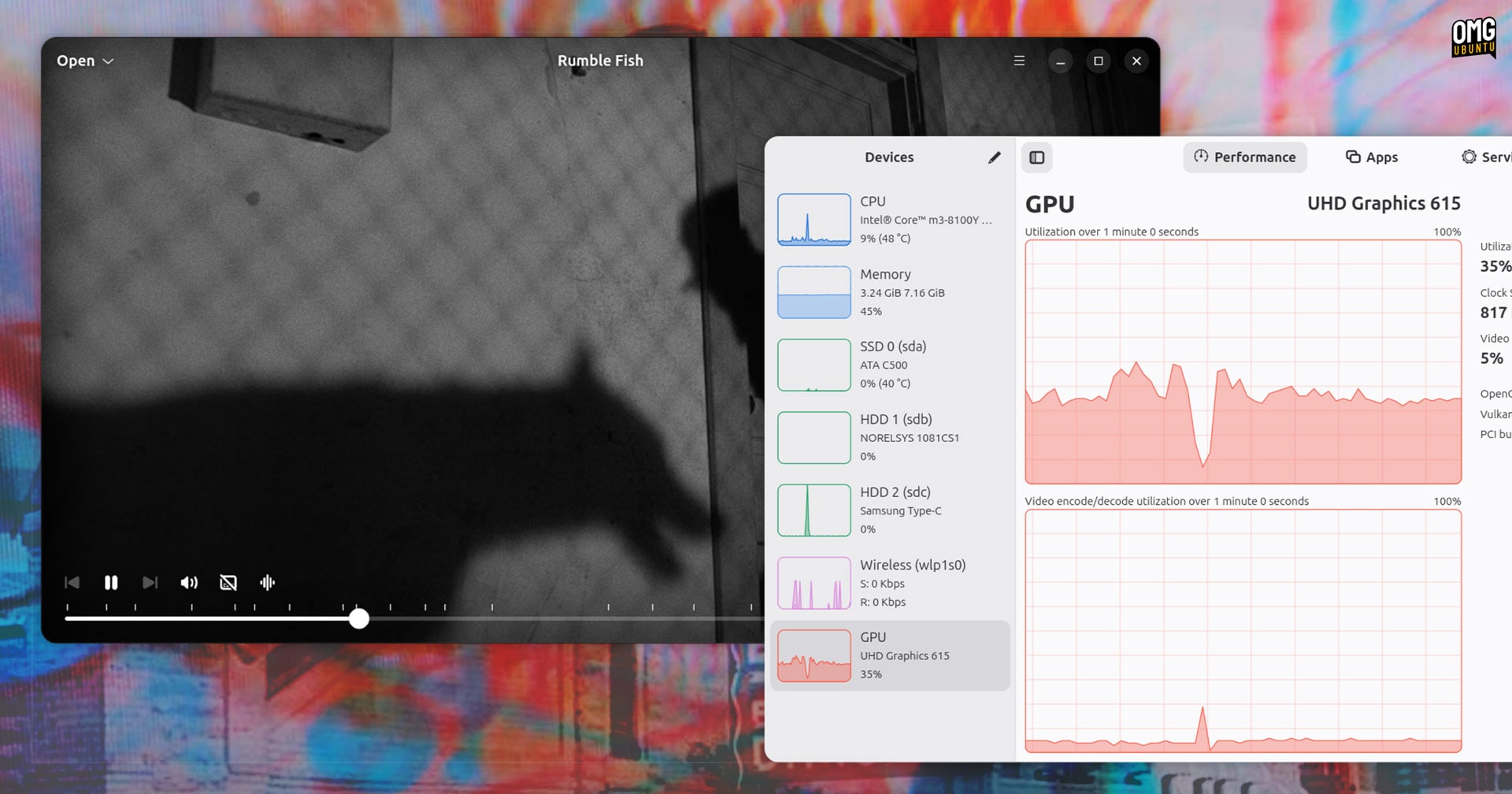
Cine outperforms GStreamer-based players like Totem on older hardware by using the MPV backend for efficient H.265 hardware acceleration
Cine is not trying to be a Swiss Army knife like VLC (you won’t find stream capture or video conversion here), but cater to those who want to play local video files and manage them without fuss – or need to master MPV configuration foo.
Ubuntu switches to GNOME’s Showtime in 26.04, dropping the Totem video player. Showtime is as modern and minimal as Cine, but as it still uses the GStreamer media engine, which historically has has more issues with file formats and media codecs than MPV.
In my testing, I tried a 4K MKV with H.265 (HEVC) and subtitles on my “low-end” Chuwi laptop with an (older) Intel integrated graphics (iGPU) that supports QuickSync hardware decoding.
I toggled Power Saving mode on in Ubuntu’s Quick Settings and found that Cine could play the video perfectly, but Ubuntu’s GStreamer-based Totem became a slideshow. Showtime performed almost as well as Cine, save for horrible green artefacts on screen changing chapters.
You milage will vary, but if you hit issues with Showtime or similar, and don’t want to use Clapper or Celluloid (two popular MPV-based video players that are solid choices), then Cine is worth the price of its admission ticket.
Do We Need Another Video Player?
I know that some will ask “does Linux really need another…”. One could also ask “does Linux really need any more users” because the answer for both questions is the same: yes.
Yes, because VLC didn’t emerge fully-formed in 2001, and almost every piece of software we use today was once somebody else’s ‘yet another’ attempt. MPV began life as an MPlayer fork. Now it’s the media backend many people prefer.
Besides which, it’s choice. Choice isn’t hollow; it’s the choice to not use something as much as it is the choice to use something. That’s what separates us from the walled gardens, right? The moment we stop experimenting is the moment we begin to stagnate.
Unlike in a market-driven ecosystems, FOSS doesn’t consider profit or monopoly as the ‘purpose’ in doing something. Often, building something, learning from the process and sharing it with others to use, if they want it, is purpose enough.
How to Install Cine on Linux
Cine is free, open-source software available from Flathub. That makes installing it easy on most modern distributions – assuming you like Flatpaks, of course. Source code is available from GitHub, and compilation is made easy via GNOME Builder.
If you’re running GNOME and find yourself wanting for a video player that blends in rather than stands out, whilst also offering solid MPV performance, Cine deserves a look. It won’t replace VLC or Clapper for everyone, but it might suit your tastes to a tee.