


April saw a solid set of software updates land for an slew of popular Linux apps. In this post, I run through a number of recent releases that didn’t get the “full article” treatment on this blog.
Sometimes it’s a challenge to cover everything I want to (especially in an Ubuntu release month, as April was), and some updates are rather minor and hard to say too much about.
Also, covering updates relies on me knowing they’re out in a timely fashion. I track as much as I can, as best as I can. But it’s easy for things to pass under my radar (which is why the new tips you send me through the on-site contact form are super-duper appreciated).
Anyway, rather than pass on mentioning those updates at all, I’m continuing my Linux App Release Roundup series – a monthly recap of some notable software updates.
Explanation out of the way, on we go!
qBitTorrent 5.1
When it comes to open-source torrent clients few are are as well-regarded as qBittorrent, which has been aiding file sharers across platforms for over 18 years.
In April, a major new release of qBittorrent was released, following on from several months of dutiful beta testing by its community.
The “biggest” change for long-time users is certain to be the fulfilment of a user request filed 9 years ago: being able to drag and drop items out of the torrent content panel and into another application (e.g., an .MKV on to a video player).
Besides that, qBittorrent 5.1 features:
- Configurable “save statistics” time interval
- External IP Address can be shown in the status bar
- Linux/Windows security tweak related to random numbers
- Add eXact Length parameter when creating magnet URL
- Tracker lists can be fetched from URLs
- Improved set of speed icons for the status bar
- Support for
announce_port - Refreshing existing searches + running simultaneous ones
- Thunar file manager support
There are also a wealth of updates to qBittorrent WebUI, improving everything from accessibility to path autocompletion, native browser API support and RSS-related tuneups. Plus, the usual bug fixes, UI polish and protocol finesse one would expect.
The full changelog lists a lot more details on the makeup of this release, but to benefit first-hand you’ll want to head to the official website’s download section to download installers for Windows and macOS, or a distro-agnostic AppImage for Linux.
You can find qBitrorrent on Flathub (an official build) and unofficial snap packages on the Canonical Snap store. There is an official PPA but be aware that the latest release is only available for Ubuntu 24.10 and above due to its migration to Qt6.
Boatswain 5.0
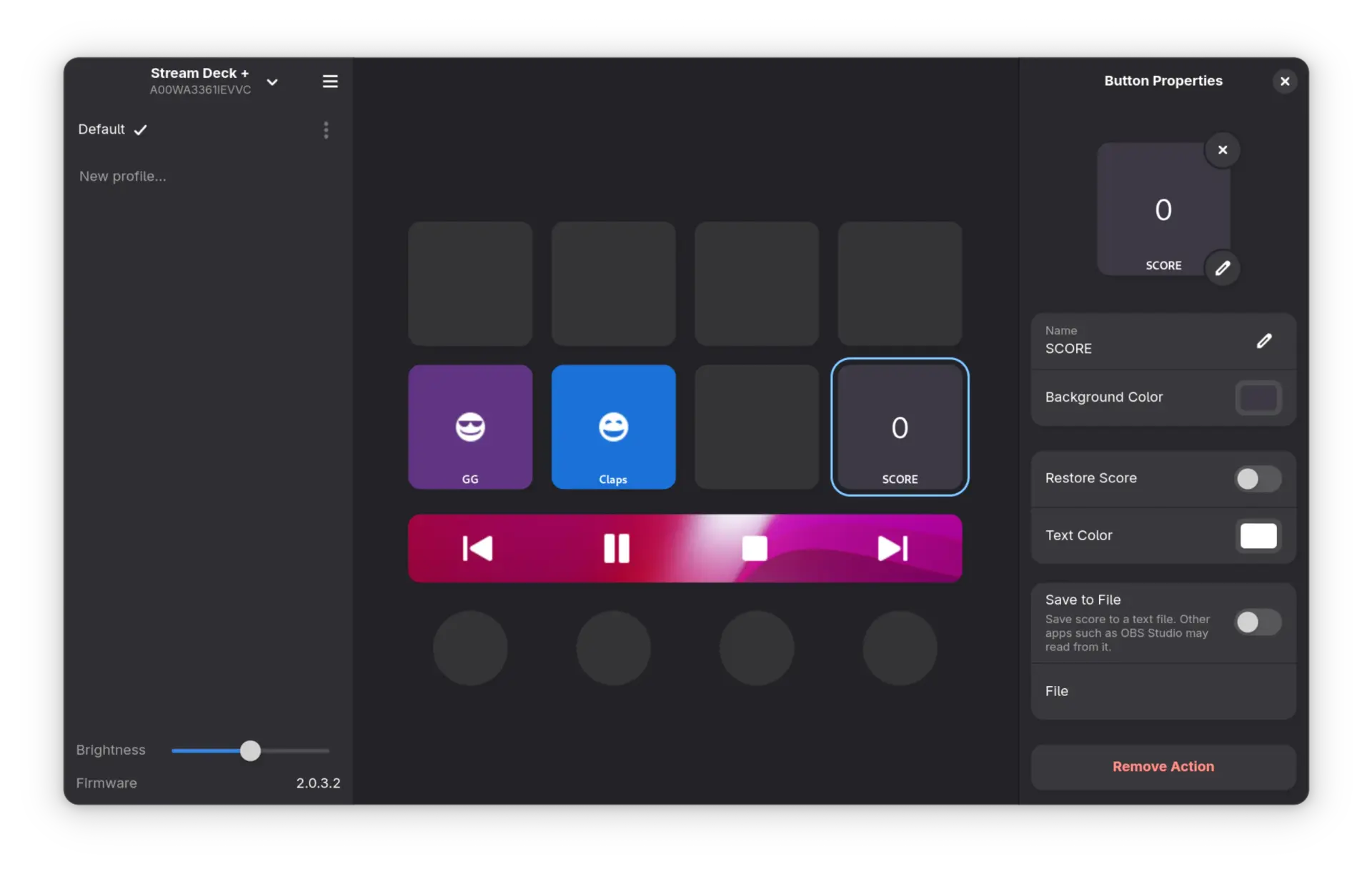
Fans of Elgato’s range of Stream Deck devices—re-read that word if you’re now picturing Valve’s handheld gaming device—will no doubt be familiar with Boatswain, a GTK4/libadwaita app for managing and configuring these button-centric doohickeys.
Boatswain 5.0 adds support for 2 new device models: the premium Stream Deck Plus, and its smaller, cheaper kin, the Stream Deck Neo.
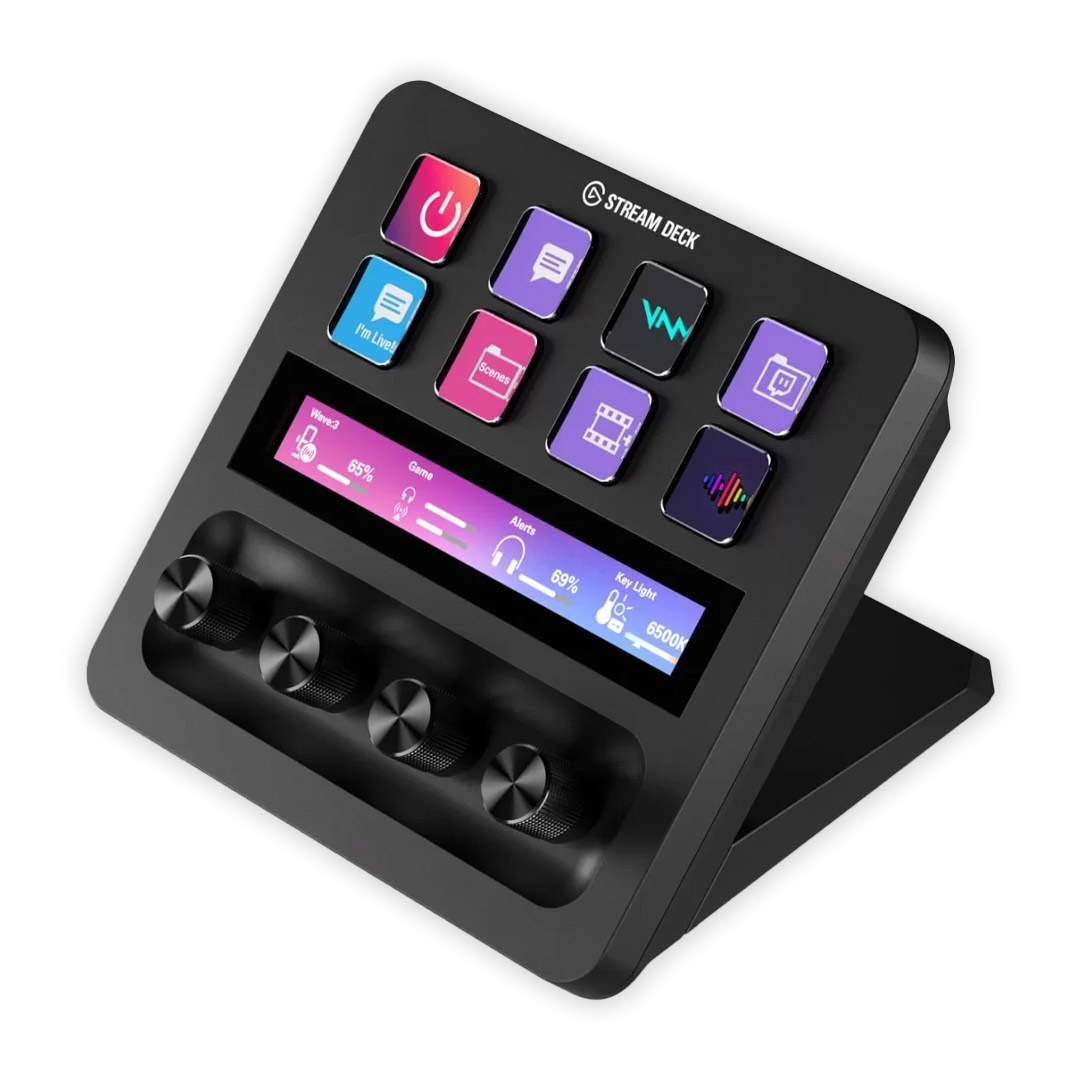
Adding support for the former, with its touchscreen and twisty dials, led to a major refactoring of the app which, effort required aside, has resulted in a better underlying codebase that should making supporting newer devices faster.
The new version also adds a new Keyboard Shortcut action. This allows a keyboard shortcut or keyboard event to be assigned to one the Stream Deck’s buttons and triggered on press.
“Paired with folders, Keyboard Shortcuts are very powerful, especially for large and complex software with a large number of shortcuts,” Boatswain’s developer notes.
Boatswain 5.0 is free, open source software and the latest release can be installed from Flathub.
QEMU 10.0
QEMU, the open source emulator and virtualisation tool, delivers impressive performance when paired with KVM, and is able to emulate different hardware architectures and systems, making it a deft aid for developers.
April saw the release of QEMU 10.0, a big update with many highlights:
virtio-scsimultiqueue support- Integrated graphics (IGD) passthrough for Intel Gen 11/12 devices
- ARM emulation supports Secure EL2 physical and virtual timers
- ARM emulation supports more architecture features
- CPU hotplug, paravirtual IPIs, and other bits on LoongArch
- Expansion to supported RISC-V ISA/extensions
- RISC-V emulation for Ascalon and RV64 Xiangshan Nanhu CPUs
virtio-memsupport and IOMMU bypassing on s390x- Support for Clearwater Forest and Sierra Forest v2 CPUs
- Faster emulation of x86 string instructions
- Improved documentation
Download the latest QEMU release from the project website, along with more information on this update, how to install it, and how to configure it to get the near-native performance.
Kdenlive 25.04
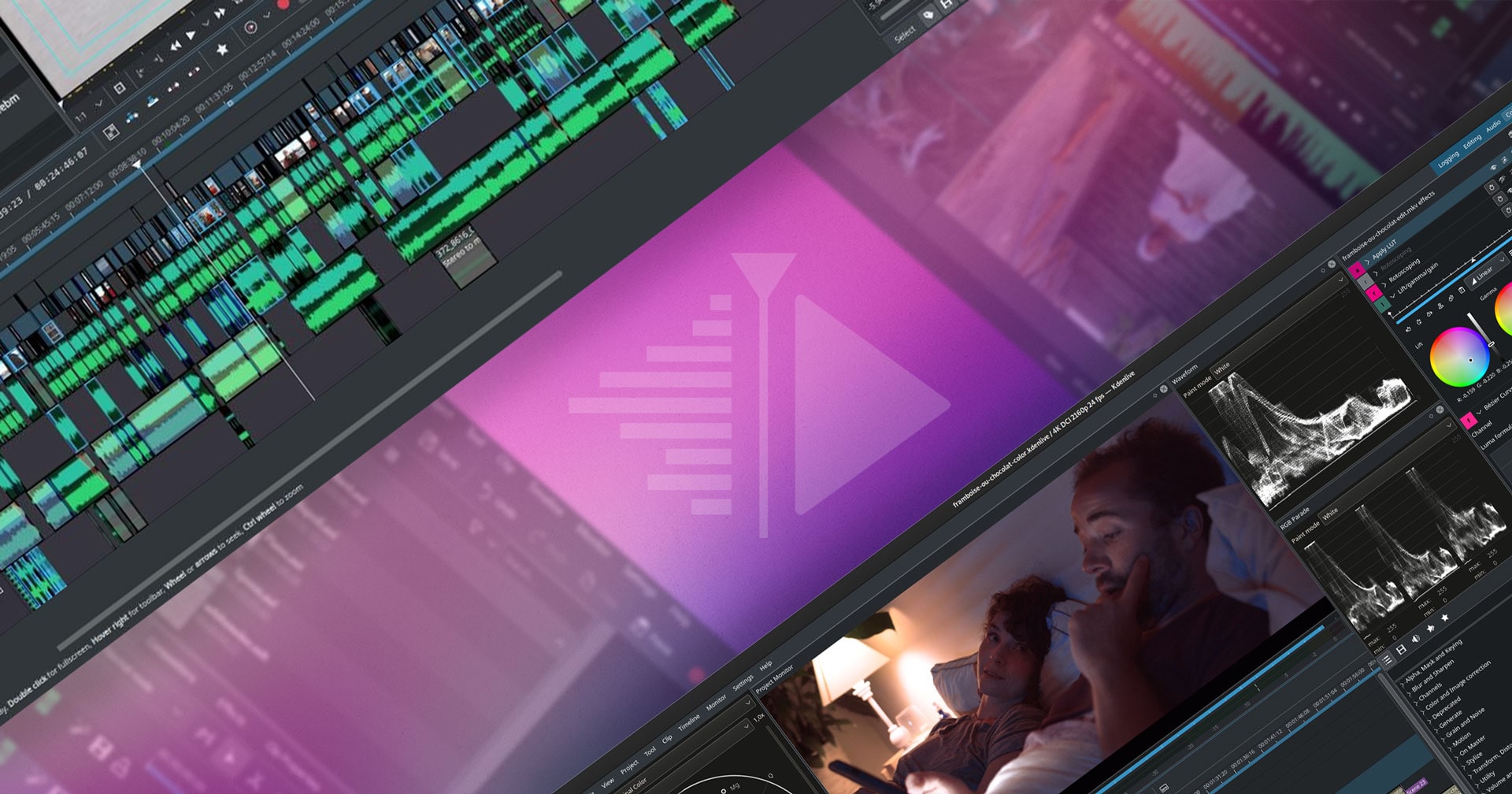
Videographers of all shades will be keen to kick the tyres on the new features added in Kdenlive 25.04.0, the latest version of the versatile, Qt-based non-linear video editor for Windows, macOS and Linux.
But there is one feature in particular that may be of interest: a new plugin using Meta’s SAM 2 computer vision model. This uses machine learning to identify and separate objects in images (1 frame of a video is an image).
For Kdenlive, the integration means users can quickly “create object masks to remove the background of your videos or apply an effect only to an object”, an otherwise tedious manual click-click-click task — I previewed the feature when it was in testing and it works!
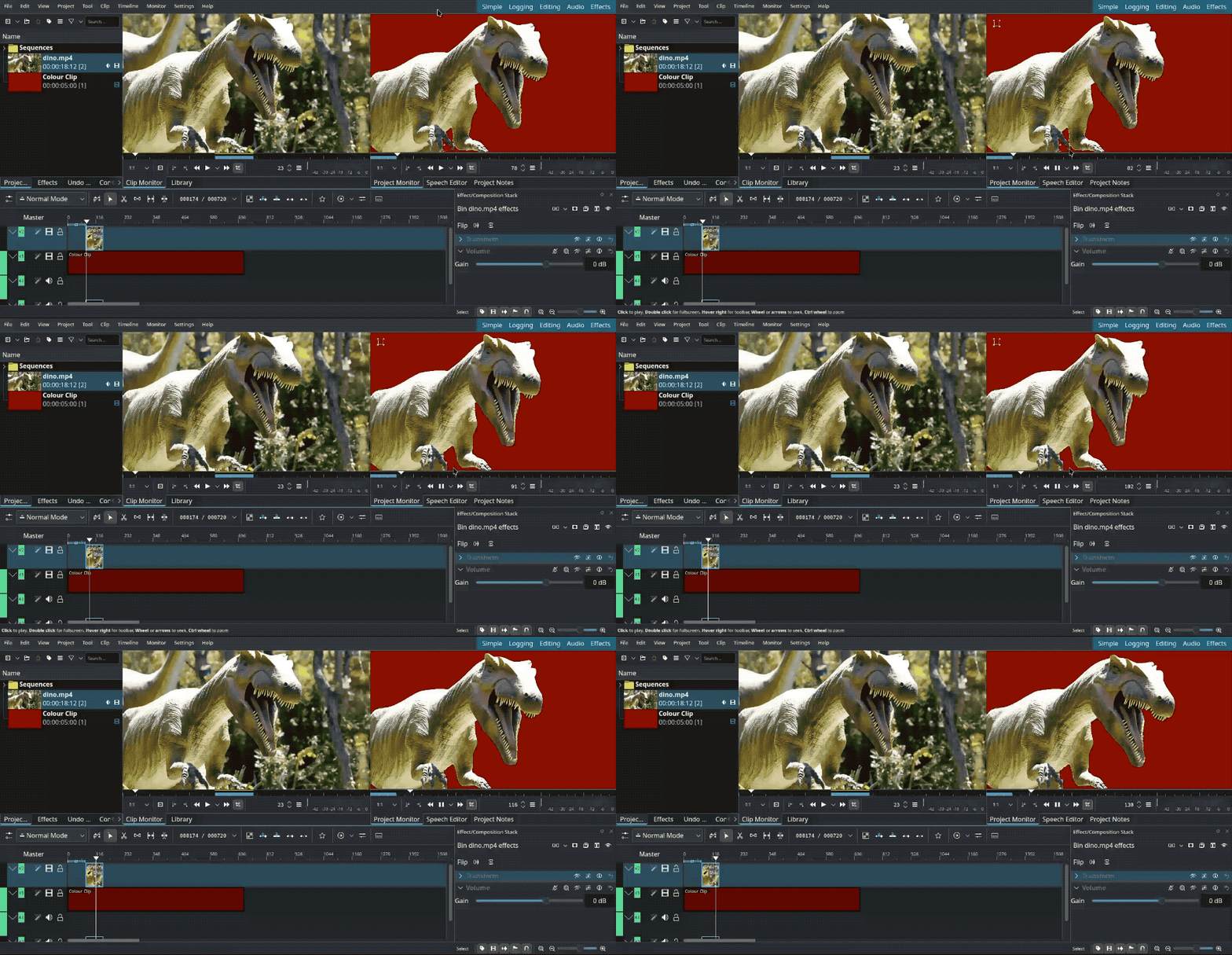
All processing is done locally, so you won’t need to worry about privacy issues. Performance? That you might, since it stands to reason the more capable the computer, the better/faster ‘inferencing’ will be – and the less manual correction required!
Kdenlive 25.04.0 is able to import/export projects in the OpenTimelineIO format, boosting the editor’s appeal among those using distributed workflows. Only timecode, duration and clip files reference is shared as effects/filters/transitions vary between apps.
The audio waveform viewer was rewritten, and is said to be generate audio waveforms faster and with more precision than before. Vertical zooming of audio waveforms is also supported.
Other changes:
- Change multiple adjacent clips duration at the same time
- Working with proxy clips for videos with alpha channels sees fixes
- New shift + click shortcut to expand/collapse all effects in the stack
- Time code widget now uses a different colour depending on monitor
- Project notes now support search
- Las used LUT is remembered when doing colour correction
- Render widget no longer hides behind main window on macOS
- Copying and pasting sequence clips to another project no longer corrupts
- Title Editor’s text outline improved to better follow font curves
- Auto Save feature made “less aggressive” to avoid lag in large projects
Kdenlive is free, open source software for Linux, Windows and macOS.
You can download the latest release from the Kdenlive website as an AppImage for Linux.
Calibre 8.3

Go-to ebook manager, converter and everything-elser Calibre published two small-ish updates in April, introducing some minor new features for bookworms to enjoy.
- Cover grid background can now be configured differently for light/dark mode
- 30% faster first-page loading when opening large EPUB files
- Metadata review dialog adds a “merge comments” action
- Kobo driver supports the newest Tolino firmware
- Kindle driver supports
*in MOBI output settings (to send all books as docs) - Improved news sources, including New York Times & Economist
- Fix for hyphenation added to
KEPUBfiles being ignored on Kobo
Like the sound of all that?
Head to the official website to download the latest release of Calibre for Windows, macOS and Linux (the latter involves running a command that fetches a script that downloads a binary that’s moved to a system location that wriggled and jiggled and tickled inside her1).
Thunderbird 138

Venerable desktop e-mail client Thunderbird gains a couple of new features in its latest monthly feature release, adding “message disposition buttons” to new mail alerts. Users on macOS can also customise new mail notifications more easily.
Thunderbird 137 was released on April 1. That version disabled the (relatively new) system tray icon on Linux desktops. The feature will be back once it gains additional functionality.
Both Thunderbird 137 and 138 deliver swathes of bug fixes, visual refinements, platform buffs. Notable ones in the latest release include:
- Wrong day of week being shown for some emails
- OpenPGP key not updating after new key accepted and reimported
- Dual signed (PGP and S/MIME) emails not displaying
- UI inconsistencies when dark mode is active
- Address book names not matching if case differed
- Improved message preview truncation in notifications
Want the latest version?
The Thunderbird snap in Ubuntu tracks ESR builds in Ubuntu 24.04 LTS and earlier, so if you want to switch to the release channel version you’ll need to swap to the beta channel (you can do that in App Center).
Alternatively, you can download Thunderbird from the official website for all supported OSes (it’s provided as a standalone binary for Linux users).
Typhoon 0.9.87

Recently revived Linux weather app Typhoon has seen several small quality-of-life improvements since I wrote about it last month.
Among them:
- Rain percentage and ‘feels like’
- Fix for forecast data being shifted by 1 day
- Deprecated APIs replaced
- Tooltips for humidity and chameleonic background
Plus, Typhoon can now show the current temperature as badge on the Ubuntu Dock icon, meaning you don’t need to give the app focus to keep an eye on the current temp.
You can install Typhoon on Ubuntu by adding the Typhoon PPA (Ubuntu 22.04 LTS and above) or by downloading a standalone DEB from the project’s GitHub releases page (18.04 LTS and above).
Resources 1.8.0
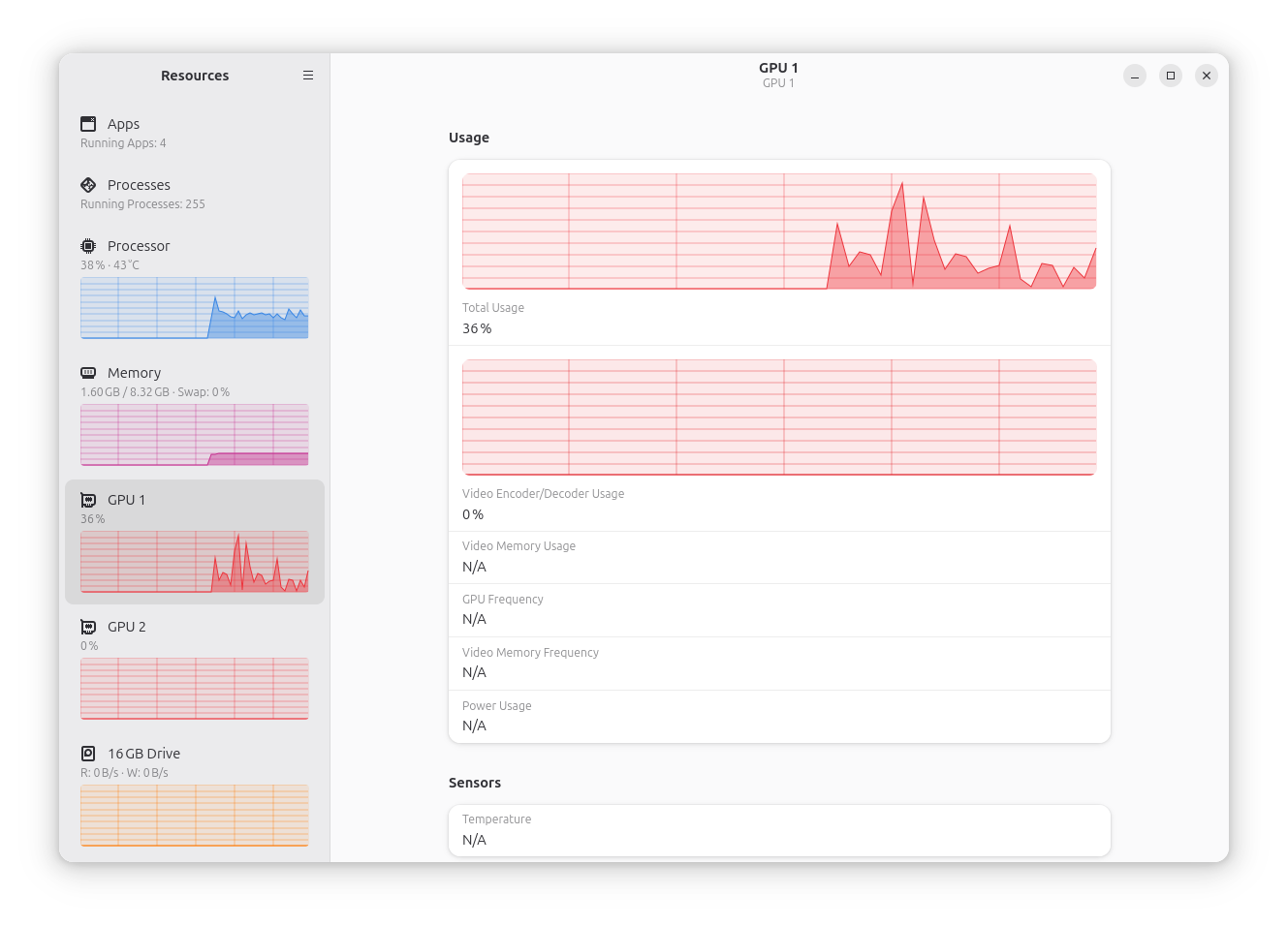
A new version of Resources, a modern system monitor and task manager app for Linux desktops built in Rust and using GTK4/libadwaita, arrived this month.
Of note, Resources 1.8.0 supports Raspberry Pi GPU monitoring (but only with Linux kernel 6.12 or newer) and reading Raspberry Pi CPU temperatures.
I tried the new release on Ubuntu 25.04 (running on Linux 6.14) and GPU monitoring works on my Raspberry Pi 5, though not perfectly. For some reason 2 GPU entries appear in the sidebar, and while the first has an updating graph zero GPU info is shown.
Confusingly, the GPU panel has a separate graph to track GPU video encoding/decoding usage but that area won’t work for Raspberry Pi as the the v3d driver does not support monitoring it, according o Resources devs.
Other changes in Resources 1.8.0:
- GPU, SSDs and network interfaces now show link type and speed(s)
- Improved battery detection and power calculation
- Apps and Processes view updates will pause if ctrl is held
- Apps and Processes view column to show combined memory and swap usage
- Type-to-search now enabled by default
- UI sidebar adaptations when in portrait mode
In all, another solid update for this system tool.
Resources is free, open source software for Linux, and the only “official” way to install the app is via Flathub (though there are unofficial Arch and Fedora packages/repos around).
That’s it for this month’s roundup! Though this is not a comprehensive list of every app update issued in the past 30 days, these updates are for apps which I written about in the past, or which I know will be of interest to many of you reading.
Until next month!
- Don’t cancel me for using “her” – I’m making a play on a famous nursery rhyme ↩︎