


The official OMG! Ubuntu add-on for Firefox is back – albeit far later than planned (sorry about that).
If you’ve used our Chrome extension over the last decade, this add-on will be familiar as it’s the same thing, just in Firefox. Same look and (almost) the same features because it’s the same code (albeit with API name swaps and manifest tweaks).
This isn’t the first time this blog has offered a Firefox add-on. Our old one broke in 2017 and though we intended to fix it, a decade happened to fly straight past us1.
Like the Chrome version, it provides a quick, low-overhead way to glance at the latest the headlines like you’re living in peak Web 2.0 (anyone remember Firefox’s live bookmarks?).
OMG! Ubuntu notifier for Firefox
What does our add-on do? Well, it doesn’t wash your socks.
It adds a toolbar icon you click to reveal a pop-over with a scrollable list of the 12 most recent headlines (with thumbnail) from the site. The toolbar icon has a badge count showing you how many unread (up to 12) posts there are. A refresh button checks for new posts2 on-demand.
You don’t need to keep a tab open (an act which warms my heart) or visit the homepage (much love to those who do on the regular), as the news comes to you.
If you’re signed in to a Mozilla account, the unread count is kept in sync across all devices you have the add-on installed on where you’re signed in to the same Mozilla account (our Chrome version does this too, albeit using the native Chrome Storage API).
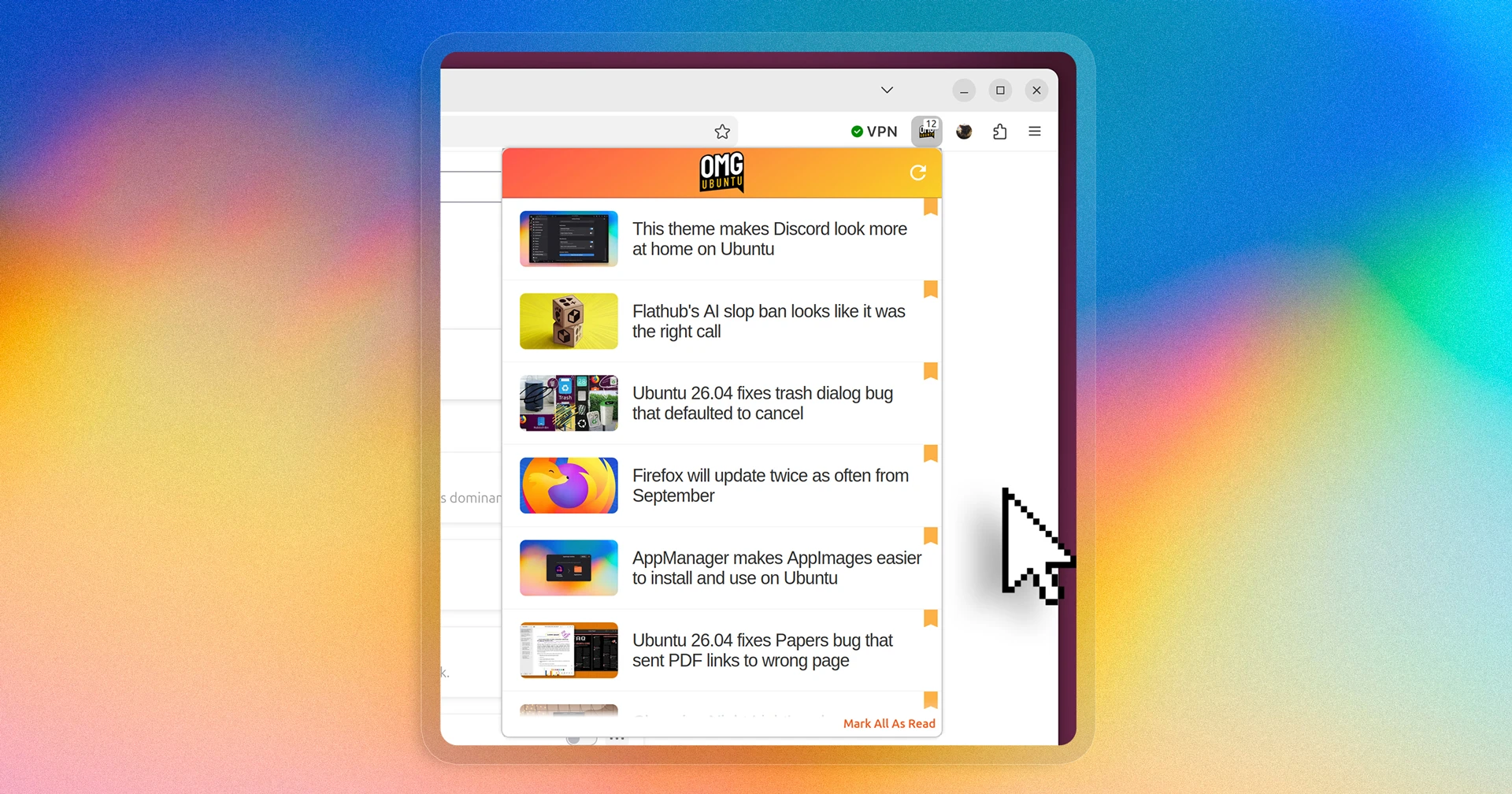
Unread posts have an orange bookmark next to them. Click the bookmark to mark that story as read without opening it to read. Or, leave it unread as a reminder to come back to it. At the bottom is a ‘mark all as read’ if – shock – nothing takes your fancy.
Click on any article in the list to read it directly in your browser, in a new tab. Yes, tab; tis not a browser-within-a-browser, so there’s no mobile viewport in the pop-over. When clicking on an article to read it gets mark as read automatically.
Our add-on doesn’t run continuously in the background. Instead, it’s built to periodically wake up and check for new posts and then go back to sleep. If it finds a new story, it sends a desktop notification to let you know. Click the notification read the post in a new tab.
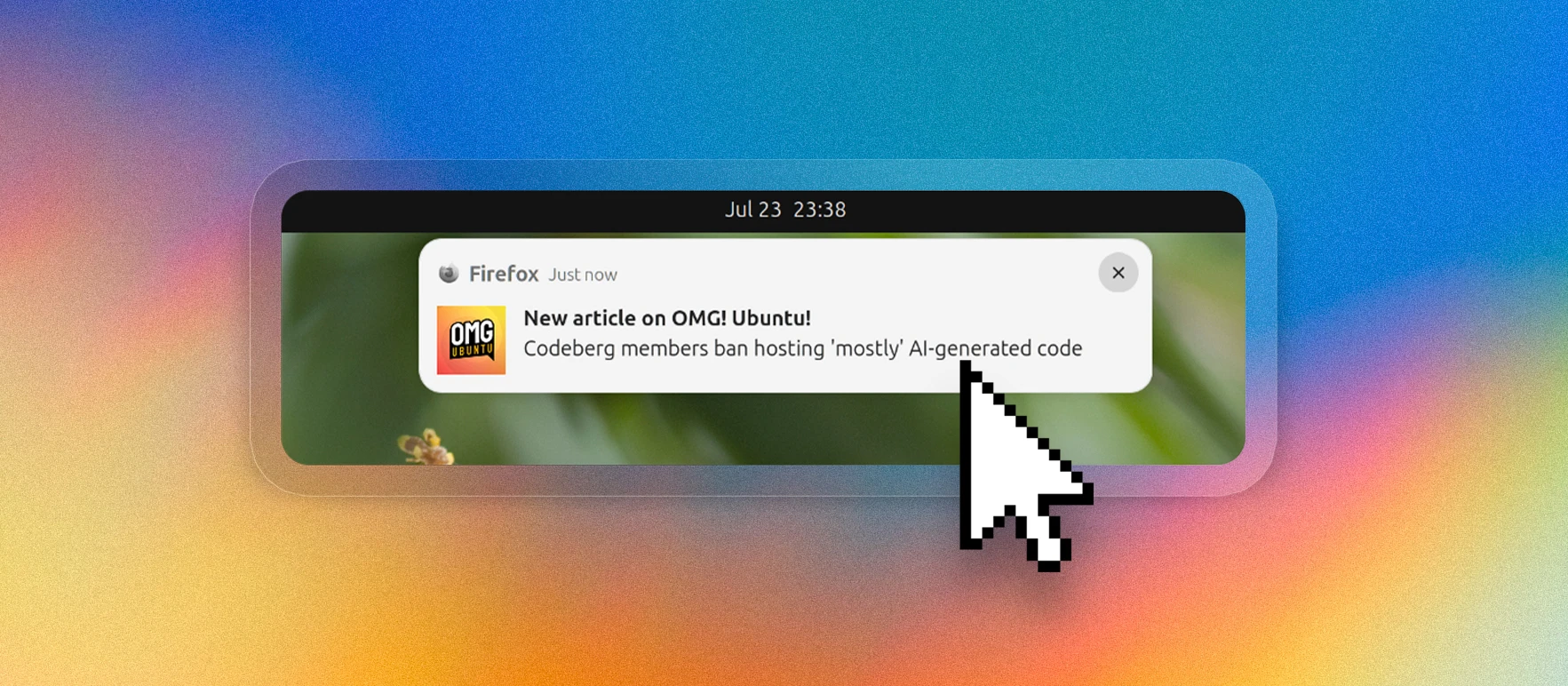
No real permissions are required, beyond access to omgubuntu.co.uk to fetch our baked-in feed. The only feature difference to the Chrome version is a lack of notification action buttons (as Firefox doesn’t support them).
At present you can’t disable notifications in the Firefox add-on. It is an option we will add back shortly (Chrome moved notification controls to the browser, so we un-plumbed our settings page to keep things lean).
It’s just another way to follow OMG! Ubuntu
This is a lot of waffle dished up for what is ostensibly a simple tool that I do not expect you to use – there are countless ways to stay on top of our typos coverage: the Chrome extension in Vivaldi, Edge and Orion (on macOS), RSS feed, social media accounts etc.
But if you do fancy trying it out, feedback is welcome to joey [at] ohso [dot] io, or BTL here.
Get OMG! Ubuntu on Firefox Browser Add-ons
- Glib. We rewrote the Chrome extension, but not the Firefox version. It worked until it didn’t and then, as only a a hundred people made use of it, it slid down the priority list. Our Chrome extension has several thousand users. ↩︎
- Updates and force-refreshes will also update existing headlines with any changes, e.g., “[Now Fixed]” on an article about a bug, as well as any changes to the article thumbnail (less important, admittedly). ↩︎