


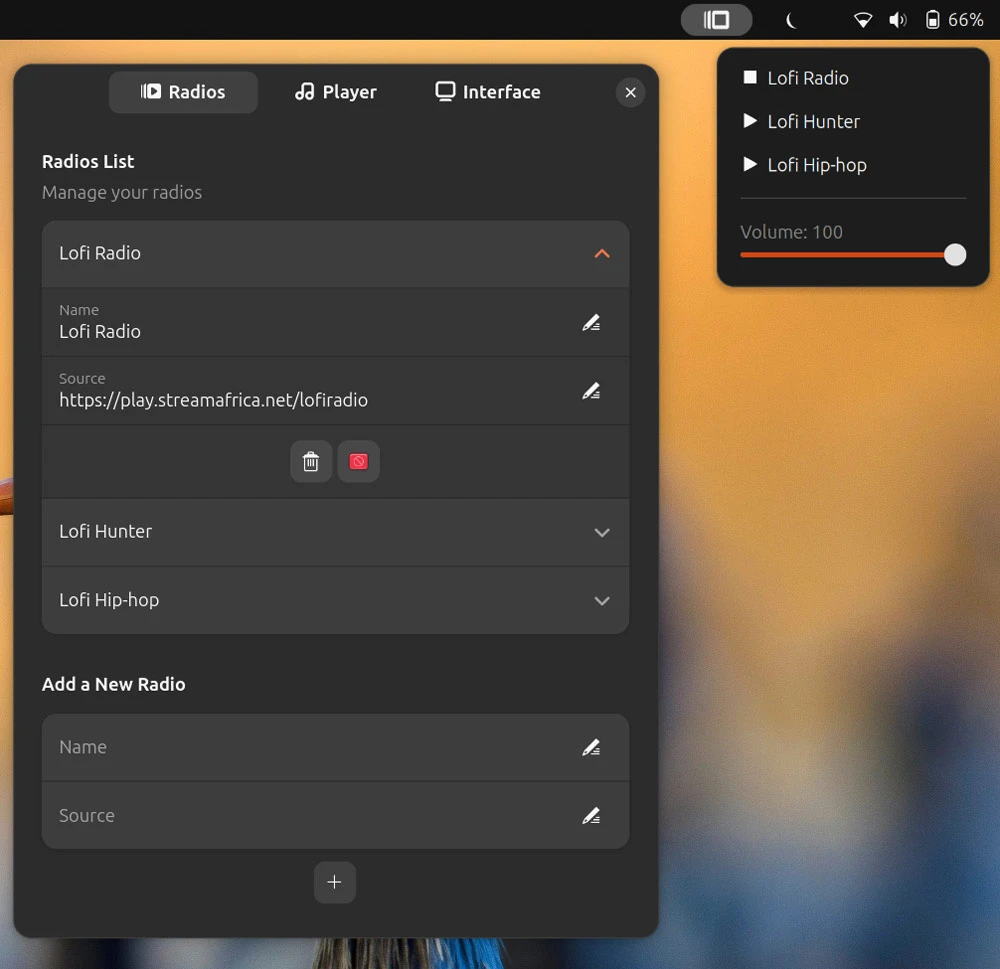
Quick Lofi is a GNOME Shell extension that puts a lofi radio player in your top bar.
If you’ve ever opened a new browser tab to load a “lofi beats to study to” stream on YouTube — lofi girl, perhaps – to act as an ambient backdrop to work to, the appeal will be evident.
If not, all you need to know is that mellow, lyric-free, low-tempo sounds are reputedly ideal for focus.
A wedge of research backs up the benefits of playing background music (or ambient noise or frequencies, including binaural beats) when studying.
A 2022 study showed students who worked to classic music had better working memory than those who studied in silence, while a 2023 study pitted classical music against lofi beats and silence and found lofi was almost as good as classic, both far better than silence1.
While you can keep a browser tab open to stream audio from YouTube (and boost your memory performance), using a desktop tool like Quick Lofi is easier (and improves memory usage on your computer, innit).
Keeping to the stripped-back, focus-minded approach, there isn’t a whole lot to the extension. You install it, ope the panel menu and click a stream to begin playback. The only caveat is that you need to be online to listen to the pre-populated streams.
You also add your own internet radio stations via their URLs, so this needn’t be limited to playing lofi beats. If ambient sounds, steady rain, news stations in other languages or something else gets you in the zone, you can add it.
You can reorder stations in the extension’s preferences window to change the order that appear in the panel applet. Volume can be controlled via the extension individually, useful keeping the lofi beats low under other content, like study videos or lecture recordings.
It doesn’t hook into MPRIS, at least not in my test, but you are able to set your own playback keys.
Quick Lofi uses MPV. That isn’t included in Ubuntu by default, so install it using your terminal by running sudo apt install mpv. The extension itself works on GNOME 46 through 49, so if you’re on Ubuntu 24.04 LTS and later, you’re all set.
Get Quick Lofi on GNOME Extensions
- Perhaps the “lo-fi” texture, which isn’t glossy-clean like modern music but imperfect because of vinyl crackle, rain, hiss, distortion, acts as a buffer against sudden distracting noises? And the mediative nature of slow-tempo rhythmic beat is mediative? ↩︎