

The new tab page has a (slightly) new look and a new name in Firefox 151, the newest version of Mozilla’s famous open-source web browser that begins roll out today, May 19, 2026.
Now called Firefox Home, the new tab page has a “new look and feel”, to quote Mozilla. It’s not quite that dramatic, though the rounded search bar draws from the upcoming Nova redesign with its rounded pill shape (it is also no longer sticky on scroll):
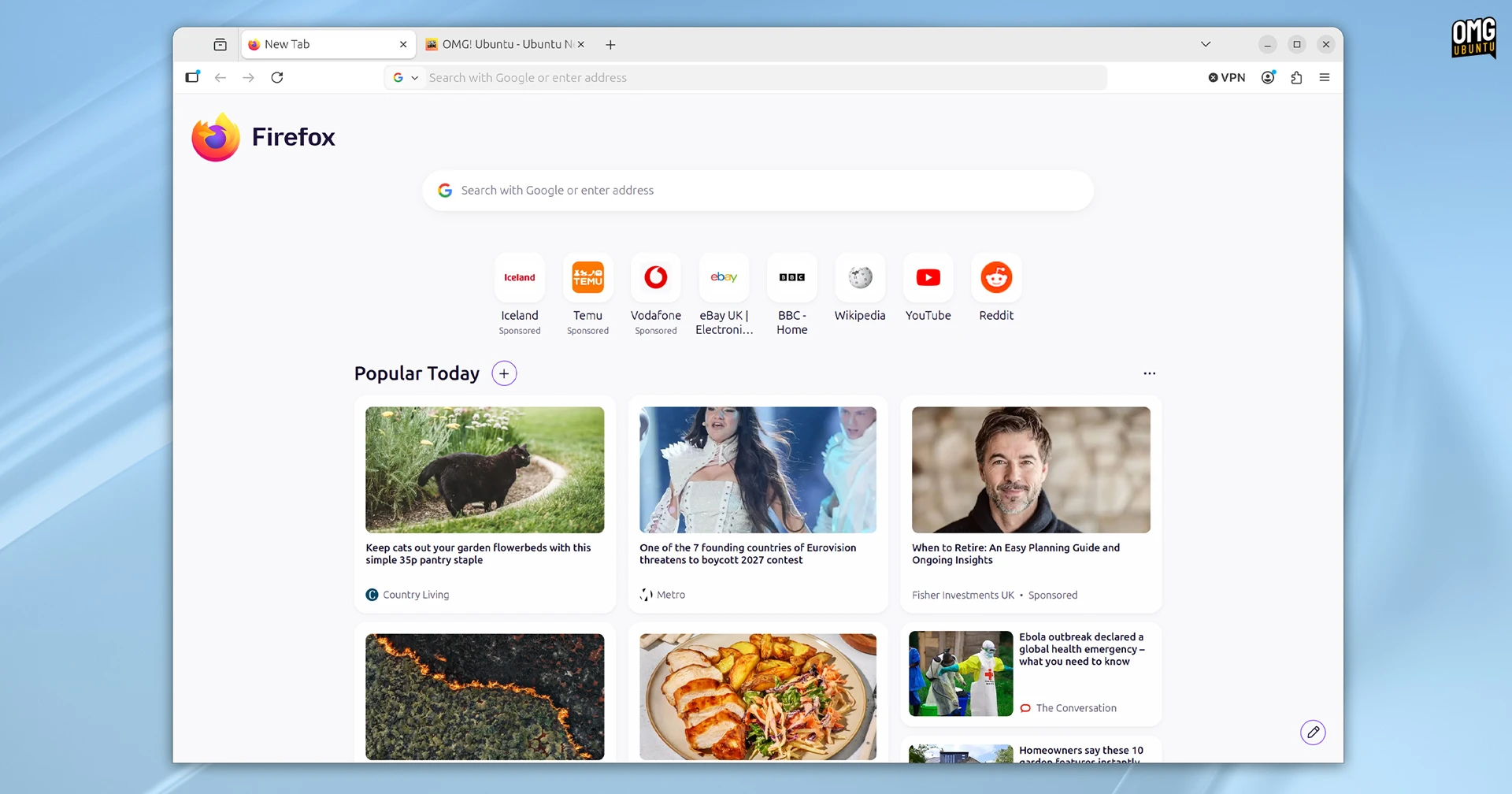
Stories stay put, but the ‘follow’ topic button is now an plus-sign icon left of the section header.
You can continue to dismiss individual stories and block topics on Firefox Home to fine-tune the cacophony of ‘exceptional content’ (as Mozilla call it) on the new tab page, turn it off1 – or at least opt-out of content being personalised based on your browsing (enabled default).
Because the search bar is now longer, the weather widget (only available in some countries) shown on the new tab page was redesigned. There’s no option switch between simple and detailed views now, so you get a box with current temp, highs and lows.
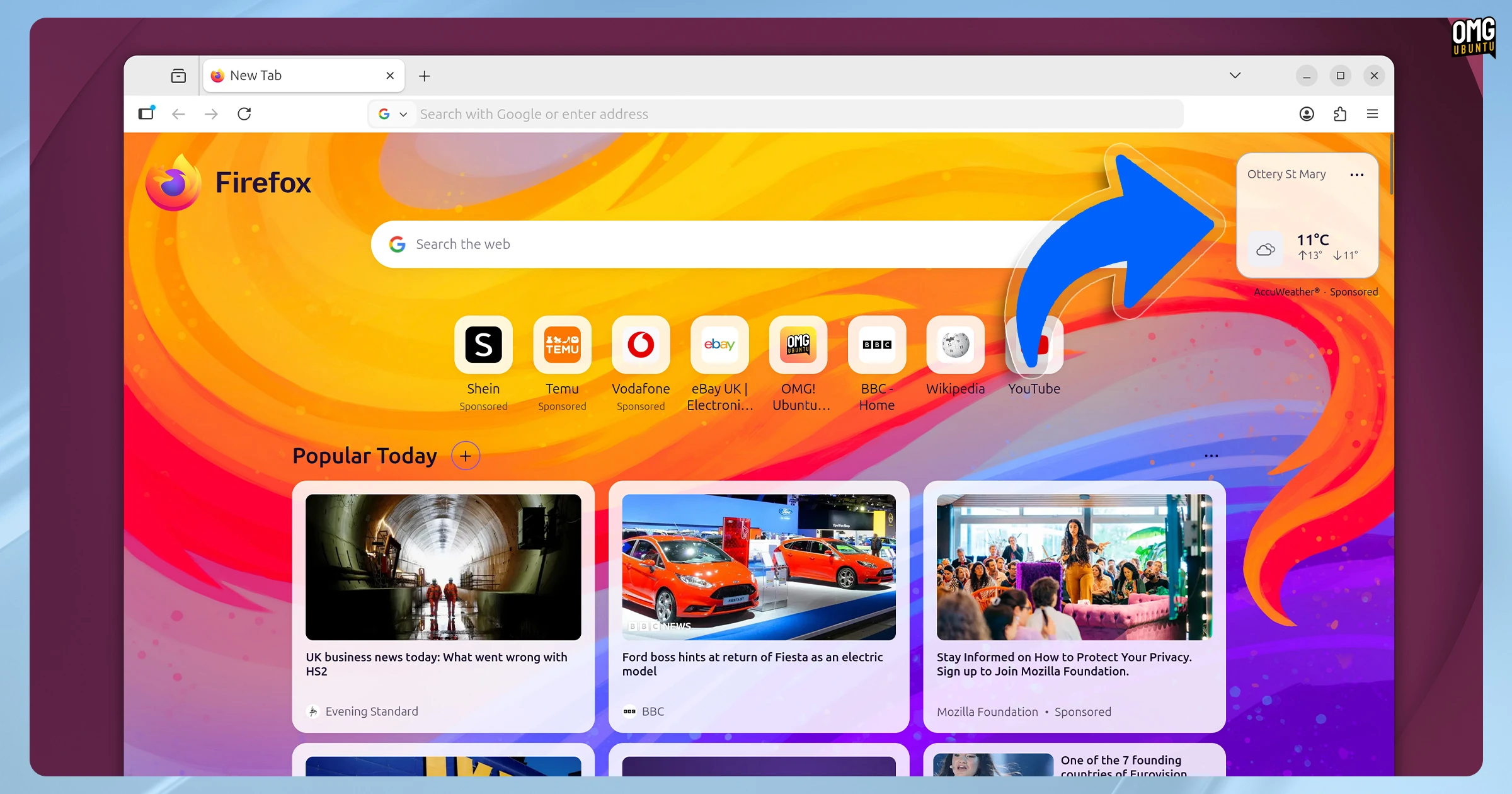
You can choose to show more shortcuts by clicking the pencil icons. You can show up to a maximum of 4 rows of shortcuts. Finally, Mozilla enthuse over a set of ‘new and exciting’ backgrounds to try.
Did Mozilla look at Microsoft Edge’s algorithmic bin-fire of a new tab page and say: “hold my oat matcha, I want what they’re having”? It’s quite that degree of unhinged chaos just yet, but Mozilla’s C-suite clearly view open space the way a property developer views the green belt…
I digress.
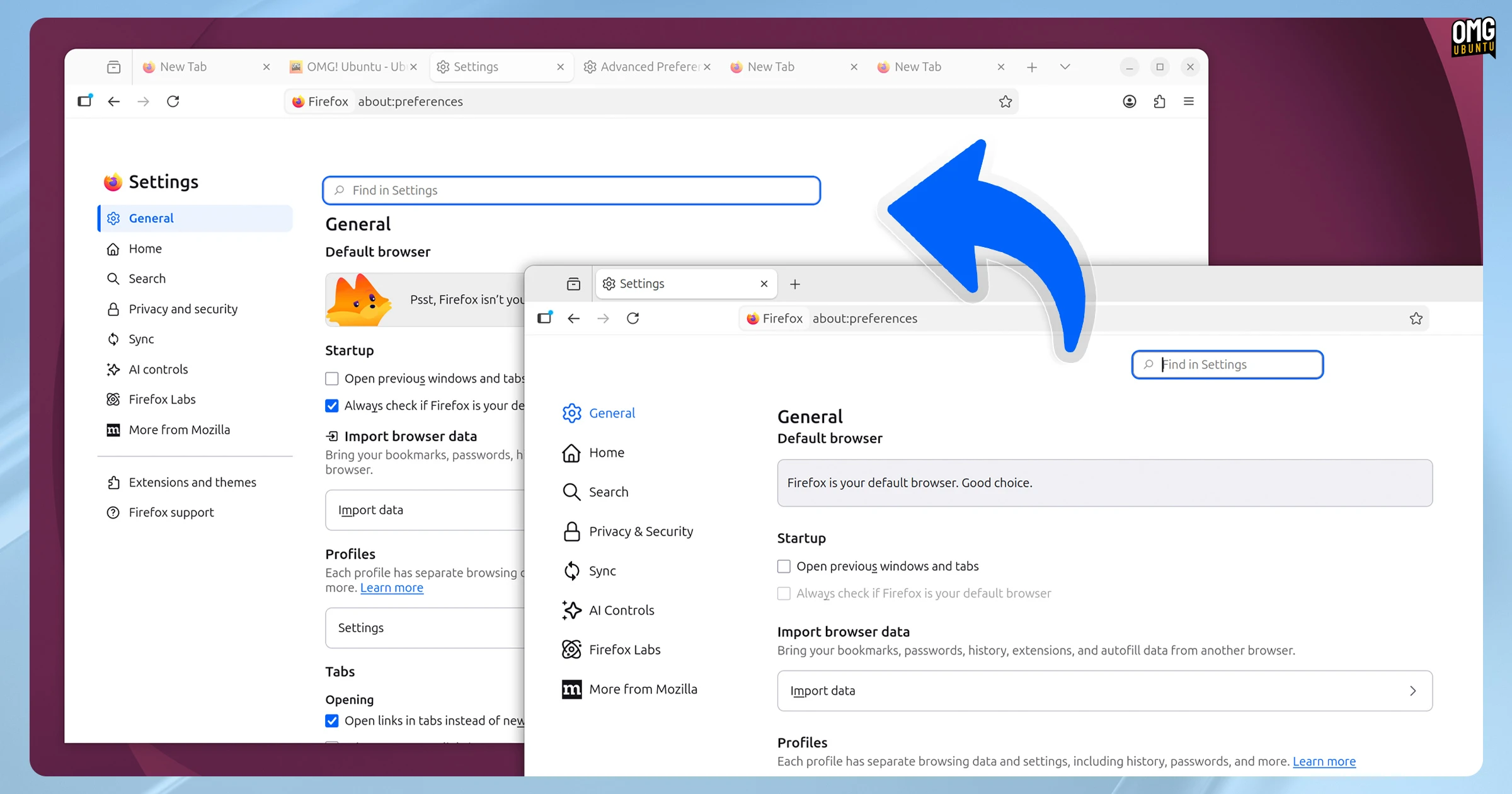
Other design changes (glimpses of the full browser-wide Nova revamp) introduce a compact, tightly arranged Settings page (about:preferences). The search settings search bar spans the full-width of the settings column, rather than adrift in the corner:
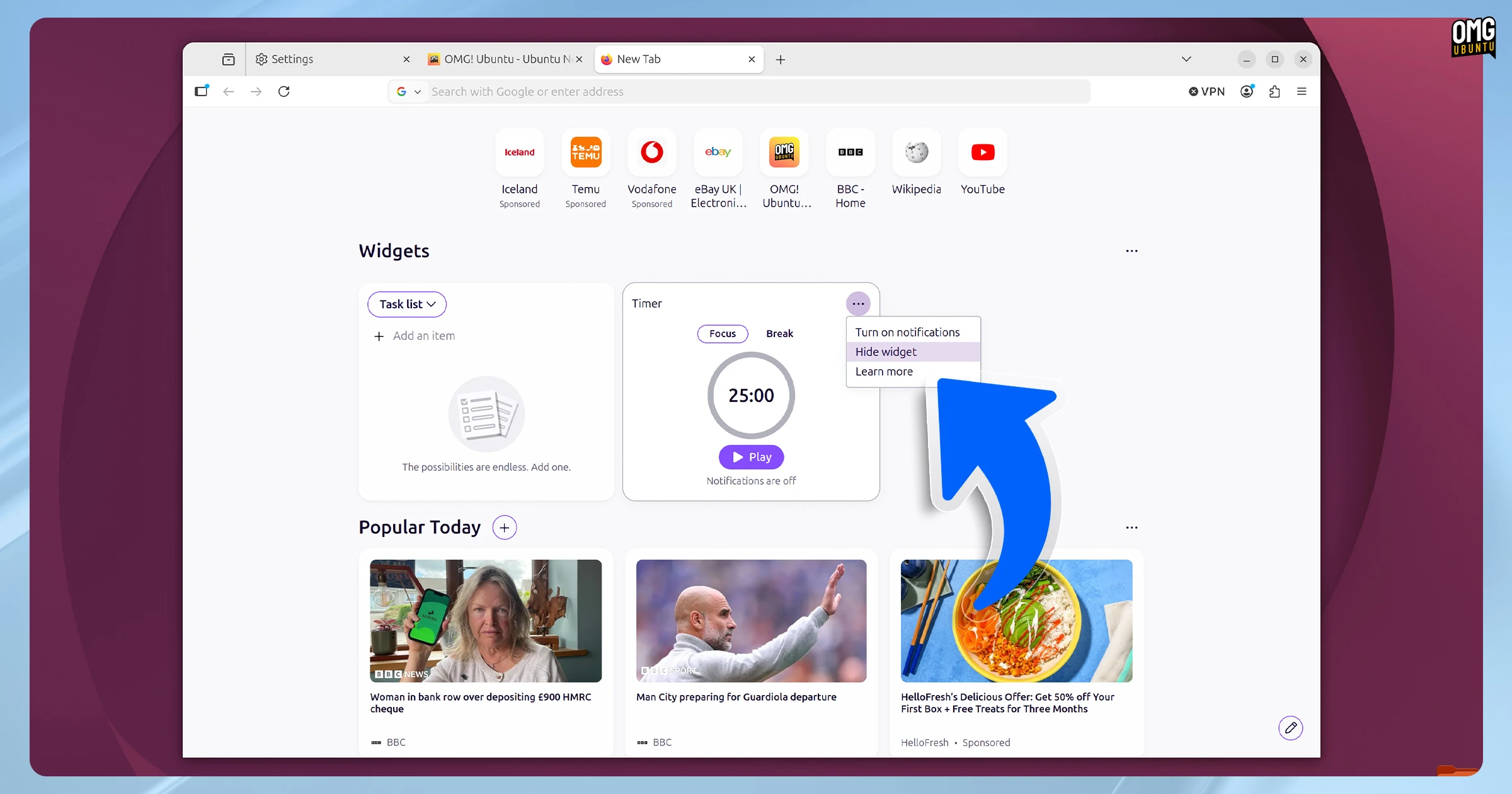
And the new tab page widgets currently available to test on an opt-in basis via Firefox Labs benefit from visual tweaks and, compared to earlier versions, no longer appear so incongruous in situ:
Other changes in Firefox 151
A session clearing button was added to Private Browsing Mode. You no longer have to close a private window to delete its cookies, history and site data. Instead, one click on the flame icon in the toolbar and bam, data gets expunged and your private session starts anew.

Like a lot of features found in Firefox of late, session clearing echoes features found in rival browsers, here DuckDuckGo Browser’s “Fire” mode, right down to a ‘fire’ icon to clear, but sans its cool animation.
The free built-in VPN (only available in selected countries) will let you select a location from a small list, should you wish your browsing to be masked via a proxy server in a country other than your own. This feature is progressively rolling out, so expect to enjoy it… In 5 months.
Firefox’s built-in PDF viewer and editor continues to pick up new features. This update lets you merge PDF files into a single document. There are other ways to merge PDFs on Linux, but being able to do in the default browser is certainly handy.
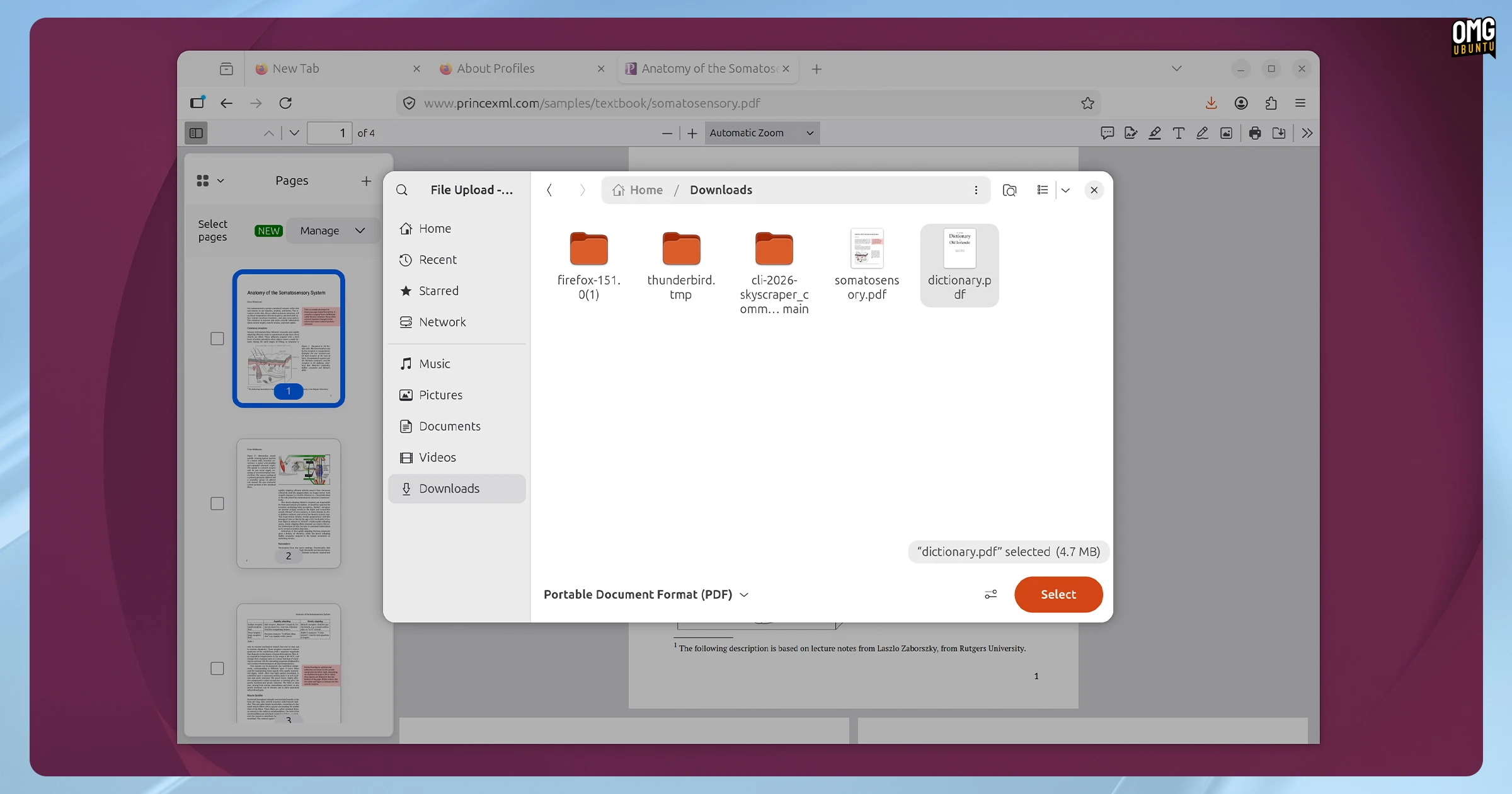
To merge PDF files in Firefox, open a PDF, expand the sidebar and click the “+” icon. In your file manager select the PDF to add. Its contents are appended to the end of the open document, but you can reorder and delete pages. Export your merged PDF before you close the tab.
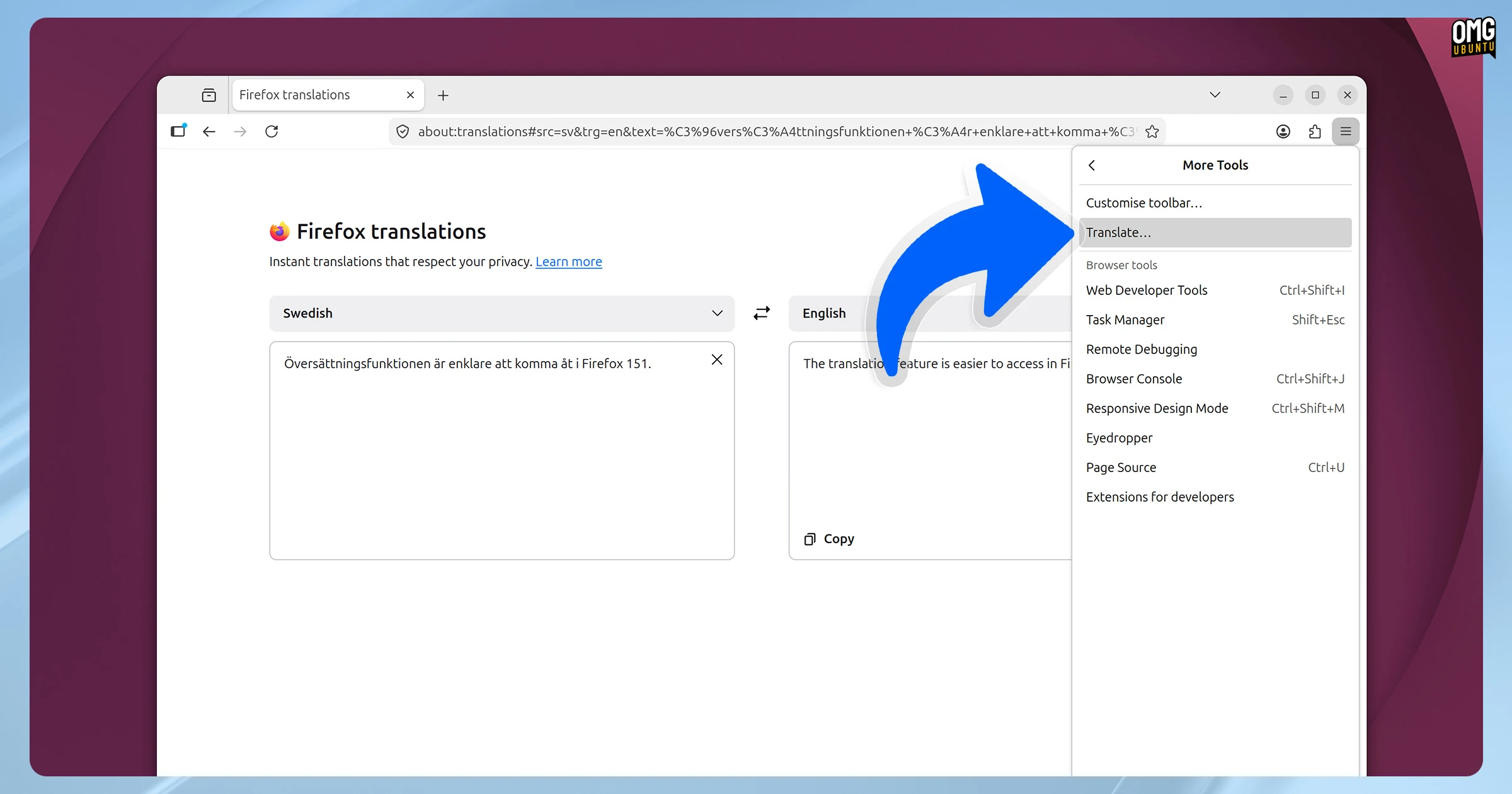
Last month’s Firefox 150 release added a dedicated page for using the browser’s on-device translations feature, accessed via about:translations. In Firefox 151, you no longer need to type an address as there’s a link in the More Tools section of the in-browser app menu.
On the privacy side, Firefox 151 improves fingerprinting protection in Standard Enhanced Tracking Protection mode, ‘limiting the amount of information revealed about your device and browser’ to make it harder for websites to track you across different sites.
Linux users can now create local Firefox profile backups, a feature that was added in Windows builds a few releases back. Mozilla also say Firefox profile directory backups can be moved or restored across platforms, complete with themes and extensions intact.
Other changes for end-users:
- Universal Clipboard support on macOS
- Native in-page menus on macOS
- Address Autofill enabled for users in Netherlands
- Geolocation prompts on Windows
For developers/web compatibility:
- Web Serial API for supported microcontrollers, including Raspberry Pi Pico
- Local network access restrictions now enabled for all users
- Fullscreen Keyboard Lock API gains
requestFullscreenargument @containerrules now support lists of query conditions and styles- Document Picture-in-Picture API support
See the release notes and the security notice for more details on the makeup of this release.
Download Firefox 151
You can download Firefox 151 from the Mozilla FTP from today (Monday, 18 May) or from the official Firefox website on 19 May, 2026.
However, most of you will already have Firefox installed. The update will roll out in-app on Windows and macOS, while on Ubuntu, where Firefox is a Snap, it will update in the background automatically.
Linux Mint users can update via the Mint Update tool (or apt from the command-line).
You can also install the Firefox Flatpak on Flathub. If you use that on Ubuntu, don’t forget to update via the command-line (flatpak update) or use a GUI app like Bazaar, which is available in the Ubuntu 26.04 repos for easier access.
- I can’t say I’ve ever opened a new tab specifically wanting to view existential dread and (frankly) utter nonsense vying for my immediate attention (War! Doom! This one weird trick! Doctor’s say we all breath wrong!), yet I’m made to look at it before I do as much as type a URL. ↩︎