

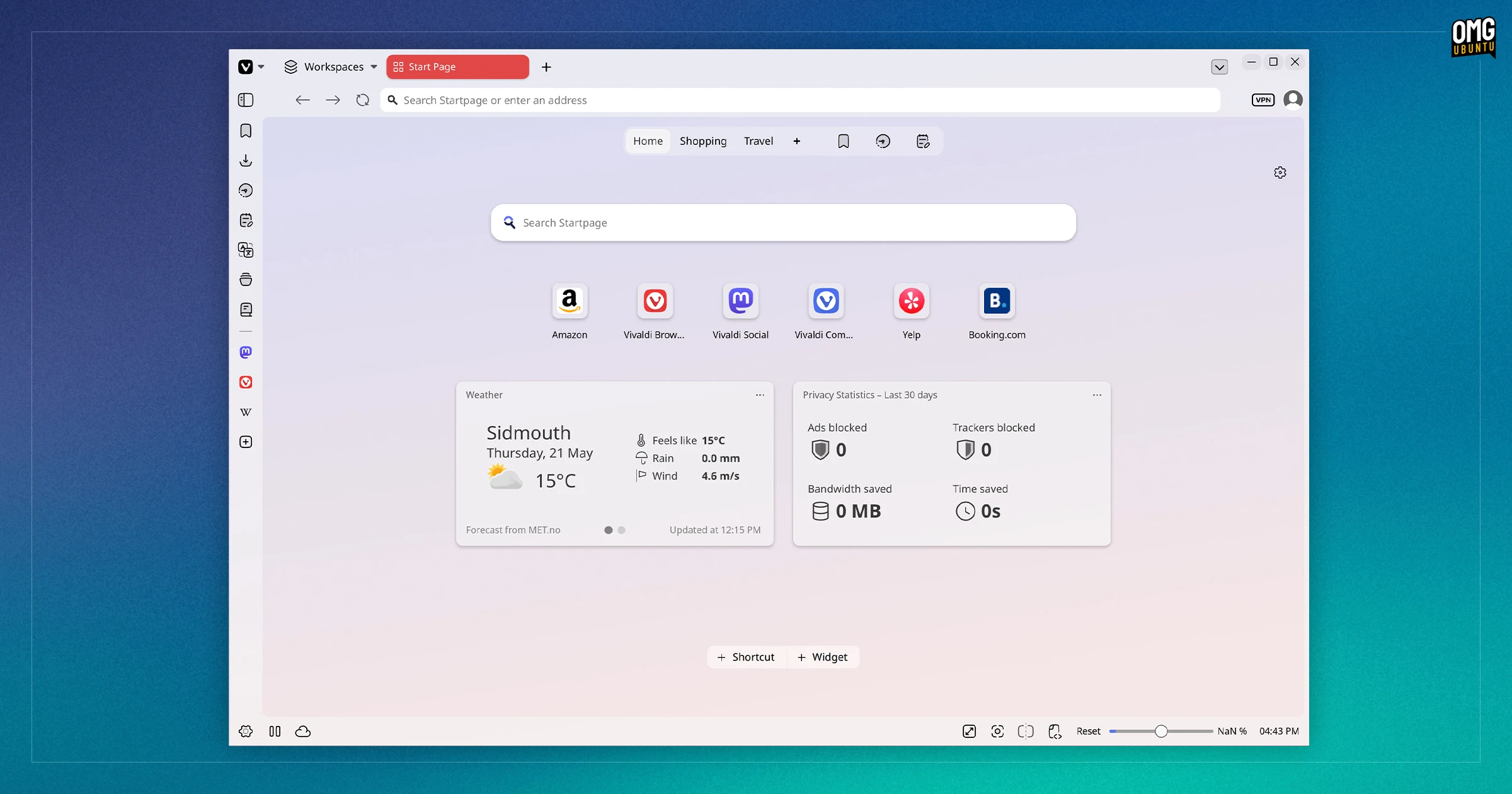
A bold new look arrives in Vivaldi 8.0, the latest update to the Chromium-based web browser.
The browser’s main UI elements (the bits that make a browser looks like a browser, so tabs, toolbars, panels, and content) drop their boundaries to form a continuous look. Hence the named Unified.
Similar to Zen Browser, the canvas for web content is now ‘framed’ with rounded corners, rather than web pages flowing fully from edge-to-edge.
“Unified is not a visual refresh. It is a rethinking of how the Vivaldi interface works as a system” the company says in a press release (invoking a suspiciously AI-sounding parallelism that doesn’t make much sense since it actually a visual refresh).
“All toolbars now live on a single continuous surface that wraps the entire browser, creating an interface that is more cohesive, more readable, and more intentional than any version of Vivaldi before it”, the company adds, noting that ‘the impact is profound’ for users.

I dare say that ‘impact’ may also be contentious.
Thankfully, as this is Vivaldi we’re discussing, the old/classic theme remains available to select. I can’t find an explicit setting to revert, but some themes look how it used to. Those who don’t gel with the Unified look needn’t grab a pitchfork or decamp to a different browser.
Configurability is Vivaldi’s USP after all – fans of no-frills browsers are spoilt for choice, power-users less so.
Continuing the AI-hued flowerage over Unified, Vivaldi’s presser enthuses: “wallpapers feel less like decoration and more like part of the environment. A dark theme is dark, properly, all the way through. A warm theme carries that warmth into every corner”.
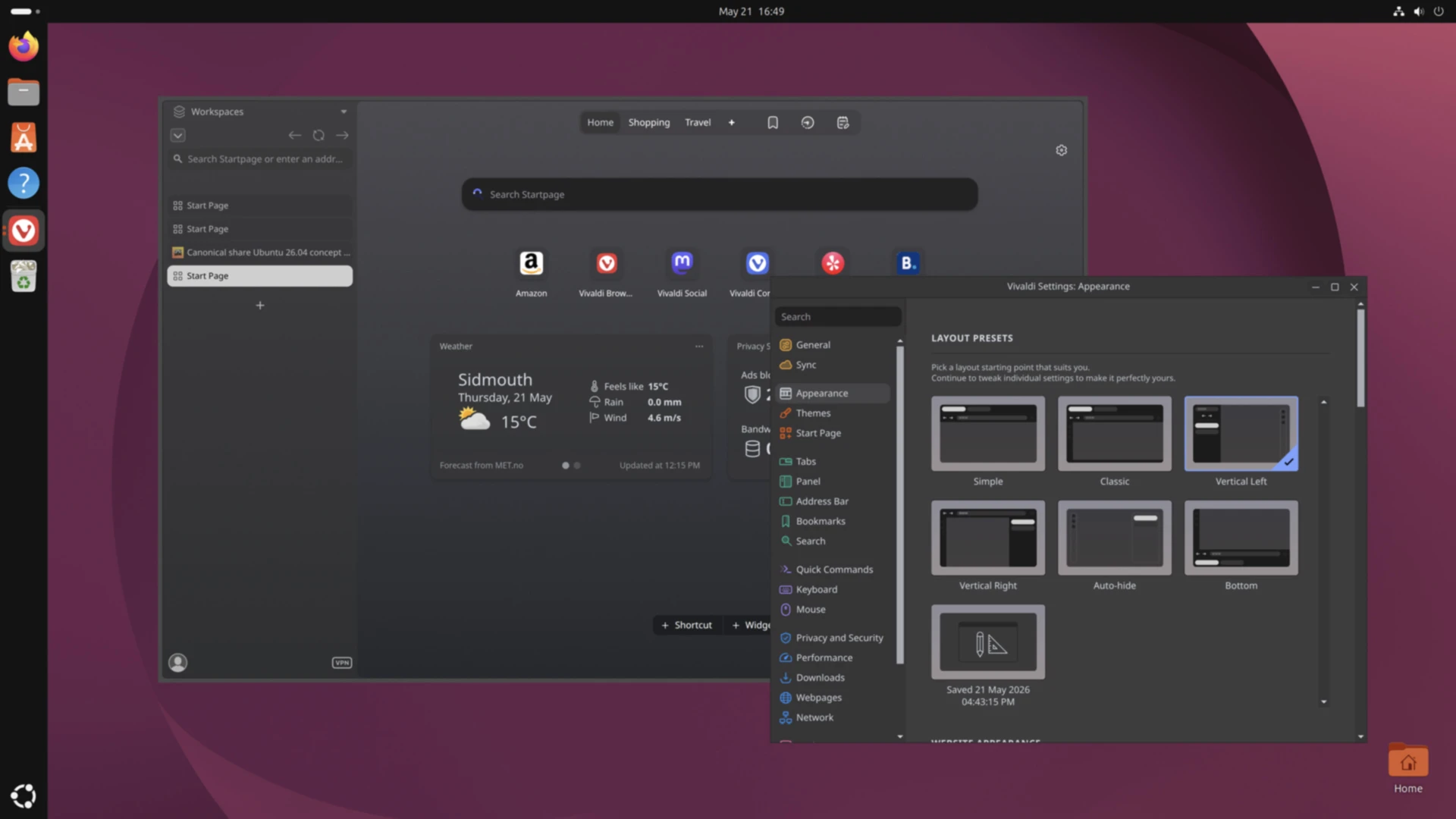
In addition to the ‘not a visual refresh’ (sorry), Vivaldi 8.0 now offers a set of six preset layouts to quickly transmogrify the browser’s UI into a different arrangement, be that a minimal view with toolbars fading out of view to vertical tabs to an inverted, bottom-based layout.
“Each layout is a launchpad, not a limit”, Vivaldi say – an important point since the presets aren’t hard-set; they can be used as a started point for further customising and fine-tuning.
Get the update
Vivaldi 8.0 is available to download from today (21 May, 2026) from Vivaldi.com for Windows, macOS and Linux, including on ARM64 devices like the Raspberry Pi.
Ubuntu users can install Vivaldi from the Snap Store, if desired. If it’s already installed the update land in the background automatically (or open App Center to update it sooner).
Vivaldi is on Flathub – before accusations of bias fly-in over favouring Ubuntu-sired formats on an Ubuntu-based blog) – but it’s an ‘unverified’ listing, though maintained by Vivaldi. Why not verified? To quote my Facebook relationship status ~2010: “it’s complicated”.