


Firefox 150 brings enhanced Split View features, multi-tab sharing and a crop of PDF editor improvements.
Split View debuted in Firefox 149 last month, letting you easily view two web-pages side-by-side in a single tab (no more juggling windows). In Firefox 150, you can right-click a link on a web page and choose Open Link in Split View to, well, do precisely that.
Firefox’s Split View feature now includes an option to Reverse Tabs in the context menu (three dots at the bottom of a focused split). And when creating a new Split View without a link you’re able to search through the rest of your open tabs in-place, to pick one to split.

Multi-tab sharing is also now supported. Select multiple open tabs (using shift + click) then right-click to bring up the context menu, then go to Share > Copy {$num} links to instantly copy all of the selected tab URLs simultaneously ready for pasting elsewhere.
Rounding out tab changes, there’s now a setting to let you disable drag-and-drop tab group creation (Settings > Tabs) if you find this interactive feature more of an annoyance than an aid.
PDF, translations & conversions

You can now reorder pages in PDF files, as well as copy/paste new pages, delete pages and export selected pages when using Firefox’s built-in PDF editor. These add to a growing set of features – you can drag and drop a local PDF in to Firefox to use them.
Firefox’s on-device private translations are pretty useful, but the feature hitherto only worked when visiting a web page in a different language or highlighting a passage of text.

Now, you can perform ad-hoc translations. Type tra in the URL bar and click the translate chip to go to the about:translations page where you can use a dedicated translation form. Paste text to translate in one box, set the language to/from, and it appears in real time.
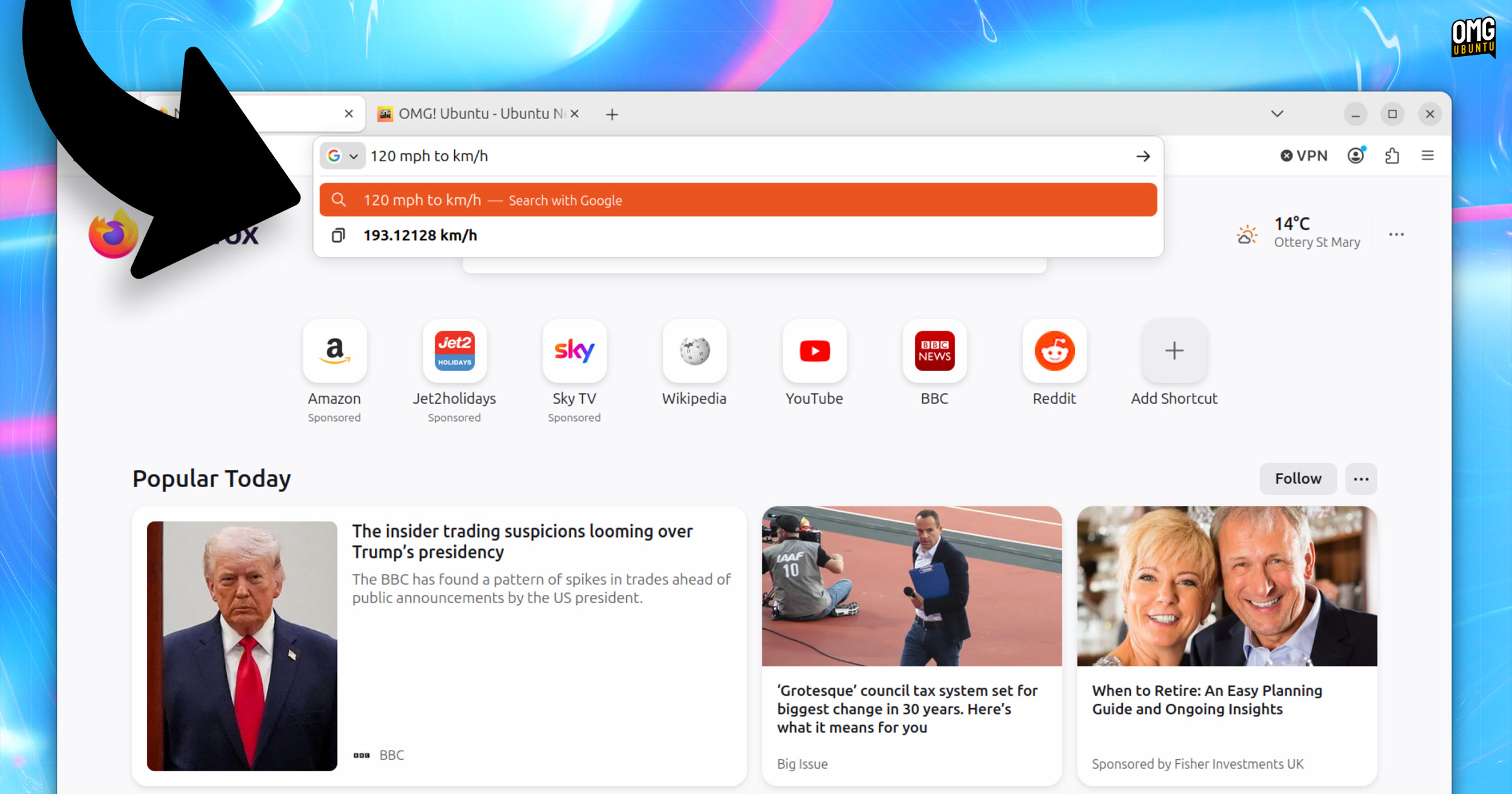
Another address bar buff: speeds conversions. For instance, type 1000 mph to km/h in the address bar for—bam, instant conversion, so you know what’s-what. As with other instant answers you can click the result to copy it your clipboard for pasting.
Network access restrictions
Firefox 150 rolls out local network access restrictions to all users, meaning websites must now request your permission before they can connect to devices on your local network or apps connected to your device.
If you use Enhanced Tracking Protection (ETP) ‘Strict’ mode, then this security feature was already in force for you. With this update, it’s now enforced for everyone, irrespective of ETP mode.
Linux changes
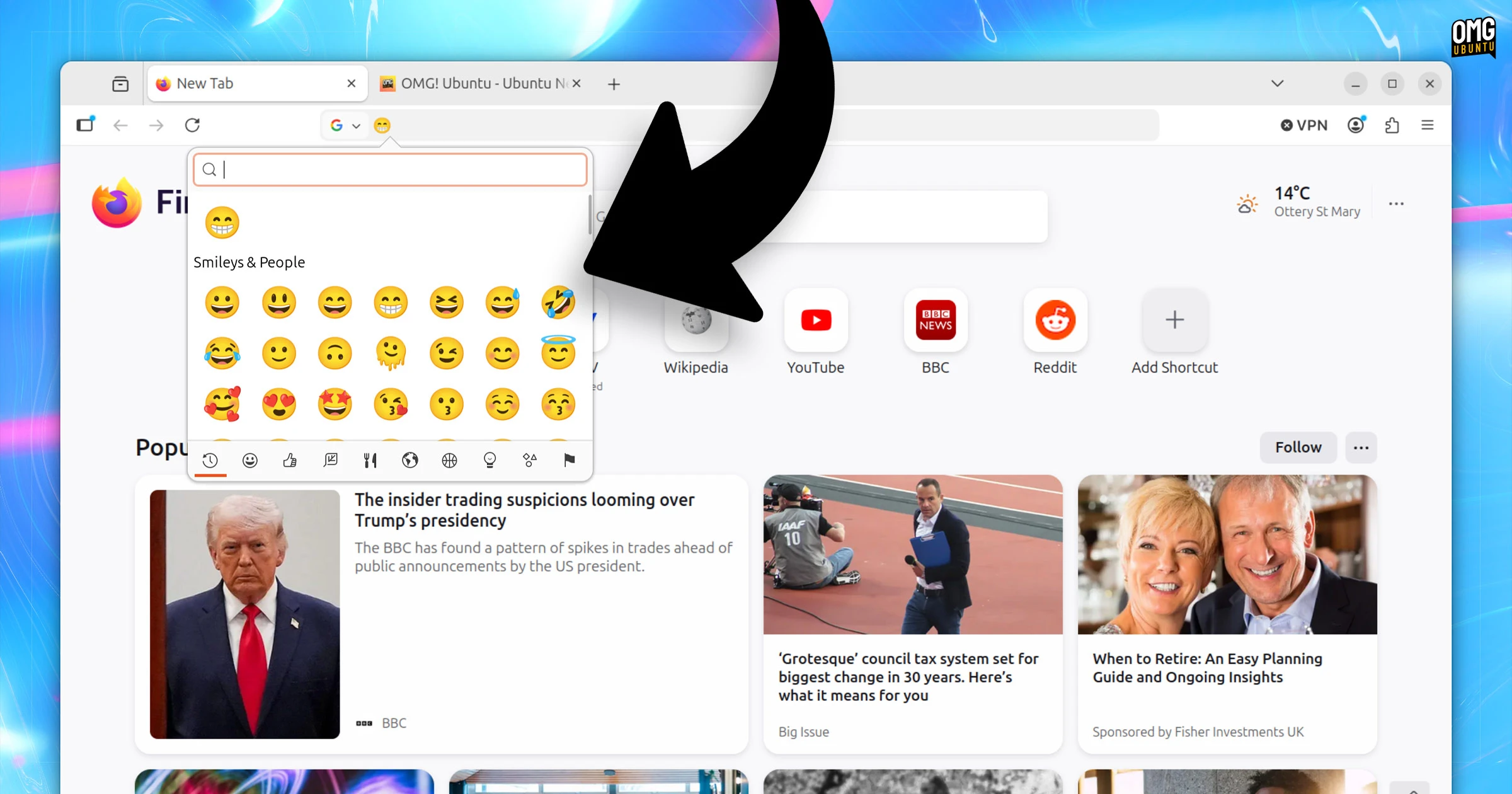
On Linux, the native GTK emoji picker can now be triggered within Firefox. Just focus entry in a text input/entry space on a webpage or UI elements and press the ctrl + . keyboard shortcut (unless your distro changed it) to bring up the glyph palette.
And anyone reading from a Red Hat, Fedora, openSUSE and another RPM-based distribution may be interested to hear a new standalone .rpm package is now available to download from the Firefox website directly.
Other changes
On Windows, Firefox web apps are now available for users who installed the browser from the Microsoft Store (no sign of the web app feature coming to Linux, alas), and the new profile manager and profile backup features are now available on Windows 10 and 11.
For web developers, Firefox 150 adds:
- AriaNotify API for more reliable accessibility notifications
:playing&:pausedpseudo-classes for media styling- highlightsFromPoint() API
light-dark()function for imagesautosize support when lazy-loading image usingsrcset- Pseudo-class toggle panel in developer tools
Plus, security updates and lower-level tweaks. More details in the release notes and the security notice.
Download Firefox 150
You can download Firefox 150 from the Mozilla FTP from today (Monday, 20 April) or from the official Firefox website on 21 April, 2026.
You can update to Firefox 150 in-app on Windows and macOS. On Ubuntu, Firefox is provided as a Snap. This receives automatic updates in the background, so keep an eye out for a prompt to relaunch the browser once it’s ready.
Linux Mint users can update through the Mint Update tool or apt in the terminal.
You can also install via the Firefox Flatpak on Flathub.