


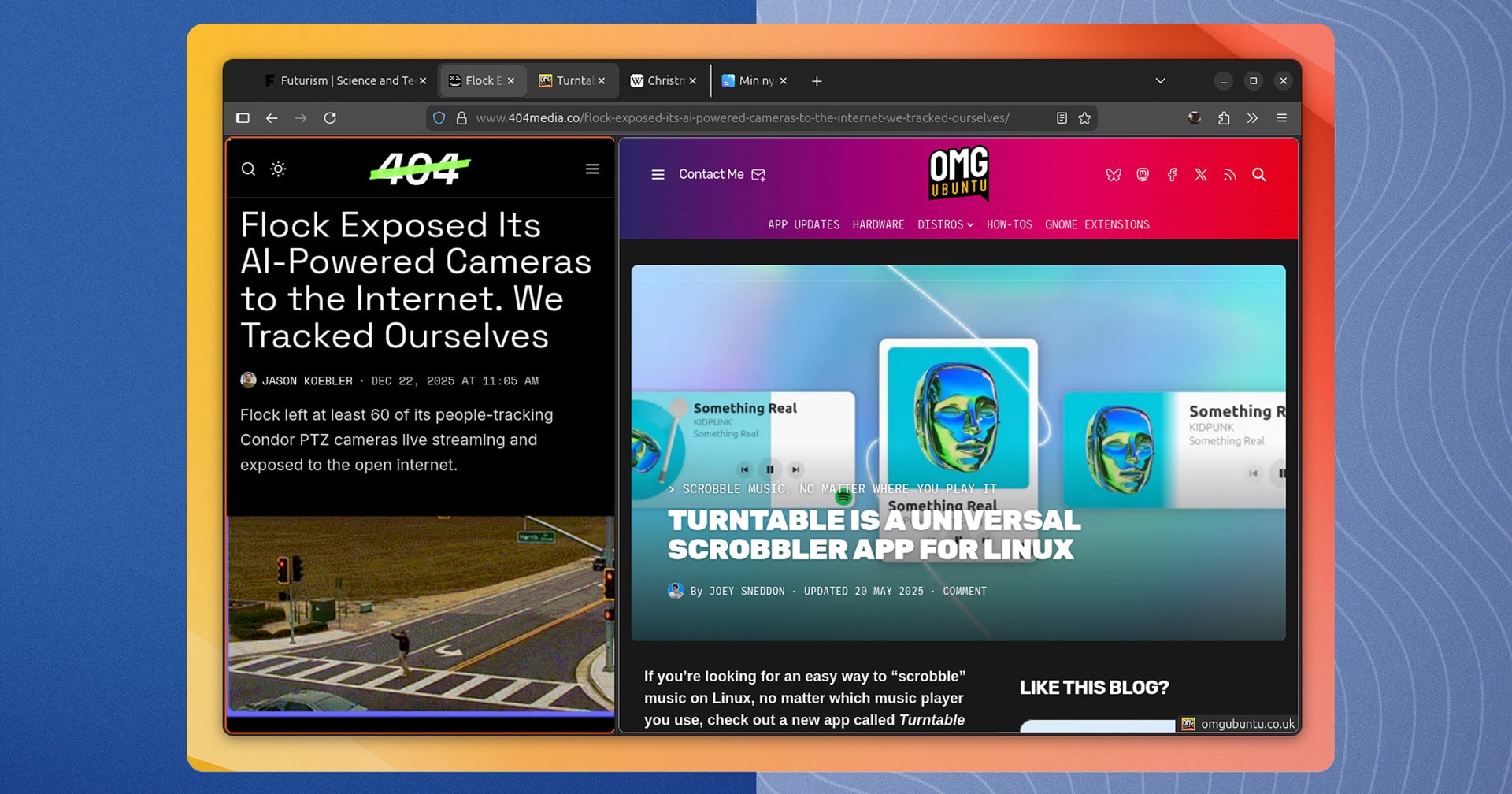
Mozilla’s leadership is fixated on adding AI features to Firefox, but the browser is quietly working on something users actually want: Split View, which lets you browse two websites side-by-side in a single tab.
Firefox’s Split View is a neater approach to what I (and no doubt you) probably do: dragging tabs out into a separate window and snapping them to each side of the screen using window manager tiling.
You can try the feature in Firefox 146, the most recent stable release, but only if by enabling it manually as it is a work in progress.
Once ready for the masses, Mozilla will bring this feature to all users – though one hopes at a faster pace than the long-awaited Profile Manager received earlier this year!
about:time for Firefox Split View
When I wrote about the Zen browser earlier this year I described it as a vision of “what Firefox should be” (in my opinion, if no-one else’s).
Part of why I feel that is because Zen already has tab splits and other features which are for the purpose of web browser, not monetarily motivated corralling to a prompt box to allow Big AI to regurgitate web corpus at us (with disturbing consequences).
Firefox isn’t the only browser adding support for viewing web pages side by side in one tab. Google Chrome is testing a tab Split View of its own. Here’s how it looks (with related menus on show):
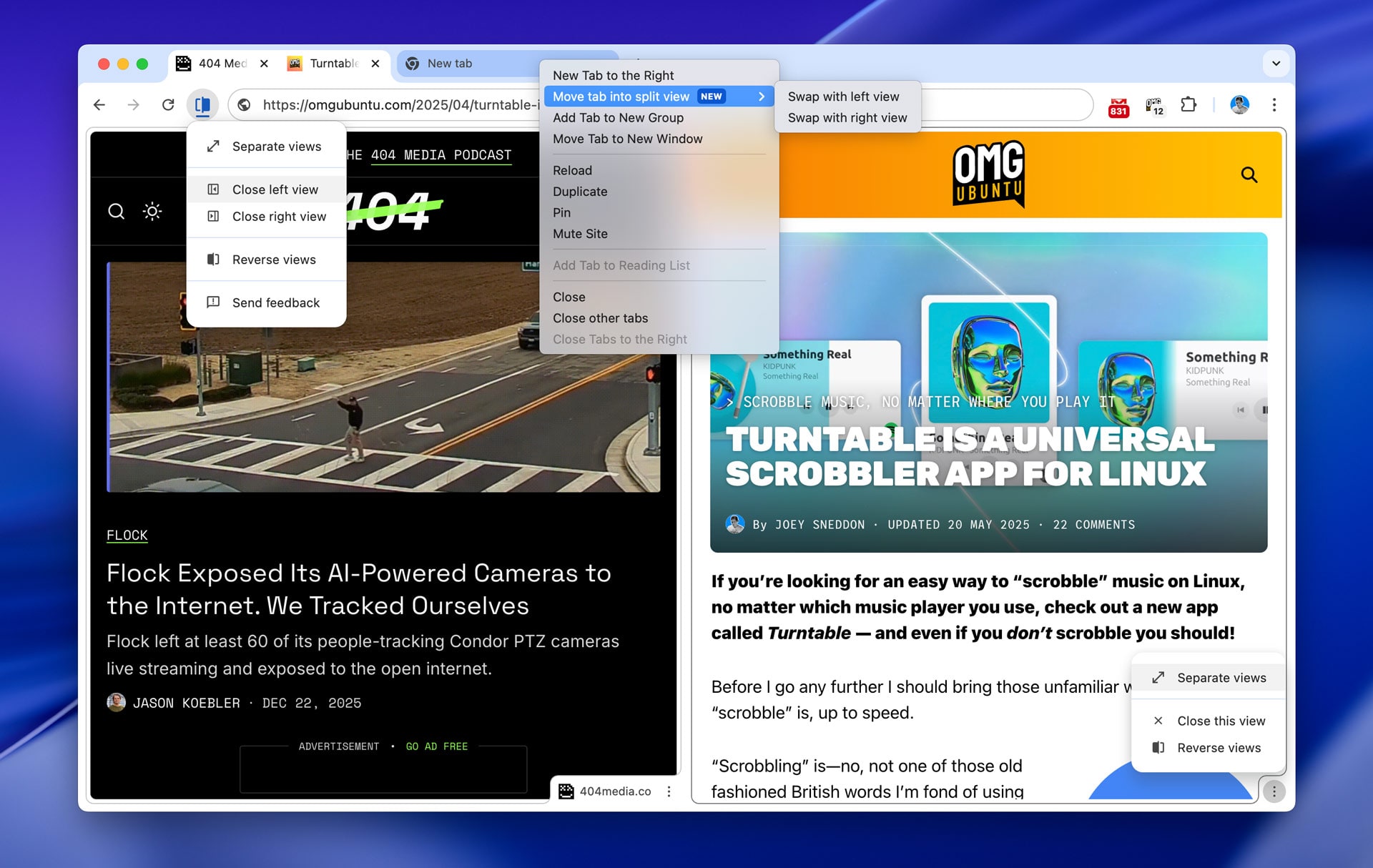
I tested Chrome’s approach (on macOS as the flag failed to enable on Linux, hence the screenshot) and found its implementation more polished than Firefox’s. Mozilla’s engineers appear to be learning from Google’s approach, which is no bad thing.
Firefox’s version is rawer than its rivals by virtue of being newer. Showing two pages in one tab affects drag-and-drop behaviours, navigation focus, tab separation, context menus and other less obvious interactions that need to be solved before it can ship.

The Firefox Beta channel gives a glimpse of the plan. It shows a button in the URL bar when viewing a split. This has options to reverse, separate or close tabs. The same options are also housed in a context menu at the bottom of the unfocused split.
On the ‘to do’ is being able to right-click a link and select “Open in Split View”. When launching a split the initially empty half will allow you to choose from a list of open tabs (since you can’t drag and drop tabs on to a split in the tab bar, though that would be handier).
How to Enable Split View in Firefox 146
If you run Firefox 146 (the latest stable release) you can enable Split View right now.
However, if you opt-in to test this experimental feature do keep in mind that it is not finished: you can’t grouse if it bugs out, doesn’t work or crashes during a critical browser session.
To enable it:
- Open Firefox (version 146.0 or later)
- Enter
about:configin the address bar - Agree to the cautionary warning
- Search for
browser.tabs.splitView.enabled - Double-click the ‘
false‘ value to set it to ‘true‘
That’s it; no browser restart is needed.
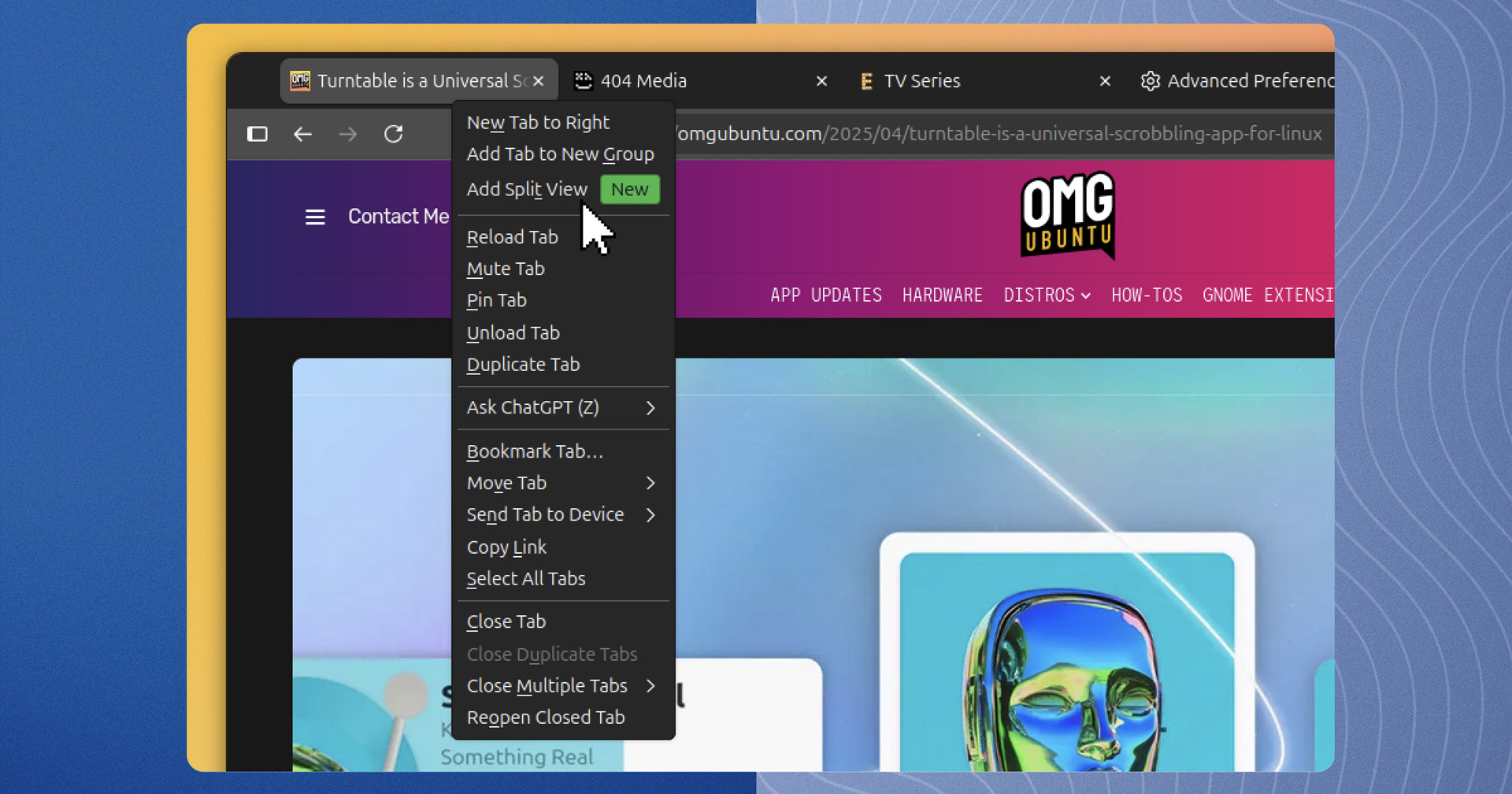
To create a split tab right-click on any tab and choose “Add Split View”:
Like tiled windows, you can resize tab splits in Firefox using a draggable handle. Most websites adapt to mobile which helps with narrow sections.
Firefox’s URL bar and navigation buttons apply to whichever split has focus – you can tell which has focus because it gets a thin border.
You can turn it off the same way you turned it on, just double click the config value to set it back to ‘false’.
When a feature is… a feature
As Mozilla’s new leadership indulges its Big Tech fantasies (Temu-quality at best), the engineering team is reportedly pushing for an AI feature kill-switch. It seems Firefox developers are willing to deliver features users actually want to use…
When they’re not being made to bolt chatbots on to everything, that is.