


Anyone feeling vulnerable after the demise of ClamTK, a popular GUI to the ClamAV command-line virus scanning tool, may want to acquaint themselves with Kapitano.
Kapitano is a new GTK4/libadwaita frontend for ClamAV, albeit tailored to on-demand scanning of specific files or a folders. It isn’t designed for system-wide real-time monitoring in the background.
Now, I know you’re probably pursing your lips reading this, about to tell me “Joey, Linux doesn’t get viruses!!1” — which is (mostly) true.
But though Linux is significantly less prone to malicious files, Windows isn’t. Linux users may have dual-boots and may download something for Windows whilst on Linux and want to check it without ‘risking’ Windows, get sent something via e-mail they’re suspicious off, etc.
It for those use sort of uses—detecting Windows viruses, malware and other nasties —that tools such as this are designed.
What does Kapitano do?
The Flathub description and Codeberg project page for Kapitano are written in “pirate speak” (likely via a generative AI of some sort), as is much of the in-app interface text and descriptions. The entire app is themed this way.
All of that terminology is undeniably quirky. Yet, I wonder if folks studious about security might find Kapitano’s thematic bent unserious, maybe even childish, which jars with, y’know “is this thing going to ransack my computer and steal my data”.
On the flip side, Kapitano’s linguistic levity may appeal in a sea—sorry, not sorry—more matter-of-fact apps.

Either way, I can help translate! I live in Devon, UK and the local accent is basically 85% pirate. We say “ooh-arr” un-ironically — well, those of us who grew up here do, not so much the posh “second homes” sorts who never actually visit the county ;)
Kapitano features at-a-glance:
- On-demand file scanning (drag and drop or manual selection)
- Powered by ClamAV
- Log history of past scans
- Virus database updates (via Freshclam)
The overall user-interface is (as you would expect from a libadwaita app) straightforward, though it does lean in to its thematic presentation (to a varying degree)
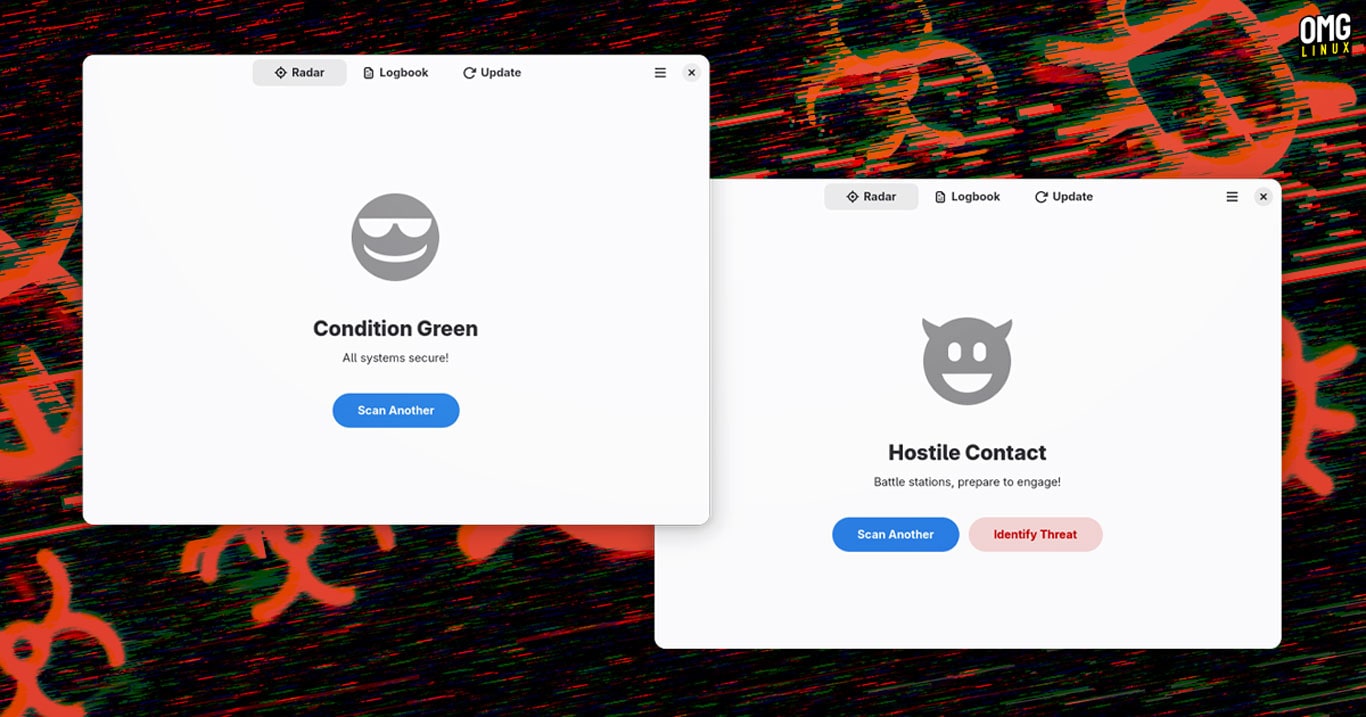
The ‘Radar’ tab is for scanning (pirates had radar?!); ‘Logbook’ tab for viewing logs (they certainly had logs) ;and the ‘Updates’ tab (no pirate word for that, it seems) is for managing updates.
Files either pass (“Condition Green – All systems secure!”) or… They don’t (“Hostile Contact – Battle stations, prepare to engage!”). There’s a button to ‘Identify Threat’ in the case of the latter, but no details on what it does (and I’m not downloading an icky file to find out).
It’s not clear if Kapitano can do anything about a problematic file it detects. There’s nothing related to quarantining, cleaning, or even expunging the file from existence — a missed opportunity to insert a button to make said files ‘walk the plank’, so to speak!
Picking through the tangle of arguments on whether virus and malware scanning tools for Linux are necessary is not the point of this article. I’m just spotlighting an app that some may find a useful tool to have around (if only for psychological reassurance).
As I said earlier, this is not system scanning anti-virus software with real-time background monitoring for threats. It is a tool for checking for malicious files sent to you – files which may come from someone on Windows or that you intend to use/run on Windows.
If you’re intrigued enough to try it out, or you’ve been sailing the high seas in search of a Linux apps to scan files for malware and viruses you can install Kapitano from Flathub.