


Time is nearly up on support for Ubuntu 20.04 LTS, with standard software, bug fix and security updates coming to an end on May 29, 2025.
Users on Ubuntu 20.04 LTS should consider upgrading to Ubuntu 22.04 LTS (or newer) if possible, but if unable should enable Extended Support Maintenance (ESM) as soon as possible in order to continue receiving critical security patches.
ESM for Ubuntu provides “10 years of vulnerability management for critical, high and selected medium [security issues] for all software packages shipped with Ubuntu.”
Enabling ESM is a bit of a no-brainer since it’s free for regular users on up to 5 devices (more if you’re an Ubuntu Community Member). It does require setup – you don’t get ESM updates automatically — so I’ll cover the ‘how to’ element in a moment.
I don’t imagine most people who read a blog like mine—forever breathless about what’s next/new—will be running an Ubuntu release as old as the ‘Focal Fossa’.
Yet there may well be some of you who do keep an older version of Ubuntu around (on a personal server, an old device to access software or hardware which doesn’t work well on newer versions, etc) where making an effort to enable ESM is worth it.
How to Enable ESM on Ubuntu 20.04 LTS
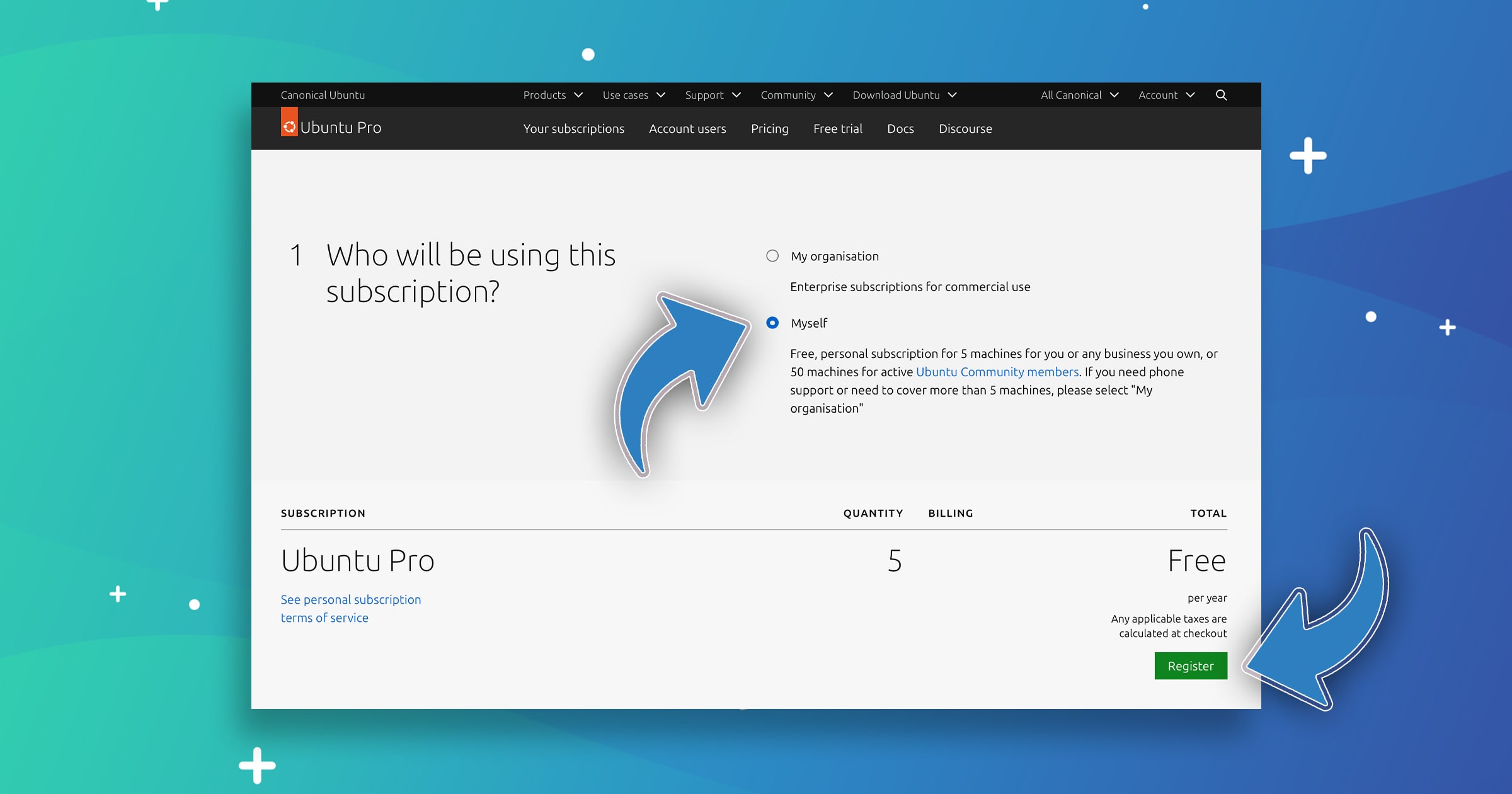
Enabling ESM (aka Ubuntu Pro) is free for regular home users but it is a faff (as we say in the UK).
You first need to sign in your Ubuntu SSO account (free to create if you don’t have one) on the Ubuntu website and then go to the Ubuntu Pro page and subscribe to Ubuntu Pro, choosing ‘Myself’ in the section presented (which takes the price from $500 to $0).
Once registered for Ubuntu Pro, go to the “Ubuntu Pro Dashboard”, click the “Your Subscriptions” link in the tab bar, and in the ‘Free Personal Token’ section copy your unique token to the clipboard.
The path ahead is yours to choose: terminal or GUI.
Enable ESM using a GUI
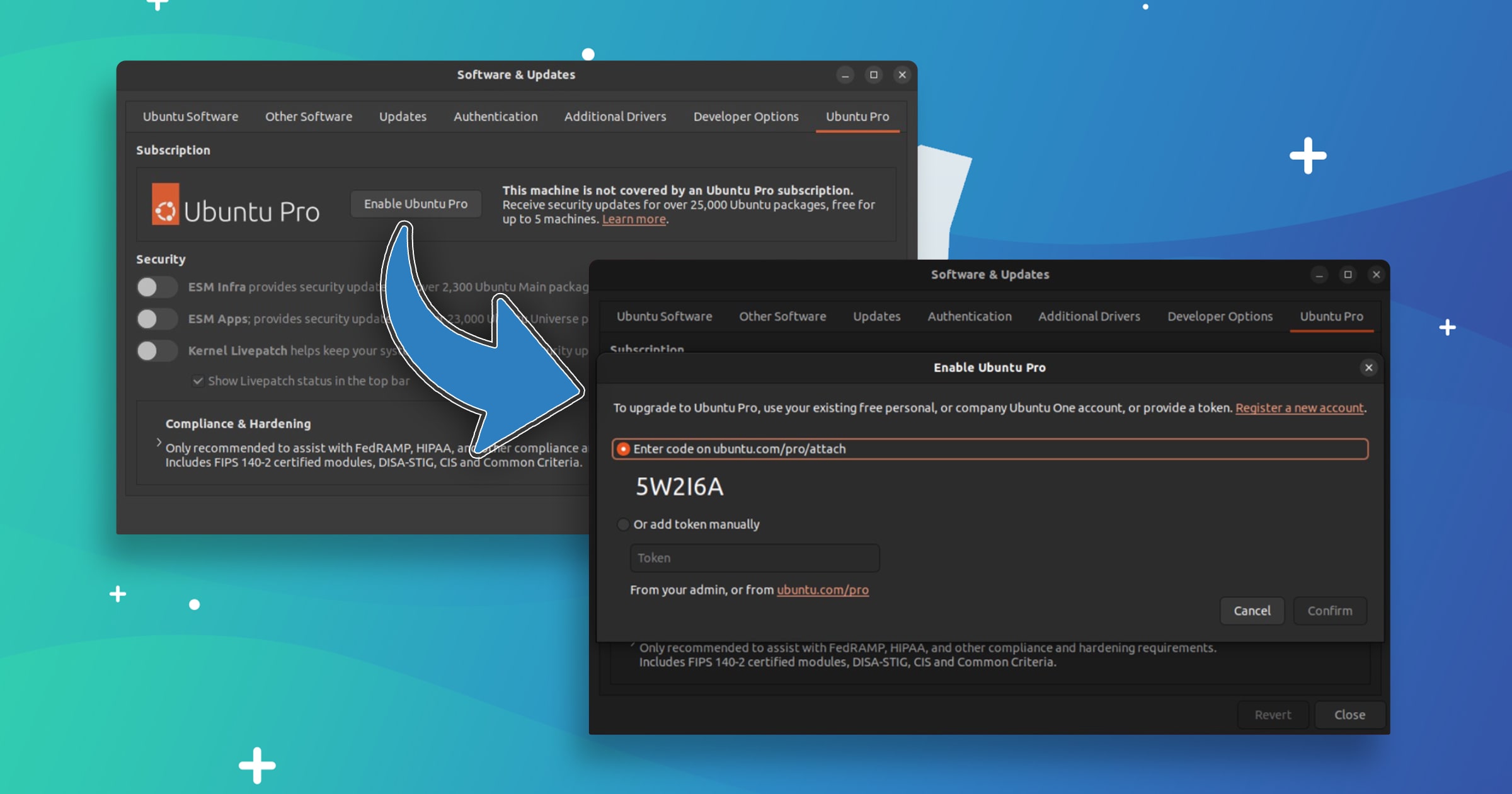
If you’re on Ubuntu desktop you can launch Software & Updates, select the Ubuntu Pro tab, click the ‘enable Ubuntu Pro’ button, paste your token into the field, and then hit ‘confirm’.
Toggles for which updates are enabled are shown. Enable/disable those you want (some may not be available, but the main three should be).
Enable ESM using the Terminal
With your token copied to the clipboard, open a new Terminal window and type the following command, pasting your unique token at the end, where I’ve put qUiRkY text:
sudo pro attach Y0uR-toK3n-GoE5-hErE
You can paste into the terminal using shift + ctrl + v (in the default terminal app) or you can right-click and select ‘paste’ from the context menu.
Hit enter to attach your device to your Ubuntu Pro subscription.
If, for whatever reason, that command complains that the ubuntu-advantage-tools package is not installed, do, then re-run the command.
Finally, refresh your list of software sources that so that Ubuntu 20.04 LTS knows you’re eligible to install ESM packages. Install any/all updates, and bask in the warm glow of knowing you’re covered by security updates for another 5 years.
Does Ubuntu ESM include Firefox updates?
In Ubuntu 20.04 LTS, Mozilla Firefox was provided and updated as a DEB package in the Ubuntu repos, rather than the snap build which later releases ship with.
However, as far as I know ESM will not include provide new Firefox releases. No shock; ESM focuses on backported security patches and critical fixes only, rather than new releases.
So, in addition to enabling ESM, those using Ubuntu 20.04 LTS beyond May will need to switch to the official Firefox Snap, Flatpak, or set up the official Mozilla APT repo to continue receiving new Firefox feature releases each month.