

System76’s COSMIC desktop environment continues to take shape, with a third alpha snapshot now available for testing.
The first alpha brought the core essentials, the second alpha delivered stack of new features, and this third alpha fills in gaps, fixes issues, and finesses the user experience further.
Of note, COSMIC now lets you set a custom system font (if Fira Sans isn’t your fave), and boosts accessibility with initial support for the Orca screen reader, albeit not in native COSMIC apps just yet – accessibility is a priority, so “soon” hopefully.
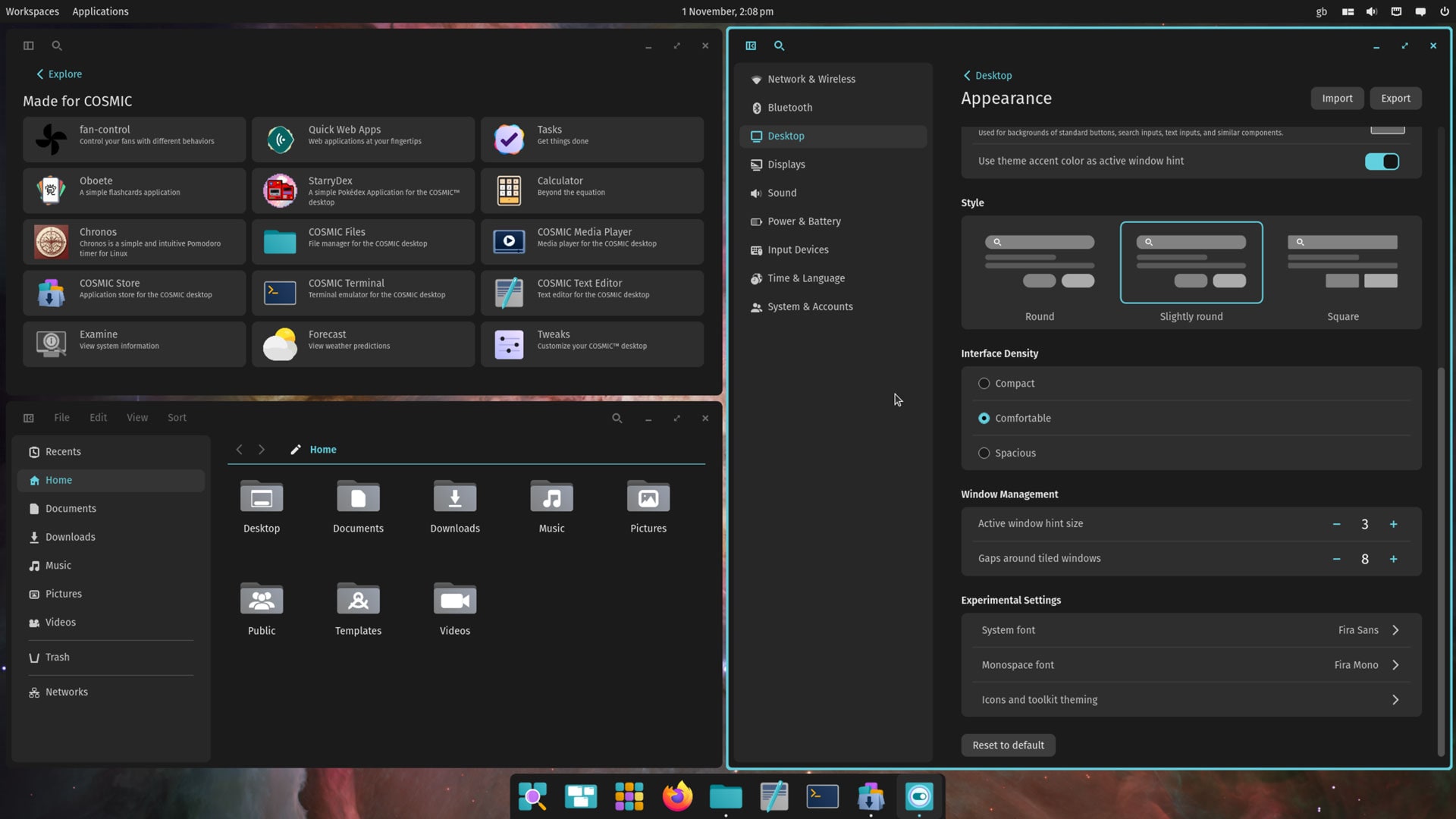
Other things I noticed: COSMIC Files gains a hover effect as you mouse over files and folders; supports running AppImages from folders; turns off file previews by default but lets you hit space when selecting an image to open the Gallery view for closer inspection.
The Settings app improves the WireGuard configuration file imports, and intros more power-saving options (like turning the display off when idle).
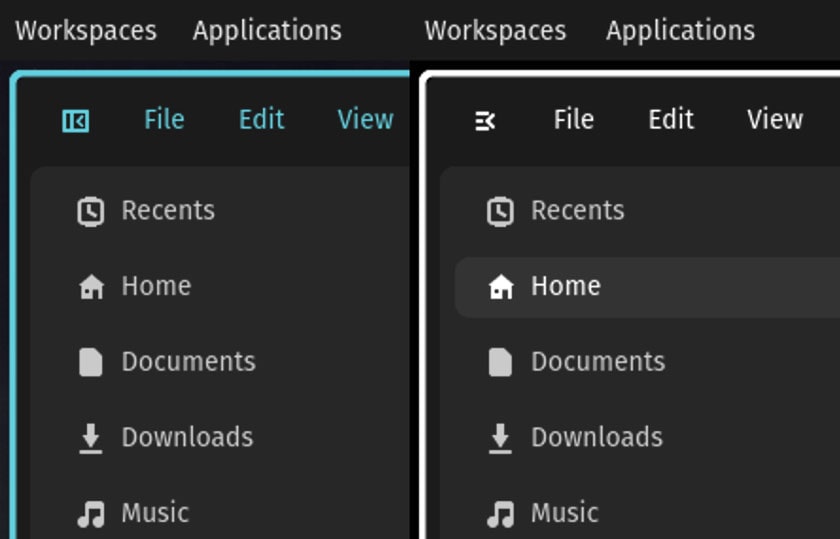
A redesigned icon to toggle the sidebar in native COSMIC apps is present. This looks (to my eyes) more visually descriptive than the old one.
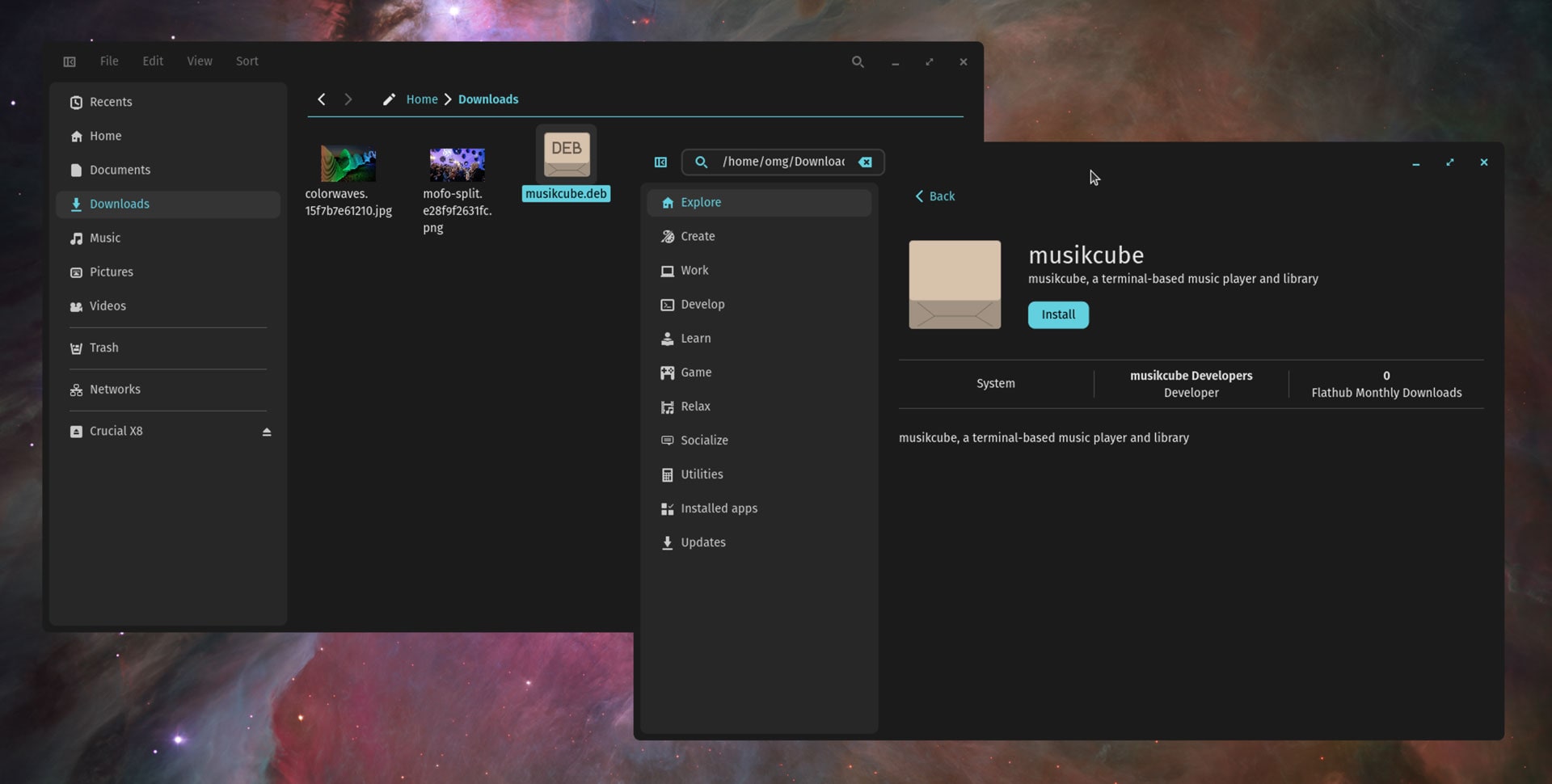
The COSMIC Store adds a ‘Made for COSMIC’ section to showcase software built specifically for COSMIC. It’s also able to open and install DEB packages downloaded from the web.
Beyond that, COSMIC Alpha 3 naturally includes a lot of bug fixes, performance tweaks, code cleanups, dependency bumps, and package updates (from System76 and inherited from the underlying noble repos).
When I wrote about the second alpha release of COSMIC a few early comments appeared to overlook the ‘alpha’ label, taking issue with missing features, performance quirks, or inconsistencies in the UI.
So System76 stress that anyone opting to sample these preview/testing builds should not do so expecting a flawless or fully-featured experience as, again, it’s an alpha:
As the third alpha version of COSMIC Epoch 1, it is incomplete. You’ll most certainly find bugs. Testing and bug reports are welcome and appreciated. New feature requests will be considered for Epoch 2, COSMIC’s second release.
More COSMIC DE alpha releases will periodically pop out until everything planned for the first stable release (Epoch 1) is in place – bootstrapping an entirely new Linux desktop environment, compositor, UI toolkit, and suite of core apps doesn’t happen overnight! ;)
If you’re not afraid of rough edges and want to ride the wave of what’s next, you can download the Pop!_OS 24.04 Alpha 3 ISO to try it out or, if you use a Linux distribution which packages the COSMIC Alpha and its apps natively, try it there instead.
Already have Pop!_OS 24.04 installed? You don’t need to reinstall; just keep installing software updates as and when they land to benefit from the changes.
Let me know what you think down in the comments – but please: be civil, constructive, and keep in mind that COSMIC DE is free, open source software developed (primarily) in a different set of technologies and languages to other Linux DEs.
Whether a newbie learning to code by making yet-another Linux music player or experienced devs building an entirely new DE: people working on what they want and making the code available to others to use if they want doesn’t run counter to the spirit of open source.
Rather, that is the spirit of open source.