


Open-source editor Zed is now available for Linux.
Zed is a GPL licensed IDE written in Rust, developed by the authors of the Atom editor and the creators of the Tree-sitter parser generator.
Out-of-the-box it offers the essential features one expects of a modern IDE, including:
- Expansive language support
- Syntax highlighting
- Auto-indent
- Outline view
- Autocomplete
- Real-time collaboration tools
- Integrated terminal
- Vim mode
- Themes
But it also has some unique touches, too.
Notably, Zed is GPU-accelerated (by way of the Vulkan API). Combined with the editor’s Rust underpinnings, this editor boasts blazingly fast startup times, can open large files/projects instantly, and benefits from lower input latency than rival editors, like VS Code.
Plus, Zed provides in-app integration with OpenAI’s ChatGPT (and Copilot on macOS builds). Once a valid API key is entered, users can quickly generate new code from prompts, refactor code entered by GPT’s archaic ancestor (a human); and troubleshoot issues.
Helpfully, Zed’s AI integration isn’t in your face. Conversations take place in a dedicated assistant panel, which doesn’t obscure the main text area. And for all my scoffing, GPT in a code editor is useful, though I find more so for coding education than automation.
Indeed, despite the trudge of coding there’s an innate human factor AI is yet to acquire: ingenuity. As is, GPTs can only suggest working solutions to problems which ave already been solved, and it’s aware of.
Ad-hoc solutions that don’t always work, ham-fisted code with inconsistent styling, and exuding confidence in its capabilities despite relying on cribbed answers from Stackoverflow —actually, maybe AI isn’t that different to human devs after all! 🤭
Download Zed for Linux
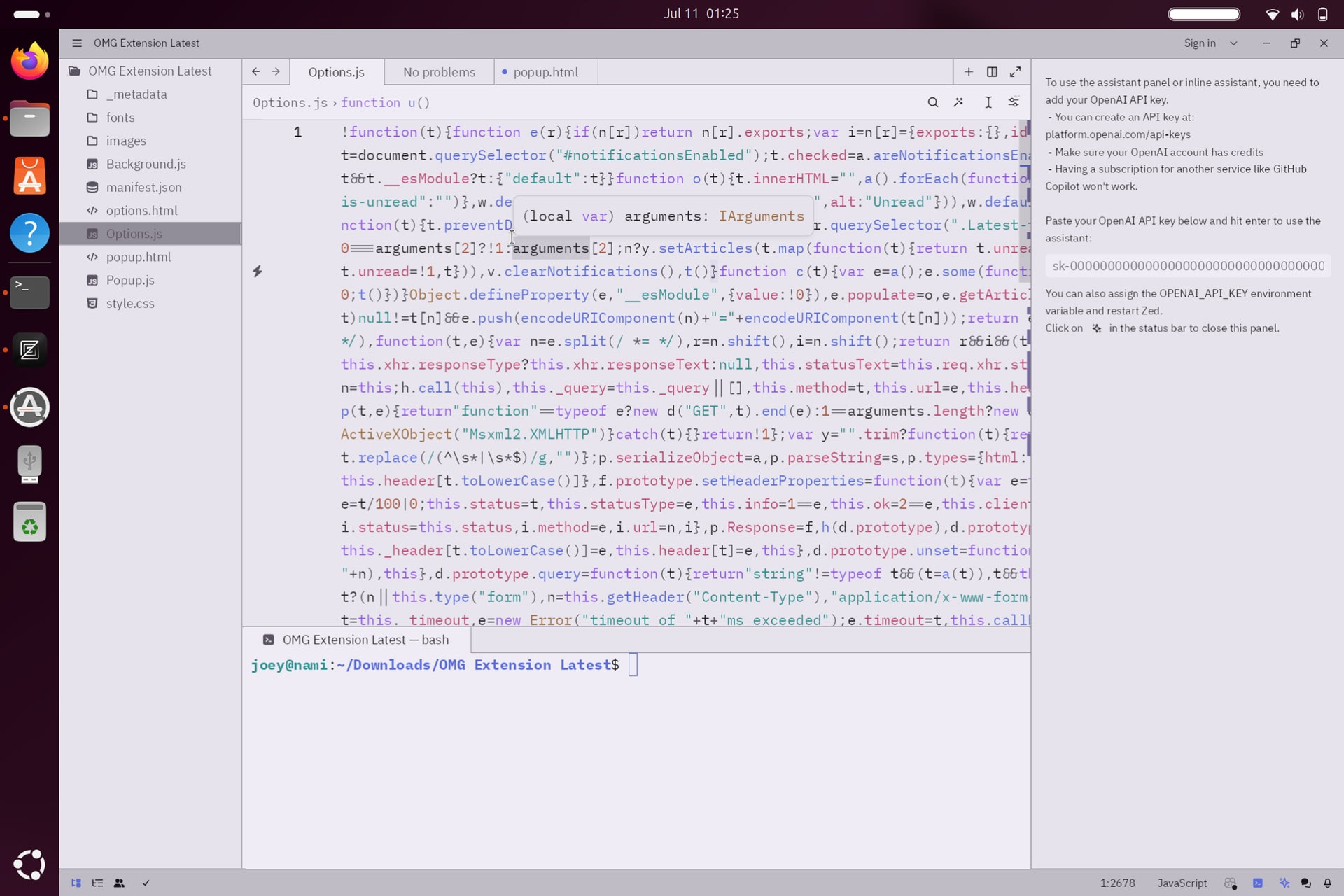
So the Linux version of Zed is now officially available to download, use, contribute to, and (inevitably) complain about — a long time coming!
Requests for, and development of Zed for Linux has been underway for a while, driven in part by the enthusiastic community of Zed users and contributors that have amassed since the editor’s emergence back in 2021, as the team note: –
“Zed’s community has been vital to the rapid development of this Linux build. As we’ve discussed before, building a UI toolkit and application for Linux means working with an incredibly variable environment. From your GPU, to your distro, to your window manager, Zed has to handle it all.”
Mikayla Maki, Zed Industries
Oh yes: in addition to X11, Zed works beautifully on Wayland too — nice!
Want to try it out?
You can install Zed on most major Linux distributions (including Ubuntu 20.04 LTS and above) using the official install script which, for super nerd-appeal, is available with a single command: –
curl https://zed.dev/install.sh | sh
Note: the install script above will only work on 64-bit Intel/AMD and ARM systems.
Zed is open source so you can install from source should you wish. A number of 3rd-party packages are available for other distros, including Arch, Nix, Manjaro, and Fedora. There’s no Flatpak or Snap as of writing, but plenty of folks are asking for ’em.
More details on the Zed blog, and do check out the main website too. Aside from being chock-full of information on what this editor can do, how it differs to rival, and how to add to its core functionality with extensions, it’s just beautifully designed.