

Installing fonts in Ubuntu is a bit of a hassle right now. You need to move them to a hidden folder, then run a command to refresh/rebuild the font cache. Often, to get them to actually show up in apps, you then need to log out too.
As I said: hassle.
But never fear: improvements are coming.
GNOME 2.28, which will be included in Ubuntu 9.10, makes installing fonts so super-duper easy you might die of “about-time” shock.
Now, when double-clicking on a valid font file (e.g., a .ttf) a new window opens giving you a preview of the font at various sizes, details on the name, style, type, size and copyright status. If the font file contains a description, you see that too.
But best of all, there’s an install button.
Yes, an easy-to-see and easy-to-click button to quickly and effortlessly get new fonts installed on your system.
Don’t believe me? Here’s a picture:-
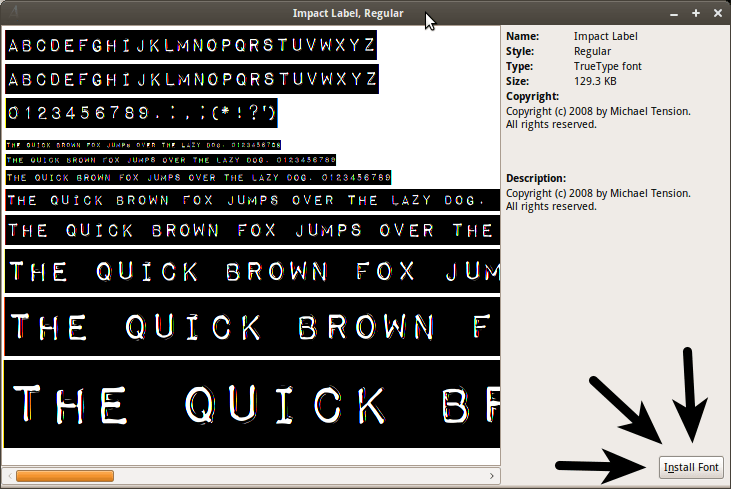
Just incase you can’t spot it, I;ve added some arrows to point out new install button. And just incase you can’t figure out what it’s for, you just click to install that font.
(*slow clap at forced humour* – the internet).