
GNOME 3 released; to be available for Ubuntu 11.04 via PPA

The latest version of the GNOME desktop environment has been released – and what a release it is.

GNOME 3, aside from looking visually different to GNOME 2 thanks to its new ‘Shell’ – has had a refit, rethink and re-code of pretty much everything else underneath it! With changes so big and dramatic as these it’s hard to know where to start in mentioning them.

Despite the changes GNOME 2 applications will continue to work without flaw in GNOME 3.
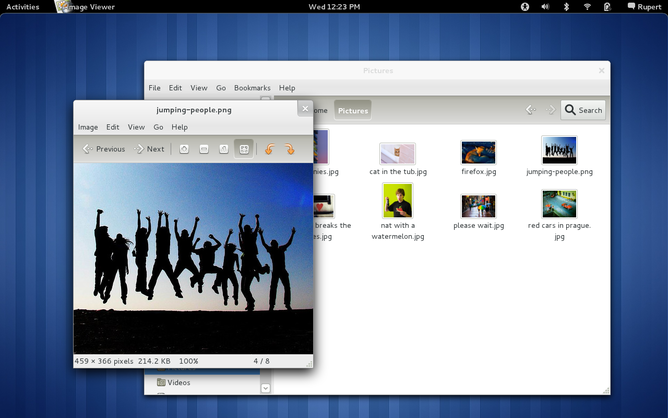
Matt Zimmerman, Canonical CTO, is enthusiastic about the release: “In the face of constant change, both in software technology itself and in people’s attitudes toward it, long-term software projects need to reinvent themselves in order to stay relevant. I’m encouraged to see the GNOME community taking up this challenge, responding to the evolving needs of users and questioning the status quo.”

…long-term software projects need to reinvent themselves in order to stay relevant.

Having spent the last few months elbow-deep in Unity i’ve not had the pleasure, or pain as may be the case, of using GNOME 3 for an extended and deserving length of time. So for more information, along with videos of new features and changes and an all important test images to download and try, head over to @ gnome3.org.

Release notes can be found @ library.gnome.org/misc/release-notes/3.0/

GNOME 3 in Ubuntu 11.04

So., onto the “big question” or rather answer. Although Ubuntu 11.04 ships with Unity as its default desktop and is built upon GNOME 2 you won’t have to miss out on GNOME 3 in Ubuntu if you don’t want to.

The good news is that Ubuntu maintain a GNOME 3 PPA for Ubuntu 11.04.

The bad news is that, for Ubuntu 11.04 at least, you won’t be able to run Unity and GNOME-Shell side-by-side as the GNOME 3 PPA breaks Unity.

Also note that from now until April 28th the GNOME 3 PPA is to be considered highly unstable and will break your system. With warning issued, the PPA can be found @ launchpad.net/~gnome3-team/+archive/gnome3

Related posts:

  1. GNOME Shell: Getting prettier by the day
  2. Ubuntu have “no plans to fork GNOME”
  3. GNOME 3 delayed until March 2011
Post a comment or leave a trackback: Trackback URL.
  • http://blog.zoorocket.com/ ZooRocket

    Any change of it being back ported to 10.10?

    • Bilal Akhtar

      Most probably not. New versions of many many many many libraries are needed.

      • Waldir Leôncio

        What a bummer, I was really expecting to keep a PC with Unity and another with G3.

        • Anonymous

          I’m actually thinking of creating a new Ubuntu partition. hmm… maybe not

      • Waldir Leôncio

        What a bummer, I was really expecting to keep a PC with Unity and another with G3.

    • Bilal Akhtar

      Most probably not. New versions of many many many many libraries are needed.

    • Bilal Akhtar

      Most probably not. New versions of many many many many libraries are needed.

    • http://pulse.yahoo.com/_GE4EYP3QOQ246PLG2Y2DOD2NIQ Dr. Fly

      Just use jhbuild and compile it from scratch. It’s really not that difficult, and it works better for your own machine than getting something from a PPA would, IMHO. Just go to live.gnome.org/GnomeShell and read the instructions for building. It should only be running a couple quick terminal commands and installing some extra dev packages that it will tell you it needs. The initial compilation takes some time, as well.

      But what a result! I now have THE latest version of the Shell, straight from the GNOME devs themselves, running as my default interface in 10.10. There are still a couple issues, sure, but I don’t miss GNOME2.x or 10.10′s version of Unity one single bit. ;)

  • http://pulse.yahoo.com/_43QWMHEO2T24W5ONPMHAADTMOY alex

    Again? Update for a major release but no screenshots?

    • http://twitter.com/zc456 Squeaks

      Screenshots tend to come after the fact. Not like we haven’t seen enough of Gnome 3 as is.

      • http://twitter.com/marcusklaas MarcusKlaasDeVries

        Read is hard. Look picture easy.

        • http://profiles.google.com/klevin92 Kleverson Royther

          It wasn’t there at that time, I saw it too.

        • http://twitter.com/KubaLojewski Kuba Łojewski

          Yeah, promote idiots who have no imagination, can’t write properly, can’t think on their own, because it’s _hard_ to read. Good job.

          • http://www.facebook.com/profile.php?id=100000114413616 Umar A Nolen

            Wow… someone wants to be a troll. Your logic is silly… says my perception. Well I can’t exactly identify your problem with people who are illiterate (or just simply want pictures… you know… to look at), but I doubt everyone who finds it harder to look than read is an idiot. Please take your smart remarks and GTFO.

          • http://twitter.com/ottorobba Otto Robba

            He seems to be joking, no need to be so harsh. :)

    • http://twitter.com/zc456 Squeaks

      Screenshots tend to come after the fact. Not like we haven’t seen enough of Gnome 3 as is.

    • http://twitter.com/zc456 Squeaks

      Screenshots tend to come after the fact. Not like we haven’t seen enough of Gnome 3 as is.

    • http://twitter.com/joewfro Joe Lawrence

      who says its major?

      • Anonymous

        3.x after almost 9 years of 2.x sounds pretty major to me.

      • http://twitter.com/EzekielAngelic Umar A. Nolen

        All of those who like Gnome Shell 3:) Duh. And the person who just said, ‘Again? Update for a major release but no screenshots?’.

    • http://twitter.com/joewfro Joe Lawrence

      who says its major?

    • Anonymous

      Here is the main website with a few videos. It looks very good and polished actually.

      http://www.gnome3.org/#

    • Anonymous

      Sorry to be a total prick, but have you been away from a computer for the last year or something? Or have I completely missed your point?

      • http://pulse.yahoo.com/_43QWMHEO2T24W5ONPMHAADTMOY alex

        Don’t know. But for sure I completely missed your point.
        Look, there was no screenshot in the beginning when the article had 2 comments at least. And if i want to show someone an article about gnome’s latest version i don’t want to add “look, but you also have to go through the history and gather the features in action on omgUbuntu” or so…

        • Anonymous

          Well, GNOME’s been at 2.9.x for months now… It hasn’t really changed, save for major bugfixes, in quite some time. A screenshot from January is just as good as one from yesterday.

  • http://pulse.yahoo.com/_43QWMHEO2T24W5ONPMHAADTMOY alex

    Again? Update for a major release but no screenshots?

  • Waldir Leôncio

    I hope this spices up the competition among graphical interfaces, even non-linux systems.

    • http://twitter.com/marcusklaas MarcusKlaasDeVries

      There is more than enough competition on Linux graphical interfaces. In the most literal sense of ‘more than enough’. As in, too much. They are killing eachother, not cooperating. If it gets anymore intense, they’ll probably start sabotaging eachother.. Remember how the IE team always sends the Firefox team a cake for their major release? Imagine Canonical sending the gnome team a cake, but with a bomb or deadly toxins in it.

      • http://openid-provider.appspot.com/TheMerkinman Merk

        Considering Unity IS GNOME (just not using the panels/shell) that would be very self-defeating.

      • http://openid-provider.appspot.com/TheMerkinman Merk

        Considering Unity IS GNOME (just not using the panels/shell) that would be very self-defeating.

      • Waldir Leôncio

        I definitely agree that too much fragmentation is hazardous. It’s embarrassing to go to a website to download, say, Adobe flash player and have to deal with three different versions (RPM, DEB and TAR). Sure, any fairly experienced user would know that installing from the repos is much easier and faster, but someone who just came from Windows is still stuck to the “download from company website” method and would become overwhelmed by all those options. It took myself quite some time to stop doing that anymore. But whatever, my point is that having, as you said, more than enough players around is not good.

        That said, I don’t believe that’s the case with desktop shells. The big debacle here seems to be whether Unity or Gnome Shell is the best overlay for Gnome DE, and I think both projects are benefiting from each other’s ideas and implementations. It seems to me like it’s going to be a great year, with lots of progress in desktop design and user experience.

    • http://twitter.com/marcusklaas MarcusKlaasDeVries

      There is more than enough competition on Linux graphical interfaces. In the most literal sense of ‘more than enough’. As in, too much. They are killing eachother, not cooperating. If it gets anymore intense, they’ll probably start sabotaging eachother.. Remember how the IE team always sends the Firefox team a cake for their major release? Imagine Canonical sending the gnome team a cake, but with a bomb or deadly toxins in it.

  • Waldir Leôncio

    I hope this spices up the competition among graphical interfaces, even non-linux systems.

  • Waldir Leôncio

    I hope this spices up the competition among graphical interfaces, even non-linux systems.

  • Waldir Leôncio

    I hope this spices up the competition among graphical interfaces, even non-linux systems.

  • http://www.edhewitt.co.uk Ed Hewitt

    So Ubuntu 11.04 will not be getting Gnome 3.0 by default???

    • http://twitter.com/pecisk PÄ“teris KriÅ¡jānis

      No, Ubuntu 11.04 and all later versions will use Canonical’s own graphical shell Unity. They also won’t use other GNOME 3 bits in this spring release and it is not quite clear if there will be any officially fully supported GNOME 3 on Ubuntu.

      Yes, it sounds wrong. Yes, Mike, it takes some strengh to swallow your pride.

    • http://adnan.quaium.com maq

      Don’t worry. People already started to ‘remix’ Ubuntu with Gnome 3… so you’ll still have an option to use Gnome 3 in Ubuntu.

      Check out … https://launchpad.net/ubuntugnome

  • http://www.edhewitt.co.uk Ed Hewitt

    So Ubuntu 11.04 will not be getting Gnome 3.0 by default???

  • http://www.google.com/profiles/leobruno leobruno

    Testing it right now….

    It seems…… Very cooool!
    Thinking seriously on installing it over Natty/Unity.

  • http://www.google.com/profiles/leobruno leobruno

    Testing it right now….

    It seems…… Very cooool!
    Thinking seriously on installing it over Natty/Unity.

  • http://half-left.deviantart.com/ Sean

    Well done GNOME team, GNOME 3 is a very good release and the main needed settings are in there for daily use.

    Congratulations, I love it. :)

    • Akshat Jain

      And I love your gnome-shell themes ;)

      • http://half-left.deviantart.com/ Sean

        Thank you. :)

  • http://half-left.deviantart.com/ Sean

    Well done GNOME team, GNOME 3 is a very good release and the main needed settings are in there for daily use.

    Congratulations, I love it. :)

  • https://launchpad.net/~winniemiel05 Kévin PEIGNOT

    Just a question, Is Gnome 3 PPA breaking Unity because Unity actually still use Gnome 2 as a back-end? If it’s that, I think A major point for 11.10, with Unity 2D, will be changing UNity bases to Gnome 3. This way, I’m sure we will be able to have Gnome Shell and UNity side-by-side

    • Anonymous

      Yes, I think it is. And I completely agree with you

    • http://twitter.com/jspaleta Jef Spaleta

      I actually don’t understand the comment at all. I’m not anticipating any such problem when Unity lands as a selectable login environment in Fedora 15 repositories. Unity packages are working their way through the Fedora package submission/review process currently. Its just a matter of time before Unity is available as an environment in Fedora.

      It would be interesting if Joey could expand on what the issues are.

      -jef

      • http://omgubuntu.co.uk/ d0od

        Bilal’s been working on the PPA and i’m sure he’ll jump in with the specifics when he reads your comment. :)

        • http://twitter.com/jspaleta Jef Spaleta

          I want to make sure I know what is meant by “side-by-side” in this context.

          -jef

          • http://www.FreezingMoon.org/ Dread Knight

            It’s very obvious what he means: having both Gnome-Shell and Unity installed; atm the PPA breaks Unity, so you have to choose ‘for good’ one of them, unlike just choosing which ever you want from your GDM.

          • http://twitter.com/jspaleta Jef Spaleta

            Dread Knight,
            Hmm, this is surprising. I’ve touched based with the guy driving Unity’s dependencies through the Fedora packaging review process and so far nothing like this is anticipated. I fully expect Unity to be a peer selectable environment in gdm when Unity is made available for install in the Fedora 15 repos.

            -jef

          • http://www.FreezingMoon.org/ Dread Knight

            That would be really nice.
            I couldn’t help myself and added the PPA and installed gnome-shell xD
            If I won’t get Gnome-Shell to work at least, I’m kinda screwed. Could install KDE from command line in the worst case scenario, lol.

      • http://omgubuntu.co.uk/ d0od

        Bilal’s been working on the PPA and i’m sure he’ll jump in with the specifics when he reads your comment. :)

      • http://omgubuntu.co.uk/ d0od

        Bilal’s been working on the PPA and i’m sure he’ll jump in with the specifics when he reads your comment. :)

      • http://omgubuntu.co.uk/ d0od

        Bilal’s been working on the PPA and i’m sure he’ll jump in with the specifics when he reads your comment. :)

      • http://omgubuntu.co.uk/ d0od

        Bilal’s been working on the PPA and i’m sure he’ll jump in with the specifics when he reads your comment. :)

      • https://launchpad.net/~davidnielsen David Nielsen

        The problem is mainly that Unity requires older or specific versions of e.g. glib/gtk+ and gnome-shell requires newer versions. Same old problem really, It will eventually work smoothly but in the Natty time frame having it available as a PPA allows the GNOME3 packagers to make these package updates.

        In Natty+1 this is likely going to be no problem as both environments will move to the common GNOME3 platform.

        Fedora would likely have similar problems or at least require highly undesirable -compat packages.

        There are I suspect also questions that need resolving around notify-osd, application indicators and other places where the infrastructure differs. Mainly to work around the fact that Unity and GNOME disagrees on these issues. Not unsolvable, just lacking hands on deck to get everything done I suspect.

        • Bilal Akhtar

          You’re right.

      • Bilal Akhtar

        (copy-paste of comment from the same thread)

        GNOME3 PPA will break Unity because it’ll upgrade all the dependent libraries to their 3.x versions. In 11.10 Unity will transition to the GNOME3 libraries and then you’ll be able to install Gnome Shell and Unity side-by-side to be presented with a choice at gdm login.

    • http://twitter.com/jspaleta Jef Spaleta

      I actually don’t understand the comment at all. I’m not anticipating any such problem when Unity lands as a selectable login environment in Fedora 15 repositories. Unity packages are working their way through the Fedora package submission/review process currently. Its just a matter of time before Unity is available as an environment in Fedora.

      It would be interesting if Joey could expand on what the issues are.

      -jef

    • Bilal Akhtar

      GNOME3 PPA will break Unity because it’ll upgrade all the dependent libraries to their 3.x versions. In 11.10 Unity will transition to the GNOME3 libraries and then you’ll be able to install them side-by-side to be presented with a choice at gdm login.

  • http://twitter.com/pecisk PÄ“teris KriÅ¡jānis

    For those who wanna check out LiveCD I suggest Fedora based LiveCD http://www.gnome3.org/tryit.html

    • Waldir Leôncio

      How are Arch users going to do the transition? Is it as easy as “pacman -S gnome-shell”?

      • http://profiles.google.com/gurparit Gurparit Chand

        Yes it is! I’m running it right now. Smoother than melted butteR!

      • http://profiles.google.com/pyruzan Pyruzan Arman

        It is as easy as “sudo pacman -Sy gnome”

    • Laurel Chavez

      can we install it from this live cd and do we need to have fedora installed first? I’ve added the PPA on Ubuntu 11.04 but it messed my gtk up really badly and there was no option to choose gnome3 on login…???

      • http://twitter.com/pecisk PÄ“teris KriÅ¡jānis

        You have to install Fedora 15 alpha first (google ‘fedora 15 alpha download’, it is first hit, take GNOME desktop live cd, this one *has* install to hard drive option), then update it. Yeah, PPA is bad way to install it as it breaks everything in the system (Unity uses GNOME 2.32 for now). I suggest you to create separate partition on your hard drive to enjoy it.

      • Bilal Akhtar

        The PPA is currently not consistent, that’ll improve by next week.

  • http://twitter.com/Magnesus Magnesus

    Looks much better than Unity. Very polished. I don’t like that the windows don’t wobble when moved though – I’m too used to Compiz to live without that. ;)
    Gnome Shell gone a long way – It looks like something completely different from what it was.

    • Waldir Leôncio

      I’m particularly fond of the dynamic number of workspaces. Most of the times I need only one, sometimes I need two and seldom I even use three. I love it that Gnome 3 lets me change my desktop space accordingly (and frankly, that was my most expected feature since the early shell developmen). I wish Unity had that. :-/

      • http://twitter.com/Magnesus Magnesus

        Yes, the workspace thingy is one of the huge pluses. They should make it into a Compiz plugin for Unity.

      • http://twitter.com/hoppeki hoppeki

        I just gave it a try, right after testing Unity for 2 days now…

        Well, too bad, now I’m stuck in the middle. Can’t I have the best from two worlds?

        I love g-s’s workspaces concept and the way windows are managed. Just move the pointer to the upper left corner and there you are.
        Within Unity, I tend to lose the overview over my open windows on the chosen workspace, since this exposé of open windows is missing (or have I just not found it?).

        On the other hand, I love how Unity saves vertical space. In g-s we still have a (huge) title bar and no globalmenu.

        In my eyes, Unity would be perfect if instead of Lenses we would have gnome-shell’s window management when moving the pointer to the upper left or when pressing the Super key.
        The Lenses could be integrated then as additional tabs, next to “Windows” and “Applications” (and the Zeitgeist-history in future).

        Pleeeeaaase!

      • http://twitter.com/hoppeki hoppeki

        I just gave it a try, right after testing Unity for 2 days now…

        Well, too bad, now I’m stuck in the middle. Can’t I have the best from two worlds?

        I love g-s’s workspaces concept and the way windows are managed. Just move the pointer to the upper left corner and there you are.
        Within Unity, I tend to lose the overview over my open windows on the chosen workspace, since this exposé of open windows is missing (or have I just not found it?).

        On the other hand, I love how Unity saves vertical space. In g-s we still have a (huge) title bar and no globalmenu.

        In my eyes, Unity would be perfect if instead of Lenses we would have gnome-shell’s window management when moving the pointer to the upper left or when pressing the Super key.
        The Lenses could be integrated then as additional tabs, next to “Windows” and “Applications” (and the Zeitgeist-history in future).

        Pleeeeaaase!

  • http://profiles.google.com/ivanb.vu Ivan B

    Does Ubuntu PPA have Gnome 3 final?

    • Brandon

      Yes

      • http://profiles.google.com/ivanb.vu Ivan B

        I get this error when installing:

        gnome-shell:
        Depends: gnome-icon-theme-symbolic but it is not going to be installed

        How to fix this?

        • Anonymous

          I’m getting the same thing. I have a feeling that the PPA is missing a package. I guess we’ll just wait and see!

        • http://pulse.yahoo.com/_4MKVHJIXLFF4SNVEJSFX5G67TM Raw

          Search the Debian package archives, and you’ll find that the experimental repository for Debian contains a package which meets the requirements (< 2.92). Download the package (click the "all" link under the architecture column header) and download the package. Install it via the command line (sudo dpkg -i /path/to/file.deb) and then immediately install the gnome-shell package.

          Hope this helps.

        • Bilal Akhtar

          Try installing gnome icon theme symbolic manually

      • http://profiles.google.com/ivanb.vu Ivan B

        I get this error when installing:

        gnome-shell:
        Depends: gnome-icon-theme-symbolic but it is not going to be installed

        How to fix this?

  • http://dwiash.github.com Dwi Asharialdy Hambali

    too bad we wont see it in Ubuntu by default :(

    • http://www.facebook.com/profile.php?id=1771850528 Goran Crnkovic

      GNOME 3 is still in need of much development. There are some very huge issues with it that need to be resolved before it can become default. I encourage people to contribute to the project so we can make it rock in time for 11.10.

      • http://twitter.com/jspaleta Jef Spaleta

        What huge issues?

      • http://twitter.com/pedrofleck Pedro Fleck

        I think Unity need more development than GNOME 3, GNOME 3 beta was a lot stable than Unity…

      • Anonymous

        which issues are critical for work-machines ?

        if there are some minor problems, then its great, because gnome has them too, and kde too :) but that is ok, if we can use them day by day without loosing our data or be unable to work when we need it.

  • http://twitter.com/pecisk PÄ“teris KriÅ¡jānis

    As I already said, I’m very close to move forward with Shell (instead of Unity). It keeps GNOME simplicity, but also adds lot of exciting technologies underneath (including GTK+3). So far it has lot of small quirks, but I think they will be fixed soon enough.

    Thanks everyone working on this!

  • http://www.facebook.com/people/Kelby-Urena/100000851691096 Kelby Urena

    Where is the ppa for maverick ?

    • http://www.FreezingMoon.org/ Dread Knight

      There won’t be one.

      • http://www.facebook.com/people/Kelby-Urena/100000851691096 Kelby Urena

        So I guess I have to compile them, lol

  • http://www.facebook.com/travis.deshazo Travis DeShazo

    Great! Another “completed” desktop environment to render computers into useless toys.

    • http://openid-provider.appspot.com/TheMerkinman Merk

      Just use a terminal then if you feel any advances in interface are bad

    • http://openid-provider.appspot.com/TheMerkinman Merk

      Just use a terminal then if you feel any advances in interface are bad

    • http://twitter.com/pecisk PÄ“teris KriÅ¡jānis

      Or it just renders computers in actual usable machines for “casual people” which, ohh, look, are about 95% out there.

      But don’t let that fact stand in a way of your geek’s superiority :)

    • http://twitter.com/pecisk PÄ“teris KriÅ¡jānis

      Or it just renders computers in actual usable machines for “casual people” which, ohh, look, are about 95% out there.

      But don’t let that fact stand in a way of your geek’s superiority :)

    • http://twitter.com/pecisk PÄ“teris KriÅ¡jānis

      Or it just renders computers in actual usable machines for “casual people” which, ohh, look, are about 95% out there.

      But don’t let that fact stand in a way of your geek’s superiority :)

    • http://twitter.com/pecisk PÄ“teris KriÅ¡jānis

      Or it just renders computers in actual usable machines for “casual people” which, ohh, look, are about 95% out there.

      But don’t let that fact stand in a way of your geek’s superiority :)

    • http://profiles.yahoo.com/u/C6S22ANL35LHAH27EX43XFQKTQ Klau3

      Emacs could fit your view ;-)

      • Anonymous

        I’m told that version 24 will actually include the kitchen sink. Let’s see vi do THAT! :P

    • http://www.facebook.com/jbleau Joey Bleau

      Computers are toys, and communication devices, and productivity units, and educational machines. What is your point exactly? Your post is obviously made without thought, because there’s nothing in either Gnome3 nor Unity which actually detract anything from the machine or that deny you something you had before. They just serve to smoothen the user experience for most standard users. For power users… it’s still linux under there you know.

  • Anonymous

    The pics you can see at gnome3.org are the only things are good in Gnome-shell.

    Other user experience design changes are terrible, like no minimize button on windows, so you open Evolution to check email and then close the app? And you should do this every 30 minutes? This design really sucks.

    gtk3 themes.. What? There are simply NO gtk3 themes available in the world.
    The only gtk3 theme you can use with Gnome-shell is Adwaita, which is inconsistent, pay attention to pics on gnome3.org sites, and you’ll see grey scroll bars in some windows and blue (clearlooks) on others.

    • http://twitter.com/pecisk PÄ“teris KriÅ¡jānis

      What? Just switch to another window. I *never* minimize Evolution. If you do so you must be doing something very wrong, because minimizing window just for switching to another is such waste of time.

      And there are GTK+3/Gnome Shell themes, one was featured even here.

      • Anonymous

        Am I the only one who thinks Evolution shouldn’t be soaking up my resources all the time and should just preload itself and notify upon new mail?

        • http://profiles.google.com/braewright86 Brae Wright

          You’re definitely not alone there dude.

        • http://pulse.yahoo.com/_GE4EYP3QOQ246PLG2Y2DOD2NIQ Dr. Fly

          Not at all. I actually tried out Postler and enjoyed it immensely…it does exactly what we’re both looking for, and is faster and easier to use.

          Too bad the stable version only supports my Gmail at the present time, and not my school email…but hopefully that will change as they add more capabilities to it.

          • Anonymous

            Thank you, my friend :-)

            The Kontact PIM suite is also more…sane :P

      • http://profiles.google.com/varun.kvv Varun Vijayaraghavan

        “switching to another”

        From what I have heard, there is really no easy way to do this.

        • http://twitter.com/christianjager Christian Jäger

          No easy way? Well, there’s only these options:

          upper left corner –> click Evo icon in the dash
          upper left corner –> double-click Evo’s workspace in the workspaces overview
          super-key –> type ‘evo’, hit enter
          strg+alt+arrow-key until you end up on Evo’s workspace
          alt+tab to evo

          I prefer the first option which is actually only *one* click!

          But usually I only switch to Evo when there’s a status notificatin about an incoming mail that I care to read. The notification slides in from the bottom of the screen, you click on it, you’re there! If you don’t react on a notification it will slide out but still be accessible if you move the mouse pointer into the bottom-right corner of the screen.

          • Zsolt Sándor

            Ppl got used to non-interactive notifications on Ubuntu. #justsaying

          • http://twitter.com/christianjager Christian Jäger

            You mean ‘Ubuntu users’, not ‘ppl’. ;-) Since Ubuntu goes with Unity instead of GNOME 3 anyway, that’s more of an academic concern.

          • Bilal Akhtar

            tl;dr:

            I personally hate the GNOME 3 notification system at times. Consider this: I have setup my Irssi to send notifications to notify-send to have them sent over DBus to notify-osd (in Ubuntu) and the normal gnome notification system in GNOME 2/3. The problem begins now: If a person mentions me on IRC, say, 4 times, and I am used to the nifty non-interrupting notifications of Ubuntu, then the notifications come one by one in GNOME and they hide at the bottom right corner. I have to then go to that corner, right-click and remove them one-by-one. Frustrating. Why won’t some non-app-linked notifications hide automatically after coming up for some time?

    • http://half-left.deviantart.com/ Sean

      Start making GTK3 themes then. I started making GNOME Shell themes ages ago. Also, metacity themes work with GNOME 3.

      • Sam Illingworth

        Does GTK3 has seethroughness? How nice would Ambience look with transparency to match your panel…….

    • http://half-left.deviantart.com/ Sean

      Start making GTK3 themes then. I started making GNOME Shell themes ages ago. Also, metacity themes work with GNOME 3.

    • Anonymous

      There is a tweak tool that you can install with Gnome Shell. It is pretty basic right now but will allow you to bring back the minimize and maximize buttons as well as change font, icon and theme settings. I have been running Fedora 15 Alpha on a spare box and my laptop and Gnome Shell is pretty slick. Many people have wrongly criticized Gnome Shell for removing functionality when in reality all they did was hide it. It is now easily brought back and no longer a concern.

      Though I don’t find myself missing minimize or maximize and understand the reason it was taken it, it’s nice to know it can be restored when necessary.

    • Anonymous

      The point of removing the minimize button is because there is no tray, what are you minimizing it to? I’ve been using it for about two weeks now and I’ve never felt the need to minimize a program.

      Just open up your other programs ontop of evolution. I don’t get what would cause you to close it and then open it every half hour.

      If you must know too, they are working on a tool that will allow you to add the buttons back.

      • Sam Illingworth

        An open window is a distraction – you know it’s there, like a spider that’s run under the couch.

        I like the OS X way of doing it – close the window, next time you open it it’ll be just how you left it. Why OS X has a minimize button I have no idea…

        And before somebody says that the way OS X apps can keep running with no window is bad and makes management of running applications one click more effor, I don’t care! I say let the OS handle process management, sounds like a very OSy thing to do, to me. I don’t particularly want to have to do window management, I sure as hell don’t want to be in charge of process management too. What next? Should I be managing memory and disk allocation too?

        • http://twitter.com/christianjager Christian Jäger

          From what I know OS X doesn’t close windows at all but only minimizes them.
          And you don’t need to manage your windows in GNOME 3 either if you don’t feel like it. If you can ignore ‘the spider under the couch’ that is a never-closed window in Mac OS X you certainly can do the same in GNOME 3…

          • Sam Illingworth

            “From what I know OS X doesn’t close windows at all but only minimizes them.”

            Not quite, when you close a window it does close, but when you open a new window for that application the application has continued to run and can restore it’s previous window state if it wants to, which is effectively like being minimised, but without any additional footprint (like a task bar button, active window indicator, or showing up in window switchers).

            “If you can ignore ‘the spider under the couch’ that is a never-closed window in Mac OS X you certainly can do the same in GNOME 3…”

            But it the windows are closed in OS X. They don’t clutter up the desktop and they don’t mean you have millions of windows in your window switcher (making them all too small to differentiate). The get the same thing in GS you’re /forced/ to do hardcore window management yourself by using workspaces, otherwise you’ll have way too many open windows on one desktop to manage comfortably (and not just in terms of my spider analogy, also the very real and practical issue of having too many windows in your window switcher rendering it useless).

          • http://twitter.com/christianjager Christian Jäger

            As a matter of fact few Mac OS applications will quit if you click the ‘close’-button in Mac OS X.

            System prefs, for example, will really close, but Word won’t. They distinguish multi-window apps (like word processors) and single-window apps (like a calculator) here; multi-window apps stay open, even if you’ve closed all their windows.

            And apps without open windows still consume memory; oh, yes.

            The only way to reliably quit an application in Mac OS X is to use the ‘quit’ entry in the menu. Not very intuitive IMHO.

            Regarding window-management, just try it out. I cannot imagine that you’ll find the way GNOME 2 had you searching for a window in your panel really easier than finding a window in the GNOME 3 overview.

          • Anonymous

            Get OSX then…

            Seriously, either use workspaces or add back the minimize button.

            I guess it doesn’t really distract me because there are very few applications I don’t run in full screen, but I can maybe see how it could be a distraction to some if you don’t manage them properly.

            And I probably don’t need to say it because its been said a lot, but OSX really doesn’t manage them, they keep taking up computer memory, they just hide themselves under the same couch that spider is under. So yes, you ARE in charge of memory management.

          • Anonymous

            Get OSX then…

            Seriously, either use workspaces or add back the minimize button.

            I guess it doesn’t really distract me because there are very few applications I don’t run in full screen, but I can maybe see how it could be a distraction to some if you don’t manage them properly.

            And I probably don’t need to say it because its been said a lot, but OSX really doesn’t manage them, they keep taking up computer memory, they just hide themselves under the same couch that spider is under. So yes, you ARE in charge of memory management.

        • http://pulse.yahoo.com/_GE4EYP3QOQ246PLG2Y2DOD2NIQ Dr. Fly

          Problem is, you then do have to manage memory yourself if those apps are still running with no windows open. This has to be done by manually closing all those unused apps yourself. OS X *doesn’t* handle process management, it expects you to do it because it can’t figure it out for itself.

          • Sam Illingworth

            this is addressed to Christian Jager and folkg too.

            I dunno how well it’s implemented in OS X (I’ve never used it for anything very intensive), but if you do have to do memory management yourself because the OS doesn’t do it well, that’s an implementation flaw, not a flaw in the idea.

            The idea is sound – you shouldn’t care what processes are in memory, or how much is free, or whatever, the OS should do all that. A person obsessively clearing memory of anything unessential is a very poor memory manager – unused memory is wasteful, a better use is to keep things in it that allow you to start things faster in future. The only time memory management comes into play is when you run out, and the OS should be able to handle that by moving the oldest data to disk (or closing the app) before you do run out. When to do that is something the OS should handle, and the only effect the user should see if apps starting faster.

            If OS X doesn’t do it well, fine, that doesn’t mean it can’t be done well, and I don’t understand the argument that’s it’s better for a user to take charge of it himself than write an OS to do it better.

            Back to Window Management, my spider thing /was/ about windows, not processes. And like I said, spider thing aside they’re still /really there/, cluttering up your window switcher making each window look tiny and making the window switcher unusable, /forcing/ you to manage them yourself using workspaces. I use workspaces a lot, but I shouldn’t have to use them more and people who don’t use them shouldn’t be forced to, just so they don’t have to have an open window on their desktop for every application they want to have running.

            If I’m right about this being a problem then we’re going to end up with apps hiding themselves in their panel icons again (I’m thinking mail apps, music apps, etc) to avoid this issue just like they do on Windows and just like they did before app-indicators.

          • http://profiles.yahoo.com/u/R25APX2NWD4262MDEYS2BWWEZU Mikolaj

            That’s all very nice, but if they were minimalized they would still appear in the window switcher, how else would you restore them? You want to have them invisible? That’s closing :)

          • Sam Illingworth

            They’d appear in the dock (or whatever you have), you generally have the option of not showing minimized windows in things like Scale. You may be right about that not being so in GS, the everything-all-at-once-in-one-place thing was a big part of what made it unusable for me (but I stopped using it before they changed it to look more like Unity).

      • http://pulse.yahoo.com/_GE4EYP3QOQ246PLG2Y2DOD2NIQ Dr. Fly

        I can *kind of* see what people mean when they say there is nothing to minimize the windows to. But in reality, I sometimes still find it useful to right-click the window title bar and select Minimize, then if I want to see it again I just go into the overview.

        Also, adding back the max/min buttons in GNOME Shell is really easy if you know where to look in gconf-editor. Literally a one-line change.

    • http://profiles.yahoo.com/u/R25APX2NWD4262MDEYS2BWWEZU Mikolaj

      So add the buttons back if you want them. It’s easy!

    • Bilal Akhtar

      The blue scrollbars appear on GTK2 windows, and the white ones come on GTK3 windows. I am also facing the same problem. All apps on my computer are (now) using GTK3, except for a handful of them, including Firefox and Thunderbird. It creates a highly inconsistent look.

  • http://pulse.yahoo.com/_HHS3YNBYUFBBEPUESRLV747QOM Dylan

    Now im all confused… I kinda want the latest Gnome with Unity but I can’t do that, so now I don’t know what to pick! Arrrrrggghhh!!!

    • http://www.google.com/profiles/leobruno leobruno

      Welcome to the team, man!

    • http://www.google.com/profiles/leobruno leobruno

      Welcome to the team, man!

    • Jonathan

      Gnome Shell boots for me, Unity does not.

  • http://pulse.yahoo.com/_HHS3YNBYUFBBEPUESRLV747QOM Dylan

    Now im all confused… I kinda want the latest Gnome with Unity but I can’t do that, so now I don’t know what to pick! Arrrrrggghhh!!!

  • http://www.facebook.com/profile.php?id=100000165696710 Inti Alonso

    Ubuntu doesnt likes Gnome3, the PPA broke all the Unity thing… so maybe Im going with Fedora… hoping for a Gnome3 Ubuntu Spin!

    • http://alaukik.myopenid.com/ Alaukik

      ubuntu will migrate to gtk3 and gnome 3(not shell) by 11.10 so you will be able to install shell then.

    • Bilal Akhtar

      Read the post. The PPA will break Unity but you’ll get the full gnome 3 experience.

  • http://www.facebook.com/profile.php?id=100000165696710 Inti Alonso

    Ubuntu doesnt likes Gnome3, the PPA broke all the Unity thing… so maybe Im going with Fedora… hoping for a Gnome3 Ubuntu Spin!

  • http://www.facebook.com/GlennDCitrix Glenn Dobson

    I’ll be trying this on my desktop and leaving Unity on my Netbook so I can compare and pick which one I like most.

  • http://pulse.yahoo.com/_FUL7WV2GJLQ3F7FHQKZOIS7OE4 Moraru

    Great news… I will instantly switch to Gnome 3… I was thinking that I will have to move to Fedora only because of the interface(I have learned pretty much to work with the command line so I don’t depend now on Software Center) but looks like I will stick with the best platform for usual users…

    • Bilal Akhtar

      You’ll be able to run GNOME 3 on Ubuntu 11.04 and experience it fully via the PPA mentioned in the post.

  • http://twitter.com/aneeszaki Anees Zaki

    I am a LinuxMint user and it is wonderful. .. the good news is the the new Mint will use gnome 3 by default…with Mint touches of course ;)

  • Anonymous

    I hope Gnome3 will work good on Ubuntu… But am strongly considering a switch right now. Though i am not sure to what. Fedora and Mint or possibly Arch have come to my mind.

    I have been running Unity for over a month now and i am not that impressed. I am liking what i have seen of Gnome-shell and think it will fit me better. I am scared though… i have got used to Ubuntus ease and stability. So if Gnome3 works good i am staying else bye bye..

    In what dist would Gnome-shell work the best? I have seen some good reviews of Fedora although Mint would be the closest relative.

    • Anonymous

      Mint will not be using Gnome Shell nor Unity.

      • http://www.facebook.com/profile.php?id=1771850528 Goran Crnkovic

        Instead it will continue copying the Windows Vista interface. (Sorry couldn’t resist)

        Honestly, I love what Mint has been doing but eventually they will have to change. Right now a lot of Mint fans are hopping on the conservative band wagon hoping that it will give the Distro an edge over the competition. A project can’t remain static and be successful in the long run.

        • http://profiles.google.com/varun.kvv Varun Vijayaraghavan

          Yes, they announced that they have big plans for Mint 12, but are going to hold back major changes in 11. Wise choice IMO, since it looks like both gnome shell and unity are still beta as f… ‘

          They deserve a mountain of credit for daring to do something different of course. It’s just not yet reached the point where I would be completely comfortable.

      • http://profiles.yahoo.com/u/R25APX2NWD4262MDEYS2BWWEZU Mikolaj

        But it’s going to run Gnome3 so shell will play nice.

    • http://twitter.com/pecisk PÄ“teris KriÅ¡jānis

      Well, Fedora guys have really done their homework on GNOME 3.0/Shell and their Fedora 15 alphas are running very nicely, however, all Debian related distros will take GNOME 3 from Debian experimental/unstable, so Debian should be fine for now.

      Fedora tends to have more broken stuff, but I am willing to give them a test this time. Of course if GNOME 3 will be fully available from universe, then I will try it on Ubuntu too :)

      • Anonymous

        Thanks! That should solve my problem.. will of course look more into this but seams like Fedora is the best choice. I will however give Ubuntu a last chance when i take the plunch and test the PPA. If it will work okay, i’ll stay.. If Fedora don’t cut it.. then it’ll be Debian.

        • http://twitter.com/gonzf Gonzalo Fernandez

          The big downside of Fedora is the RPM package system. If only it were based on Debian and the great apt… Yes, I know… I’m doing it on purpose. Offended reader: Please don’t mention yum or apt wannabes of the like.

          • http://twitter.com/christianjager Christian Jäger

            The RPM format actually has very little to do with package-management. openSUSE’s solves conflicts – if there are any – as good as Ubuntu’s. I also cannot recall people complaining about package management in Red Hat Enterprise LInux…

          • http://profiles.yahoo.com/u/7GXJ4CL5A6A5YPPUO47UQXGP5Y Johan

            Oh please. I’m a Deb-guy myself, but I had no problems running OpenSUSE with its excellent zypper tool, or even Fedora with the packagekit command line tools.
            It’s really not hard not using Debian-systems in this day and age.

      • Anonymous

        “Fedora tends to have more broken stuff”

        It has always been, at least to the not-so-geek users. :-)

        • Anonymous

          What i have read.. they have pretty much solved dependency hell with Yum. Or isn’t that so? As OpenSuse are as Ubuntu not shipping GS by default my hope fell on Fedora to save me.. But who knows..

    • http://twitter.com/christianjager Christian Jäger

      Works great with openSUSE; no crashes, absolutely smooth!

    • Bilal Akhtar

      You’ll get the full gnome 3 experience in Ubuntu from the PPA.

  • Anonymous

    I hope Gnome3 will work good on Ubuntu… But am strongly considering a switch right now. Though i am not sure to what. Fedora and Mint or possibly Arch have come to my mind.

    I have been running Unity for over a month now and i am not that impressed. I am liking what i have seen of Gnome-shell and think it will fit me better. I am scared though… i have got used to Ubuntus ease and stability. So if Gnome3 works good i am staying else bye bye..

    In what dist would Gnome-shell work the best? I have seen some good reviews of Fedora although Mint would be the closest relative.

  • http://twitter.com/ottorobba Otto Robba

    I hope some nice themes are developed for it.

    It does look interesting but a few things seem to be senseless, ie: the round border below the top panel. Seriously, why? It looks tacky and has no purpose. Absolute kitsch. :/

    #pet-peeve

    • http://pulse.yahoo.com/_GE4EYP3QOQ246PLG2Y2DOD2NIQ Dr. Fly

      I guess the idea was that the top corners of windows are curved anyway, and it would make them look like they fit better when maximized? Or maybe they just wanted something that looked different? I’ve also seen themes made for it which curve upwards instead of down, like the Elementary GNOME Shell theme (floating around somewhere on deviant art, I think).

  • Anonymous

    Ive tried out Gnome3 and actually like it better than Unity. But having a choice… Im not a fan of either one. Both Unity and Gnome3 require extra steps, like to switch workspaces, whereas I just go down to my panel and switch to a different workspace. Im also not a fan the centralize menu in Unity for each app up on the panel… I now have to move my mouse even further to make a change, instead of going to the app itself. On a netbook, this wouldnt matter to me, on a 27″ monitor its like finding a new continent. Dont get me wrong. I like Unity… its very slick and nice looking and I’ll put it on my netbook, but probably not use it on my desktop anymore. Classic mode is great but… I cant put my weather app, invest app, etc on the panels.

  • Anonymous

    Was trying it for the last day extensively…

    I’ll be comparing this to Unity. Between Gnome Shell and Unity, Unity does 80% of the things better – for me. I don’t speak for you!

    * g-s, the window list is only accessible by a key combination. unity, it’s optional how you like it to be set.
    * unity is gtk-themable, g-s is not
    * no font configuration whatsoever for g-s
    * unity handles file management much, much better than the non-existent g-s file management. An already-available file lens vs nautilus makes a big difference in convenience for me
    * 6 commonly used apps in unity are a productivity boon
    * like violateme, I’m not getting the hang of minimize either. I don’t want all windows to always be open, neither do I full-screen every single app I use all of the time. Minimize is very necessary to keep the desktop clean
    * unity’s global menu is a no-go for me. Great that it works for OS X, but it’s even greater that it’s very easy to get rid of. I don’t think it should be default, myself
    * g-s has very nice aethetics and animations. Props for that.
    * unity is compiz-based. This means that my favorite things like the ADD and awesome Zoom plugins are still a go!
    * unity’s quicklists are a productivity boon
    * the fact that unity’s lens are already possible to be developed (gwibber one is in the works along with several others) while g-s does not have anything similar yet speaks to a) accessibility in modding, and b) better involvement of the community.

    Lastly,
    * ubuntu vs fedora – core infrastructure is much better. USC > PackageKit, Update Manager > Fedoras, Apport > Fedoras, website appeal > Fedoras.

    All in all, both Unity and GNOME Shell restrict what’s been possible before for the sake of a unified and a pleasant experience, but the Shell seems to take it too far by removing any sort of window list whatsoever, among other things.

    Nice to see that gnome.org is being hosted by Canonical and is fast and responsive. Planet GNOME, hosted by Redhat, isn’t so.

    • http://twitter.com/pecisk PÄ“teris KriÅ¡jānis

      So it is quite fair compare software which have been in active development for two years with software which just rolled out it’s first stable? :)

      Also if you talk about gnome.org, it was literarly melting two hours ago. Nice flame, but totally offtopic.

      All your productivity “boons” are practically poweruser toys and gives impression that “something works”. Canonical appeases to ex-KDE crowd to get a hold in desktop market – news at 11 :) Lenses are Tracker plugins, etc. We all have seen this. And believe me, GNOME 3.2 will bring that in much higher quality.

      In G-S you don’t minimize, you just switch to another workspace. As it is very easy to do, minimize seem very unnecessary and slow step.

      Gwibber authors are well known with their affection to Ubuntu and some of them work for Canonical, so sorry, it is not that big deal.

      Anyway, next year will show which new shell will be more popular. Let’s the people decide (or cry about by-gone era of classical panel based graphical environments).

      • Anonymous

        The Shell was moved from Mutter to Compiz during the last development month; so no, it has not been in development for two years!

        I never realized that Unity appeals to ex-KDE… in fact Ubuntu’s popularity is built in Gnome 2. Never used KDE seriously, it’s not to my tastes, but this is because it adds nice improvements without the insane.

        Switching workspaces, a ctrl+alt+button action, isn’t as convenient as a one-click minimize. Not for me anyway!

        Gwibber isn’t the only one developing a lens if you followed recent posts on this website – there are at least 5 other lens in progress.

        Yeah, the final results are what eventually matter. I feel that Canonical has been a beast catching up to GNOME’s development capability in the last few years and in two or so years, will be ahead of it in many areas. They already have a way more solid framework platform for many things (better websites, better code & bug management, better bug reporting system, software centre, …)

        • Anonymous

          Hey man, I’m only telling you that since its beginnings Gnome-Shell was built upon Mutter…

        • http://profiles.google.com/downwardspindle David Walker

          Gnome isn’t a Linux distribution. It’s just an upstream open source desktop environment. Bug management and reporting systems, and package management programs such as the Software Centre are created at the distribution level. That is why Fedora and Ubuntu have such a large difference. Those are actually Linux distribution differences and not Gnome/Unity differences. OpenSuse, for example, also has Gnome 3 already, and they use an entirely different set of distribution management tools called YaST. I’ve never used SuSe, but every review I’ve ever read always touts Yast as pretty much the best system tools in the industry. Debian also has Gnome 3 in their experimental repo, and they will have an entirely different set of bug reporting tools and package management programs. You can also install Gnome 3 on Ubuntu and continue to use Ubuntu’s bug reporting tools and software centre.

        • http://twitter.com/Emacs232 Denis Cheremisov

          Switching workspace is the ESSENTIAL part of effective workflow. It’s strange you use linux on desktop without using them.

          • http://nosheep.org.ua Алексей Раю

            Nope.

          • Anonymous

            Never use multiple desktops, dont have a need, never have seen the need. Its strange you use linux on desktop and use them! To each his own, thats what makes Linux so cool, we have the ability to use it the way we want to.

      • http://pulse.yahoo.com/_AVOOEY6RYIWI3FXAP2DP7FZNWQ N.K.Ramnanthan

        I agree on your last statement “Anyway, next year will show which new shell will be more popular. Let’s the people decide (or cry about by-gone era of classical panel based graphical environments). ”

        It is way too early to start talking about which one is better. Let unity also be released and users would get an opportunity to try out both and then decide for themselves which one is better.

        The most important here, is that I hope ubuntu and gnome would each take some ideas from the other to improve their interfaces pushing linux forward.

      • http://www.facebook.com/profile.php?id=100000114413616 Umar A Nolen

        Did you miss when he said ‘I don’t speak for you!’, and he uses the word ‘I’ at lot. Those words emphasizes the fact that what he is saying is his opinion. Not a flame at all… good sir, he is simply speaking his mind. You yourself are throwing out some ‘opinions’ in a way that people would think they were facts…

        - I firmly believe that I love both. And when Ubuntu 11.04 comes out I’m going to find a way to install both… and be able to choose at start-up :)!

      • http://www.facebook.com/profile.php?id=100000114413616 Umar A Nolen

        You yourself are throwing out some ‘opinions’ in a way that people would think they were facts… i.e. ‘we’ve all seen this before’. I’VE NEVER SEEN THIS BEFORE!

        • http://www.facebook.com/profile.php?id=100000114413616 Umar A Nolen

          Shutup.

      • Anonymous

        I don’t understand, which software has been in active development for two years and which one rolled out it’s first stable?

        • Bilal Akhtar

          Even I didn’t get it. Probably he thinks Unity has been in active development since 2 years. This isn’t true. Unity has been in development since the last 5 months. GNOME Shell was in development since 2 years and it now (finally) has a stable release.

          • http://twitter.com/jspaleta Jef Spaleta

            Correction.

            Development of “Unity” was announced back in May 2010, almost a year ago. http://www.markshuttleworth.com/archives/383
            That post has a link to an active PPA, so its reasonable to assume that “Unity” development was ongoing for some time prior to May 2010. So It’s safe to say “Unity” has seen a year+ of active development.

            Now of course, the “Unity” you see today is not the “Unity” from May 2010. Canonical decided to throw away its first “Unity” branded effort around the time of Maverick release wasting probably 6 months of Canonical development time. So in one sense, yes the deliverable that will appear in Natty is only 5 months old. But that’s not the whole story. Some of the bits like working underneath the Compiz plugin carried over from the first UI that got punted. “Unity” “development” is most assuredly a year+ old now… and its revisionist to not consider the “Unity” announced in May 2010.

            It’s also important to note that Dell actually demo an “Unity” based “Ubuntu Light” offering around the time of Maverick release, ahead of it being ported to Compiz. Again, to forget about the first Unity codebase is revisionist. Canonical had an OEM partner lined up to include it into a retail product. It was expected that Dell would be pre-installing “Unity” based “Ubuntu Light” as a dual boot with laptops by year’s end. I can’t locate an “Ubuntu Light” offering for retail purchase? Has anyone seen one for sale?

            Nor have I see any indication this time around that Dell plans to rebuild a new Ubuntu Light offering around the new Unity codebase. Anyone seen anything hinting at that yet? Anything at all?

            -jef

          • Bilal Akhtar

            The current Unity was completely re-written, except for the places, which means 95% of the codebase was re-written.

    • http://profiles.yahoo.com/u/R25APX2NWD4262MDEYS2BWWEZU Mikolaj

      A lot of that is untrue, let me just touch a few points – GS is themeable, but you first need to install a extension, you can change fonts too, just no default GUI for that – but you can do with Gnome Tweak app.

      • Anonymous

        I speak for the default experience, not what something can be modded to, if you haven’t noticed. Because it’s the default experience that the designers are aiming for the user to see.

        • http://twitter.com/MarcCoquand Marc Coquand

          It is themeable without being modded.

          • Anonymous

            I failed to locate any sort of interface for changing themes after digging with it for ten or so hours. I’ll file a report that as a usability bug then, thanks.

          • Bilal Akhtar

            No. You need to install the gnome-shell-user-themes extension.

        • http://profiles.yahoo.com/u/R25APX2NWD4262MDEYS2BWWEZU Mikolaj

          That’s just silly. Who on earth uses 100% default? regardless of the system you use. Actually when it comes to customizability GS if far superior to Unity, which does not allow you to relocate to stop using their dock. Sure those options in GS should be more visible but let’s remember this is the first edition of GS while Unity has been on the market one cycle longer. Compare GS to the first Unity please.

          • http://www.facebook.com/profile.php?id=100002167018726 Maximilian Reisch

            Compiz or Mutter unity?

          • http://www.facebook.com/profile.php?id=100002167018726 Maximilian Reisch

            Compiz or Mutter unity?

        • http://www.khattam.info _khAttAm_

          Gnome is not a distribution and whether or not alpha version of some distro provided a GUI or a plugin has nothing to do with whether it can be done or not.

          If there is a plugin which works and that distro maintainers can install as a part of the distro, there is no point in writing the interface for it inside Gnome itself.

          The distro maintainer can as well include the plugin by default, mark it as recommended when gnome is installed or even make gnome dependent on the plugin.

    • http://alaukik.myopenid.com/ Alaukik

      i have seen many gs themes.

    • Jesse Zylstra

       I feel it necessary to comment and say that I have been using Gnome 3 for a month now, and I feel that most of the comments listed against Gnome are no longer relevant. Many of the issues were addressed (even in the earlier version).
      I feel quite satisfied with Gnome 3. I tried Unity for two weeks, then Gnome 3, and stuck with Gnome 3.

    • Jesse Zylstra

       I feel it necessary to comment and say that I have been using Gnome 3 for a month now, and I feel that most of the comments listed against Gnome are no longer relevant. Many of the issues were addressed (even in the earlier version).
      I feel quite satisfied with Gnome 3. I tried Unity for two weeks, then Gnome 3, and stuck with Gnome 3.

  • http://profiles.google.com/ivanb.vu Ivan B

    Is there any tutorial how to install it in Ubuntu 11.04?
    PPA is not working as it should. It appears not all final gnome 3 files are there.

    • Bilal Akhtar

      Working for me. What are the problems you’re facing?

    • Bilal Akhtar

      Oh, btw remove gnome-accessibility-themes. Its causing some problems in the PPA>

  • http://twitter.com/NOVAinc Lucas

    I thought it was delayed until second mid 2011?

  • Matt Sturgeon

    Don’t forget, guys, that Gnome Shell is just a shell for Gnome 3
    And Unity is a shell for either Gnome 3 or 2.x

    This is the release of Gnome 3 – not just Gnome Shell.

    Ubuntu 11.04 or later (i cant remember if a version was confirmed) will have Unity running on top of Gnome 3 (at the moment it runs on Gnome 2).

    DON’T FORGET: Unity is a shell for Gnome, not an alternative to Gnome (but it is an alternative to Gnome Shell).

    • http://twitter.com/MrStoozer Mr Stoozer

      Would i be able to put gnome3-core on x64 11.04 Server and use gnome shell or will unity install by default?

    • http://alaukik.myopenid.com/ Alaukik

      11.04 will have gnome 2 but 11.10 will transition to gnome 3 .

  • http://www.facebook.com/SergeTitanio78 Sergio Eduardo Rodriguez Pilla

    Where’s the PPA for Ubuntu 10.10? I really wanna try GNOME 3

    • https://profiles.google.com/harveycabaguio Harvey

      There is none.

    • http://pulse.yahoo.com/_GE4EYP3QOQ246PLG2Y2DOD2NIQ Dr. Fly

      Use jhbuild to compile it yourself. You’ll get a more up-to-date version and it should work better.

      Go to live.gnome.org/GnomeShell for instructions on how to do this.

      • http://www.facebook.com/SergeTitanio78 Sergio Eduardo Rodriguez Pilla

        Thanks Dr. Fly I owe you a beer

        • http://pulse.yahoo.com/_GE4EYP3QOQ246PLG2Y2DOD2NIQ Dr. Fly

          Guess I’d have to wait a year first, lol. I’d rather have a root beer anyway, if that’s cool with you. :)

  • http://twitter.com/MrStoozer Mr Stoozer

    Would i be able to put G3 on x64 11.04 Server?

  • Anonymous

    Does this work in Virtualbox? Or any other Visualization? How is everyone here testing it?

    • http://twitter.com/pedrofleck Pedro Fleck

      Probably not, because it needs 3D acceleration…

    • http://twitter.com/MrStoozer Mr Stoozer

      It boots to desktop but complains that there is no hardware acceleration thus has fallen to “fallback mode”. Virtualbox 4.0.4-70112~Ubuntu~maverick
      You could make a live cd to test as per the instructions here.
      http://www.gnome3.org/tryit.html

    • http://twitter.com/ottorobba Otto Robba

      It might work but not at first.
      First, enable 3D acceleration.
      Then, boot, install, install the guest additions – be sure to install from the terminal.

      I have yet to test it but… if it does work with VB, this is how it would go.

    • http://twitter.com/christianjager Christian Jäger

      Run it from CD or USB key.

  • http://twitter.com/WorLord GonzO

    Here is why Gnome 3 is a gigantic regression.

    I have a lot of complaints, but they can be broken down into four major ones:

    1) Informational: Compared to other DE’s/Shells, Gnome 3 does not display important information at a glance. In fact, just by looking at it, I don’t have a whole lot of information at all, whereas I did before. Some examples:

    – Lack of panel applets. My normal setup allows me to monitor the entire machine’s usage, load, temperature, and fan speed with a tiny applet (that is visible no matter what program I have open). I can’t monitor anything “at a glance” in G3.

    – I can’t see, at a glance, what programs are currently running. Or, if running, whether or not they have one or more than one window open. I have to click for that, or do a key-combo.

    – Using the Expose-like display, it is difficult to tell some programs apart because they use screenshots of the running app. GEdit, Leafpad, and Notepad all look remarkably similar under these circumstances.

    2) Physical: It is more difficult to do things in Gnome 3 than it other DE’s/shells. (I measure this by things like how many clicks or gestures it takes to accomplish something, how much of the screen I have to pay attention to to find something, or how far the mouse pointer has to travel to get something done.)

    – I would be OK with no minimization if adding/removing/changing workspaces remained a simple function. As it is now, though, it takes two clicks and a drag. I used to be able to switch to a different workspace with a single click, and move an app from one to the other with a single click-drag.

    – A double-click is harder than a click. A drag gesture is harder than a double-click.

    – Launching applications is inconsistent. If its one of the apps in the little dock-type thing, then its at least two clicks away – 100% more than previously. If the app you want isn’t on that short list, then its a train-wreck involving several clicks, possibly a typed search, and gigantic icons covering the entire screen (and at 27″, that’s quite a lot of visual area to look around in). Just finding what I need is far more difficult than it used to be now.

    3) Configurable: Gnome3 isn’t as intuitive, discoverable, or configurable as nearly anything else available.

    – This one isn’t as quantifiable as the other complaints, and perhaps this complaint is grounded solely in inertia, but on Windows/OSX/Gnome2/KDE/XFCE/WindowMaker/Whatever, if I don’t know how to do something, I can figure it out in short order. In Gnome3, I have to find UI elements that were previously not hidden, and once I find them, I have to more or less be taught how to use them.

    - The lack of customization is going to kill this thing. The whole point of a good UI is for the machine to conform to the user’s workflow. The OS should learn how a user does things and change itself to better fit his/her needs, and if it can’t do that (which most can’t), then it should at least have the option for the user to configure it his/her self. I cannot configure or rearrange Gnome3′s UI elements to better serve my workflow; in fact, the opposite is true: Gnome3 forces me, the user, to comply with _its_ workflow. I now have to work the way Gnome3 wants me to work if I’m to get anything done with this desktop shell at all, and tough noogies if I don’t like the way Gnome3 does things. And considering that every basic action is either M.I.A. or at least twice as difficult to accomplish, we can assume that I *often* don’t like the way Gnome3 does things.

    4) Performance: Gnome3 takes twice the RAM of Gnome2 on similar hardware, and it runs noticeably slower than Gnome2 + Compiz.

    TL;DR version: Gnome 3 hides a lot of data, makes almost every action I’d use a shell for more difficult to understand and perform, can’t be customized to make up for these shortcomings, and runs slower and takes up more memory than any other DE I’ve tried. In short, I can’t think of a single good reason to use it.

    • http://half-left.deviantart.com/ Sean

      Sounds to me that you’re the one who is regressing. So you have any performance data to back up your claims?

      Just remember that this is the first release of a lot of new libs and I don’t expect GNOME 3.0 do be fully optimised. GTK3 has already made performance gains in a short time but work still carries on.

      Just because something takes up more ram doesn’t mean it’s a bad thing, it can mean it’s actually using your ram more to do the job. Also it depends on the distro and how it has been packages or even a bug.

      • http://twitter.com/WorLord GonzO

        Test machine (my desktop at home):

        Intel 3.0 Core2 Duo
        nVidia 560Ti – 270.xx binary drivers
        4G RAM

        - Gnome2+Compiz+Docky: ~350MB RAM, animation very smooth, vsync to 60FPS
        - KDE 4.0+Docky: ~450MB RAM, smooth (but not as flashy)
        - Gnome3: ~680MB RAM(!), one out of every few animations is jerky/laggy

        I *did* expect the Gnome team to either release something that is optimized, or not release it at all this cycle.

        And sure, it could be using more RAM to good effect, but would you mind telling me what that effect is? As far as I can see, it offers far fewer features than Gnome2+Compiz did for roughly twice the RAM cost.

        • http://half-left.deviantart.com/ Sean

          Why are you even bothered about ram usage with 4Gb of ram? Also note that you’re using the NVIDIA binary has known issues with GNOME Shell. The Nouveau driver is a lot smoother for me.

          Compiz has a long history of having performance issues with the NVIDIA binary and so does KDE4.

          • http://twitter.com/WorLord GonzO

            “Why are you even bothered about ram usage with 4Gb of ram?”

            Because covering up a software issue (excessive use of RAM) with extra hardware doesn’t make any sense. Because I like as much RAM as possible free to handle my applications. Because not every machine has that much RAM, and the shift to tablets and netbooks as a dominant and affordable hardware set in the industry practically guarantees less RAM than that.

            The question is, why are you writing an obvious and glaring inefficiency – which provides no apparent benefit – off as “not a regression” or “not a regression worth thinking about”?

            “using the NVIDIA binary has known issues with GNOME Shell”

            Contrary to your claim, this is not true of KDE4 and Unity (and XFCE, for that matter) on the same hardware, which is really rather the point. It’s a Gnome3-specific issue, the others run smooth as glass on every nVidia-based, binary-driver-driven testbed I’ve ever used.

            Not to mention, Nouveau self-admittedly has stability and fan speed/heat issues, especially on newer cards.

            Having said all that, the hardware support and resource allocation of Gnome3 is the _least_ of my complaints. What about the other, more important ones? You don’t seem to be addressing those, and those interest me more… taking up so much RAM and not being nearly as smooth is the cherry on top, not the focal point.

          • http://half-left.deviantart.com/ Sean

            Just look back on the countless threads on the nvnews forums about compiz and KDE4 being slow. it’s better now. The NVIDIA binary is very slow at doing certain drawing functions and why GNOME Shell slows down when you use an icon in the message tray.

            Your problem is you only see one side of the story. ‘GNOME Shell is slow and the others are not’, which is exactly the same situation KDE4 and Compiz where in some time ago. You simply cannot compare them like that, since they use different technologies and workarounds for such issues. NVIDIA fixed performance problems with KDE4 and their binary, same with Compiz. Now NVIDIA need to fix their performance issues with GNOME Shell.

          • http://twitter.com/WorLord GonzO

            “‘GNOME Shell is slow and the others are not’, which is exactly the same situation KDE4 and Compiz where in some time ago. You simply cannot compare them like that, since they use different technologies and workarounds for such issues.”

            Er…. exactly why _can’t_ I compare them like that?

            If other people made similar mistakes or dealt with similar issues, then Gnome3 clearly chose not to, and that’s bad.

            If these are new issues with the way some 3D functions are called or rendered, and Gnome3 used these methods knowing they’d cause issues with some drivers, and they did it anyway… then that’s bad too.

            Point is, _as it stands right now_, Gnome3 has these issues and others do not. And there is nothing wrong with saying so.

            “Might want to read this then”

            I did, and the screenshot he posts shows gnome-settings-daemon taking 114M of RAM, and gnome-shell itself taking 443M. Of course, *I* am counting Virtual and not just Resident, because that paints a better picture of how fast things are going to go considering all the paging that’s going to be going on.

            Of course, *now* I see that you design themes for Gnome3.

          • http://pulse.yahoo.com/_LOR655GR4ZFHCMSV7FW5ROPSAA Cliff W

            @GonzO

            You state:
            “Of course, *I* am counting Virtual and not just Resident, because that paints a better picture of how fast things are going to go considering all the paging that’s going to be going on.”

            You are doing it wrong. You are assuming that virtual memory usage only indicates memory pressure (and hence paging) and this assumption is incorrect. Sometimes it does mean this, but can indicate many other things, such as mmapped files and shared libraries that must be mapped into the process’s address space. Since you can clearly see in the htop screenshot that he’s using 114/489MB of RAM and zero swap, that memory pressure is not being indicated and that paging is clearly not an issue.

            Understanding memory is already difficult for everyone, please don’t confuse the issue more by spreading your own misunderstanding.

          • http://twitter.com/WorLord GonzO

            @Cliff W:

            For you? I’ll just go ahead and assume I’m wrong.

            I don’t think you’re completely correct, but in honesty, I tire of this part of the discussion and do not understand why, of all the things I’ve said about G-S, we’re nit-picking on memory usage. If it were 3x more expensive but totally awesome, then so be it. I have 4G, what do I care.

            The problem is that it is not totally awesome, and in fact, more awkward and less efficient and straightforward in a lot of areas.

            Can we move on to _that_ already?

          • http://twitter.com/WorLord GonzO

            “Why are you even bothered about ram usage with 4Gb of ram?”

            Because covering up a software issue (excessive use of RAM) with extra hardware doesn’t make any sense. Because I like as much RAM as possible free to handle my applications. Because not every machine has that much RAM, and the shift to tablets and netbooks as a dominant and affordable hardware set in the industry practically guarantees less RAM than that.

            The question is, why are you writing an obvious and glaring inefficiency – which provides no apparent benefit – off as “not a regression” or “not a regression worth thinking about”?

            “using the NVIDIA binary has known issues with GNOME Shell”

            Contrary to your claim, this is not true of KDE4 and Unity (and XFCE, for that matter) on the same hardware, which is really rather the point. It’s a Gnome3-specific issue, the others run smooth as glass on every nVidia-based, binary-driver-driven testbed I’ve ever used.

            Not to mention, Nouveau self-admittedly has stability and fan speed/heat issues, especially on newer cards.

            Having said all that, the hardware support and resource allocation of Gnome3 is the _least_ of my complaints. What about the other, more important ones? You don’t seem to be addressing those, and those interest me more… taking up so much RAM and not being nearly as smooth is the cherry on top, not the focal point.

        • James Healy

          thats to one system profile … all bassed on ubuntu of some sort ??? use a real linux arch or gentoo … ubuntu holds you hand all the way its easy to wing about a desktop kde or gnome bottom line is you use ubuntu coz your not competent to use a real linux

    • http://profiles.google.com/pyruzan Pyruzan Arman

      Regarding your complaint number 1; “Informational”, you and others may wanna read this (if you haven’t yet):

      http://aseigo.blogspot.com/2011/03/collaborations-demise.html

    • https://profiles.google.com/harveycabaguio Harvey

      Gnome Shell can be customized, no one has just made any extensions for it yet.

    • http://torturedutopian.myopenid.com/ T_U

      I agree with most of your point. Particularly about the lack of time & information. Things that would be pretty instant before require more mouse movements / clicks. More information is hidden etc. GS will probably evolve to take those criticisms into account, but ATM, I think this is pretty unefficient to use :-( As a GNOME supporter, it makes me pretty sad.

      Also, when I see the videos on gnome3.org showing the “top new features”, I think most of them are regressions.
      ** JUST PERSONAL OPINIONS FROM A DUBIOUS GNOME SUPPORTER **
      - “access apps faster” is just not true. It’s much less handy than before.
      - “easier window management” just refers to the tiling feature that KDE & Windows already have and which was probably already possible with Compiz.
      -”create workspace” ok, why not (even if you waste time going to this “exposé-like screen” before being able to modify them.
      -”deeper hardware integration” shows as a feature that fact you cannot choose between “suspend” & “shutdown”. This is really annoying. I want to have the choice, I don’t want GNOME to choose for me !
      - “app based window management” shows you have to go to the top-left corner before being able to identify which windows are open ; and that you don’t know, when you click on an icon, if it’ll start a new instance of an already loaded program or not. This might be useful (7 and OSX do that too) but IMHO this is more time consuming and need more confusing because I have to do actions to figure out what will occur when clicking on an icon.

      Well, those are the top new features demonstrated in videos. And most of them are neatly implemented but will definitely annoy me in my daily life…
      I’m very concerned by the direction taken.

      • http://pulse.yahoo.com/_GE4EYP3QOQ246PLG2Y2DOD2NIQ Dr. Fly

        I don’t get why people keep saying that GNOME3 seems to be less efficient and easy than using GNOME2.x. I personally like that they cleaned up and modernized the interface, keeping stuff out of my way that I don’t need to see or work with right this moment. I was glad to replace GNOME2.x on my Ubuntu 10.10 laptop with GNOME3 compiled using jhbuild, and for me it’s a joy to use.

        I think people who dislike GNOME3 or Unity (to me they seem to share many of the same haters) mostly just don’t like the fact that their interface no longer works exactly like GNOME2.x does, and they panic and overreact at all the changes. Some of us adjust more quickly than others, and I’m sure a lot of this will die down as more people use them for a longer period of time and discover ways to make it work for them. I’ve heard similar complaints went up when GNOME transitioned from 1 to 2.x…how many people out there still miss GNOME1?

        Or if it’s just the visual complexity of the interface that these people miss, there’s always KDE.

        Pro tip: you CAN still choose between Shut Down and Suspend in the system menu by holding down the Alt key while you have it open. I don’t agree with this myself (suspend was always broken on my laptop under anything besides Windows since the fans won’t run when you bring it back up), but I don’t see it as a huge problem. It would’ve been nice if it was made at least a bit more obvious how to do this, for sure, which is why people like you might not have known about it.

        • http://torturedutopian.myopenid.com/ T_U

          Well, I understand your point, maybe I should try to force myself to use it for a couple of weeks.

          When I refer to (my biggest complaint) the waste of time to switch windows. I’m pretty sure this is a *fact*. (instead of 1 click, you need at least 1 drag which interrupt your workflow as it open the overview screen & 1 click)

          *however* I may not understand the fact that this new way of working may help the user focus on one task at a time (because, the rest is hidden and not directly accessible) –> if the user is more focused on one task, (s)he may not feel the need to switch windows as regularly.

          Indeed, I’m the kind of people who is hyperactive in front of the document and *maybe* gnome 3 would help focus and be more serene.

          But it’s just an hypothesis. It may just be annoying because of the lack of information & time wasting.

        • Anonymous

          @Dr. Fly, I entirely agree with everything you’ve said.
          Windows Vista/7 had so many haters that is unreal, and yet whenever I speak to these people about their position on Vista/7 they’ve changed their tune. What used to be “They’ve unnecessarily moved everything so you can’t find anything” has quickly become “It’s the most stable Windows I’ve used and has so many user friendly features”.
          People just have to get used to things. The only real reason to whinge and complain about development, innovation and change is when it simply doesn’t work. Even under that reasoning, you could still be helpful and report a bug which might fix what your problem is.

        • http://twitter.com/WorLord GonzO

          You couldn’t be more wrong, Dr. Fly, and it is annoying to have _objective complaints_ spun as a fear or dislike of change.

          Gnome3 is _incapable of doing_ a _lot_ of things its older brother could do. This is objective, measurable fact.

          The things it can do, it has made more difficult to do (2+ clicks and gestures as opposed to a single click previously). This is objective, measurable fact.

          And though it lacks features I used, and makes the features it does offer more complicated to perform, it takes up far more CPU and RAM. This is measurable, objective fact.

          I now have to _hold down a key while clicking a menu_to do something as simple as shut down my computer, an act which did _not_ require such a complicated action before. You don’t see that as a regression? You really think that’s just “fear of the new”?

          Come on. This isn’t about not wanting Gnome3 to succeed. This is merely pointing out that the Emperor has no clothes.

          • http://pulse.yahoo.com/_7GDSUK2NG6DBLX6A7HKSLGZN3Q eddy

            It is a measurable fact that you’re an idiot and a hater. Go away.

          • http://twitter.com/WorLord GonzO

            Stay classy, eddy. Stay classy.

          • Anonymous

            Ad hominem, much?

      • http://twitter.com/christianjager Christian Jäger

        I can only encourage you to try it out (use a Live-CD) before saying you won’t get used to GNOME 3′s new ways; you might be pleasantly surprised.

        To some of your points I have comments:

        “access apps faster” …by hitting the super-key and typing the first letters of an app and hitting enter. That’s even faster than Alt+F2 (which still works, too, BTW). Also I find cascading menus _very_ hard to navigate and not fast at all; but that is only my opinion…
        “suspend” & “shutdown” …you’ve got to keep the alt-key pressed, then you get the ‘shutdown’-option. I’m waiting for GNOME-tweak-tool to allow me to change that to be the default-behavior…
        “app based window management” …clicking an application’s icon doesn’t start a new instance of a running application. You’d have to right-click to do that.

        • http://torturedutopian.myopenid.com/ T_U

          Thanks for those tips ! This answers to some of my criticisms indeed.

          Regarding the “access apps faster”, well, this might be true for “advanced” users” like us who enjoy typing stuff instead of clicking. But I’m pretty sure this wouldn’t be true for people who are used to clicking ?

          Regarding “suspend & shutdown” : again, this is something which has to be learnt, and which, IMHO, cannot be discovered by oneself (?). But is it an issue ? I don’t know.

          Regarding “app based window management”, well, after all, why not. I was about to complain about the OSX and W7 dock that contain a single icon for several instances / windows of a same app, but in Gnome 3, you also have the overview with all windows visible. So you have a choice.

        • http://twitter.com/WorLord GonzO

          As a point of interest, I’ve been running the LiveCD for a few days now, and this is what I base my opinions on.

          WRT accessing applications:

          - Typing _anything_ is more complicated than pushing a button (i.e., clicking something).

          - Further, it requires one to take one’s hand off the mouse, put it on the keyboard, push some keys, and then go back to the mouse.

          - Further than that, many people for whom Gnome3 seems to be catering to – the beginner/”average” user – do not type quickly or well. My dad still peers over his bi-focals and “hunts and pecks” with his index fingers, for example, so for him, clicking a button on a screen is a near-instant thing, whereas typing anything is a 20-30 second long event.

          - Even further than that, said people might recognize the Chrome icon, but not know what the program is called – so those folks won’t even know what _to_ type.

          This new way of doing things is objectively more complex, and subjectively I do not at all see how it is, in any way, faster, simpler, or easier.

          Regarding your last point, I humbly submit that if the shell *needs* a tweak tool to “fix” a default behavior, then it is by default deficient in some way.

          • http://pulse.yahoo.com/_GE4EYP3QOQ246PLG2Y2DOD2NIQ Dr. Fly

            Unrelated: I’m a hunt-and-peck typist myself. I never learned how to type properly, and I don’t care if I ever do.

            It seems a lot of your posts suggest you currently prefer clicking on things using a physical mouse. Ever try doing the same thing with a touchpad, like my laptop has? It can take a few strokes to move around to click anything if the distance onscreen is sufficient, and precise clicking with any sort of reasonable speed is very difficult. On top of that, if I have to click something, I can either press down on a button that makes an uncomfortable clunking sound when depressed, suggesting there’s only so many times I can do that, or I can double-tap to try and get my click to register. For people like me with a similar touchpad setup, point-and-click gets annoying VERY fast. This is also one of the reasons I slightly prefer GNOME3 to Unity.

            I can see some of your points on a desktop machine. However, many of us don’t have a physical mouse, and in that case typing and keyboard shortcuts become way faster and simpler than any alternative.

          • http://pulse.yahoo.com/_LOR655GR4ZFHCMSV7FW5ROPSAA Cliff W

            On a side note: you should learn to touch-type. I spent my first three or four years being a 20+ WPM hunt-and-pecker and the result was two-fold:

            1) worn out keyboards
            2) pain in the backs of my hands (metacarpals)

            The reason for this was obvious: hunting and pecking involves larger muscles, more inertia, and gross motor-skills (read: you hit the keyboard a lot harder) than touch-typing.

            As a bonus, after about two months, I was typing twice as fast. I also find that being able to keep my eyes on the screen means less visual hunting for my last typing context.

          • http://twitter.com/WorLord GonzO

            I _hate_ touchpads.

            I am lucky enough to have a laptop that has both a touchpad, and that silly eraser-type thing in the middle of the “G” and “H” keys. I disable my touchpad because using the eraser-mouse means I don’t have to leave the home-rows at all (touch-typist here), and because my fat hands sometimes hit the touchpad when I’m typing, sending the mouse into outer space and sometimes even registering a click. ;-)

            But, to your point: unless its on a Mac, touchpads are horrible.

            But it makes me wonder how it is you prefer G-S to anything else, because not only do you have to click things, but G-S seems really happy about dragging things hither and fro. Clicking on a touchpad sucks, but trying to click-drag things is worse, isn’t it?

            /curious

      • http://profiles.google.com/prometx Promet Heus

        As for system info, gkrellm (my usual) works as well as ever in Gnome3, check it out…

      • http://profiles.google.com/prometx Promet Heus

        As for system info, gkrellm (my usual) works as well as ever in Gnome3, check it out…

    • http://pulse.yahoo.com/_7GDSUK2NG6DBLX6A7HKSLGZN3Q eddy

      You do realize it’s a first release, right? Do you think it’s not going to evolve? Secondly. anyone who writes as much crap as you just did, needs to get out more often.

      • http://twitter.com/WorLord GonzO

        Go on with your classy self, Eddy. Keep being a fine, rational, upstanding citizen with great logical arguments and well-reasoned opinions.

    • http://profiles.google.com/prometx Promet Heus

      As for Gnome3 workspace switching, try “ctrl-alt+up/down arrow keys”. simple enough, right?

    • http://profiles.google.com/prometx Promet Heus

      As for Gnome3 workspace switching, try “ctrl-alt+up/down arrow keys”. simple enough, right?

  • http://twitter.com/pedrofleck Pedro Fleck

    What about Ubuntu 11.10, or 12.04? It will have GNOME3 or Unity?

    • Anonymous

      Unity definitely. Canonical is putting tons of work into it, I don’t think it would give up on it that soon. Although since GNOME 3 is the basis of GNOME shell, Unity will probably utilize GNOME 3 in the future. So I guess the real answer is both.

    • Bilal Akhtar

      It’ll have Unity running on top of GNOME libs. You would be able to run sudo apt-get install gnome-shell to get a GNOME-Shell choice at next bootup.

  • Laurel Chavez

    so…tried installing fedora 14 live iso via burn to cd/dvd, and usb stick…and using unetbootin and nothing works…..how the hell can i run gnome 3, should i trie opensuse? This really sucks. Worst launch experience for me ever.

    • Laurel Chavez

      just put fedora 15 live on usb startup disk using “Unetbootin”, started up perfectly finally and now im using Gnome 3, yay! Way better than unity too.

    • http://twitter.com/christianjager Christian Jäger

      Simply use the usb-writing-tool provided on the same page as the Live Images. Yes, it is the big button entitled ‘Download USB image writer’…

    • http://twitter.com/caseyjp11 Casey

      I’m trying right now as I type to use the suse disc. So far my dualcore nvidia gtx260 rig….blows up and leaves me at a command prompt. My older compaq ati lappie….blows up and does the “fall back” because it can’t suss out my video card there….yep, gagagagagagNOME is really ready for ze prime time baaaaaybeh! -not.

      I’m not a huge monster fan of unity at this point, but it ‘gets’ my hardware right off the bat…including an older lappie with outdated ati card.

  • Anonymous

    Speaking from the user POW, and for myslef, i’d bet Gnome 3 will trump Unity for the entire 11.XX stretch… April 28th… (bending time with mind)

  • Anonymous

    Speaking from the user POW, and for myslef, i’d bet Gnome 3 will trump Unity for the entire 11.XX stretch… April 28th… (bending time with mind)

  • http://profiles.google.com/ivanb.vu Ivan B

    I am trying to build Gnome 3 from git..
    There is a problem with 19/41 clutter

    Error during phase build of clutter: ########## Error running make *** [19/41]

    • http://twitter.com/Anduu1 Andrew Robinson

      If it is the same error I have been getting lately you can select ignore and continue and everything still works.

    • http://pulse.yahoo.com/_GE4EYP3QOQ246PLG2Y2DOD2NIQ Dr. Fly

      You can also try downloading a fresh copy of the GNOME Shell setup script and run that again prior to building. Clutter has been having a lot of repo issues lately.

      But if the error is in the make phase, scroll a bit above it and look at what it was last doing before it stopped. Most likely you are just missing a package or something.

  • http://profiles.google.com/ivanb.vu Ivan B

    I am trying to build Gnome 3 from git..
    There is a problem with 19/41 clutter

    Error during phase build of clutter: ########## Error running make *** [19/41]

  • http://www.facebook.com/profile.php?id=100000950926074 Roberto Blackhole

    ojala y cannonical tomara en cuenta la opcion de usar gnome 3 y el shell en ubuntu 11.04, pero bueno a lo menos puedo desinstalar unity y poner lo que yo quiera, gracias linux,

  • Anonymous

    Congratulations to the Gnome 3 team!

    Shell is not my piece of cake, but I’m sure many will like it!

  • http://twitter.com/TuxAttack80 Nicholas Featherly

    I think for any distribution that is based largely on Gnome & Ubuntu and attempting to make a name for itself, not wanting to go full out unity( Linux Mint) right now is time to wow us. I feel that both Gnome 3 and Unity have good points but both feel a tad unfinished. For instance the unity lenses feature would be a very nice touch( feels almost meegoish) but won’t make the release, a very tragic mistake I feel on Ubuntu’s part, just adds proof to the unfinished argument. Do I think Ubuntu should have went completely with Unity for this release? Not at all, if anything I believe they should have left it in the developers corner for a couple releases or until 12.04 implemented and improved on some ideas that both gnome 3 and unity developers had and wowed the community with a completed, stunning, usable release that is a lot more than a dock and dashboards.

  • Sam Illingworth

    If you install Gnome Shell and thus break your Unity (sounds like a euphemism for going schizophrenic), would removing the PPA and doing an update put you back to the latest versions of stuff in the enabled PPAs?

    By the way, is there a nice way in Ubuntu of taking snapshots of what you have installed each day (or each week or whatever), allowing for easy rollback? I’m thinking if old versions are kept in the repos (I don’t know, are they?) they you wouldn’t need to keep any actual content in your snapshots, like full-on backup images, just IDs, so you could have really high resolution snapshots for practically no disk space, and reverting to one would be a doddle.

    Anyone know if that’s possible? I’ve often found that I’ve updated and it’s footballed something, and I’ve no idea how to go back to what I had yesterday.

    • Bilal Akhtar

      To come back to Unity you’d need to use ppa-purge package to downgrade to Unity. I was using the PPA until a week ago and downgraded yesterday. But don’t use the PPA now, its highly unstable but that’ll improve by release.

  • http://twitter.com/tancrackers John C

    What does gnome 3 look like without unity nor gnome shell?

    • Anonymous

      Not sure, but probably something like KDE without Plasma.

    • http://twitter.com/ray1claw Ravish Malik

      I think it looks just like the classic GNOME that we have come to love. The Gnome-Shell is just an alternative to the classic shell. Ubuntu, Mint and others will all adopt GNOME 3 sooner or later, but they will all retain the classic shell as their main or alternative shells. So no worries anyone!

    • http://alaukik.myopenid.com/ Alaukik
  • Anonymous

    I came across an article some time ago by one of the KDE devs, who makes a simple but striking point: an interface evolves with the tools it utilizes. The writer’s point concerned the comparison of KDE (which I believe was at 4.4 at the time) and GNOME Shell, as many folks were talking about looking for a different environment since they didn’t like the G-Shell. Yet the point of the write-up can apply to GNOME exclusively: To compare GNOME 3.0 to GNOME 2.x in terms of “Shell” vs. “Panel” is to completely miss the point. The real star of GNOME3 release isn’t the shell; rather, the stars are a) GTK3 and b) Mutter. The capabilites of a fledgling window manager and up-to-date toolkit are greater than that of the interface, since the latter depends on the former. The interface has room for a great deal of improvement. I wish it were better but, then again, I wish there weren’t some dumbass “Shell vs. Unity” schism–and these things are out of my control, since I’m not a coder but just a hack ‘n’ slasher.

    In the end, my opinion on GNOME3 is that its devs made their desires, motives and rationale fairly clear on their website, and those all happen to be pretty reasonable. They don’t jibe with my personal outlook, but they make sense in that they’re being logical, and some folks will really enjoy the new experience. To be frank: Unity seems to me to be “Change for change’s sake,” an attempt at something that’s different-yet-familiar. It isn’t progress; it’s a rehashing of what’s already been done. No doubt it works well for some people, and that’s fine; but how it surpasses the standard GNOME experience is beyond me, given that it’s just GNOME3 with a slightly different shell. The potential exists for anyone to do what they will with GNOME, and the best idea Canonical came up with was “Let’s slap our netbook interface onto it–even for the Desktop Edition!” Sorry to be a jerk, but that’s the antithesis of innovation. Best of luck to GNOME and all those who utilize it to its fullest. Hack on, you crazy diamonds.

    P.S.: Kudos to the KDE folk for extending the olive branch; I imagine they’re still stinging a bit from 4.0, and know the obstacles standing in GNOME’s way.

    P.P.S.: Just to clarify, as I just learned this a couple days ago: GNOME3 fallback mode is NOT the classic “panels and menus” desktop. G-Shell is here to stay; it’s up to users to make the best of it as much as it is up to the devs to maintain it and push it forward. And that’s the heart of Linux now, isn’t it?

    • http://twitter.com/kmetamorphosis Bertel King, Jr.

      I whole-heartedly agree with this. Except in my case, GNOME Shell’s interface is very attractive in and of itself, alongside how the GNOME developers have handled their motives and intentions. I definitely enjoy the dialogue of KDE versus GNOME more than GNOME 3 vs. Unity, as KDE and GNOME sound like allies with different preferences, but ultimately hoping for the success of the other.

  • Anonymous

    GnomeShell and Unity are great and all, even though they don’t run on all the hardware compiz does, for some reason (no support for older versions of OpenGL, I guess). Regardless, I’m mostly excited for GTK 3, and the theme engines that will surely ensue from its improvements. Hopefully Oxygen won’t be in a league all its own for usability and looks for very long in Linux land. Everyone deserves to have a chance to use radial gradients, animations, grabbable widgets, etc. without a horrible memory footprint. Luckily, GTK 3 might even render the toolkit as fast as Qt does now.

  • http://twitter.com/ray1claw Ravish Malik

    clink clink clink.. … clink clink clink.. hi, my name is blah blah, and I think GNOME 3 is better because …blah blah blah… And this is how we have made GNOME 3 better.
    ^The whole thing makes me cringe in agony! I barely got through all the videos without cracking open my monitor!

    Friendly advice to the GNOME people, don’t treat the FOSS community as the Mac community or as babies, or both. Being a designer, I realise making something beautiful and functional at the same time is hard, but doing something stupidly different just for the sake of it, is a different thing altogether.

    I, being a GNOME user for my design production needs, really hope that the GNOME guys fix what they have undone, and soon.

    • http://pulse.yahoo.com/_GE4EYP3QOQ246PLG2Y2DOD2NIQ Dr. Fly

      I agree, I hated the background music on those videos, and they didn’t tell me anything I didn’t already know.

      But meh…doesn’t make me like GNOME3 any less. :)

    • http://twitter.com/kmetamorphosis Bertel King, Jr.

      Dude, those videos aren’t intended for people like you. They are intended for people who may have no idea what GNOME is and even those who barely know how to use computers. For them, friendly music and a video is more helpful than any how-to page. For the rest of us who already have been following the development of GNOME Shell for months, we can just go to the page, find the .iso, and move on.

      I absolutely love what GNOME has done with their site. I feel that it does a good job of advertising their product and expressing who they are.

  • http://twitter.com/agarwalanimesh Animesh अनिमेष

    BTW, does anyone know the *main* problems with OLD Gnome due to which we need such a paradigm shift to Unity/Gnome-Shell ? (except that we have been using it for a very long time and some people might have got bored :P )

    If it ain’t broke don’t fix it.

  • http://www.facebook.com/profile.php?id=100000461811624 Christian van Kapunkt

    Will there ever be a PPA for Lucid or Maverick?
    If no, why?

  • http://pulse.yahoo.com/_LLFBBO3CDQUMGQXOQNGXDDDBPM Ladymecha

    Gnome 3: crapfest ahoy.

  • http://twitter.com/yogaxpto Diogo

    Why don’t you just wait until ubuntu 12.04 comes out to enjoy Unity, change to gnome 3 or pray for more gnome2 ? At least you have 3 diferent workspaces… Not to mention kde, xfce, enlightenment…………..
    The future will tell you everything… Just be patient.

  • http://www.facebook.com/people/Steve-Powell/636681739 Steve Powell

    Can someone please explain to me what the minimize button is for? I never used it in my life. When I want to switch to window B from window A, I just activate window B, whether through alt-tab or clicking on a tab or using a window overview like Scale or in gnome-shell. You have to do that anyway, so why waste time minimizing window A first??? I never understood this, so gnome-shell is completely natural to me. Who dreamt up this minimization thing and what is it for?

  • http://twitter.com/MarcCoquand Marc Coquand

    My three major disappointments are that I can’t add startup applications, sometimes it flickers and is a tad slow (doesn’t seem to affect the applications) and that I can’t change the theme to the new default.

  • Anonymous

    One confession: my desktop graphic card is unable to run Gnome Shell or Unity 3D and I am quite proud of it. I can afford buying a new computer, but don’t want to. My computer suits my needs very well for a long time, thanks.

  • http://anyulled.blogspot.com Anyul Rivas

    could anyone help me? I tried installing gnome 3 on my Ubuntu 11.04 and it crashed big time.

    I tried this
    sudo add-apt-repository ppa:gnome3-team/gnome3
    sudo apt-get update
    sudo apt-get dist-upgrade
    sudo apt-get install gnome-shell
    but then had some trouble with dependencies. When I tried to rollback with:
    sudo apt-get install ppa-purge
    sudo ppa-purge ppa:gnome3-team/gnome3

    Didn’t get Unity back at full functionality, can’t see my wallpaper and some other issues. Any help?

    • Anonymous

      Unfortunately there is no Gnome 3 PPA avilable for Ubuntu 10.10. For that you have to upgrade to Ubuntu 11.04 Beta 1 and follow these steps:
      1. Go to Terminal and type ‘sudo apt-add-repository ppa:gnome3-team/gnome3′
      2. Then ‘sudo apt-get update && sudo apt-get dist-upgrade’
      3. ‘sudo apt-get install gnome-shell’
      4. After than relogin to get the Gnome 3 with Gnome shell
      Check it out Here
      Or visit here:ubuntumanual.org/posts/280/gnome-3-is-out-lets-try-it-out

      • http://anyulled.blogspot.com Anyul Rivas

        did you really read my message? you just described exactly what I did: I have updated to Ubuntu 11.04, then added the ppa to the repository and updated, then, when I tried dist-upgrade the system threw an error because of some broken packages and dependencies problems, with those steps you can never get to sudo apt-get install gnome-shell.

        • Anonymous

          Sorry it was my mistake… then u try to grab the ISO image based on Open SUSE or Fedora and then repeat the steps.. Hope you will be able to install it this time

      • http://anyulled.blogspot.com Anyul Rivas

        did you really read my message? you just described exactly what I did: I have updated to Ubuntu 11.04, then added the ppa to the repository and updated, then, when I tried dist-upgrade the system threw an error because of some broken packages and dependencies problems, with those steps you can never get to sudo apt-get install gnome-shell.

  • Anonymous

    Just tried gnome shell from live usb (fedora based)
    i think its super cool!!!!!!! I like it a lot!!!!!!!

    - different, nice, cool, crazy -

  • http://www.facebook.com/daniel.diel1 Daniel Diel

    And i think unity is the better concept :)

  • http://profiles.google.com/pmlsantos Pedro Santos

    I downloaded the Opensuse version it loads and works very fine. But can i install it??
    I dont see anything to let me install..

  • http://profiles.google.com/abir.sadik Abir Sadik

    what if i do a mini.iso installation and then install g3 from the ppa??

  • http://twitter.com/humphreybc Benjamin Humphrey

    O_o

  • http://twitter.com/muhalifsirin muhalif sirin

    I will say the same thing I have said about unity, I will not use a distro without a decent system tray, or notification area as we call in gnome 2. I have not tried shell last 6 months, I hope they have a decent and real system tray. I don’t understand how people use their OS without a system tray, I would expect a flood of complaints. Also customizable panels were another thing that was really exciting for me as a Linux new-bie some 4 years ago. Now You can not touch panels in both gnome 3 and unity.

    KDE allows its users full customization. That is why I have switched to KDE for time being. Without improvements, a real system tray and more importantly freedom to users, I will probably will not switch back. I don’t care about eye candy, compiz has been offering best eye-candy for years, there is nothing new in this area. I wish kwin was as good as compiz is.

  • http://twitter.com/MrStoozer Mr Stoozer

    I’ve had a chance to use Gnome3.
    Why are Unity and Gnome3 not combining forces to create a truly immense experience? I mean, the concept of both shells are so similar its uncanny.
    Unfortunately for Gnome3, i only felt frustration using it. Navigating around was too convulted, it also felt like my thumbs had been cut off with the lack of context menus and window control buttons. (yes i know about the tweak tool, but this is oobe)
    It looks great with its mish-mash ios/gnome feel but IMO it needs a lot more polish yet.
    Congrats on the release btw.

  • http://twitter.com/tardegrade tardegrade

    I’ve been trying out the Fedora live USB image of Gnome Shell and it’s a pretty exciting change. The fonts and marsh mellowness of it all needs sorting out but all the same it’s a refreshing change that shows an exciting future for desktop Linux.

    There are two immediate areas that I think could easily be hugely improved though, and I don’t know why the designers have not seen this.

    1] The minimise buttons have gone as they don’t fit in with the new shell way of doing things. The suggestion is that “workspaces cold be a replacement for minimization”.

    That’s fine but in order to do that workspaces need to be instantly accessible, otherwise moving between maximised windows / applications becomes problematic. Specifically the problem in Gnome Shell is that I have to move the mouse to the top left and activate Activities, then move the mouse all the way to the right hand side of the screen, click on the workspace I want that has my alternate application, and then double click again on the workspace or click the application within. This means that I can’t just click between minimised and maximised applications in different workspaces as I might wish.

    I suggest that a much, much easier way of achieving this would be to simply add an icon set on the bottom right of the screen that represents 4 or so workspaces as small icons. Simply clicking on one of these icons would immediately slide the required workspace into view. Clicking back to the original workspace would be just as easy and this immediateness would compliment the minimise-less way of doing things. Currently changing workspaces in the Shell is a counter intuitive bind. So I suggest that this “NEW” feature be implemented asap.

    2] Now that we have a easy and fast way to use workspaces, the first thing that I want to do is launch applications in my workspaces. The dock makes this easy for a small set of applications that I have added to favourites. However I can’t add all my applications to the dock as this would be impracticable, so I have therefore to once again, slide my mouse to the top left over Activities, this brings up current workspace Windows, so I have to click on Applications and then either scroll through a mesh of huge icons representing all the applications on my system or move my mouse again to the right select a category and then scroll through more icons until I can see the application that I wish to launch.

    Whilst the icons and animation of this feature are smooth and bold, it is a little too long winded a process to find an application that I just want to launch for a purpose and the graphic element and journey in travelling to this application is unnecessary for me.

    I suggest that a much, much easier way of achieving this would be to simply add a menu to the top left of the screen for Applications. Simply clicking on this tab would open a drop down menu of application category’s that in turn show sub menus of the applications themselves. Hence any and every application on the system would be accessible via no more than two clicks of the mouse. I am sure that this, second “NEW” feature would be a significant improvement to the currently visually attractive but somewhat convoluted method of finding and launching a program.

    Gnome Shell looks great and once these improvements and some other usability improvements have been implemented I am sure that it will be a great new desktop.

  • Benny Corbus

    hey
    i installed gnome 3 on ubuntu 11.04 and the theme is not working
    does someone know how to fix this?

  • Anonymous

    For a moment I was confused when I saw the buttons on the right side of the window. I’m so used to having them on the left.

  • Anonymous

    I had the opportunity yesterday to try out GNOME 3 on a live CD, and even though the default font totally sucked, I find it to be a much more promising shell than Unity. I FINALLY got to give Unity a try when I downloaded 11.04 to a flash drive with persistent data, but it seems to be 2D. In any case, I was able to give both a test drive. GNOME 3 is definitely on the right track. The design is brilliant, and I think it was a terrible mistake of Mark to choose to go his own way. I respect and admire Mark a lot, but his decision reminds me of a boy playing with friends who throws a tantrum and takes his ball and goes home. If we were to merge ideas from both shells, we could make a really good one.

    GNOME 3′s implementation of workspace control is absolutely perfect. Putting the workspaces in a pullout drawer to the right of the screen was extremely smart. I (and I would imagine most converts from Windows) rarely use multiple workspaces or desktops, but I would be more likely to take advantage of this feature in GNOME 3. I particularly love the ease in which one can move applications between workspaces … it was was very well thought out! Moreover, I like the idea that I can access a ‘scale’ rendering of running application windows out of the box without having to set it up in Compiz (incidentally, even after installing the nVidia driver, I could not figure out how to access the Compiz controls in Unity); the workspace switcher in Unity is just not useful. One thing I would change about the scale feature in GNOME 3 is that I would bind Activities to the mouse’s scroll button (which is how I have the scale function in Compiz configured in Ubuntu 10.04). That is a whole lot easier than having to move one’s mouse to the top left-hand corner. In GNOME 3, I could not find a way to assign mouse button bindings, which is unfortunate.

    The biggest mistake in Unity, I think, is the emphasis on keyboard input for application searching. It’s fine to leave in the search option, but one must realise that modern computing is MOUSE-driven, NOT keyboard-driven. The easiest way to select applications is through a graphical or text menu. The applications menu should have therefore never been removed from either GNOME 3 or Unity. As for a graphical menu, the best implementation of such that I’ve ever seen is Cairo Dock, which I absolutely love. I employ the use of subdocks in my Cairo Dock so that I may conveniently access programs according to their appropriate application category (Graphics, Office, Sound & Video, etc.). Cairo Dock would be easily replaceable if this functionality were extended to Unity’s and GNOME 3′s Dash.

    One important thing that OS designers should keep in mind is that one should keep mouse movements to a minimum, which is why I absolutely abhor the global menu. It’s senseless! In the GNOME 3 shell, in addition to assigning a mouse button binding to Activities, I’d advise that one configure a right-button press on the Activities screen to switch to the Applications panel. By the way, another thing I like about GNOME 3 is the ability to respond to an instant message by clicking on the notification bubble … this is something that Ubuntu should have had! Overall, I give GNOME 3 very high marks. I love its layout and look forward to its improvement!

    • http://www.facebook.com/nymander Finn-Bjørn Ieatszecheezburger

      I couldn’t agree more.

  • http://www.facebook.com/nymander Finn-Bjørn Ieatszecheezburger

    I understand some of the criticism toward Gnome (technical issues like excessive memory usage and that kind of stuff), but as an average user (my computer skills are slightly above average, though) I must admit that I find both Gnome 3 and Unity really nifty. What gives Gnome 3 the edge IMO is how the workspaces work. As an average user I don’t use them all that much, all though I tend to move some windows to another workspace every once in a while. While having set up two workspaces seems too little and three or four two much in Unity, I truly love how you create workspaces as you need them in Gnome 3. And I truly love the overview you get when you hit the windows key. I think the simplicity of Gnome 3 is it’s strength. I acknowledge the frustrations it might bring to highly advanced users (too many clicks and too long traveling distance for the mouse), but for me as an average user it’s pretty neat. I like Unity as well, and I’d go with both DE, but I’m really excited about the changes in Gnome. I know it’s not perfect, and I personally could use some more customization, but it can actually be tweaked to your liking. And, as other users have pointed out, we haven’t seen the last changes to Gnome 3 :)

  • http://www.facebook.com/nymander Finn-Bjørn Ieatszecheezburger

    I understand some of the criticism toward Gnome (technical issues like excessive memory usage and that kind of stuff), but as an average user (my computer skills are slightly above average, though) I must admit that I find both Gnome 3 and Unity really nifty. What gives Gnome 3 the edge IMO is how the workspaces work. As an average user I don’t use them all that much, all though I tend to move some windows to another workspace every once in a while. While having set up two workspaces seems too little and three or four two much in Unity, I truly love how you create workspaces as you need them in Gnome 3. And I truly love the overview you get when you hit the windows key. I think the simplicity of Gnome 3 is it’s strength. I acknowledge the frustrations it might bring to highly advanced users (too many clicks and too long traveling distance for the mouse), but for me as an average user it’s pretty neat. I like Unity as well, and I’d go with both DE, but I’m really excited about the changes in Gnome. I know it’s not perfect, and I personally could use some more customization, but it can actually be tweaked to your liking. And, as other users have pointed out, we haven’t seen the last changes to Gnome 3 :)

  • http://www.facebook.com/nymander Finn-Bjørn Ieatszecheezburger

    I understand some of the criticism towards Gnome (technical issues like excessive memory usage and that kind of stuff), but as an average user (my computer skills are slightly above average, though) I must admit that I find both Gnome 3 and Unity really nifty. What gives Gnome 3 the edge IMO is how the workspaces work. As an average user I don’t use them all that much, all though I tend to move some windows to another workspace every once in a while. While having set up two workspaces seems too little and three or four two much in Unity, I truly love how you create workspaces as you need them in Gnome 3. And I truly love the overview you get when you hit the windows key. I think the simplicity of Gnome 3 is it’s strength. I acknowledge the frustrations it might bring to highly advanced users (too many clicks and too long traveling distance for the mouse), but for me as an average user it’s pretty neat. I like Unity as well, and I’d go with both desktop environments, but I’m really excited about the changes in Gnome. I know it’s not perfect, and I personally could use some more customization, but it can actually be tweaked to your liking. And, as other users have pointed out, we haven’t seen the last changes to Gnome 3 :)

  • http://www.facebook.com/nymander Finn-Bjørn Ieatszecheezburger

    I understand some of the criticism towards Gnome (technical issues like excessive memory usage and that kind of stuff), but as an average user (my computer skills are slightly above average, though) I must admit that I find both Gnome 3 and Unity really nifty. What gives Gnome 3 the edge IMO is how the workspaces work. As an average user I don’t use them all that much, all though I tend to move some windows to another workspace every once in a while. While having set up two workspaces seems too little and three or four two much in Unity, I truly love how you create workspaces as you need them in Gnome 3. And I truly love the overview you get when you hit the windows key. I think the simplicity of Gnome 3 is it’s strength. I acknowledge the frustrations it might bring to highly advanced users (too many clicks and too long traveling distance for the mouse), but for me as an average user it’s pretty neat. I like Unity as well, and I’d go with both desktop environments, but I’m really excited about the changes in Gnome. I know it’s not perfect, and I personally could use some more customization, but it can actually be tweaked to your liking. And, as other users have pointed out, we haven’t seen the last changes to Gnome 3 :)

  • http://www.facebook.com/nymander Finn-Bjørn Ieatszecheezburger

    I understand some of the criticism towards Gnome (technical issues like excessive memory usage and that kind of stuff), but as an average user (my computer skills are slightly above average, though) I must admit that I find both Gnome 3 and Unity really nifty. What gives Gnome 3 the edge IMO is how the workspaces work. As an average user I don’t use them all that much, all though I tend to move some windows to another workspace every once in a while. While having set up two workspaces seems too little and three or four two much in Unity, I truly love how you create workspaces as you need them in Gnome 3. And I truly love the overview you get when you hit the windows key. I think the simplicity of Gnome 3 is it’s strength. I acknowledge the frustrations it might bring to highly advanced users (too many clicks and too long traveling distance for the mouse), but for me as an average user it’s pretty neat. I like Unity as well, and I’d go with both desktop environments, but I’m really excited about the changes in Gnome. I know it’s not perfect, and I personally could use some more customization, but it can actually be tweaked to your liking. And, as other users have pointed out, we haven’t seen the last changes to Gnome 3 :)

  • http://pulse.yahoo.com/_FWMSXCZR6SGYBSCM3BSV2OGVEM alis

    Thanks for all comments. I think your comments and opinions changed my mind on upgrading to gnome3.

    I’m not a professional linux or gnome user. Just as a developer for 11years, My opinions are:
    First of all, lets see the market of linux in the world. Who are stuck with linux and why?

    By ignoring some exceptions, actually end-users of a linux distros are not beginners and new commers to computer OS, mostly often. Means they are using linux in a professional way, and they expect it to be more friendly for both pro and beginner users. Most of them can remember the reasons of immigration to linux (some powerful and nice infrastructure features although it did not have a good GUI plus bugs, …). Maybe better to say, we need linux and its packages (such as gnome, kde, evolution, …) to be more configurable, more customizable and better performance and management as an open source OS, rather than making effort on better graphics or involving heavier with hardwares. Lightweighting is more important for us than GUI. Actually we could use OSX or windows if such things (like GUI) were important to us.

    Maybe better to wait and be patient for future releases.

  • Pingback: GNOME 3 released, ushers in an interesting amalgam of iOS and OS X « Acne Cure Tips

  • Pingback: GNOME 3 released, ushers in an interesting amalgam of iOS and OS X | Sarah Michelle Gellar

  • Pingback: GNOME 3 released, ushers in an interesting amalgam of iOS and OS X : Fashion Sense for the Modern Male

  • Pingback: GNOME 3 released, ushers in an interesting amalgam of iOS and OS X | allboutnothin.info

  • Pingback: GNOME 3 released, ushers in an interesting amalgam of iOS and OS X | Nearing Old Age

  • Pingback: GNOME 3 released, ushers in an interesting amalgam of iOS and OS X | Singapore SEO Company. Seo. Seo Services. SEO Consultants

  • Pingback: GNOME 3 released, ushers in an interesting amalgam of iOS and OS X

  • Pingback: GNOME 3 released, ushers in an interesting amalgam of iOS and OS X | errorwindow.info

  • Pingback: Internet Club Group » Archive » GNOME 3 released, ushers in an interesting amalgam of iOS and OS X

  • Pingback: GNOME 3 released, ushers in an interesting amalgam of iOS and OS X | Chumming For Free

  • Pingback: GNOME 3 released, ushers in an interesting amalgam of iOS and OS X | android devices

  • Pingback: GNOME 3 released, ushers in an interesting amalgam of iOS and OS X | 800printer.com

  • Pingback: GNOME 3 released, ushers in an interesting amalgam of iOS and OS X | All About HTC Android Phones & Other Tech Stuff

  • Pingback: GNOME 3 released, ushers in an interesting amalgam of iOS and OS X

  • Pingback: GNOME 3 released, ushers in an interesting amalgam of iOS and OS X | Singapore E-Learning. E-Learning Singapore. E-Learning Solutions

  • Pingback: GNOME 3 released, ushers in an interesting amalgam of iOS and OS X | Moon Bog

  • Pingback: GNOME 3 released, ushers in an interesting amalgam of iOS and OS X | Software Blog Updates

  • Pingback: GNOME 3 released, ushers in an interesting amalgam of iOS and OS X | My Blog

  • Pingback: GNOME 3 released, ushers in an interesting amalgam of iOS and OS X « Club Digital

  • Pingback: GNOME 3 released, ushers in an interesting amalgam of iOS and OS X | edan-edanan.info

  • Pingback: GNOME 3 released, ushers in an interesting amalgam of iOS and OS X | Tech Energy

  • Pingback: GNOME 3 released, ushers in an interesting amalgam of iOS and OS X | eraseaddware.com

  • Pingback: GNOME 3 released, ushers in an interesting amalgam of iOS and OS X | DeFraggler Tips and Tricks

  • Pingback: GNOME 3 released, ushers in an interesting amalgam of iOS and OS X | Zopatropic

  • Pingback: GNOME 3 released, ushers in an interesting amalgam of iOS and OS X | Kenya Hear Me Now

  • Pingback: GNOME 3 released, ushers in an interesting amalgam of iOS and OS X | Backlink Energiser

  • Pingback: GNOME 3 released, ushers in an interesting amalgam of iOS and OS X | Eleven

  • Pingback: GNOME 3 released, ushers in an interesting amalgam of iOS and OS X | motocrossdirtbike.info

  • Pingback: GNOME 3 released, ushers in an interesting amalgam of iOS and OS X | Finance Ideas for Everyone

  • Pingback: GNOME 3 released, ushers in an interesting amalgam of iOS and OS X | iPad Crunchies

  • Pingback: GNOME 3 released, ushers in an interesting amalgam of iOS and OS X | Gas Rebate Ticket

  • Pingback: GNOME 3 released, ushers in an interesting amalgam of iOS and OS X | High Tech

  • Pingback: GNOME 3 released, ushers in an interesting amalgam of iOS and OS X | Here I Talk Only About Games & Tech

  • Pingback: GNOME 3 released, ushers in an interesting amalgam of iOS and OS X | Best Information About The Latest Technology

  • Pingback: GNOME 3 released, ushers in an interesting amalgam of iOS and OS X | Amazing Tourist Destinations

  • Pingback: GNOME 3 released, ushers in an interesting amalgam of iOS and OS X | Alive

  • Pingback: GNOME 3 released, ushers in an interesting amalgam of iOS and OS X | Wine & Technology News: Myview WordView

  • Pingback: GNOME 3 released, ushers in an interesting amalgam of iOS and OS X | My View Word View

  • Pingback: GNOME 3 released, ushers in an interesting amalgam of iOS and OS X | All Talks About Technology & Games

  • Pingback: GNOME 3 released, ushers in an interesting amalgam of iOS and OS X | Tech News

  • Pingback: GNOME 3 released, ushers in an interesting amalgam of iOS and OS X | celebs-super-club.com

  • Pingback: GNOME 3 released, ushers in an interesting amalgam of iOS and OS X | Emilys Great Ideas

  • Pingback: GNOME 3 released, ushers in an interesting amalgam of iOS and OS X | Weight Loss

  • Pingback: GNOME 3 released, ushers in an interesting amalgam of iOS and OS X | Jessica Simpson

  • Pingback: GNOME 3 released, ushers in an interesting amalgam of iOS and OS X | promotionwebinarmanager BE Blog 4

  • Pingback: GNOME 3 released, ushers in an interesting amalgam of iOS and OS X | free-food.info

  • Pingback: GNOME 3 released, ushers in an interesting amalgam of iOS and OS X | starbia.us

  • Pingback: GNOME 3 released, ushers in an interesting amalgam of iOS and OS X | rachelstarr.us

  • Pingback: GNOME 3 released, ushers in an interesting amalgam of iOS and OS X | emmastarr.us

  • Pingback: GNOME 3 released, ushers in an interesting amalgam of iOS and OS X | clickphoto.us

  • Pingback: GNOME 3 released, ushers in an interesting amalgam of iOS and OS X | credit-exchange.com

  • Pingback: GNOME 3 released, ushers in an interesting amalgam of iOS and OS X | global-mobile.info

  • Pingback: GNOME 3 released, ushers in an interesting amalgam of iOS and OS X | open-road.info

  • Pingback: GNOME 3 released, ushers in an interesting amalgam of iOS and OS X | gangstarr.us

  • Pingback: GNOME 3 released, ushers in an interesting amalgam of iOS and OS X | dealdaddy.us

  • Pingback: GNOME 3 released, ushers in an interesting amalgam of iOS and OS X | progressIM BE Blog 2

  • Pingback: The Bomb News | GNOME 3 released, ushers in an interesting amalgam of iOS and OS X

  • Pingback: GNOME 3 released, ushers in an interesting amalgam of iOS and OS X – Team National News

  • Pingback: GNOME 3 released, ushers in an interesting amalgam of iOS and OS X | smoke-free.info

  • Pingback: GNOME 3 released, ushers in an interesting amalgam of iOS and OS X | Technology News

  • Pingback: GNOME 3 released, ushers in an interesting amalgam of iOS and OS X | Blogger01

  • Pingback: GNOME 3 released, ushers in an interesting amalgam of iOS and OS X | agrockets.com

  • Pingback: GNOME 3 released, ushers in an interesting amalgam of iOS and OS X | jvceverio.org

  • Pingback: GNOME 3 released, ushers in an interesting amalgam of iOS and OS X | Dress Juice

  • Pingback: GNOME 3 released, ushers in an interesting amalgam of iOS and OS X | Knitting 4 Cash

  • Pingback: GNOME 3 released, ushers in an interesting amalgam of iOS and OS X | Ooxo

  • Pingback: GNOME 3 released, ushers in an interesting amalgam of iOS and OS X | My Sportsline

  • Pingback: GNOME 3 released, ushers in an interesting amalgam of iOS and OS X | Quinu

  • Pingback: GNOME 3 released, ushers in an interesting amalgam of iOS and OS X | Andys Planet

  • Pingback: GNOME 3 released, ushers in an interesting amalgam of iOS and OS X — Lincoln and Juarez

  • Pingback: GNOME 3 released, ushers in an interesting amalgam of iOS and OS X | Know The Advance

  • Pingback: GNOME 3 released, ushers in an interesting amalgam of iOS and OS X | Dazzlepedia

  • Pingback: GNOME 3 released, ushers in an interesting amalgam of iOS and OS X | Singapore Love. Singapore Romance. Dating. Dating Online

  • Pingback: GNOME 3 released, ushers in an interesting amalgam of iOS and OS X | blbooster.com

  • Pingback: GNOME 3 released, ushers in an interesting amalgam of iOS and OS X | Mushroom Jazz

  • Pingback: GNOME 3 released, ushers in an interesting amalgam of iOS and OS X | agbushtucker.com

  • Pingback: GNOME 3 released, ushers in an interesting amalgam of iOS and OS X | agmusician.com

  • Pingback: GNOME 3 released, ushers in an interesting amalgam of iOS and OS X | Affiliate Marketing Reviews | Greg Hassell

  • Pingback: GNOME 3 released, ushers in an interesting amalgam of iOS and OS X | My Paleo Diet Blog

  • Pingback: GNOME 3 released, ushers in an interesting amalgam of iOS and OS X | crown

  • Pingback: GNOME 3 released, ushers in an interesting amalgam of iOS and OS X | Fairtrademerton

  • Pingback: GNOME 3 released, ushers in an interesting amalgam of iOS and OS X | agphdinfo.com

  • Pingback: GNOME 3 released, ushers in an interesting amalgam of iOS and OS X | automateyourtraffic.net

  • Pingback: GNOME 3 released, ushers in an interesting amalgam of iOS and OS X | ezbillionaire.com

  • Pingback: GNOME 3 released, ushers in an interesting amalgam of iOS and OS X | steeltoecaptrainers.com

  • Pingback: GNOME 3 released, ushers in an interesting amalgam of iOS and OS X | thenicheprofitclassroom.com

  • Pingback: GNOME 3 released, ushers in an interesting amalgam of iOS and OS X | Garnet Hill Coupon

  • Pingback: GNOME 3 released, ushers in an interesting amalgam of iOS and OS X | nikefuelband.org

  • Pingback: GNOME 3 released, ushers in an interesting amalgam of iOS and OS X | Everheartz15's Tech Blog

  • Pingback: GNOME 3 released, ushers in an interesting amalgam of iOS and OS X | Meeyo