

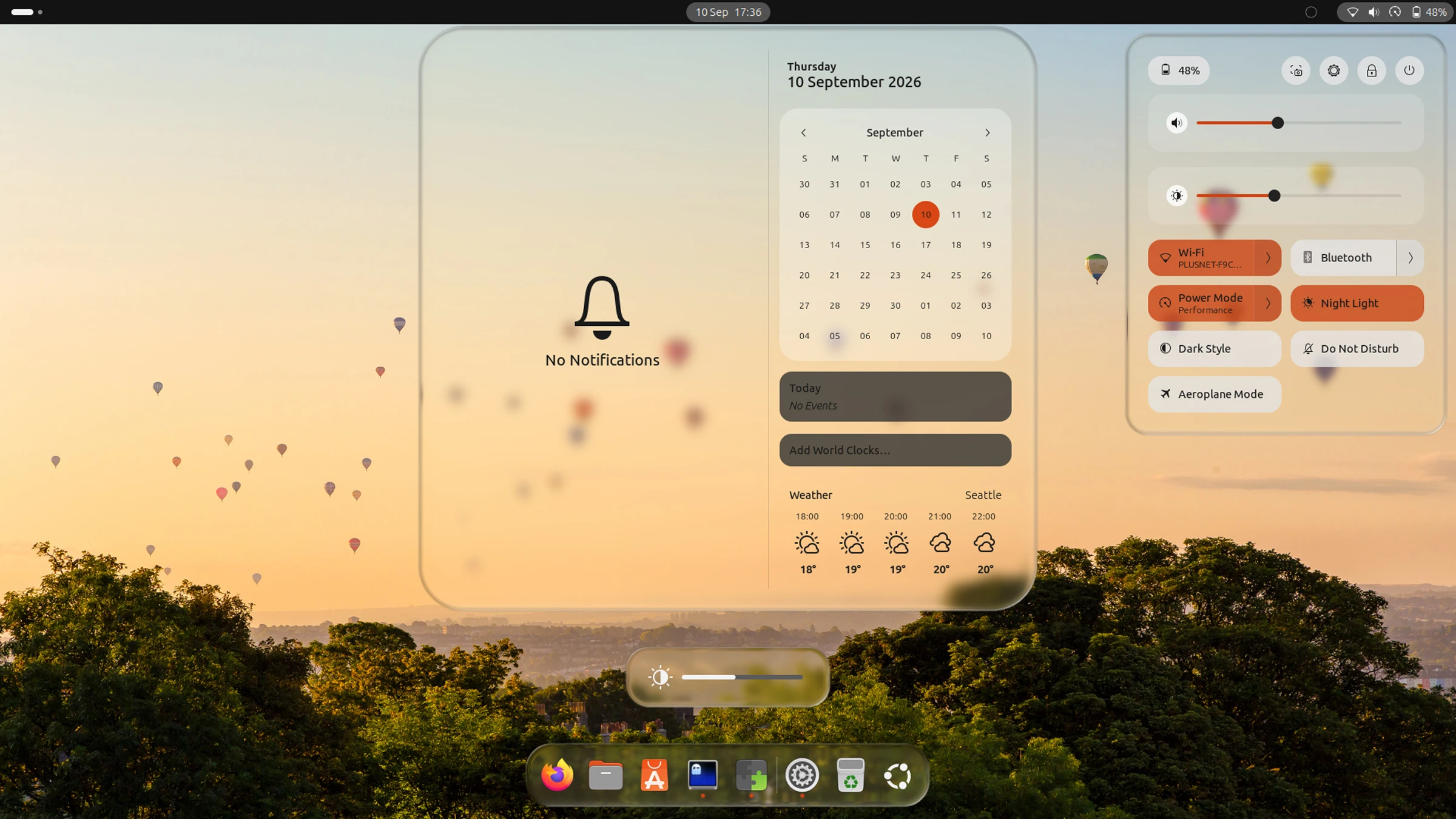
You can now give the Ubuntu desktop a ‘Liquid Glass’ makeover using a new GNOME Shell extension that was written with ‘significant’ help from AI.
Its developer, Ryosuke Watanabe, said they loved the look of Liquid Glass – Apple’s new design material that gives UI elements light-bending surfaces with depth and motion – but, not owning an Apple device, wanted a way to enjoy it on their Linux desktop.
So they created an extension to do it.
“The design, the shader math, the architecture decisions, and all of the testing on real hardware are mine”, says Watanabe, but adds that a “significant part of [the] codebase was written with the help of AI coding assistants”.
Apple’s Liquid Glass is more than just a blur: it’s a dynamic, translucent interface material that bends light, reflects surroundings and lets interface elements adapt to content and motion through fluid, physics-inspired animations.
This extension tries to replicate the aesthetic and the underlying physics on GNOME:
To wit: this isn’t ploughing the same field other “frosted glass” extensions use, i.e., apply a Gaussian blur and drop the opacity.
This shader uses Snell’s Law to calculate light refractions and replicate the way glass bends light in the real world, but for the apps and wallpapers that appear behind it.
To do so, it has to determine the glass thickness for each pixel. Glass is thicker at the centre and tapers towards the edges. The thickness values are used to shift the background image, with rim lighting and ‘specular’ highlights added to create a 3D effect.
If all that sounds a bit maths-heavy, it is; this extension has performance hit that I’ll come to in a moment.
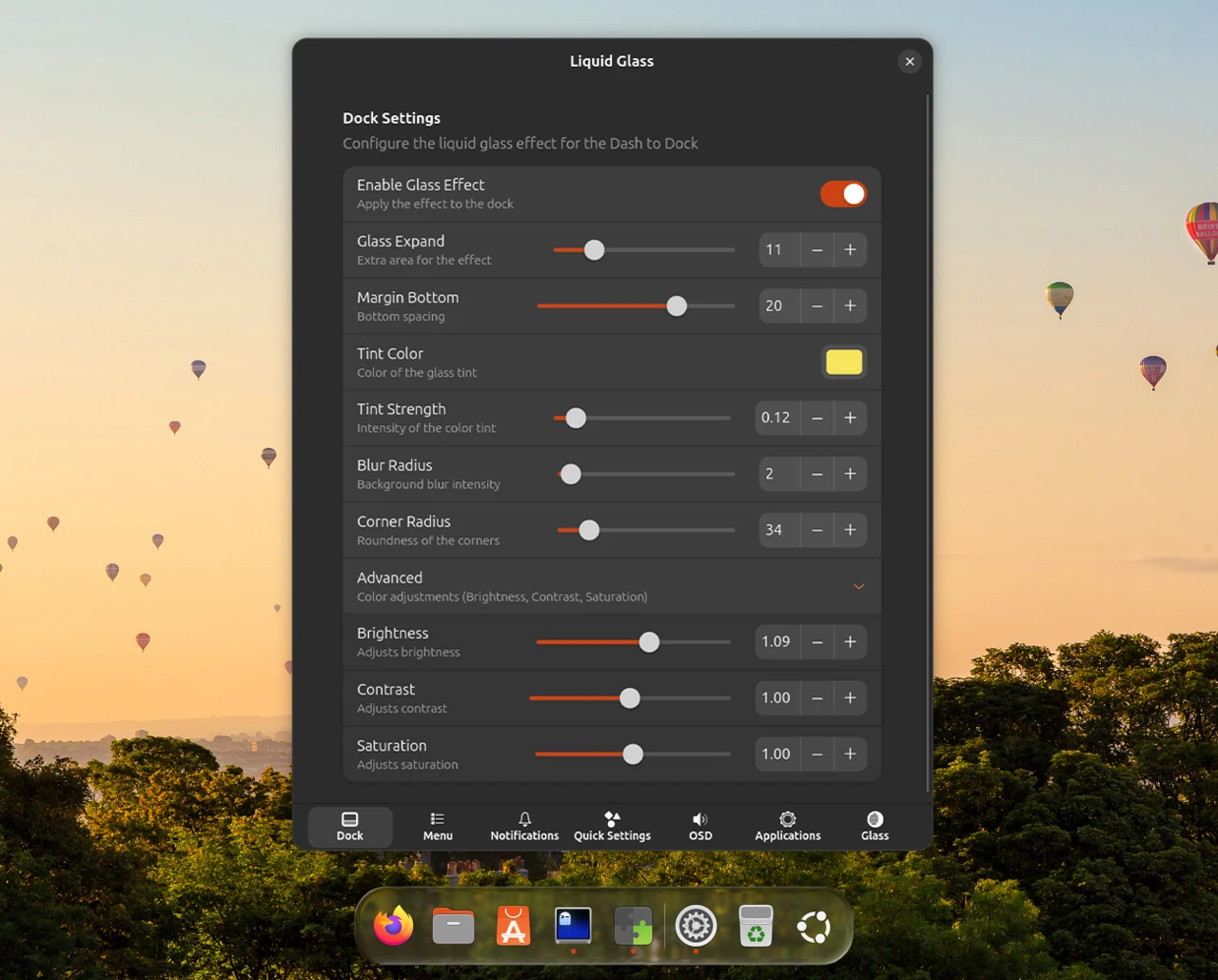
When installed, you can choose which parts of your desktop to apply “glass” to via the extension’s settings.
You can selectively apply it the effect to parts of core GNOME Shell UI, like the Quick Settings menu, message/calendar applet, notifications, on-screen display (OSD) and Dash to Dock or Ubuntu Dock.
Applications can be given the glass treatment too, but it’s not particularly elegant.
The style of the glass effect (shader) can be configured for each part individually, e.g., the colour tint and strength, blur intensity, corner radii and so on can have different settings for each element – if you want.
Sadly, there’s no way to set a global style yet.
There are settings for auto-text colouring to keep button and UI labels legible against light and dark wallpapers, and the sampling interval is configurable. However, more frequent sampling = more CPU usage, so keep that in mind if you’re on a portable device.
Which brings me back to the performance hit that enabling this extension involves.
On a monster desktop rig, I doubt a sweat would be so much as broken. But on laptops or a more modest PCs, SBCs, etc., then this bling is heavy:
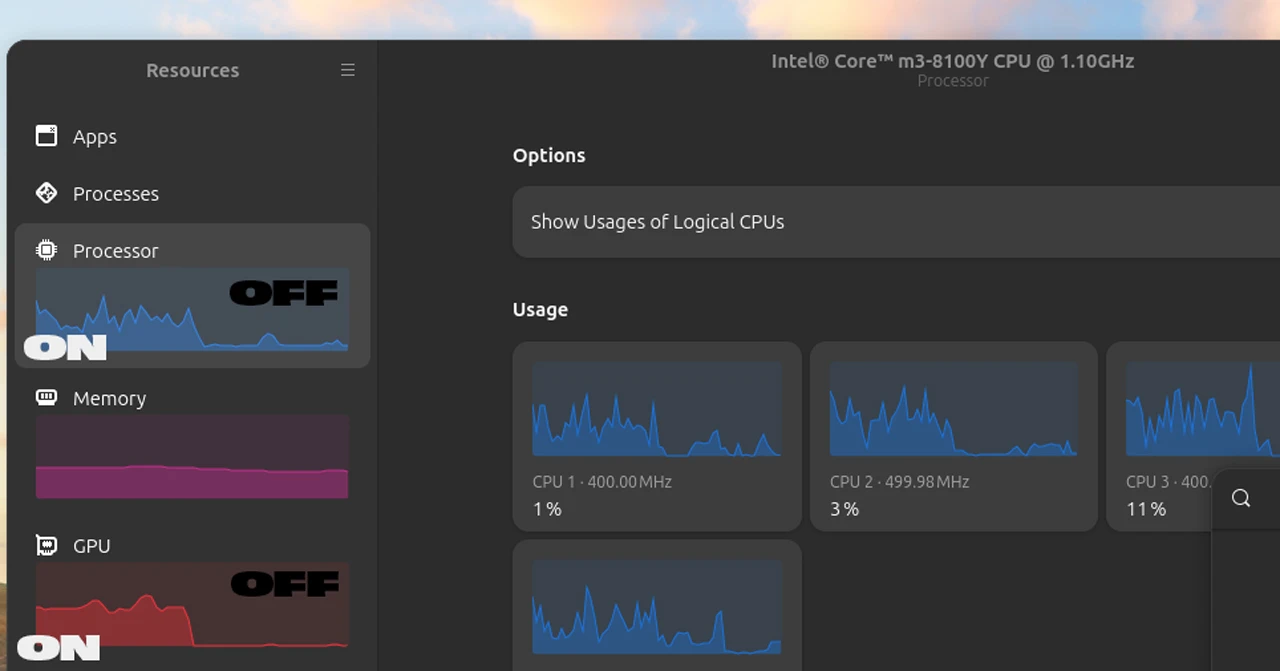
The screenshot above shows the change in GPU and CPU usage on my (admittedly weedy, but snappy) Chuwi AeroBook Pro when the extension was enabled and after I turned it off – it’s quite a difference. My battery dropped from 59% to 38% with it running too.
No surprise. The shader runs per-pixel calculations on every frame to simulate refraction, so any time glass is visible on screen and there’s something moving behind it, it’s calculating away.
The developer is aware of the performance cost and the challenges in getting this working at all. On their GitHub they say: “I lost count of how many times I crashed GNOME Shell during development.”
Not available on GNOME Extensions website
Does GNOME need a glassy upgrade? If you feel it does, you can try this out. It certainly showcases the flexibility in GNOME Shell.
You can’t install Liquid Glass from the GNOME Extensions website (it’s pending review, but the site has an AI policy1), but you can install it manually yourself if you have git installed and you’re running GNOME 50:
git clone https://github.com/ryohsuke1231/liquid-glass.git &&
mkdir -p ~/.local/share/gnome-shell/extensions/ &&
cp -r liquid-glass/liquid-glass@thinkingcoding1231.gmail.com ~/.local/share/gnome-shell/extensions/
You need to log out and back in after running this command, and then enable the extension via the Extensions Manager app (available in the Ubuntu repos).
But as an AI-coded effort with, charitably, so-so performance when active, it’s not something everyone will be enamoured by.
It’s not the only effort underway to bring the look of Liquid Glass to GNOME either. Blur My Shell has a refracting glass ‘pipeline’ in the offing, which you can preview on its GitHub.
- Like similar policies, it’s not necessarily ideological: volunteers don’t want to be burdened with reviewing and providing feedback on AI-generated submissions that the submitters – or their AI tool of choice – didn’t check for glaringly obvious technical issues and guideline violations. Plus, slop. ↩︎