
Discover a mix of tutorials on everything from how to install the latest versions of apps or enable new features, to workarounds for known issues – alongside general ‘configuring Ubuntu’ advice.

Learn how to install Wine on Ubuntu from the official Wine Linux repository. My guide is ideal for those who want to install the latest stable release.

Want to add Markdown preview to the Gedit text editor? With the Gedit Markdown Preview extension (catchy name, eh?) you can do so quickly. See how!

I look at using Nala on Ubuntu. Nala is a great alternative to Ubuntu's default package manager. It's faster, nice to look at, and more featured than APT.
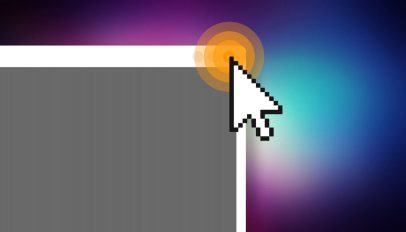
Mouse cursor effects are a great way to draw attention to an area of the screen during screencasts and presentations. Here's how to enable one in Ubuntu.
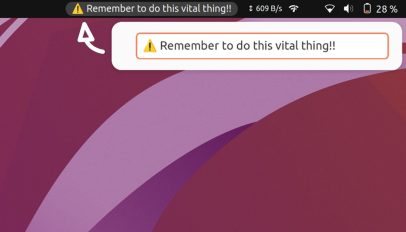
Keep that vital reminder, task, or goal in mind with this simple GNOME extension. It lets you enter text (including emoji) and see it on the GNOME panel.

If you're an avid follower of financial markets or the stock price of specific companies then definitely invest in one of these 2 GNOME extensions.
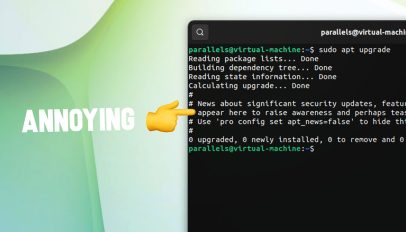
It's easy to disable the apt awareness message that appears each time you run an apt update on Ubuntu 22.04 Why is it needed at all? We discuss inside.

A quick guide showing you how to upgrade to Xfce 4.18 on Xubuntu 22.04 LTS and 22.10 using the Xubuntu QA Staging PPA – though caution is advised.

This post won't appeal to many, but hey: at the very least it'll be there for me to reference next time I want to rejig the clock layout on my Xfce install.
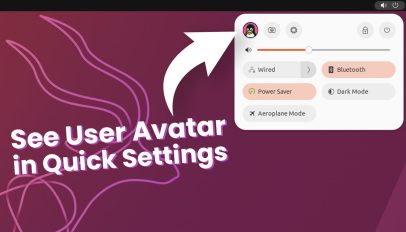
Here's a nifty new GNOME extension that does one thing, and does it well: it displays the avatar for your user account in GNOME's Quick Settings menu.

I share a quick fix for blurry fonts in Mozilla Firefox when running on Wayland on Linux. No PPAs required; just run Firefox with Wayland support enabled.

Upgrading to KDE Plasma 5.26 on Kubuntu 22.10 can be done using the Kubuntu Backports PPA. In this post I show how to add the PPA to upgrade Plasma desktop.

An itch to scratch: want to see your battery's estimated time remaining instead of percentage in Ubuntu 22.10? There's a GNOME extension to help do it!

I show you how to upgrade to Ubuntu 22.10 from Ubuntu 22.04 LTS. The process is quick and easy and can be done from your desktop, no need to reinstall.

Want to create app launcher shortcuts for your favourite AppImage software on Ubuntu? Look no further than this neat open source app – it's ace!

Connect to bluetooth devices from the new Quick Settings menu in GNOME 43 with this neat, community-made extension for GNOME Shell. It's neat!

GNOME Console app is a great new alternative to other Linux terminal emulators. In this post I show you how to set Console as default terminal on Ubuntu.

Learn how to watch Blu-ray discs on Ubuntu with menus in VLC. This guide details an easy workaround, without having to pay for pricey software.