


October’s Linux app releases brought plenty of treats, a couple of tricks and mercifully few frights. In this post, I recap the updates that landed last month.
There were other spooks in the shadows with a spotlight. October gave us a double-whammy of Firefox and Calibre updates, with JEPG XL support added in the former and AI reading voices in the latter – among other changes in both.
It also delivered a ‘fully rebuilt’ ONLYOFFICE 10.0 with optional AI tools and KeePassXC 2.8, which added its long-awaited support for Wayland auto-type. System cleaning tool BleachBit fixed issues with admin cleaning on Linux.
With October 2026 now six feet under, here’s what else crept on to the desktop.
OpenShot 4.1 added native text typing
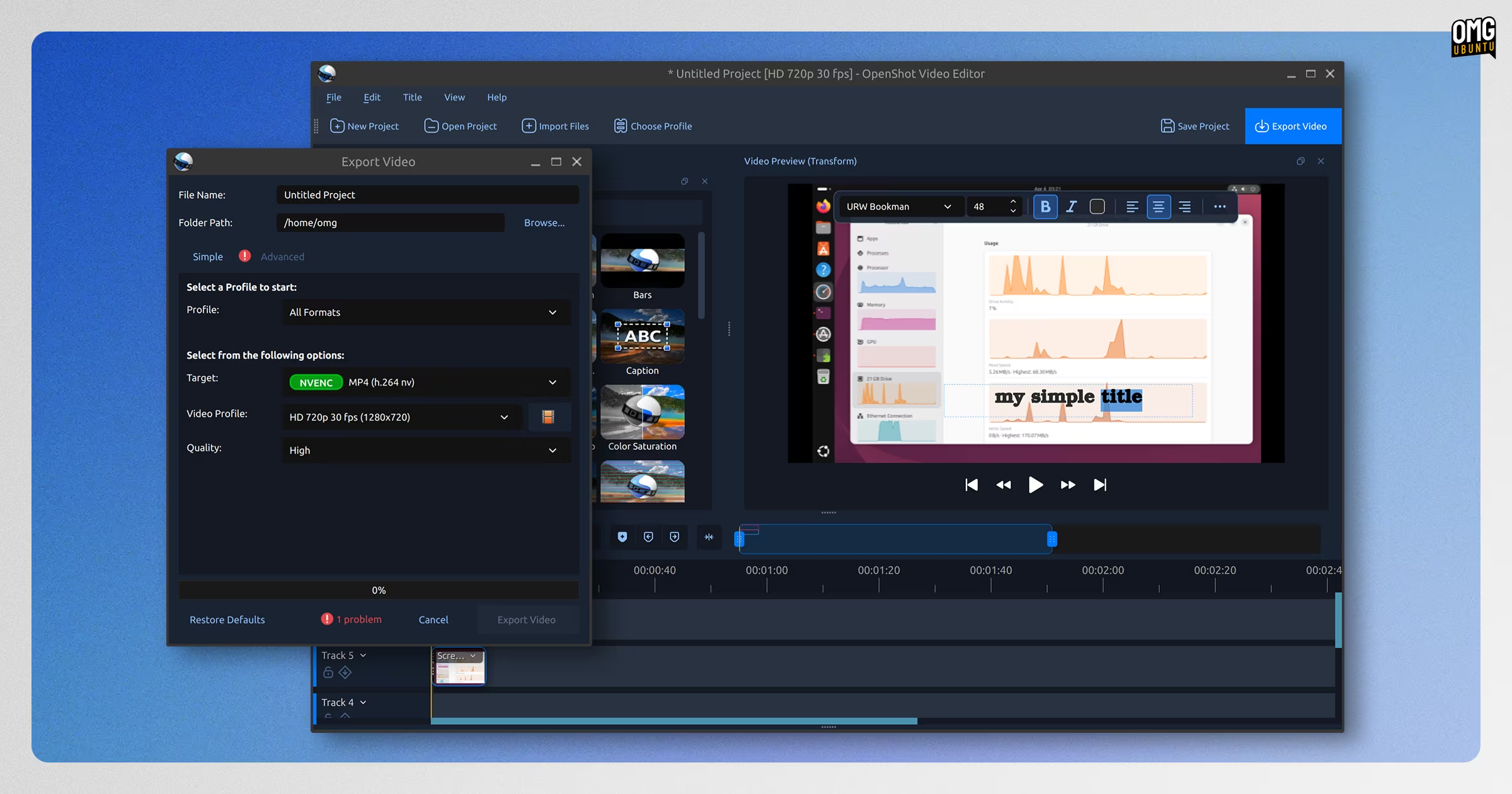
The OpenShot video editor been on a roll of late, adding scores of long-requested features like colour grading and screen capture.
OpenShot 4.1 continues the trend, debuting a new on-canvas text tool, making it easier to create lower thirds, captions and credits, without needing to use SVG or Blender titles, or open the Title editor for each.
The text Edit Style dialog was also redesigned to make it easier to customise the look of on-screen text elements, and copy styles between different text elements.
And the video editor’s pre-existing auto-optimise feature, which creates smaller, optimised copies of video footage for editing but exports full quality versions, now detects more clips suitable for optimising.
With this video editor now coded by LLMs, it’s no surprise to see its own support for AI-related workflows expand too. v4.1 adds CLI automation for export and basic edits so that users can ‘prompt’ agents tools like Claude Code to undertake tasks.
Beyond that, an updated export dialog, more keyboard shortcuts, keyframe and timeline tweaks and general performance improvements on the timeline, preview files, and so on.
OpenShot 4.1 is available to download from the OpenShot website, the Snap Store, Flathub or a PPA – the OpenShot PPA now has builds for Arm64.
FBReader 2.5 unveiled a new library
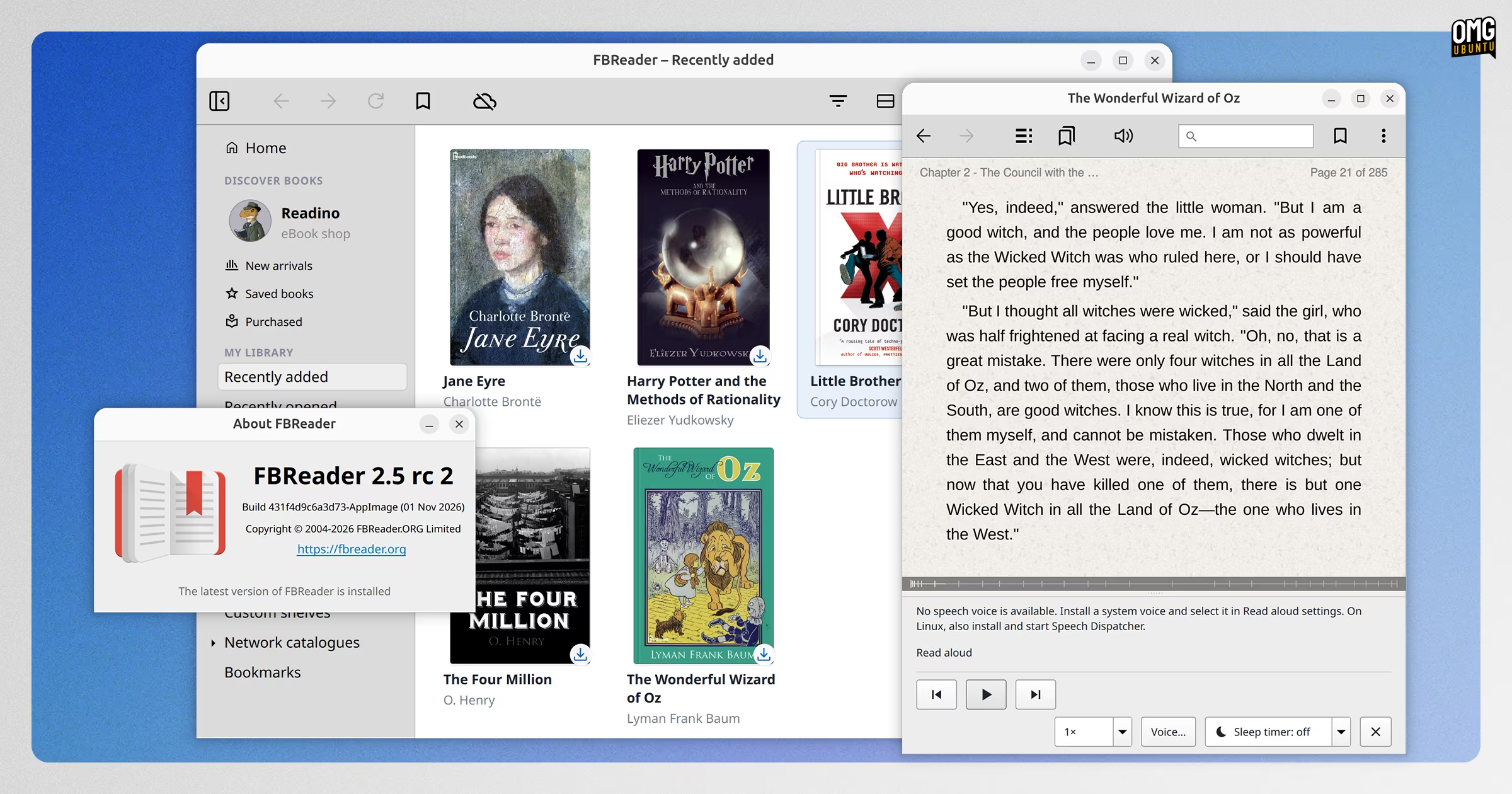
Cross-platform ebook reader FBReader issued a release candidate of its upcoming 2.5 release for Windows, macOS and Linux (and a second as I was compiling this post).
Biggest change is the redesigned library view, which now supports favourites, custom shelves and batch actions. There’s also integration with the Readino bookshop, enabled by default in the UK, US and Australia, to browse and buy books from within the app.
Another new integration is Screvi, a “service for collecting and organising book highlights and notes from different reading platforms, including Kindle and Kobo”.
On the desktop, FBReader 2.5 can read books aloud using the system text-to-speech engine. It can also play audio and video content inside of EPUB files and open CBR and CB7 comic archives. OPDS 2.0 catalogue support was added too.
A stable 2.5 release is due in the coming weeks.
Download the latest Linux release candidate from the FBReader website.
Thunderbird 159 badged its tray icon
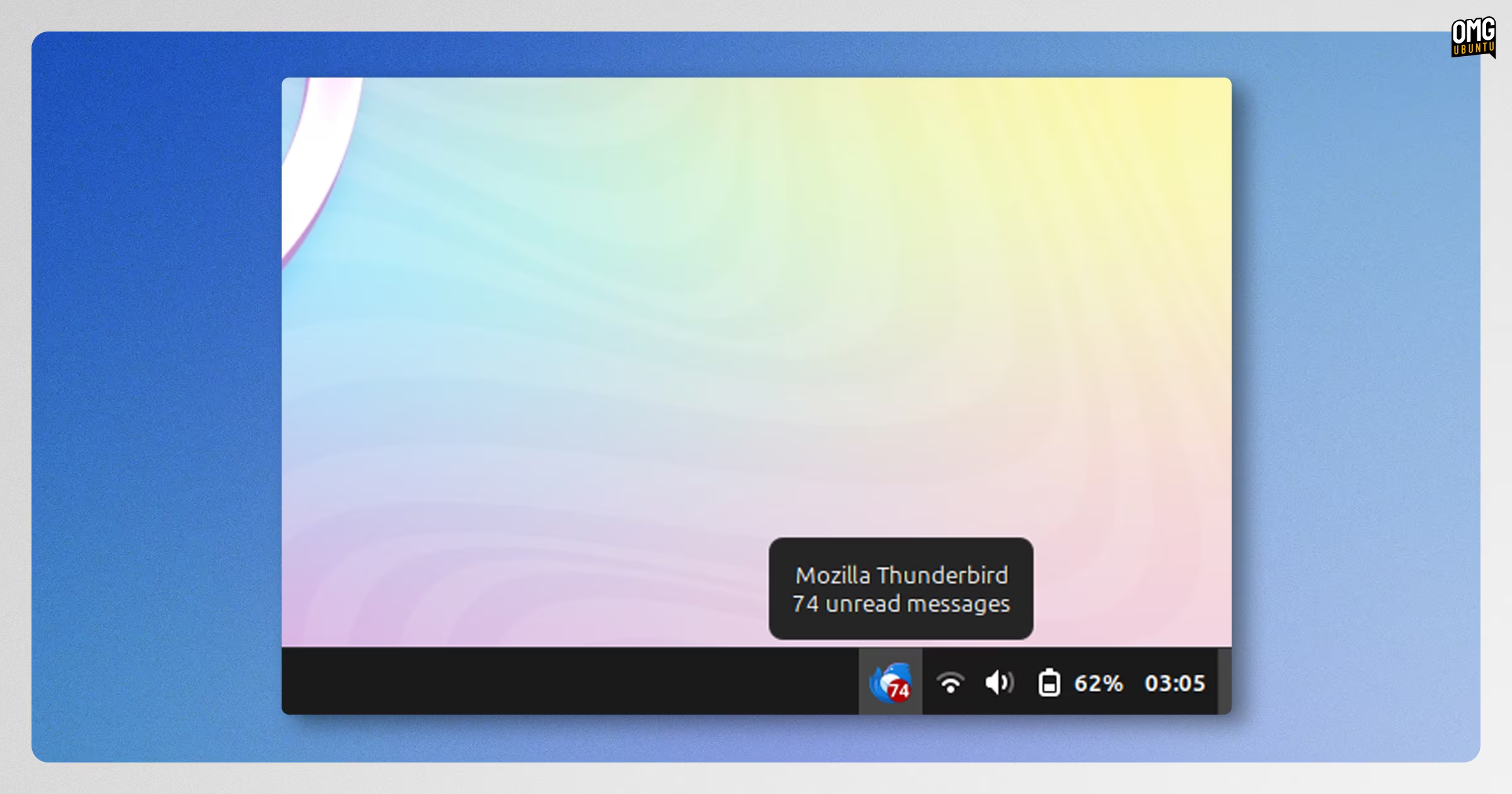
Thunderbird 159 was released with a treat for Linux users: unread-mail indicators on the system tray icon, and a message count showing in the tooltip. It’s the little things, right?
Other changes were mainly about exorcising bugs, including issues with missing or truncated attachments, broken message searches, pernickety printing behaviour and sync issues with CalDAV and CardDAV.
Other buffs bolster performance and reliability, like taming excessive Microsoft Graph requests, reducing CPU usage from malformed message databases and smoothing out startup hangs when restoring open tabs.
Download the latest from the Thunderbird website.
OBS Studio 33.0 reworked its plugins
OBS Studio 33.0 slipped out, a sizeable update to the popular streaming and screencasting software that changes where plugins are installed, with built-in and third-party plugins now put in separate locations. Existing installs with plugins aren’t affected until v34.0.
The preview window has improved source snapping, with visual indicators to show where each sources’ edges are and letting them snap to the corresponding edge of another. And hidden sources are no longer selecting or triggered when positioning visible ones.
Under the hood, OBS v33 updates its embedded Chromium framework from version 127 to 150 and adds NVENC hardware encoding support for ARM laptops with NVIDIA GPUs.
OBS 33.0 drops support for Ubuntu 24.04 LTS, so if you currently get updates via the OBS Studio PPA, be aware that you won’t get this update from it. You may want to switch to the unofficial snap package instead.
Get OBS Studio from the official website for supported platforms.
Haruna 1.9 made OSD configurable
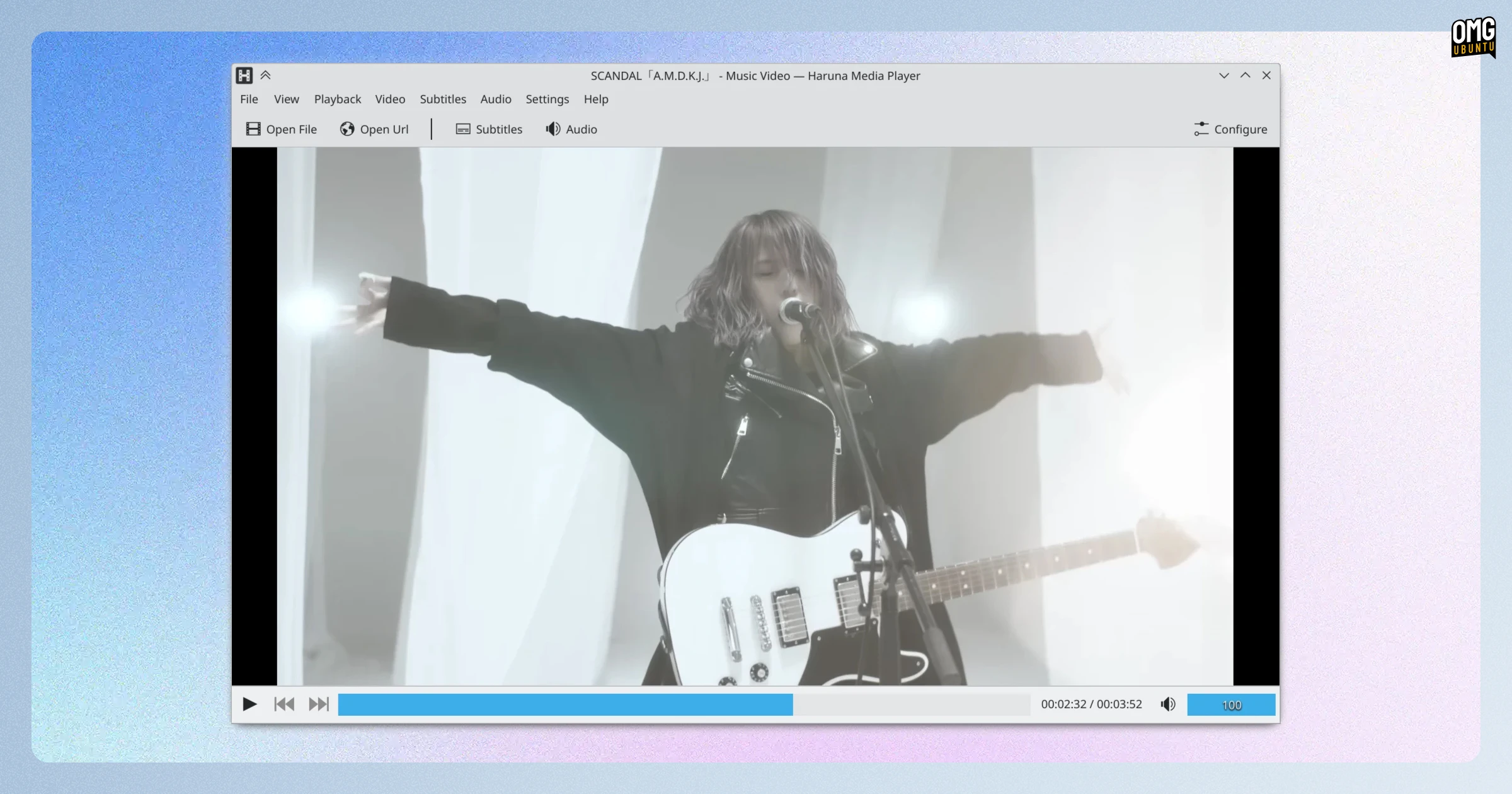
Haruna 1.9.0 came out in October. The streamlined, Qt6 media player gained menu options and shortcuts for open folders, a new OSD settings panel to control over what options appear on screen and a transcript panel for viewing all subtitles.
Chapter markers were also simplified. They now show as a vertical line in the seek bar, with chapter titles viewable via a tooltip (along with time position and frame thumbnail).
Other additions include an option to disable explanatory tooltips, a new database settings page and a variety of playlist tweaks. When streaming a video from YouTube via the player, the seekbar shows the buffered section, which you can click in to skip ahead.
Haruna is available for install from Flathub.
Tributary 0.7.2 began mastering
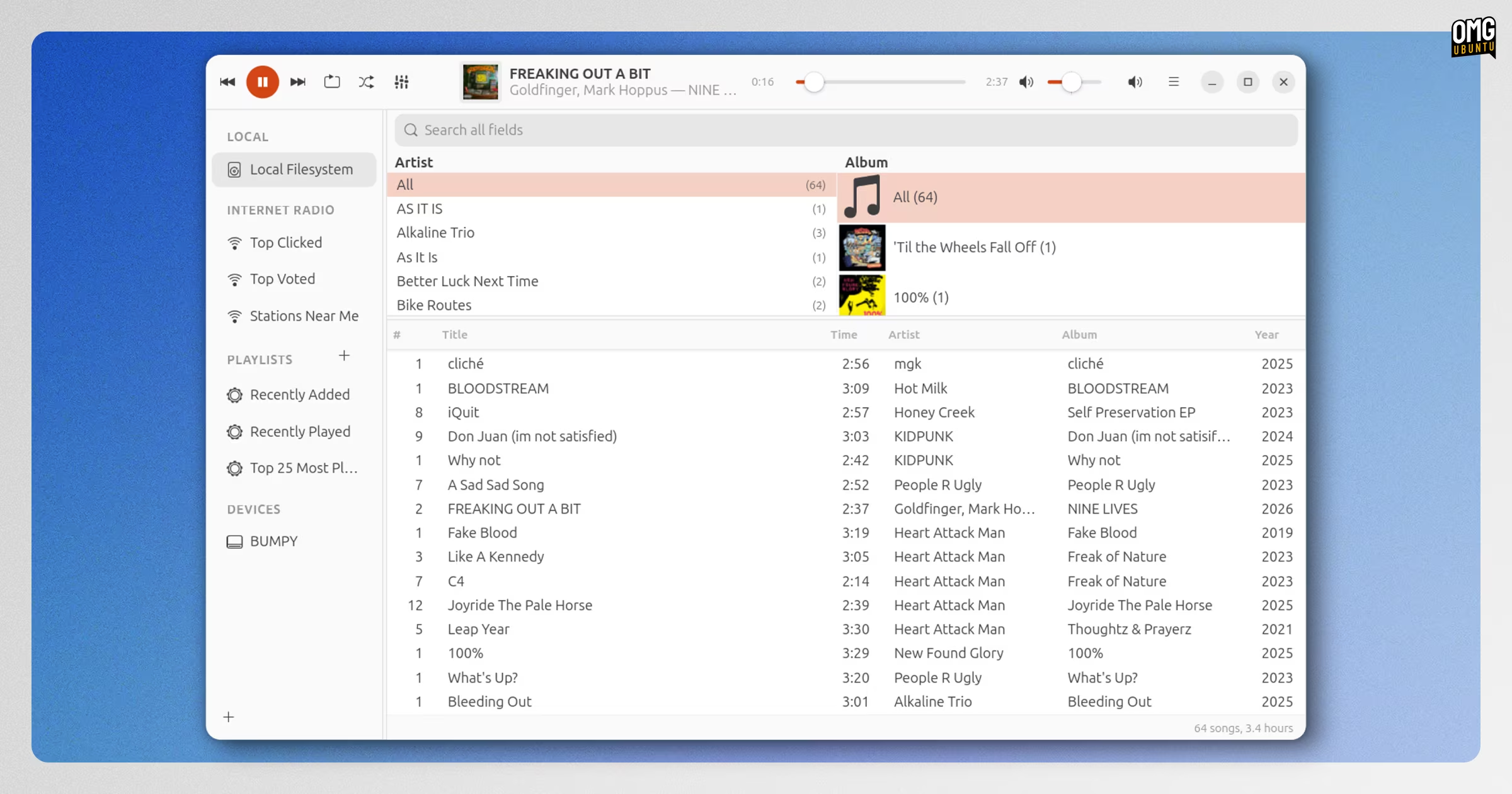
Music player Tributary continues to round-out its tribute to Rhythmbox, with October providing two alpha updates.
The 0.7.1 alpha restored a ‘missing’ EQ button in the header bar, which would vanish depending on state and desktop, and the track list now fills the window all the way to the right edge, no including after resizing.
The v0.7.2 alpha released brought a faster way to jump back to the playing track: a quick press of ctrl + j. It also restored a missing equaliser icon, improved its visibility with dark themes and updated network and hashing libraries to improve its security.
While still far from perfect, it’s shaping up well.
Download the latest alpha from the Tributary GitHub releases page.
Scribus 1.7.4 tabled more changes
Open-source desktop publishing software Scribus put out a new development build, v1.7.4, with an overhaul for table editing. Tables now have spreadsheet-style selection and keyboard navigation, conditional formatting and support for pasting from other applications.
The update also improved right-to-left and bidirectional text support, added a first-run setup wizard and introduced user-editing page-size templates
Other changes include improved right-to-left and bidirectional text support and a new first-run setup wizard to improve setup. Users who work with linked text frames can now select an entire text chain with a single menu action.
Beyond that, seven memory-safety vulnerabilities in image loaders and import filters are also fixed and those same security patches are included in the stable Scribus 1.6.7 release, which also arrived alongside the 1.7.4 development one.
Download Scribus development builds from the project Sourceforge.
Blanc web browser filled in the blanks
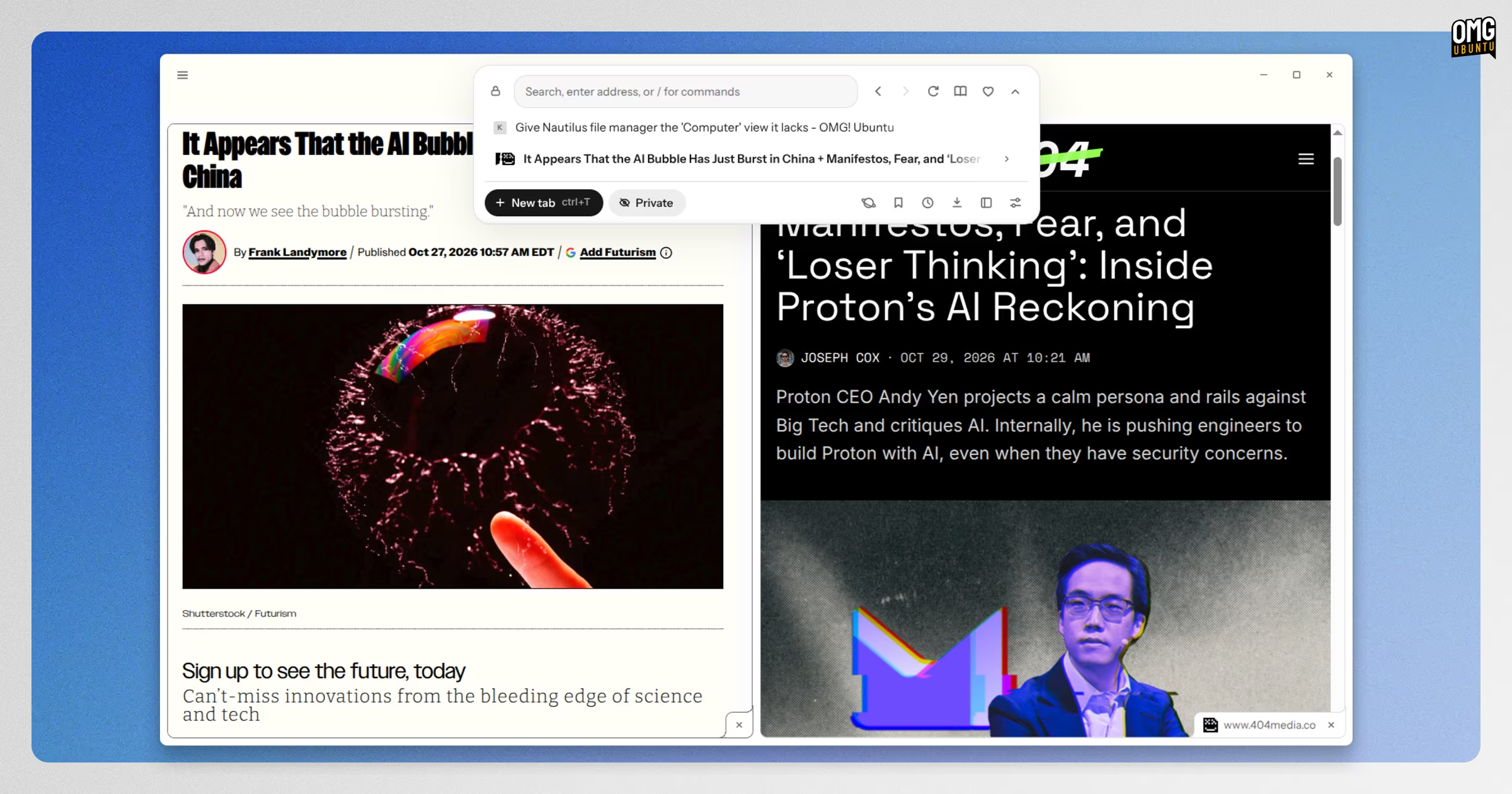
Blanc, the Electron-based and AI-sired web browser Blanc, put out more than 20 updates since I took a look at it in September. The amount of changes is large, so I can’t run though it all, but a few choice highlights include:
- Customizable mouse gestures
- Time-of-day wallpaper for the start page
- Linux AppImage no longer requires FUSE2
- uBlock Origin integrated
- About & Trust section in settings
- Browser localisations now including German, Italian and Portuguese
- Kagi search engine support, including live suggestions, and !bangs
- Expanded tab customisation, renaming and colour options
- Various changes to the island UX and island behaviours
Plus, a fair bit more besides.
Check out the official website for more details and download links.
Smaller updates of note
Kdenlive issued the second maintenance release of the 26.08 series with bug fixes and stability improvements, including better project handling and ability to set the frame count to start at 1 in the Dynamic Text filter.
qBittorrent 5.3.0 landed, moving its default build to the libtorrent 2.2 series. While the shift should reduce I/O issues for those coming from the 1.2 series, it may cause issues for heavy seeders as it’s has worse read performance.
And Cine, the GTK4/libadwaita video player, delivered 1.8.8 update that boosted its startup performance, fixed mouse click actions not always working and made its initial window size more condition on the screen size its shown on.
That’s it’s for this roundup. As ever, if you learn of a software update that you think other readers of this site may be interested in knowing about, get in touch via the contact form – your news tips, typo pokes and article suggestions are much appreciated.