


Firefox 158 is now available to download, providing out-of-the-box support for JPEG XL images.
JPEG XL is said to have better compression than other image formats, including WebP, PNG and regular ol’ JPEG. It supports wider colour gamut, HDR and high bit-depth, as well as animation, alpha channels and lossless and progressive encoding.
Mozilla has spent several months testing JPEG XL support in Firefox, providing an opt-in toggle to try it out via the browser’s Labs page.
Other changes and fixes
Firefox’s Smart Window, the AI-powered browsing mode that uses a cloud-based provider like OpenAI and Alibaba to help you browse, can now fill in form fields for you, by pulling relevant info from your other open tabs or your saved autofill data.
On the subject of Firefox and AI, the browser’s local, private Translations feature gains support for converting webpage text to and from Albanian, Belarusian and Filipino languages.
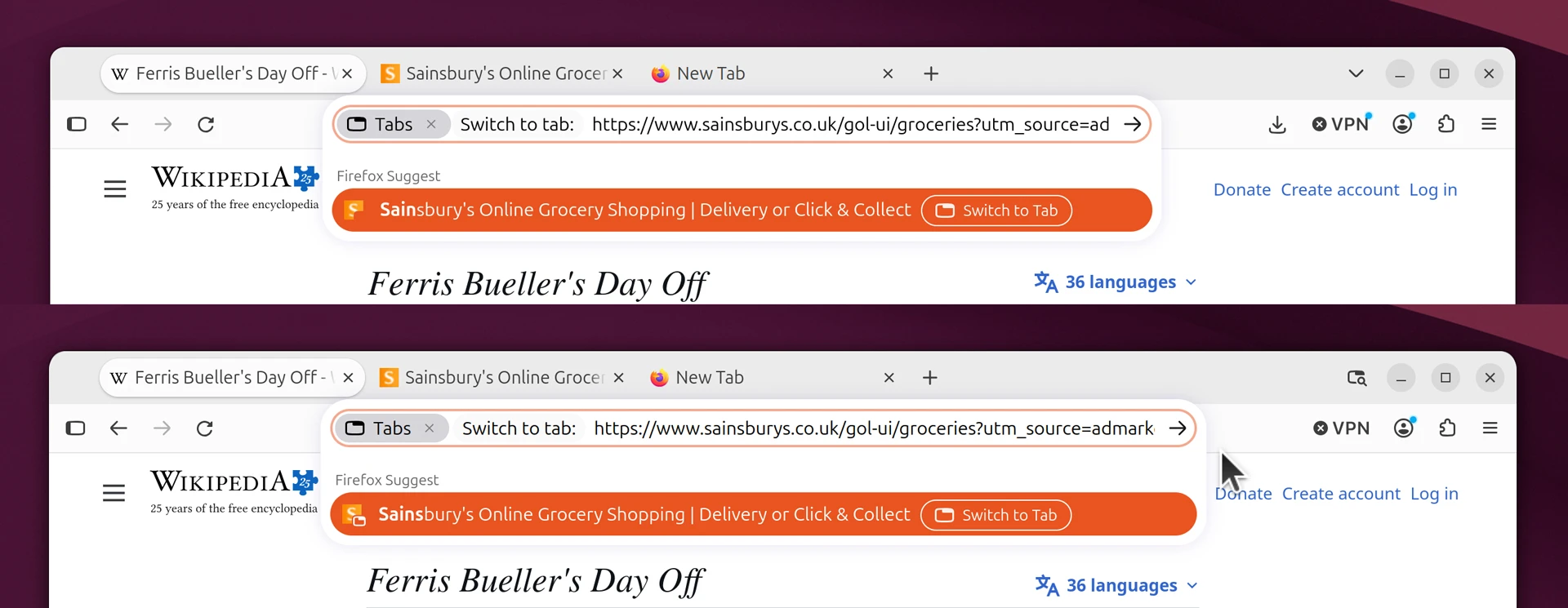
An Ubuntu theme fix is baked in so that little emblems on webpage favicons in address bar results no longer blend into the highlight colour if selected. Here’s a before and after:
Creating PDFs from webpages (via print dialog) results in ‘more accessible’ documents, Mozilla say, and add that a number of PDF rendering issues, including missing math symbols, were resolved.
Scrolling webpages is said to be ‘smoother and more precise’ in Firefox 158 as the browser no longer rounds scroll positions to whole screen pixels. This will be most keenly felt when scrolling on a zoomed-in page or on high-resolution displays.
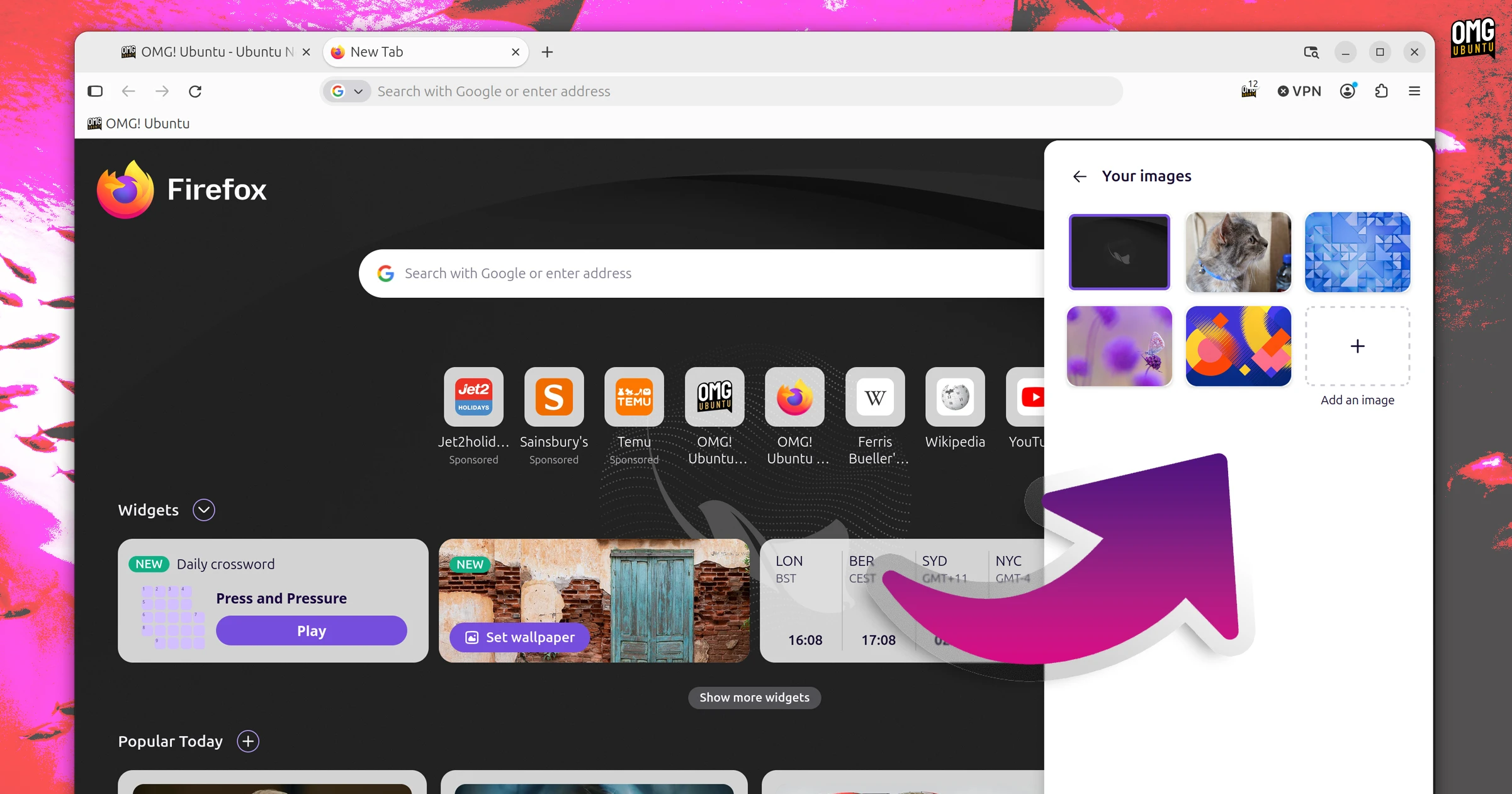
On the Firefox New Tab page, your previously used custom wallpapers are now listed in Your images folder:
Firefox 158 brings web-dev changes too, including support for:
- Typed arithmetic in CSS
calc() navigateoption forNotification()&showNotification()- WebAuthn conditional UI for inputs with autocomplete attribute
- A
cachevalue forPerformanceResourceTiming.deliveryType - WebGL extension
EXT_polygon_offset_clampon compatible devices
And, of course, a fresh set of security fixes.
Get Firefox 158
You can download Firefox 158 from Monday 12 October via the Mozilla FTP. That has binary builds and installers for all major OSes and are the same ones the official website will link to.
Existing users on Windows and macOS and Linux (binary builds) will be able to update in-app from Tuesday 13 October. Linux distribution repositories, software stores (Flathub, Snap) and other formats will begin to package it after this date.
If you’re on Ubuntu, you don’t need to rush off and download anything. This update will, like all the rest, reach you via an automatic update from the Snap Store.