


Ubuntu’s had a dock (or launcher, if you will) down the left-hand side of the screen since it made Unity the default desktop in 2011, a design point it stuck to when switching back to GNOME in 2017.
But if you want something a bit different, like a floating one at the bottom of the screen with flashy animated icons or more of an integrated all-in-one dock and panel, there are plenty of alternatives around.
One that caught my eye recently is Dhruva Dock. It’s pitched as a ‘customisable’ dock for GNOME Shell and, having played around with it this week, it certainly lives up to that claim.
Zoom, blur and a magic lamp
Linux docks of old, like Docky, AWN and CairoDock, were big on bling, and so is this.
The app includes a bunch of one-click “presets” to quickly mould the dock in the style of well-known desktops, including Ubuntu, macOS and Windows. These are ideal starting points to tweak and fine-tune out from.
A glut of animated effects, including a parabolic zoom when mousing over dock icons, cute flourishes when you click icons to open them (bounce, jelly, etc) and visual cues when minimising windows, like the obligatory magic lamp, are available.
Most effects can be fine-tuned from the preferences, too.
The dock’s look is equally configurable, letting you fine-tine opacity, colour and whether to apply a static or dynamic blur – plenty to play with (and play with it I did) so you can dial in the kind of dock aesthetic that suits your tastes.
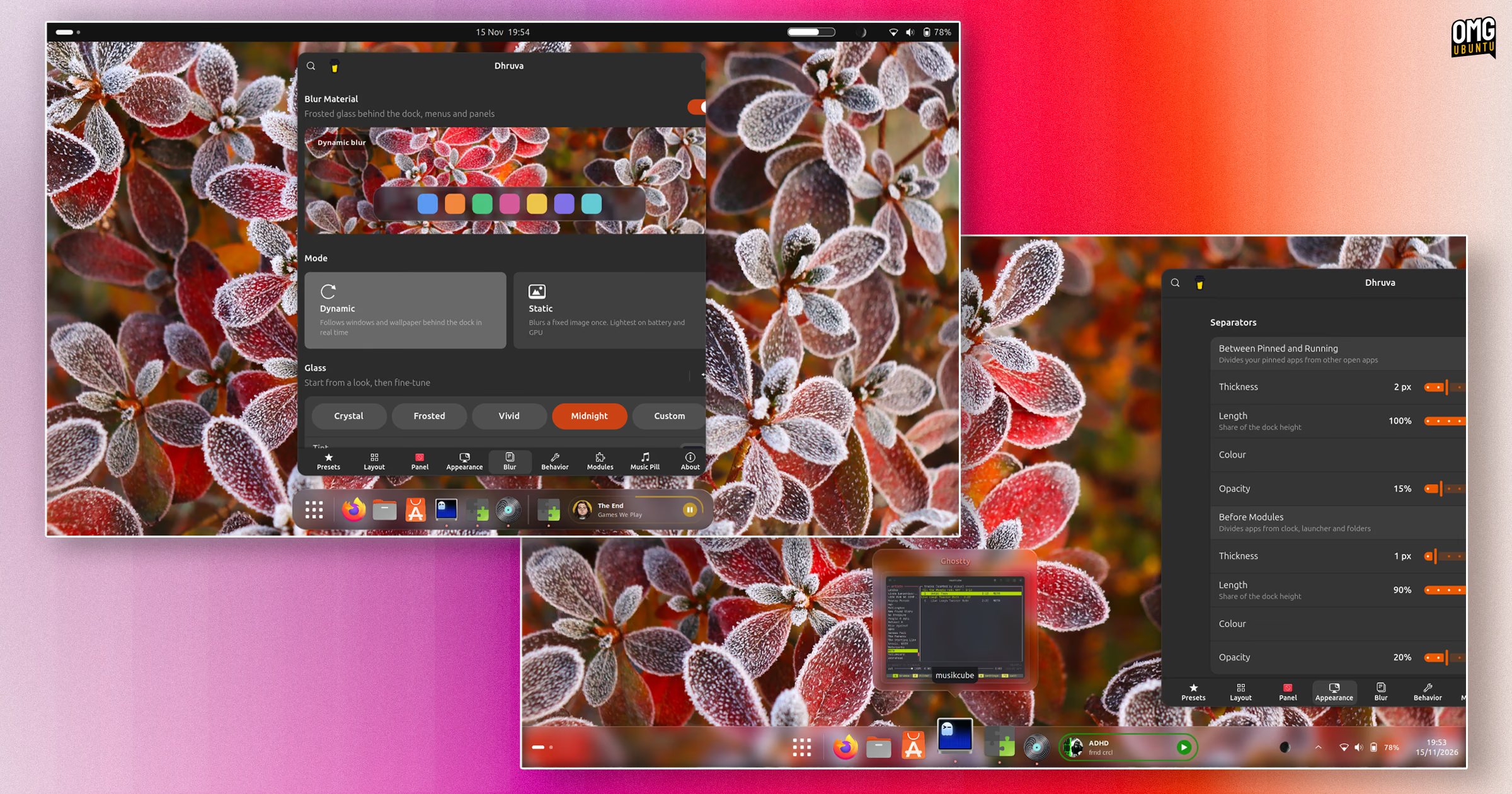
Prefer a small, floating dock, or an edge-to-edge panel that integrates the panel? This can do both, or something in between. Applets include a Dynamic Music Pill-style music applet and an optional Trash (slash recycle, slash rubbish bin) icon and more.
As gaudy (and, in a few cases, glitchy) as these are, it’s nice to see a dock lean into being a bit extra – not that any of the fancier embellishments are mandatory.
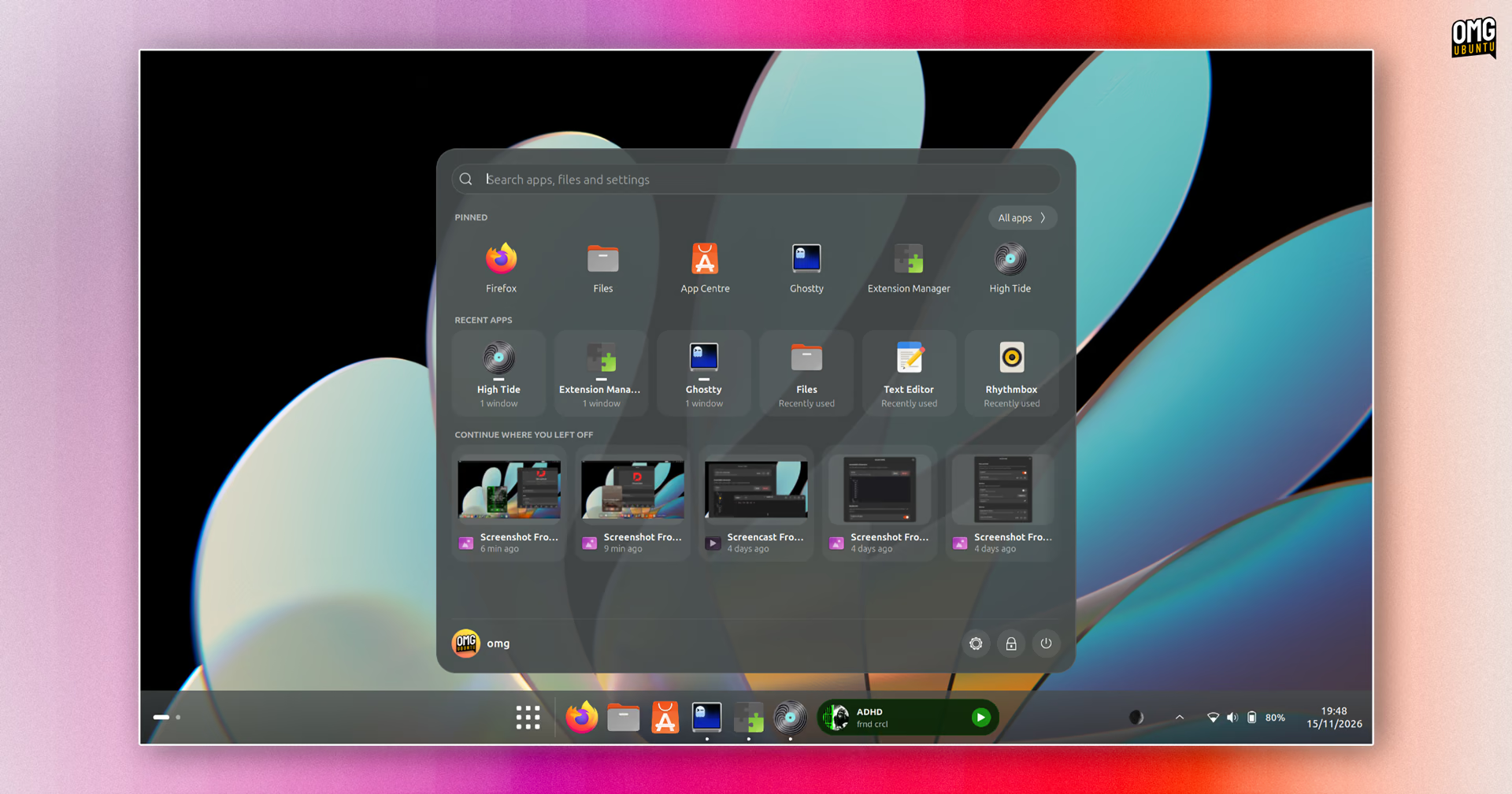
In some modes (but not all) you can enable an alternative application launcher:
Common dock behaviour, like size, position and auto-hide and dodge are provided. And you can enable window previews, app peeking, a show desktop button and pick a running app indicator style among many other changes.
Little on offer here is fixed or inflexible (well, besides its preferences window, which doesn’t resize gracefully on one side, cutting off options and labels).

If there’s a cost to all the malleability, it’s in finesse. It has bugs where where enabling one thing disables another1, despite no logical reason to.
Forgivable and fixable; this is open-source software, not code set in concrete. The ambition on show here? I vibe (so to speak) with it – but then, I am someone who basically live blogged the halcyon years of Compiz excess!
Fancy trying it yourself? Dhruva Dock supports GNOME 45 through GNOME 51. If you’re reading from a recent Ubuntu release you can go play with it, just remember to disable Ubuntu Dock first or you may end up disorientated.
Get Dhruva Dock on GNOME Extensions
- In the version I tried, if you enable the Trash applet it vanishes if you then enable a custom folder – but only in the dock mode. You can’t have both. There’s also a quirk with the zoom animation if applets are used, where the bounds of the dock on one side takes longer to remember its original state, like it’s snapping to one size before something else triggers a re-calculation. Trivial bug, admittedly. ↩︎