

A new version of open-source ebook manager Calibre is out – and it lets you create custom book covers using generative AI.
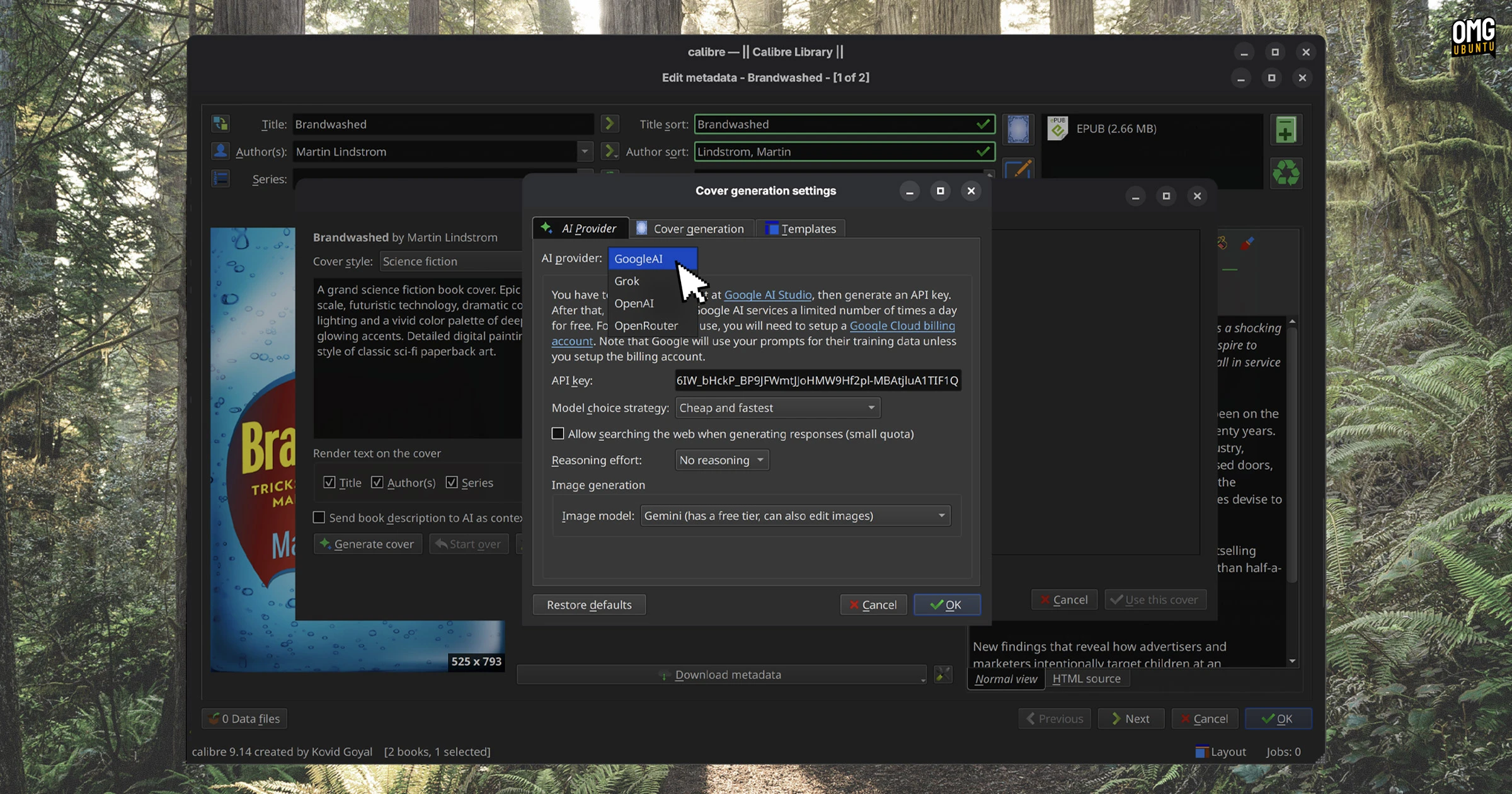
Calibre 9.14, released August 28, adds an “AI Generate” button to the book editor so you can create new ebook covers and apply them to existing titles. It includes preset “styles such as romance, sci-fi, pulp fiction etc”, but you can write your own too.
An AI provider (with an API key) that supports image generation has to be configured for the feature to work, but the first time you try to use it, a setup screen walks you through it. You can use Google AI (a free tier is available), Grok, OpenAI or OpenRouter.
Is it a bit of a strange feature? Perhaps.
Most ebooks I own have covers. While it could be amusing to see how non-fiction titles, like Anna McKane’s News Writing, look reimagined as, say, a romantic fiction, it’d only merit a quick “huh” then be forgotten. I wouldn’t want to keep it; it’s not the real cover.
The feature is likely there so the less artistically inclined or creatively challenged can add “unique” (in so far as anything AI generated can be) covers to library content they find lacking – either an actual cover, or an awful one.
Calibre has long had a ‘cover maker’ feature, so the notion isn’t new. That used basic, formulaic templates. The use AI does, at least, broadens the scope of that (for existing works I find the notion odd, like using your own cover for a well-known album – feels wrong canonically).
Not sure “never judge a book by its cover, though feel free to ask AI to generate a better one” will catch on as a saying.
Other AI changes in Calibre 9.14 see Anthropic and Grok AI backends added to support Claude and Grok models, but the GitHub backend removed following the retirement of GitHub Models at the end of July 2026.
Related, a long-standing Linux bug has been fixed in Calibre’s binary build. In earlier versions, links in some dialog boxes didn’t always open when clicked, including on AI provider configuration pages and update notifications. Now resolved in v9.14.
Other general improvements:
- Accented characters (e.g., é) in search now work in the tag editor filter
- Cover previews in metadata editor now fill available space
- Floating image preview show if hovering over images in file browser
Notable bug fixes:
- Kindle lockscreen cover images with empty EXIF now show correctly
- Undo delete shows a progress bar when undeleting more than 5 books
- Google AI search checkbox is no longer invisible in the config dialog
Security fixes resolve issues with the content server, including arbitrary file write and remove code execution vulnerabilities for authenticated users and cross-site scripting on the legacy book details page.
How to install Calibre’s latest release
Calibre is free, open-source software for Windows, macOS and Linux.
Download the latest version from the official website. On Linux, Calibre is installed and updated by running a command-line script. This downloads a binary build, unpacks it to a system directory and adds the relevant shortcuts for easy access.s
You can get Calibre on Flathub – but as it’s an unverified build, those of you reading from Linux Mint and looking for it in the Software Manager will need to enable unverified sources first.