

If you installed Ubuntu 26.04 LTS and noticed video and music files weren’t showing image thumbnails in the file manager, a packaging oversight was to blame, not anything you did.
It turns out that Ubuntu’s Default install option (aka minimal install) wasn’t pulling in the gst-audio-thumbnailer and gst-video-thumbnailer packages which generate media thumbnails when you open a folder full of compatible files.
A metapackage doesn’t contain software itself, just a list of the packages that need to be installed for, in this case, an Ubuntu desktop experience.
Confusingly, both thumbnailers were present in the full install’s meta file, so if you picked Extended selection at the installation screen you didn’t get blank stock music and video icons, but rows of visually rich files showing artwork or video stills.
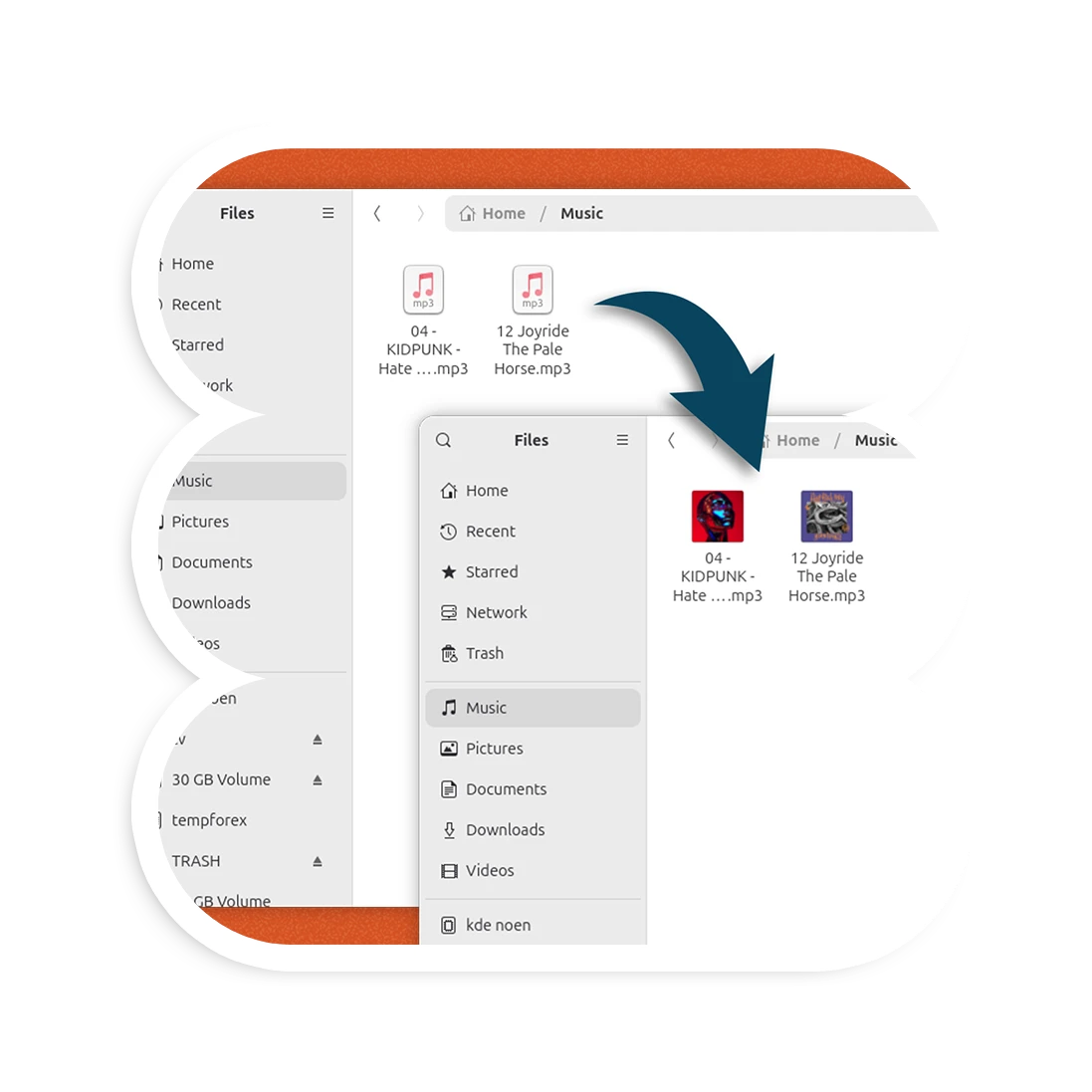
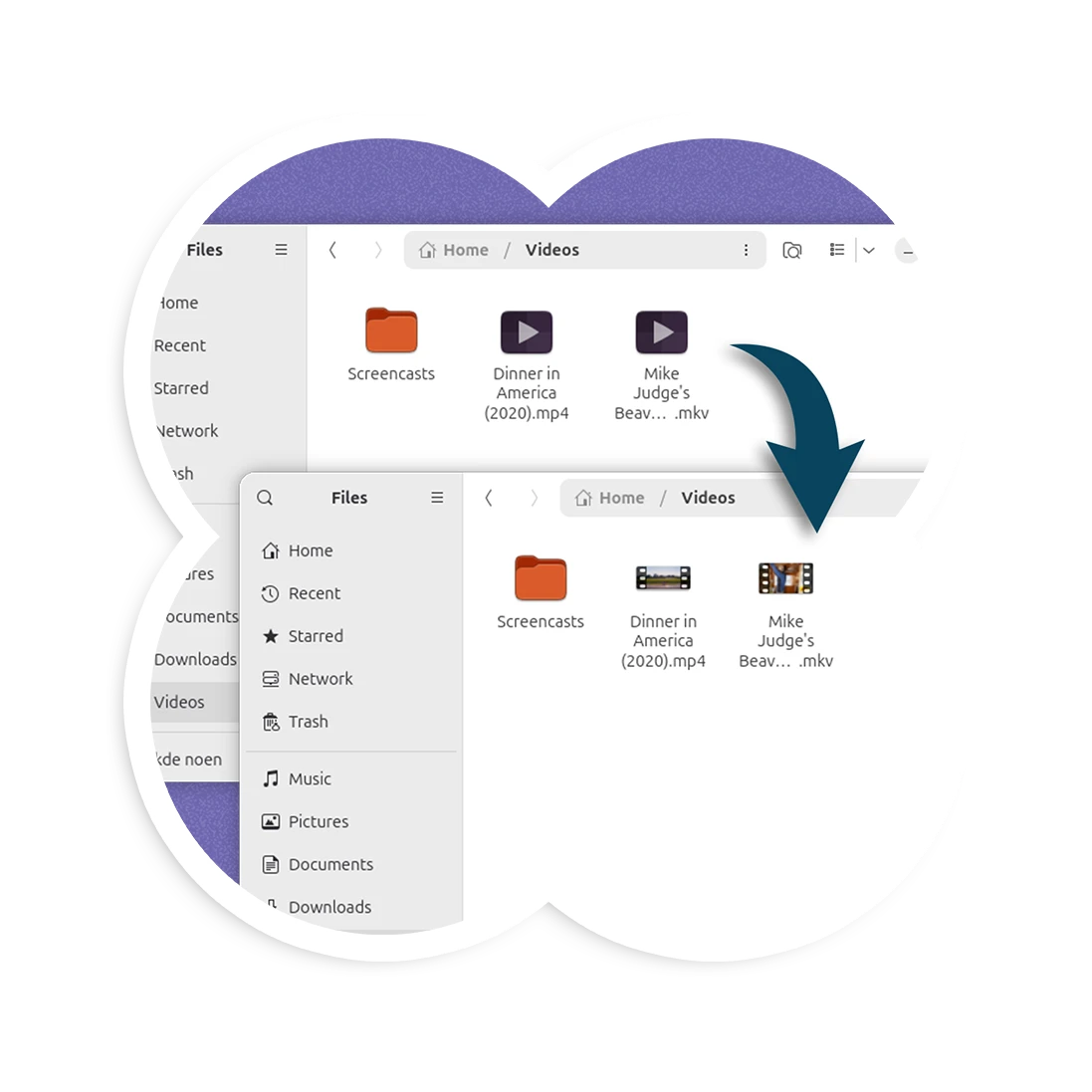
And if the first thing you do after installing Ubuntu is to install a bunch of apps from the official repository, then you may have inadvertently installed something that depends on the missing thumbnailers and got them that way.
Ubuntu 26.04 swapped its older, Totem-based thumbnailers with newer, Rust-based ones built on GStreamer and Glycin. This is why the new packages needed to be listed in the relevant ubuntu-meta files in the first place.
In a bug report, the omission is described as “an oversight rather than a deliberate size reduction trade-off”, as neither package is large or pulls in any additional dependencies.
A stable-release update (SRU) fixing the issue was granted, and it began rolling out at the end of June. If you keep your system up-to-date, the missing packages should have been pulled in by now.
If you see blank media icons in Ubuntu 26.04 LTS, open your terminal and run this command to install the missing thumbnailer packages:
sudo apt install gst-audio-thumbnailer gst-video-thumbnailer
Then close and reopen the file manager, navigate to any directory containing video or audio files compatible with the thumbnailers (which is most common formats), and you should see previews load in the grid view.
Ubuntu 26.04 LTS shipped with another media-related ‘issue’, albeit intentionally. The default image viewer can’t open HEIC image files owing to licensing restrictions. While unrelated to this, it too is resolved by installing the missing packages.