

A new version of the Raspberry Pi 4 Model B has been (quietly) introduced. The key difference? It now uses a dual-RAM configuration.
The Raspberry Pi 4 Model B (PCB 13a) adopts a dual-RAM configuration to ‘improve supply chain flexibility’ and manufacturing efficiency, per a company product change notice document.
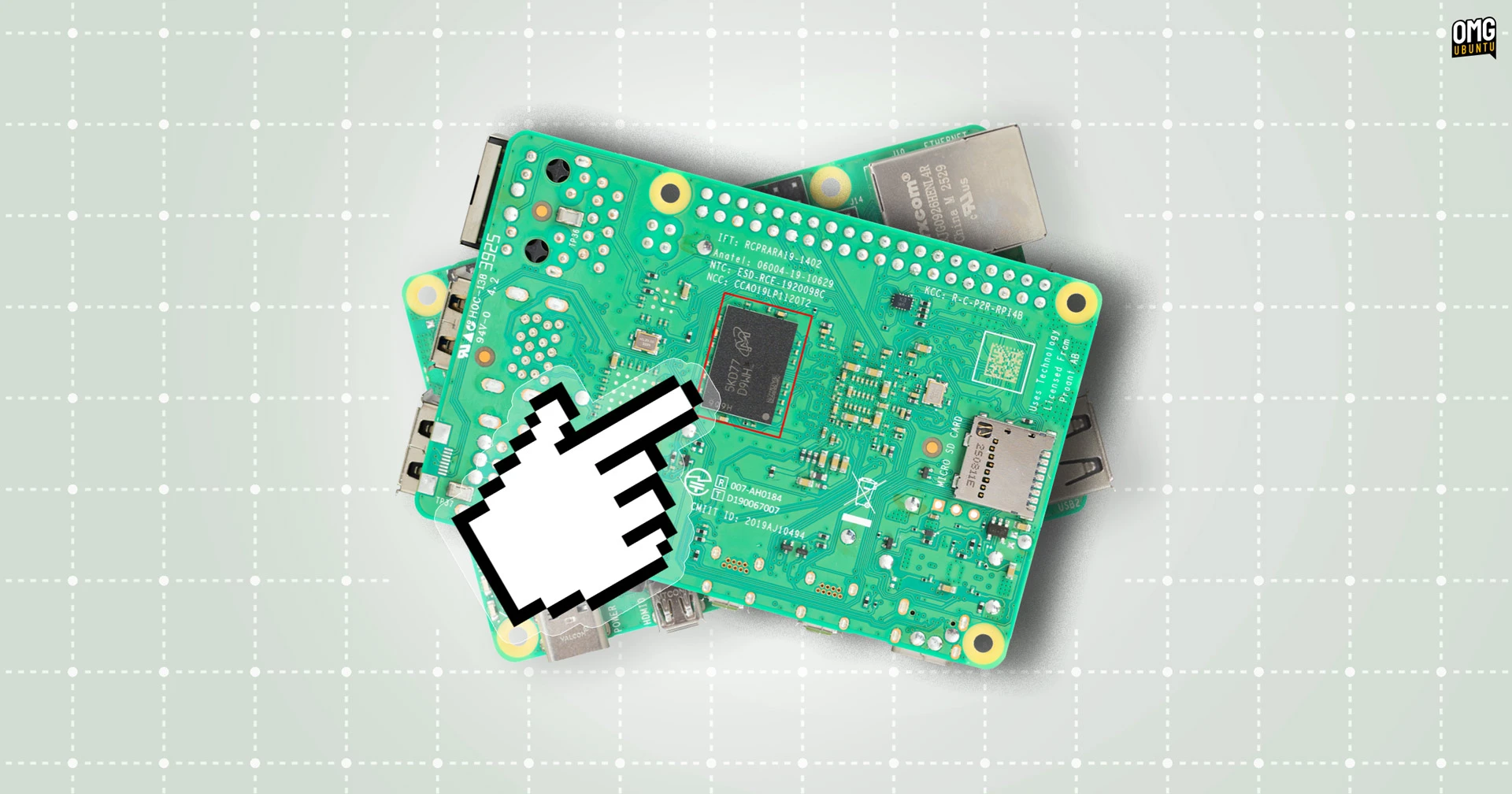
Earlier versions of the Raspberry Pi 4 use a single RAM chip on the top of the board. The new revision adds a second LPDDR4 chip to the underside, with a couple of passive components also moved over.
Why use dual-RAM?
Even those living under rocks will know that RAM prices are high right now, which is why Raspberry Pi announced big price increases for the Pi 4, 5 and Compute Module range last week.
Cost and availability is why switching to dual-RAM chips is necessary. In moving to a dual-chip layout, Raspberry Pi can combine two smaller – and marginally cheaper – modules to hit the same RAM totals amidst fluctuating component costs.
The official document also mentions this revision uses ‘intrusive reflow soldering’. This is a manufacturing tweak that enables fast assembly times since through-hole pieces get soldered the same time as pieces on the top.
Faster, efficient production generally means less expense.
No difference in performance or compatibility
This change will not impact performance (for better or worse). The Broadcom BCM2711 SoC has a 32-bit wide memory interface so the bandwidth stays identical; this is not doubling the memory bus, it’s just a physical split, not a logical one.
Plus, the new board is fully compatible with existing official accessories, HATs and add-ons. All operating systems that support the Pi 4 will work, but as the memory setup is different a new version of the boot-loader will need to be flashed first.
Older firmware (included on pre-existing images, like Ubuntu’s) won’t “see” the RAM on the new board. Attempting to run an older image will likely get you a flashing LED error code where the green light flashes but nothing boots.
This is easily fixed by flashing the latest Raspberry Pi OS to an SD card and running through the standard rpi-eeprom update flow to install the pieeprom-2026-01-09.bin or later.
Pi 4 Dual-RAM Availability
If you’re wanting to use a Pi for an upcoming project – assuming the aforementioned price increases haven’t rendered it an expensive folly – don’t think you need to hunt for an earlier revision. This is still a Raspberry Pi 4, just with a different (cost-effective) arrangement of RAM modules.
The new revision may be available from approved Raspberry Pi resellers already, but sans an official ‘announcement’, it’s just… a revision. Outlets likely have stock of earlier revisions, so if you want this revision specifically it may be best to check before buying.
Don’t know which revision you have? You’ll be able to identify the new board easily – without using the terminal – just by looking at it.
If you see a large, square RAM chip soldered to the bottom, it’s the new hardware revision. If you see “© 2025” in silkscreen near the top of the CPU on the front, it’s the redesign. This date is strictly for the hardware revision and not (AIUI) the manufacturing date.
Raspberry Pi (via Notebookcheck)
Article amended to stop referring to this hardware revision as ‘revision 1.5’