

Ghostty terminal emulator is adding scrollbar support, answering one of the most-requested features by users of the Zig-based tool since its public launch in 2024.
Ghostty’s users have hitherto had to use mouse wheel momentum or rely on keyboard shortcuts to skips through backscroll. No major hassle, granted. But scrollbars do provide a visual indicator that’s handy when staring at hundreds of lines of code.
As one user put in a community discussion thread: a scrollbar isn’t needed for faster scrolling (although it helps), but to make it easier to know where you are, noting “there’s no way to have a reference of where the scroll position is on long outputs or history”.
Thankfully, scrollbar support is coming in Ghostty 1.3.0, and is already available to enable in development builds on Linux and macOS. The feature closes bug #111 – opened in 2023, back when Ghostty was in its pre-release hype-garnering phase.
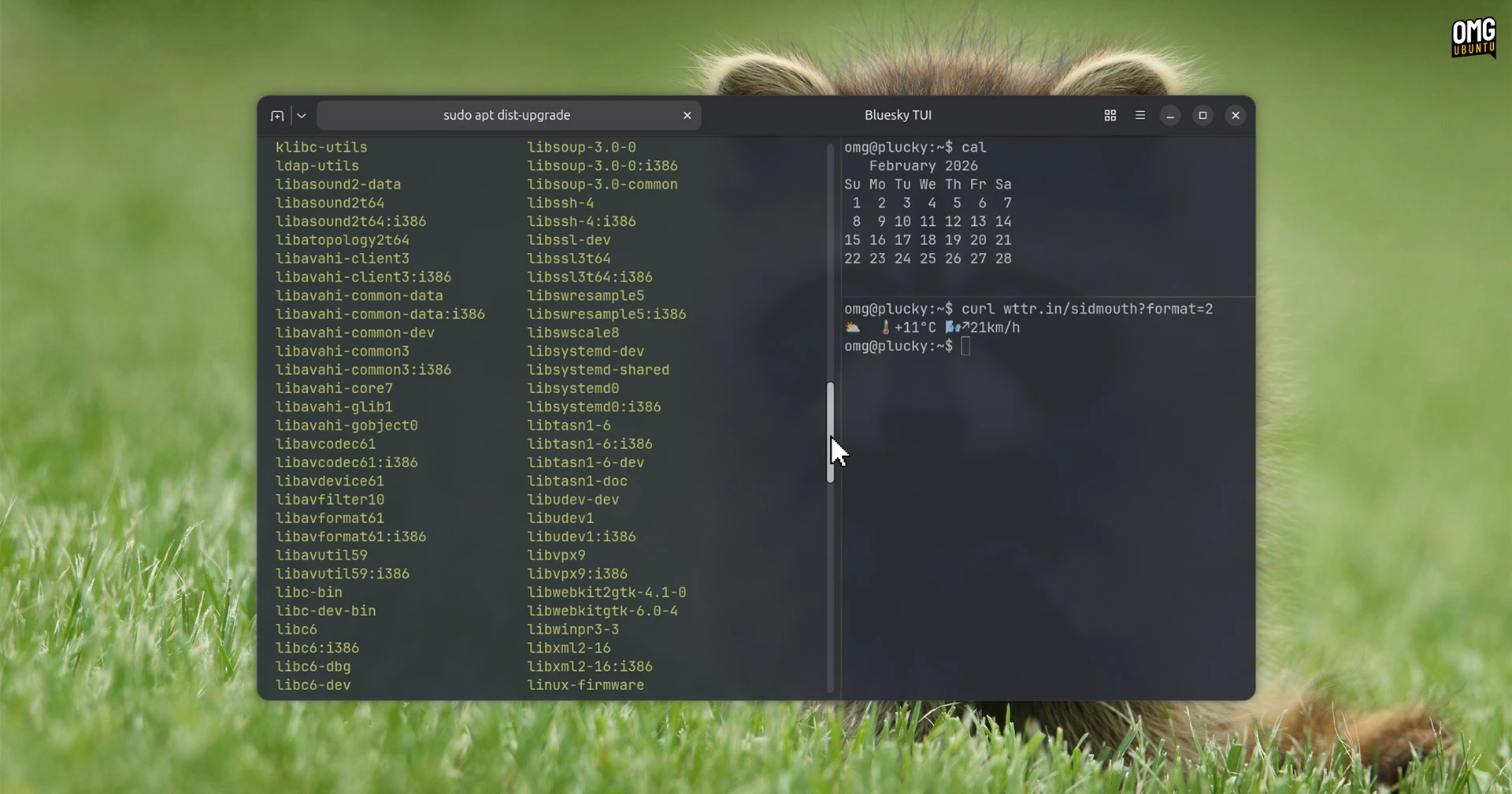
While you can install Ghostty on Ubuntu using DEBs, those are for stable releases only. To try scrollbar support sooner, you’ll need to compile the terminal from source (Hard? No. Effort? Maybe), or use an unofficial Ghostty ‘nightly’ AppImage.
Then, to enable scrollbars, add the following to your Ghostty config file:
scrollbar = system
Two values are supported: ‘system’ and ‘never’. System means your DE decides when a scrollbar is shown. As Ubuntu uses overlay scrollbars by default, you’ll only see a bar during scroll actions – you can always show scrollbars in Ubuntu if you prefer.
You’ll need to reload your Ghostty config (use the menu option) or quit and restart the app for the change to apply.
Scrollbars are among various new features in Ghostty 1.3.0, alongside a ‘jump to terminal’ session search in the command palette, the ability to rename terminal tabs on Linux and show a read-only indicator on tab screens when relevant.
Ghostty is unique amongst cross-platform terminals in that on Linux uses GTK4 natively, while macOS gets a Swift frontend. No Electron wrapper or non-native toolkits cosplaying as one (ahem, Flutter). That, amongst the GPU-accelerated terminal’s other features, is attractive.
Late last year, founder Mitchell Hashimoto moved the project to a non-profit funding model to ensure it stays independent and won’t quietly vanish behind a VC paywall. A strange move to some, but it means it won’t be bought up and fashioned into an agentic AI frontend.