

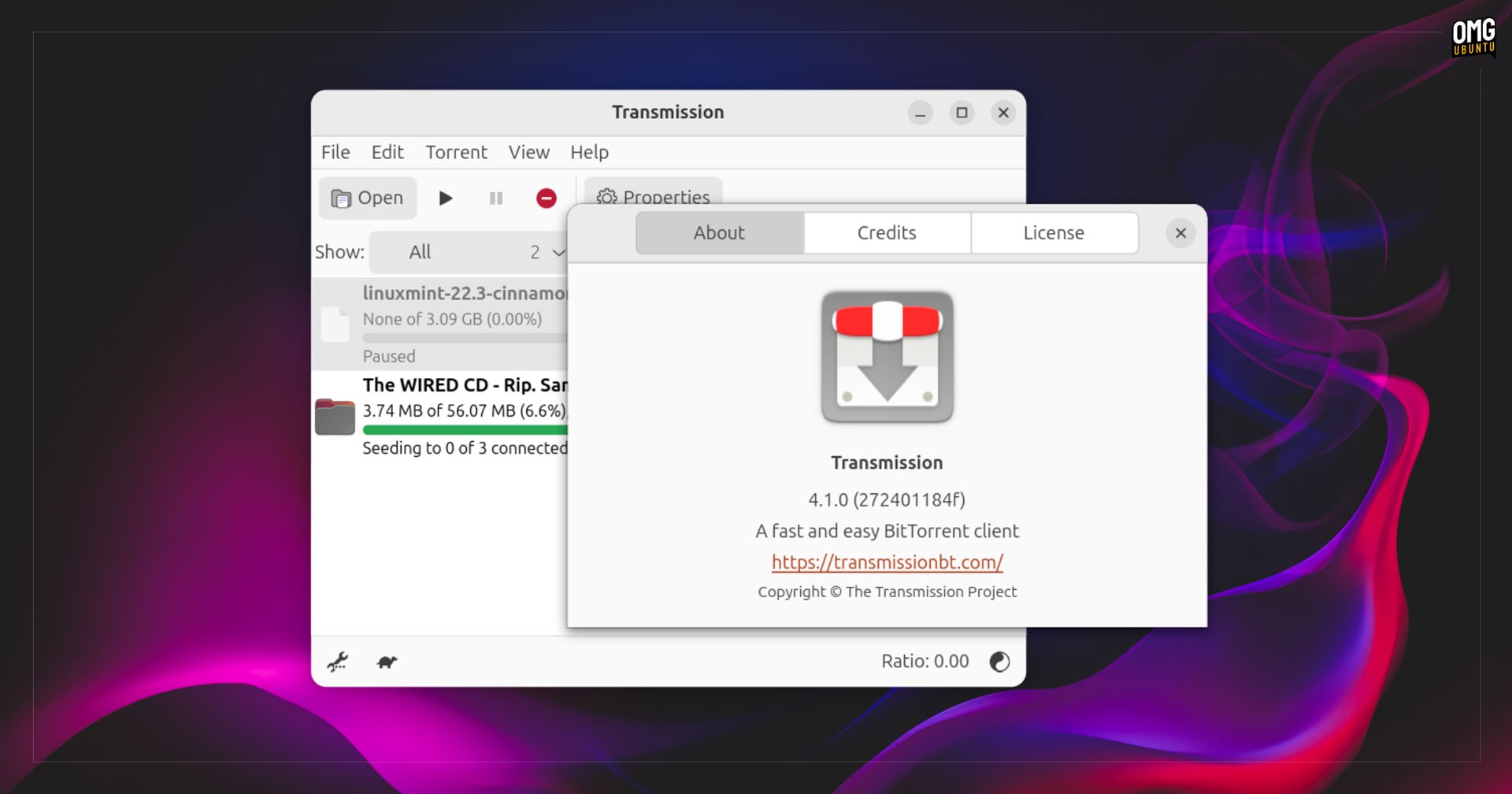
A new version of the open-source Transmission BitTorrent client is out with new features, performance buffs and UI improvements across GTK, Qt and WebUI builds.
“We’ve been working on this release for over a year now, and we’re excited to finally get it over the finish line”, the team say of the update.
Transmission 4.1.0 adds IPv6 support (including local peer discovery) and dual-stack UDP trackers, an option to enable sequential downloading of files via the CLI.
There’s also significantly faster µTP (Micro Transport Protocol) performance than in the 4.0.x series, which had bugs degrading performance. The author of the patch to resolve it saw their download speeds go from 70 MB/s to 90 MB/s – which is solid.
Plus, there are tweaks to libtransmission which reportedly reduce the mount of CPU and RAM usage Transmission uses when running. Though not the heaviest of apps to begin with, those using the headless/remote modes on low-power devices will appreciate it.
UI Changes
On the user-interface side, Transmission 4.1.0 now uses native system icons in menus and toolbars in its Qt client, meaning MacOS users see SF Symbol icons, Windows users gawp at Segoe glyphs, and Linux systems use XDG standard icon names.
Plus, the Qt build now adheres to Linux human-interface guidelines (HIG) meaning in-app menus use fewer icons besides entries in GNOME, but icons near most entries on KDE.
Native file chooser dialogs are now hooked up in the GTK client, which also benefits from expanded accessibility, with all value labels properly labelled and selectable to assist those interfacing with the client using screen readers.
Other Changes
Other notable changes and features in Transmission 4.1.0:
- JSON-RPC 2.0-compliant RPC API
- Verify torrent after download
- Check if local files exists after setting torrent location
- Reduced latency when sending protocol messages to peers
- Using a proxy server for web connections
- Compact view in GUI mode now shows ETA
preferred_transportoption in .json config- Improved dark mode support (macOS)
- Prevent idle system sleep (macOS)
- Add torrents by drag-and-drop (WebUI)
- Long-press touchscreen to open content menus (WebUI)
You can find a comprehensive list of changes in the release notes on the Transmission GitHub, including scores of platform-specific fixes for Windows, macOS and Linux clients.
Using Sequential Downloading in Transmission
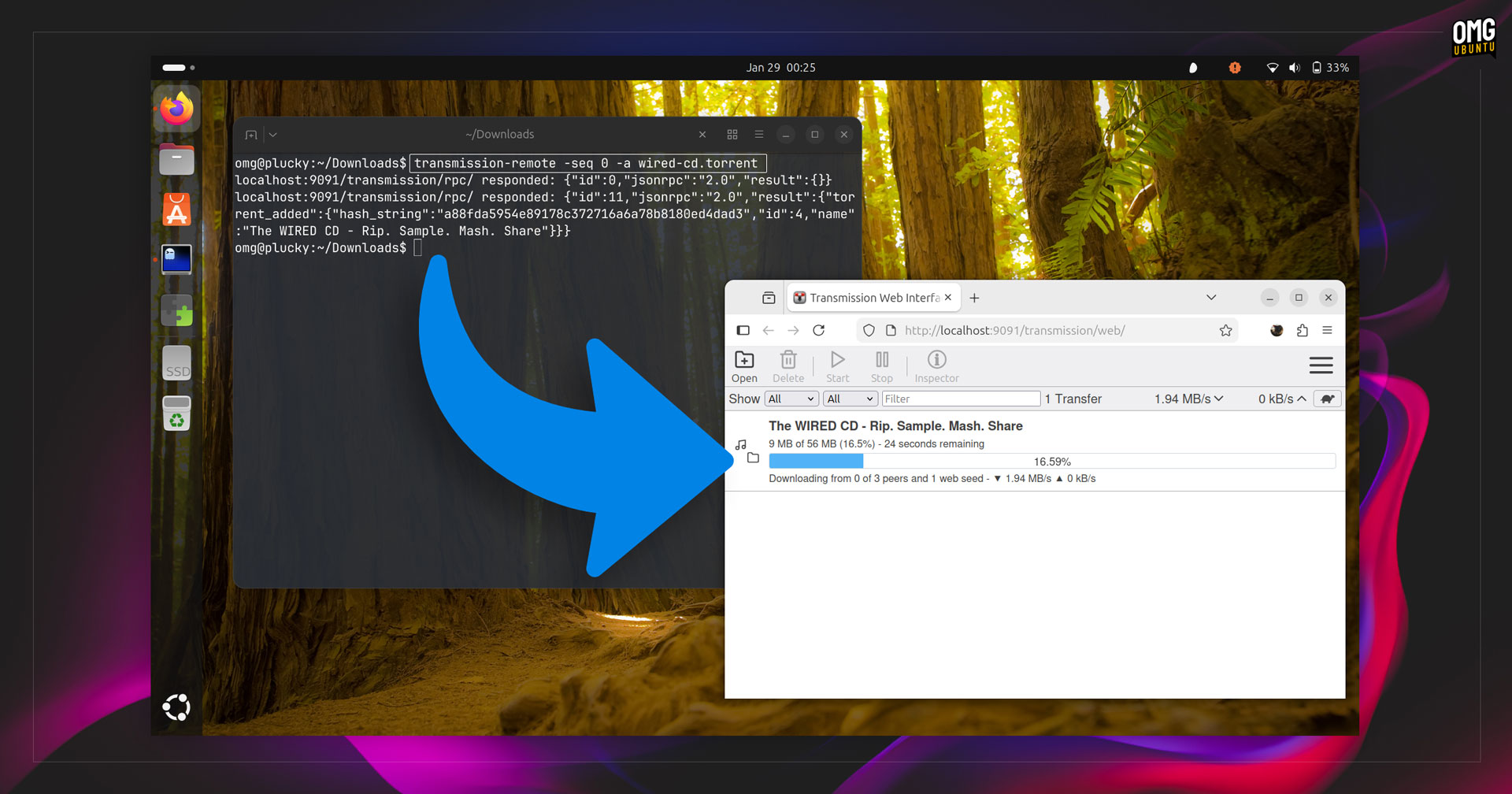
Transmission users have been asking for sequential downloading, a popular feature in qBittorrent, for a long time. This update adds support – but only in command-line ‘remote’ mode or an option to enable when using transmission-daemon.
When set, it makes Transmission download files (pieces of files, technically) in order from beginning to end rather than by default. This is useful if you want to watch a video as it downloads, before the entire file has been downloaded.
As said: no GUI option (yet); you won’t find a setting, toggle or menu entry to use sequential downloading in the main Transmission 4.1.0 GUI client.
Instead, you use it from the command-line transmission-remote in v4.1.0.
To do so, pass the -seq or full --sequential-download command when adding a torrent to your remote setup, and specify which piece to start from (e.g., 0, 1, 2, 3, etc):
transmission-remote --sequential-download <piece> -a torrent-file.torrent
In example with the shortened version of the flag, I download sequentially from the first piece. Transmission will then fetch the other pieces in order starting from that number, so 2, 3, etc.
transmission-remote -seq 1 -a /Downloads/myepic.torrent
Sequential downloading of torrents can provide quicker access to viewing them, but it’s not without downsides.
If a lot of peers request early pieces in order, it can result in slower download speeds for everyone since since uploads speeds from seeders and peers prioritise early pieces. This is more of an issue for popular torrents than half-dead ones, mind.
Installing Transmission 4.1.0
Transmission is preinstalled in Ubuntu if you opt for the ‘extended’ selection in the OS installer (it’s not included if you the default minimal install). Obviously, it’s an older version than this, though Ubuntu 26.04 LTS may ship Transmission 4.1.0 if it makes it in Debian soon.
You can download the latest release of Transmission from the official website. This has links to packages and installers for all major desktop operating systems (macOS, Windows and Linux), plus the raw source code should you fancy compiling it by hand.
Compiling is not hard but can be slow. The source package contains a guide with all of the relevant packages needed to the build it, and the commands to run.
Other options are available.
An unofficial Transmission snap is available on the Snap Store. This is currently a 4.0.6 release, but the 4.1.0 build is in the edge channel and should be pushed out to stable channel users in the coming days – look out for that.
There’s also an unverified Transmission Flathub listing. Like the snap, it’s not currently updated to this latest version, but it is worth keeping an eye on if you prefer using Flatpaks.
Both are sandboxed formats that restrict access to system files/folders and network capabilities. So, depending on what you use Transmission for, it is worth checking these formats allow everything you need, before tasking it with anything critical like remote access.