

Several new features are in the works for Mozilla Firefox, the default web browser in Ubuntu.
Firefox 143 is set to arrive next week, and it may offer Google Lens integration, making it easier for Firefox users to make use of the search giant’s visual search tool for locating visually similar shopping results.
Currently in testing, the new ‘Search Image with Google Lens’ option appears in the context menu when right-clicking an image on a web page (unsupported image formats do not show the action).

Telemetry to track the numbers of times the new context menu entry is seen by users, and the number of times users use it, has been added too. The stats may be helpful in convincing Google to renew its search deal next year (now that it’s allowed to).
To make sure users don’t not use the new feature, Mozilla is adding a “New” badge to the context menu item, similar to the one it added to encourage users to make use of the AI chatbot features.
As not everyone will want to use Google, Mozilla has implemented a backend to let any generic visual search URL be used for image searching in place.
Stock market data in the URL bar
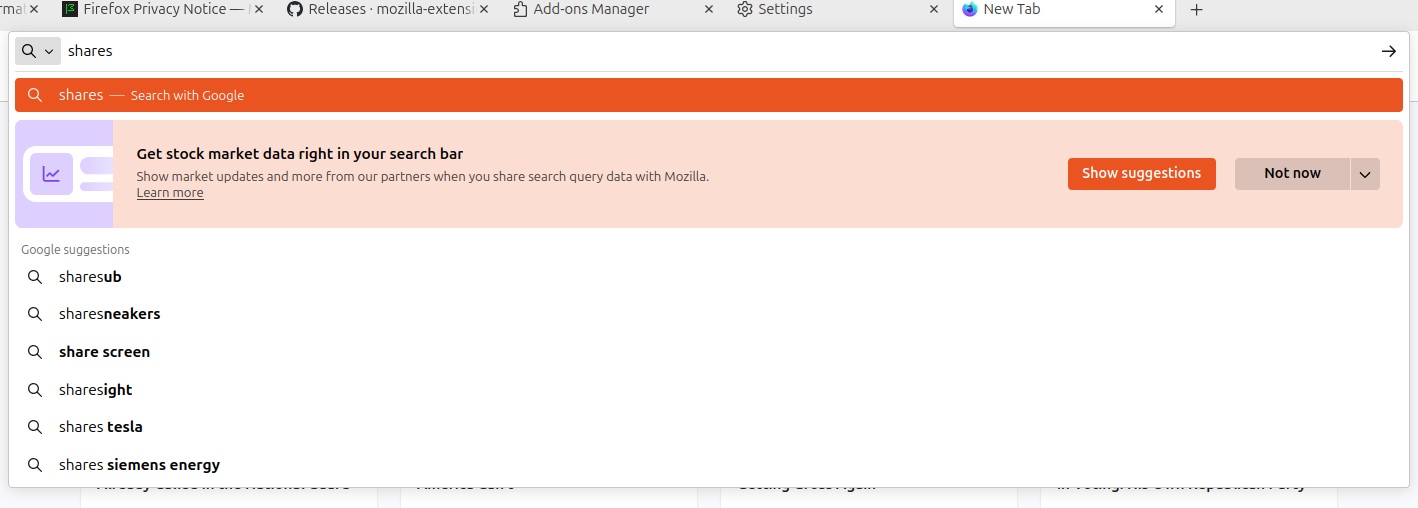
Firefox already offers support for ‘realtime’ suggestions in the URL bar based on specific search terms, something it called Firefox Suggest.
For instance, if you search for “{location} weather” you may (depending on whether the feature it enabled in your locale) see a sponsored weather forecast result.
More such integrations — sponsored and non-sponsored — are planned. The next is for stock market data, implemented as an opt-in feature (since not everyone may want it, and data may be ferried to third-parties). It will only be triggered by a valid search term, e.g., “APPL stock”.
There is code reference to providing sports scores and restaurant suggestions from Yelp in a similar manner, with the string: Get updates on stocks prices, game scores, local reviews and more from our partners by sharing search query data with { -vendor-short-name }. Learn more.
Showing these results directly in the URL bar is spun as saving users time, but they could provide a revenue stream for Mozilla too.
Companies can pay to be ‘sponsored’ provider of real-time data. Since those results are clickable (so the user can learn more), but skips performing a traditional search (where users would see rival services) it funnels users to their services.
Page Buddy
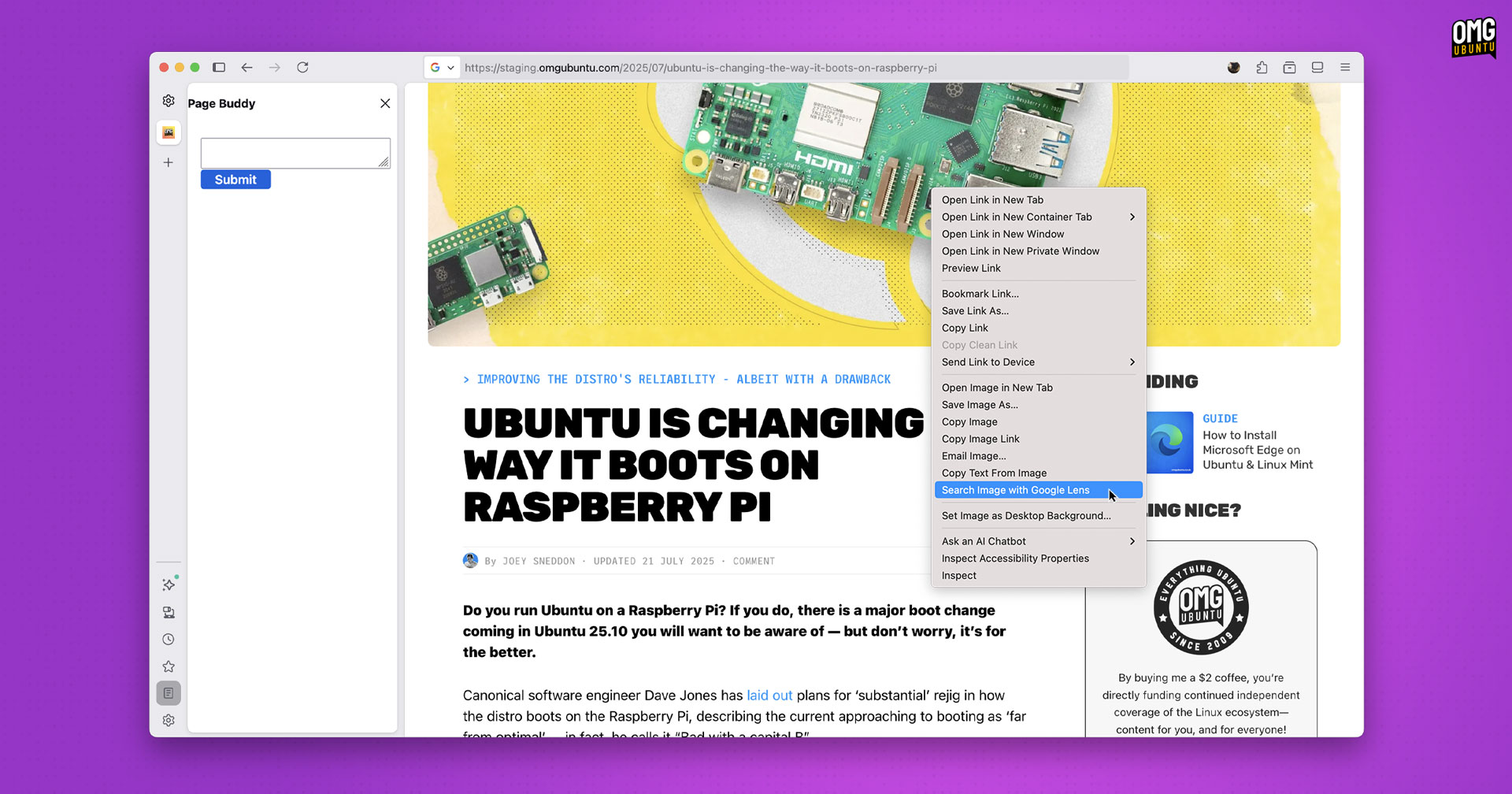
Fresh from adding Microsoft CoPilot as an in-browser chatbot, Mozilla is working on its own AI chatbot feature powered by an offline model. The feature is (currently) called Page Buddy and a rudimentary skeleton of the UI is in Nightly builds, but is non-functional.
Little public-facing info is available on this (many features in development are experiments, not all of which progress to stable builds), but appears to use the same on-device AI models Firefox uses for its link preview summaries.
The idea is you can open the Page Buddy (also referred to as ‘Page Assist’ in code) so you can ask questions about the page being viewing, privately. Y’know, in case reading it yourself to understand what it means is difficult.
Other features in the works (some covered in previous posts) include:
- Task and timer widgets for the New Tab page
- Google Search trend card/chips on New Tab page
- New ‘billboard’ ad card format1 for New Tab page
- JPEG-XL image support
- MKV (AVC/H.264 with AAC) video playback
And, of course, the most wanted new feature: web app support.
- From code, it appears this will only appear on desktops when the browser is wide enough to show 4 columns of ‘stories’. The banners will (initially, at least) be used to promote Mozilla services/missions. ↩︎