

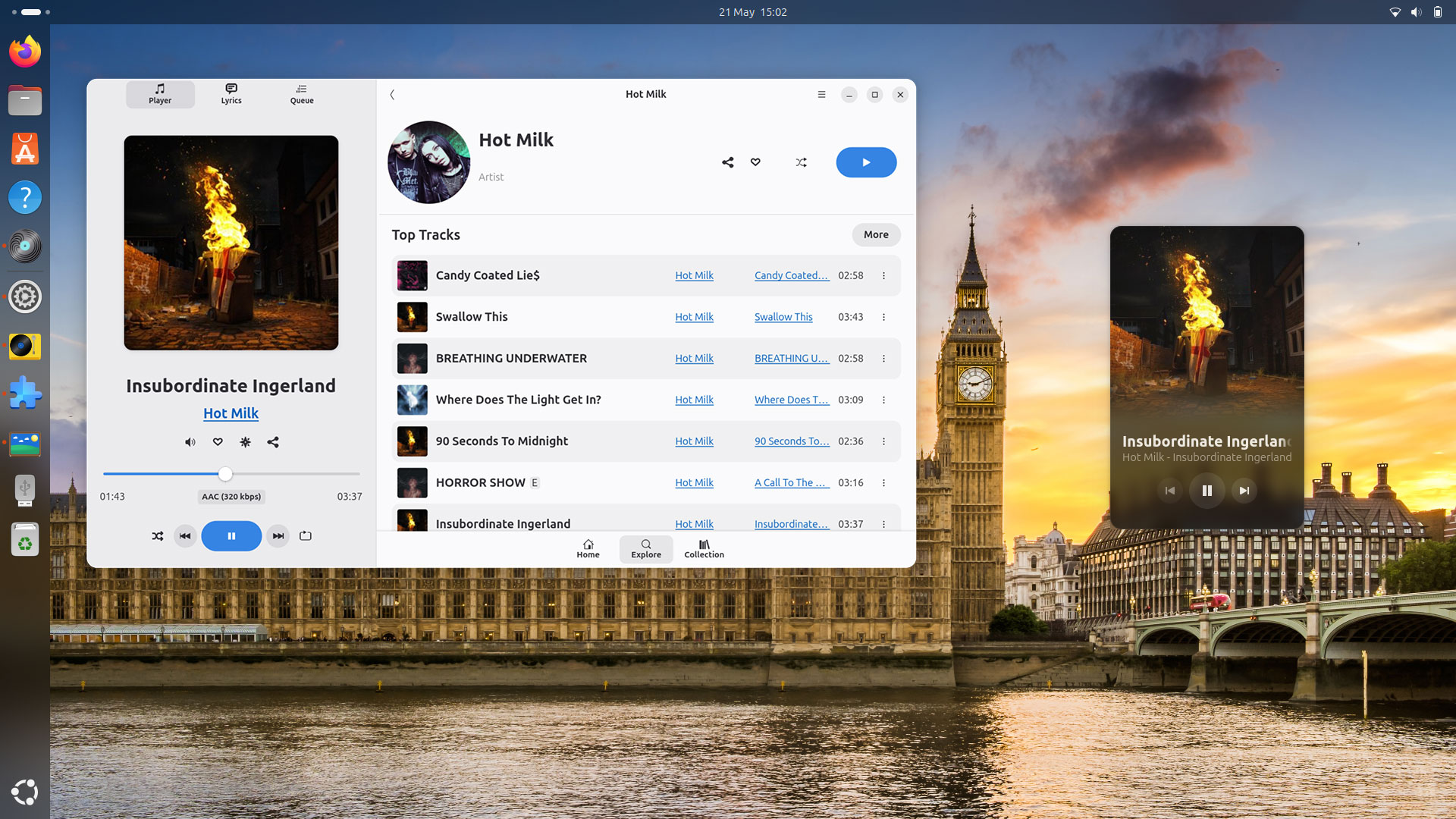
High Tide, the unofficial TIDAL client for Linux, has picked up several worthwhile improvements since my last look – figured I’d tell you about about them!
Before I do, keep in mind High Tide is in development. There’s no stable release, it’s API-depedant, and some features are missing or WIP. You need to be a paid subscriber of the TIDAL music streaming service to use it too – it’s not a local music player.
High Tide is a fantastic naive alternative to the official TIDAL web app, but the fact it’s not yet stable or available on Flathub puts people off.
It’s not hard to install though: you download a Flatpak snapshot, install it, click the auth button, login in to your TIDAL account via a web browser, confirm the connection, and away you go.
But because those GitHub artefacts are standalone releases (i.e., there’s no repo for new updates to come from) it does mean you have to make the effort to download and install new builds regularly – it was a few weeks since I last had.
After updating today, I was surprised to see a fair bit has improved.
This post is a brief run though a handful of welcome improvements, both visual and backend, that I happened to notice after installing the latest artefact from GitHub.
Recent Changes in High Tide
Firstly, the big one: High Tide can now run in the background when the main window is closed. Yeah; sounds basic but as with other GTK4/libadwaita apps shipped as Flatpaks, background access is not a default behaviour – you need to allow it first via Preferences.
You’ll also find a new ‘normalisation’ option in Preferences. TIDAL actually enables normalisation by default (or it used to) for albums, but this control lets you to toggle it on for everything you play, since TIDAL tracks support ReplayGain.
Elsewhere, TIDAL’s auto-scrolling lyrics are now supported, which is useful for in-time (if not in tune) sing-a-longs. High Tide also shows a message if lyrics aren’t available, rather than showing nothing (or, in some cases, lyrics of the previous track).

The screenshot above also show (albeit not very well) that the track menu now has an “Add to a Playlist” option. This makes it far easier to add tracks to your personal playlists.
High Tide improves the look and layout of its “player” sidebar, also:

The icon for creating a custom “track radio” based on the currently playing song (i.e., songs TIDAL’s algorithm deems similar) is no longer a location arrow icon but a star burst.
A ‘share’ button was added too, making it easier to copy a link to the playing song, and shows a toast to let you know the link is now on the clipboard (related: the app can also open tidal:// links, should you come across them).
Track timing tickers move below the progress bar, rather than astride. This gives the progress bar more room to breathe and looks neater. A label showing codec, sample rate and bit depth is shown in a chip (you configure streaming quality via Preferences).
The queue has also been reworked to ensure visual emphasis stays on the playing song:

Album art and track info look larger in the latest builds but the exact size will vary based on on width since, like other GTK4/libadwaita apps, High Tide is fully adaptive size-wise.
Beyond the visual improvements, the Home and Collection sections populate more reliably. Since this isn’t an official app, it can only show what’s provided through official TIDAL APIs. Suffice to say, some things found in the official client aren’t.
It’s not all progress, mind. The Home tab no longer shows “For You” stuff to me: no links to my personalised playlists (like Daily Discovery or New Arrivals); no row of played track or albums; no favourite artists; no custom mixes based on artists I like.
Annoying — I’m hoping those return!
Download High Tide for TIDAL
Want to try High Tide?
Download the latest auto-build Flatpak build from the project GitHub‘s action page, and install it using the command-line (flatpak install /path/to/app.flatpak) or install through whatever GUI you use to manage Flatpaks.
Is TIDAL the most popular music streaming service? No – some people have never heard of it!
However, TIDAL is the one I have access to—I’m on a family plan—and thus the one I use on most of devices so I’m writing about this app because I use it, not because I’m trying to “sell” the world on TIDAL vs Spotify, etc.