

A number of new personalisation features have been added to the Firefox New Tab page in the past year, including the ability to pick a background image from a small set of hand-picked pics and solid colours.
Pleasant though those curated images are, they’re not to everyone’s tastes.
This is why Mozilla’s engineers have been beavering away on a few enhancements to provide greater customisation — you can “test” them in the latest stable release, which is Firefox 138 at the time I write this.
The big change is that you can now “upload your own image” to use as a background for the New Tab page in Firefox.
Since I’d imagine the kinds of people who want to set an image on the new tab page at all would prefer to set a custom one (as they can in other web browsers), this is a logical change to a feature that people might not use without it!
If images aren’t your thing, but colours are, you can also set a custom background colour instead.
Mozilla’s Amber Meryman, product manager for the New Tab team, extols the benefits. “You can choose your own color — go bold, go subtle, it’s completely up to you,” she says.
To avoid choice paralysis, they’ve also added a new “celestial” category of background images, as well as extra images in the pre-existing categories.
How to Enable Custom New Tab Images
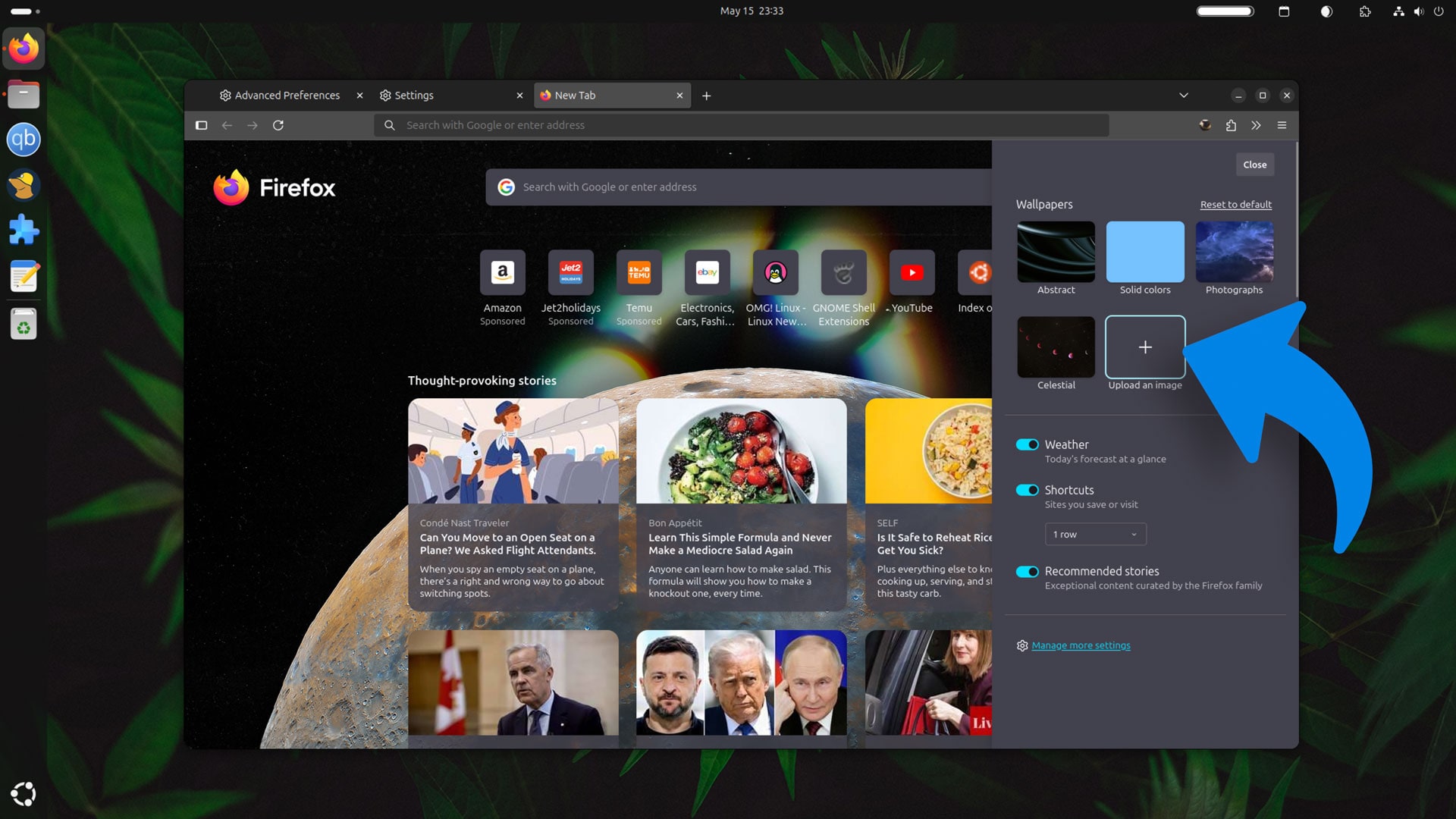
Right now, Firefox’s custom New Tab image feature is opt-in, but it is available in Firefox 138.
To enable it, open the browser, then go Settings > Mozilla Labs section. Find the “Choose a custom wallpaper or colour for New Tab” item, and check the box next to it. No need to restart; open a New Tab, click the customisation cog, and you’ll see the option.
To set a custom colour, click the “Solid Colours” folder, then clicking the “custom colour” option to access the native system colour palette (which on Ubuntu gives you access to a colour picker too, which lets you snag any colour you see on your screen).
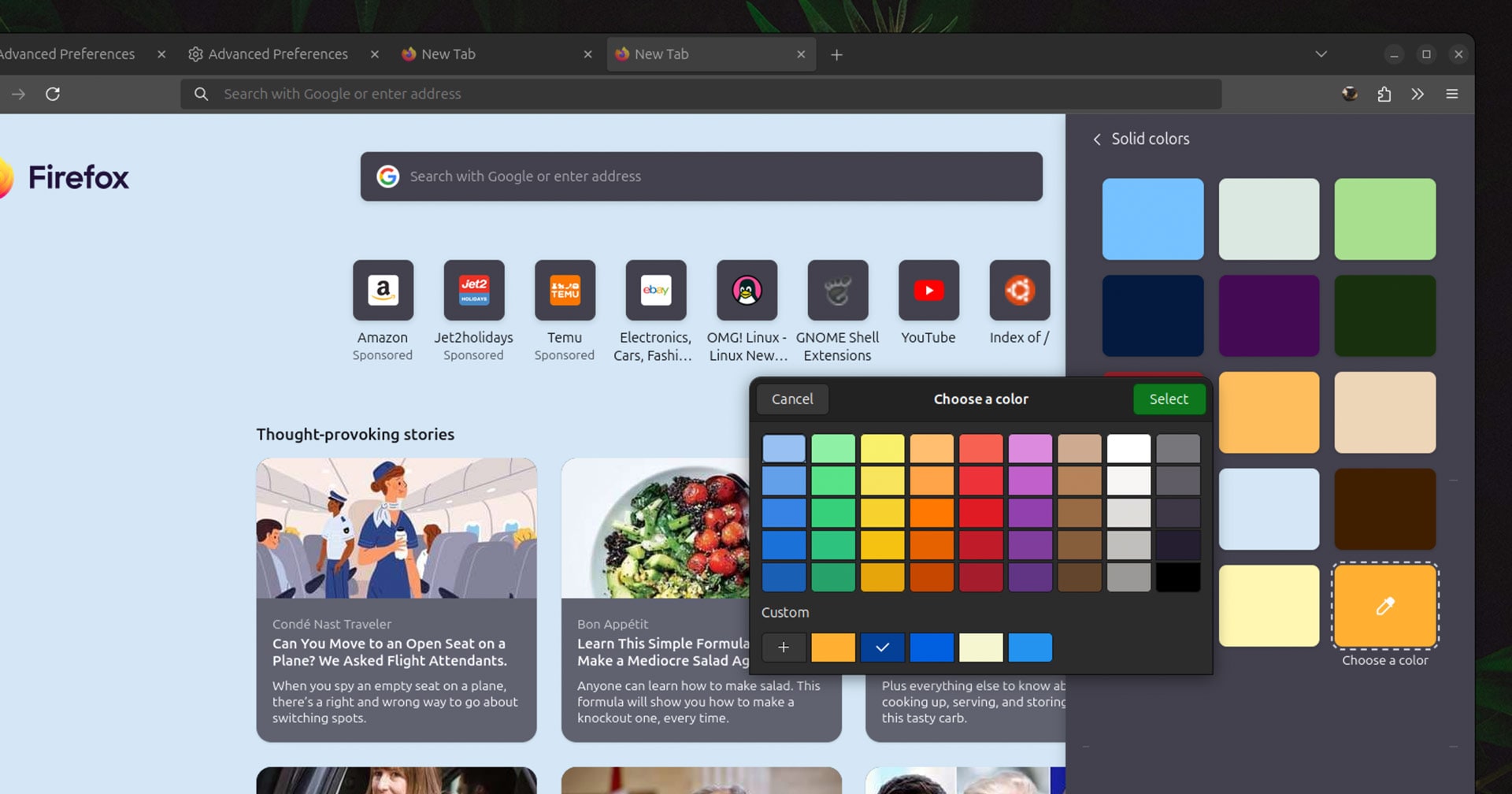
In the snap version of Firefox 138.0.1 on Ubuntu 24.04 I don’t see a Labs section any more. I had to enable these features manually through about:config, flipping the following values to true:
- browser.newtabpage.activity-stream.newtabWallpapers.customWallpaper.enabled
- browser.newtabpage.activity-stream.newtabWallpapers.customColor.enabled
As with the GUI toggle, the change itself is instantaneous.
More Features to Come
Personalisation in Firefox’s new tab page is going to ratchet up a gear later this year when Mozilla launches a revamped version of its “Recommended Stories” feature, splitting recommended content into ‘topics’, and letting us follow only the topics we care about.
“If you choose topics of interest to personalize your recommendations, the selected topics will be collected to improve the relevance of the recommended articles and sponsored content on your New Tab page,” it says.
Providing a lick of personalisation is one thing, and adding passive info like weather forecasts, another. A balance has to be struck. Personalisation fast becomes manipulation when “revenue” is involved.
I’d hate to see Firefox turn its new tab page into a screeching mess of attention-seeking callouts, gaudy graphics, sponsored shilling and AI slop.