

Christmas has arrived early for fans of the Xfce desktop environment, with the release of a major new version.
Two years in development, Xfce 4.20 serves as the latest stable release of the revered lightweight desktop environment. New features, visual changes, and a sizeable set of foundational prep work furthering support for Wayland are included.
Add in a slate of bug fixes, code cleanups, and performance tweaks, and Xfce 4.20 is a solid upgrade over the Xfce 4.18 release from 2022 – not revolutionary, but that’s not really Xfce’s USP: familiarity, reliability, and sticking with what works is.
Note: some of the changes mentioned below will familiar to those using Xubuntu 24.10. This is because Xubuntu 24.10 chose to ship with a Xfce 4.19 development release, a snapshot which has some (but not all) of the changes found in 4.20.
Xfce 4.20: New Features
Wayland Readying
Almost all components in Xfce 4.20 boast ‘experimental Wayland support’, according to Xfce developer Alexander Schwinn.
“This major effort was achieved by abstracting away any X11/Wayland windowing specific calls and making use of Wayland/Wlroots protocols. A whole new Xfce library, libxfce4windowing was introduced during that process,” they say.
As Xfce doesn’t (yet) have a compositor that supports Wayland, those looking to run Xfce on Wayland are advised to use labwc or wayfire for ‘best results’. Adding Wayland support to Xfwm4 is planned, but the effort will be —well, an effort!
Thunar File Manager
Thunar, the default file manager of Xfce, gains a raft of welcome improvements in it’s 4.20 release.
Improvements in Thunar 4.20 range from nifty, like having folders automatically open when dragging a file on them (similar to Nautilus‘ spring-loaded folder feature), to the neat, like offering the option to use client side decorations in Thunar (below, right)
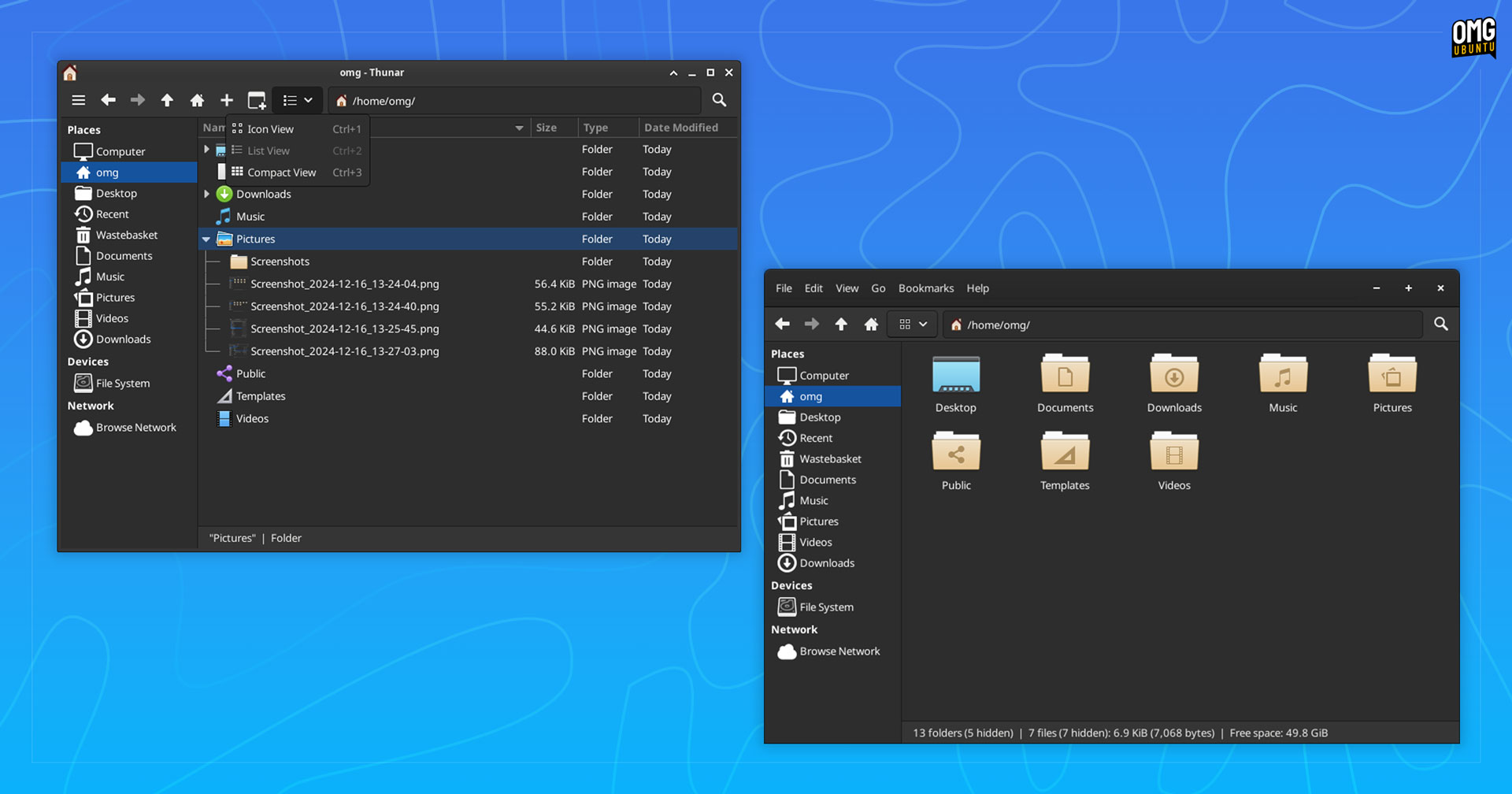
A toolbar editor was introduced in Thunar 4.18, and 4.20 brings new toolbar buttons to add. These include a unified view switcher menu, New Tab and New Window buttons. Also, a hamburger menu button now shows when/if the menu bar is hidden (above, left).
With more toolbar buttons available the file manager offers improved adaptive behaviour; if the Thunar window is resized so that all toolbar buttons don’t fit, they move to an overflow menu for easier access.

Sticking with visual changes, theres an option to use symbolic icons in the sidebar (independently of the toolbar icons, which can be full-colour or symbolic), and there’s an option to show the number of hidden files in the status bar.
Thunar 4.20 also shows emblems and descriptions of mount points, supports IPV6 remote URLs, and permits users to create symbolic links on remote locations – the latter sure to be welcome to those who work with remote file systems often.
Other changes in Thunar 4.20:
- Streamlined file transfer dialog
- Main list view supports in-tree folder expansion too
- ‘Recent’ now only shows successfully opened files
- Split-view pane uses lighter background
When performing a file search in Thunar users are no longer required to wait until the search operation complete before they can right-click on search results to access the context menu (and open the containing folder, for example).
Application Finder

Xfce’s keyboard-friendly Application Finder tool is now even more keyboard friendly. You can navigate the list using ctrl + n or p keys, whilst ctrl + enter can be used to run command immediately when selecting entries from the dropdown.
Other changes:
- App specific actions can be accessed using right click
- Can be launched as a daemon for faster response times
- Option to auto close window if focus is lost
- Option to display generic names of launchers
- Option to launch items with a single click
A nice uplift.
Panel & Applets
Various panel applets pickup some small buffs in Xfce 4.20.
The Clock applet brings optional 24 hour mode to the analog clock, week numbers to the digital clock, and inactive segment visualisation to the LCD clock, while hovering the mouse over the Show Desktop applet can now show the desktop instead.
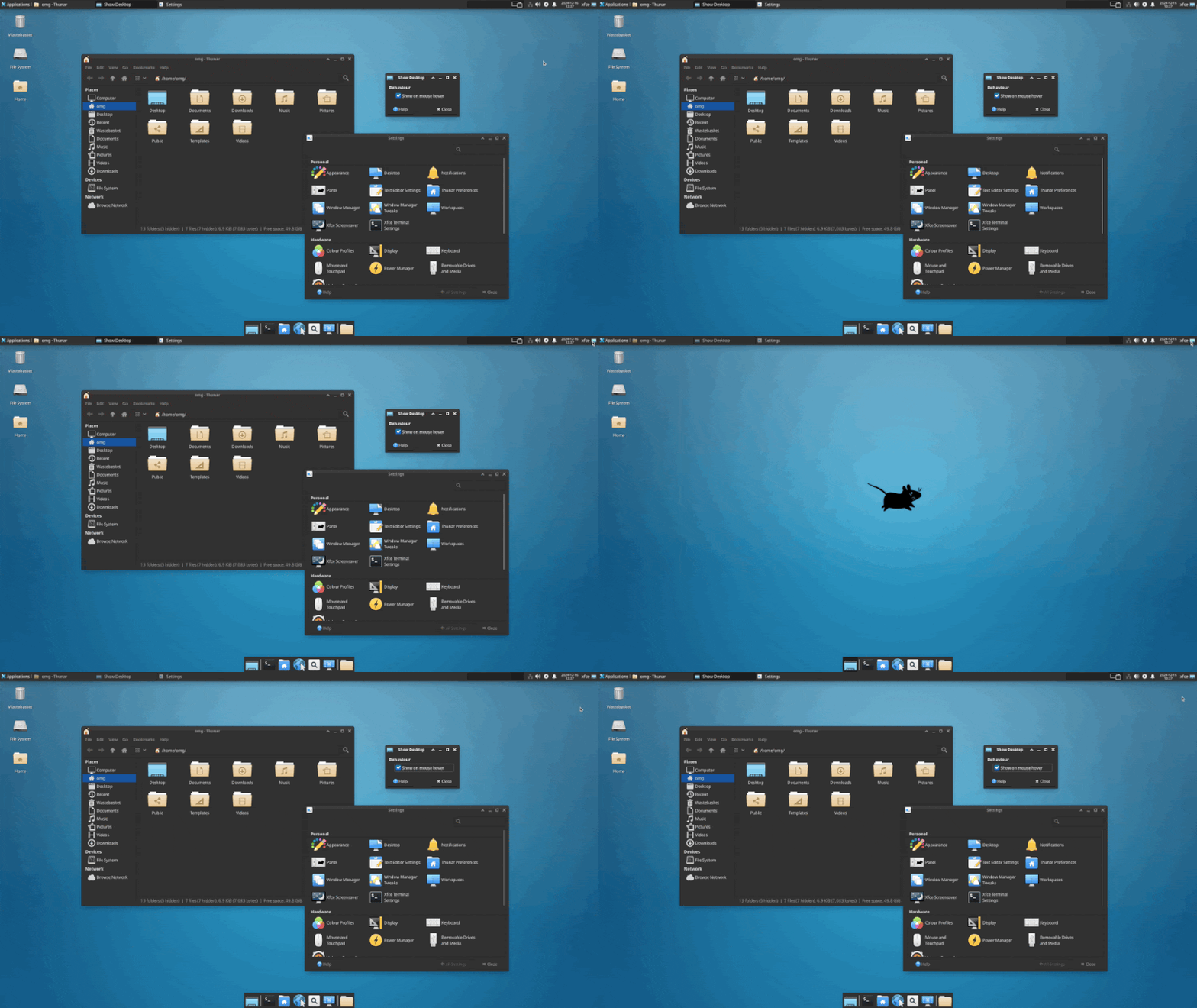
This includes tweaks to managing applets, e.g., you can now hit the del key to remove panel applets, the ability to remove select panel applets at the same time, and ensuring the same icons are shown for panel applets in the configuration list as on the panel.
And the border width of the panel is now configurable, should you wish to give it a thicker look.
Settings Tweaks
Display settings sees profile-related buffs, more accurate scaling previews, and improves mirror state management by no longer requiring refresh rates to match.
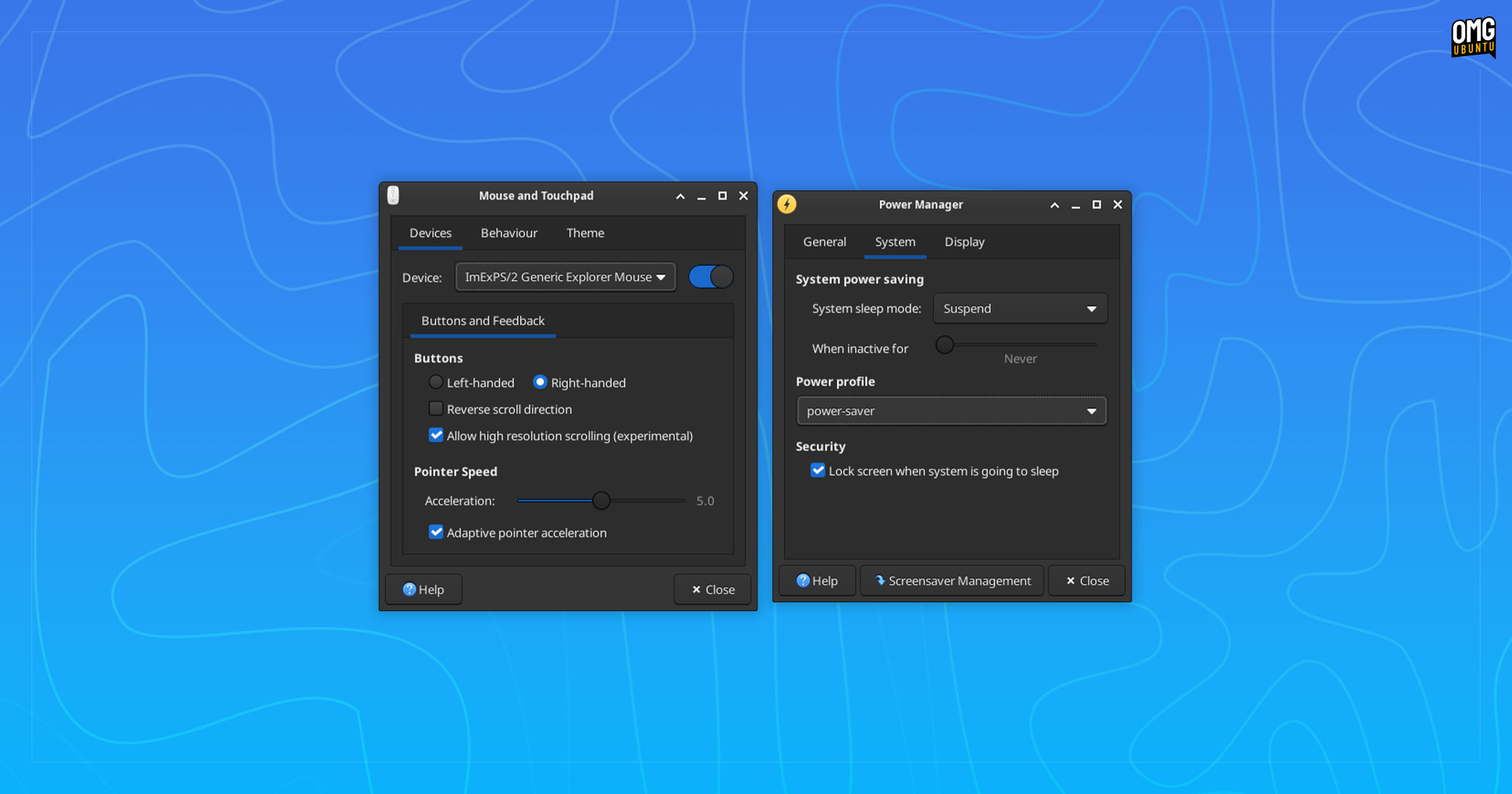
Mouse and Touchpad settings adds checkbox to enable/disable adaptive pointer acceleration (if disabled a flat mouse acceleration profile is used) and high resolution scrolling to be enabled for supported devices.
Meanwhile, Power settings now support changing power mode (via power-profiles-daemon), supports hybrid sleep mode, and adds energy rate info to the device details tab (some of those only appear on devices with built-in batteries).
Desktop Background handling tweaks random wallpaper cycling to only repeat an image once all other images have been shown first, and gradients are now “rendered in a gamma-correct way”.
Lots of improvements for desktop icon management, with a reworked preferences panel, the ability to disable showing a confirmation prompt when arranging desktop icons, and the ability to set a custom colour for icon text labels and text background.
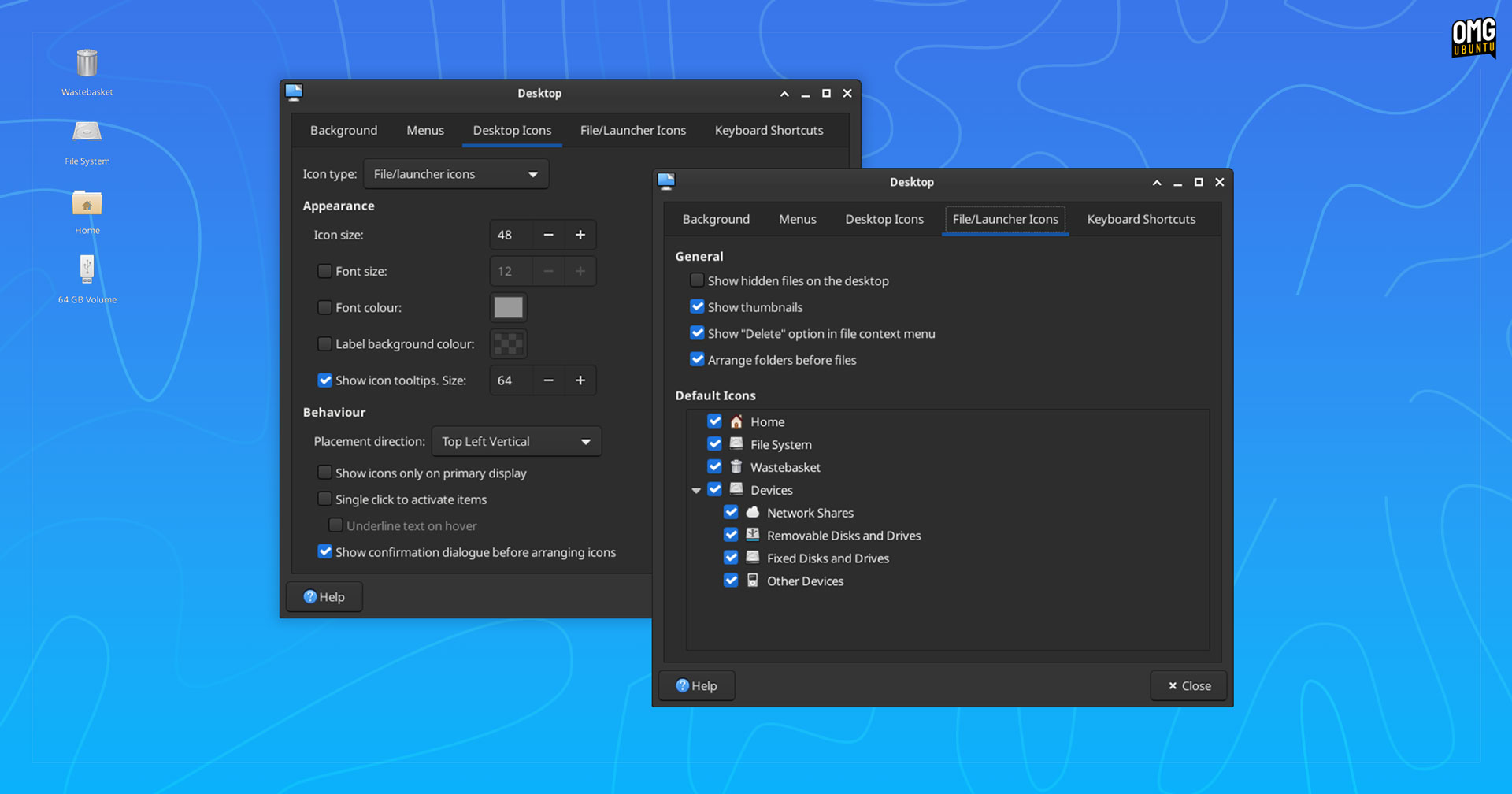
There is now an option to sort folders before files, and icons for ‘fixed disks and drives’ can now toggled off, should you wish. Finally, all shortcuts for the Xfdesktop can be now edited/changed.
Other changes in Xfce 4.20:
- Improved scaling of icons and thumbnails
- Shortcut Editor can accept multiple actions (if they don’t conflict)
- About dialog now shows distro logo, windowing system and active GPU
- New
libxfce4windowinglibrary - Appearance settings loads icon themes in a separate thread
- Lock screen management simplified ‘light locker’ dropped
- Logout dialog no longer shows checkbox to enable session saving
- Xfdesktop supports opening multiple selected folders at once
But that’s not everything; this article is just an overview, not a comprehensive run-through. To read about every nut and bolt that makes up this sizeable update read the official changelogs, which also list a myriad of bug fixes in this release.
Get Xfce 4.20
Like what you see? Xfce 4.20 will ship out-of-the-box in Xubuntu 25.04 next April.
If you don’t want to wait, you can install Xfce 4.20 by downloading the source tarballs and compiling it by hand – not as difficult as it sound; it’s what I did to get the release running so I could take screenshots for this article.
Xfce 4.20 will likely be available to install in rolling-release Linux distributions over the coming weeks.