

This post will not change your life, but it might make moving files and folders faster in Nautilus, Ubuntu’s default file manager — no promises, though!
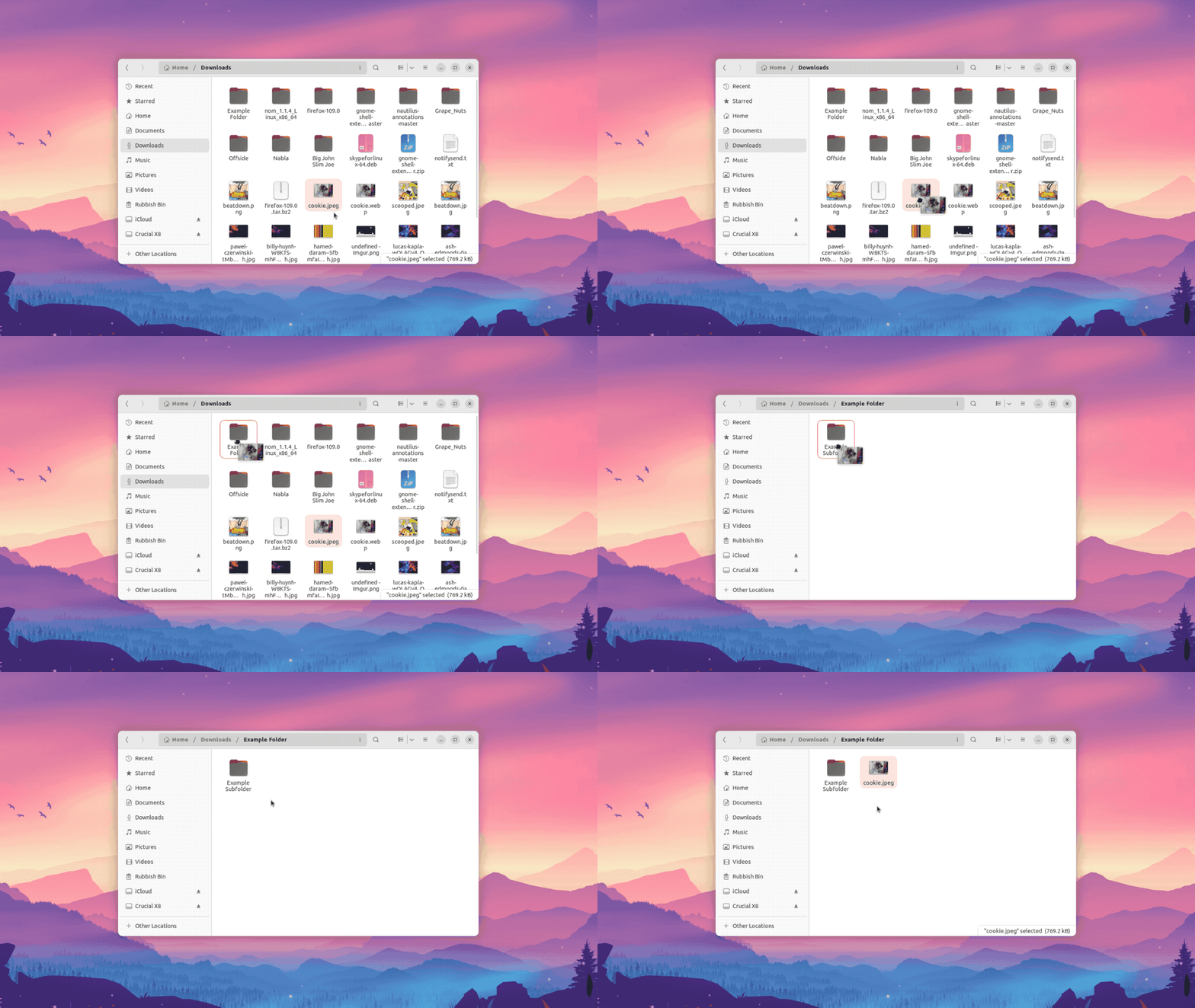
In Nautilus on Fedora I’m able to drag a file on to a folder in icon view and, if I don’t let go, the folder I hover over springs up, where I am – not in an new window or a new tab.
Anyone familiar with macOS will know it has a similar feature in Finder – “spring loaded folders” – and gives some options to control the hover duration too.
When written out, this feature sounds awfully long-winded.
Here’s a GIF that shows how frictionless it is in action:
Why do I need this? Why not just cut and paste?
I’m messy and lazy.
My ~/Downloads folder is a veritable bomb site. I routinely need to “tidy up”. This feature makes moving a lot of different files into a lot of different folders faster. I don’t need to repeatedly press key combos, and I don’t need to constantly click through to folders.
Spring loaded folders lets me move files and folders into others folders (more importantly for me, inside of a subfolder inside of a subfolder inside of a parent folder) without taking my finger off my mouse button.
Is this a preference everyone will want to turn on?
No.
But if you use Ubuntu and this sounds like something you’d use, you can use it out-of-the-box in the column/list view, but to use in the icon/thumbnail view you’ll need to enable it first.
To do that, open a new Terminal window and run:
gsettings set org.gnome.nautilus.preferences open-folder-on-dnd-hover true
The change takes effect instantly – so go try it out!
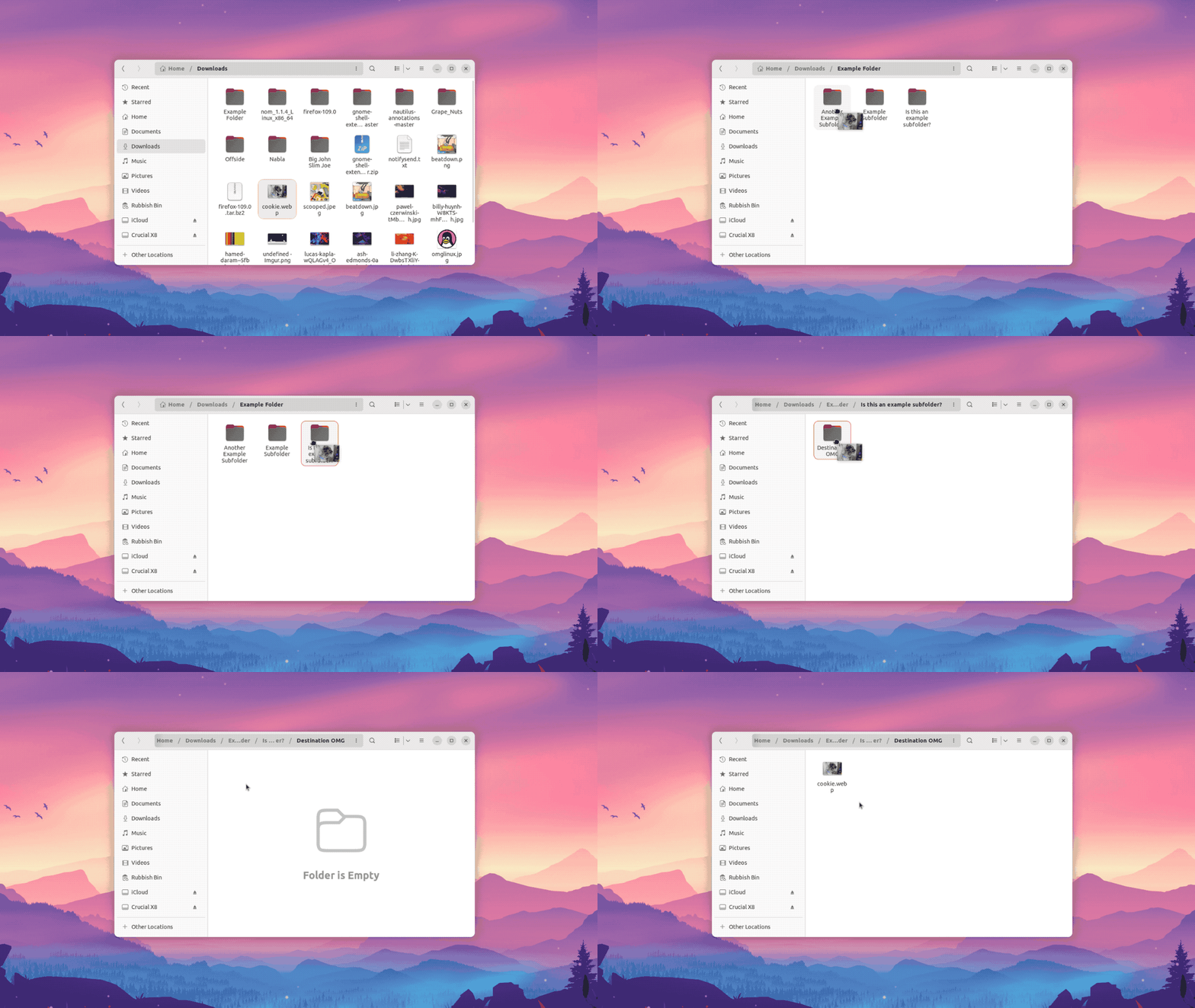
Open Nautilus (and make sure the icon view is enabled) then drag a file, move it over a target folder and, et voila, the folder opens instantly in the same tab.
Let go of the file to move it there or keep holding the file and hover over a subfolder inside (assuming there is one) to open that one, and so on, like so:
You can enable the “open folder on drag and drop hover” in Nautilus using the dconf-editor utility (i.e. a GUI way) but the command line is safer.
The dconf-editor is a great utility but it’s very easy to get lost trying to find a value or, speaking from experience, accidentally adjust a setting while mousing around.
If you enable this but later find it annoying, turn it off like so:
gsettings set org.gnome.nautilus.preferences open-folder-on-dnd-hover false
Anyway, that’s it; a simple setting I find very useful — now you know how to enable it too.