

MPRIS is something most of us associate with music apps and movie players, but a new app makes use of this freedesktop standard for something less entertaining: timers.
Yes, timers.
Timing your pizza in the oven, setting a deadline for a task, dedicating time to a hobby, or obsessively counting down to a date (figurative or romantic), MPRIS Timer does it just as well as anything else – with a twist: it shows your timer using MPRIS.
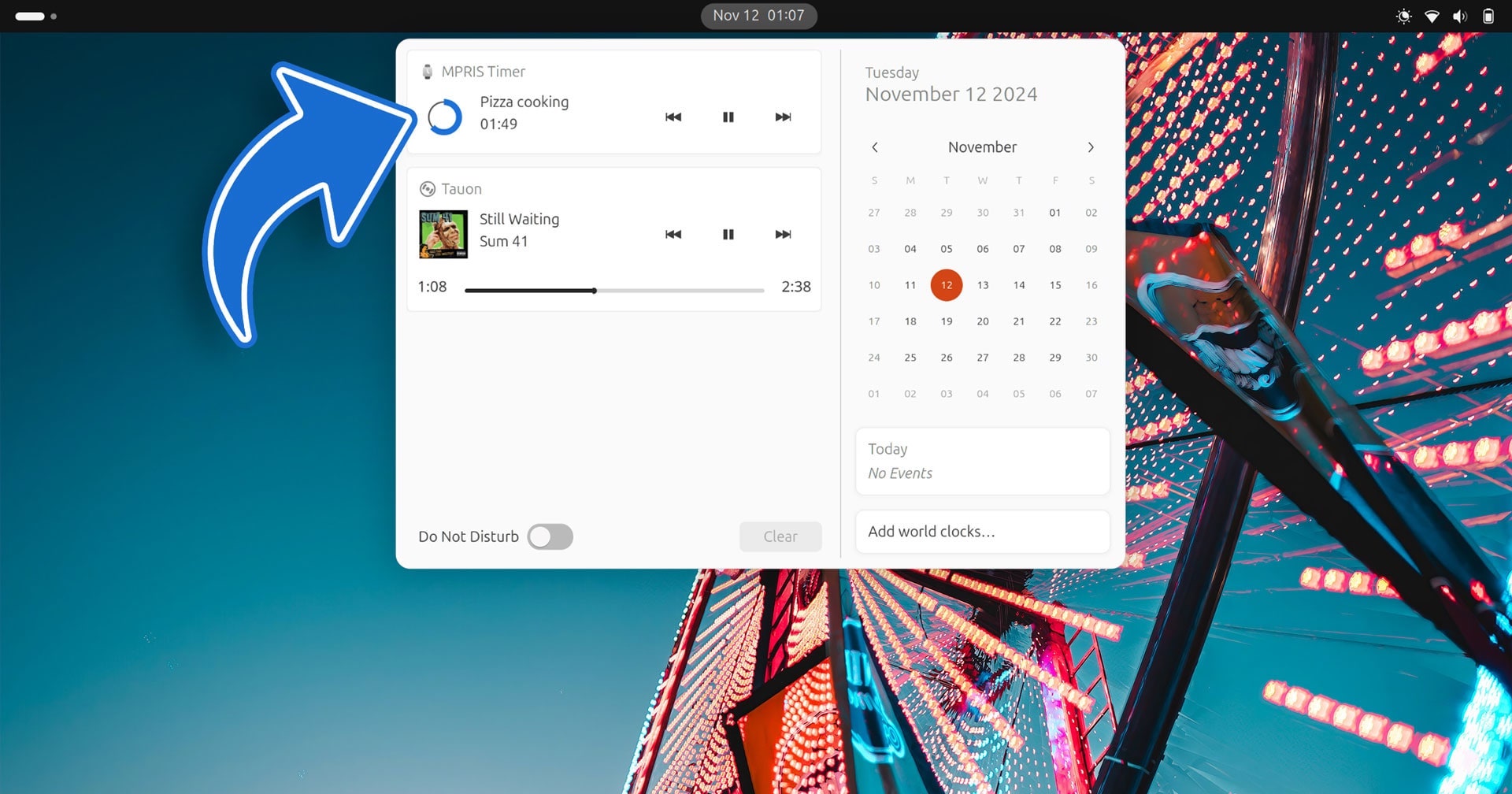
MPRIS stands for ‘Media Player Remote Interfacing Specification’. It is a Freedesktop standard that gives app makers an accessible, consistent API to target so media playback info/controls can be surfaced to users on different desktop environments.
MPRIS Timer utilises this DBus spec in a novel way to display the progress of a timer (and let you pause/resume it using media controls).
The app itself has a modern GTK4/libadwaita UI. Open it, pick from the included timer presets (or enter your own), hit start, and away you go: track your timer in the media applet, pause it needed, and see text and audio notifications when complete.
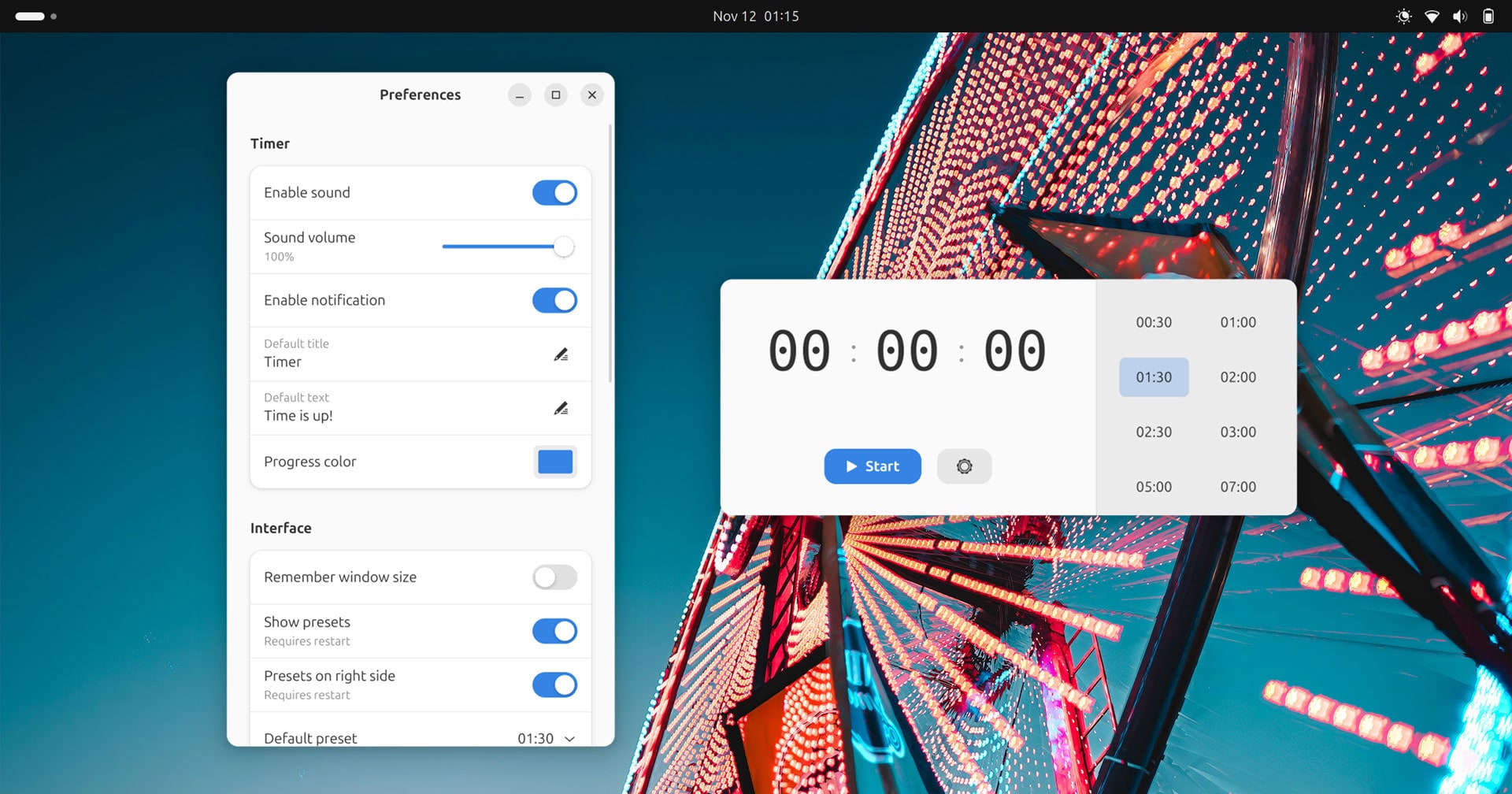
Preferences let you customise the appearance of the real-time bar progress circle in the media applet, specify a timer title, and enter some congratulatory text to show in the notification shown when the timer completes.
You can also choose to show/hide the preset timers, delete them, or add your own (perfect for regularly tasks of specific lengths).
MPRIS Timer features:
- Pick a timer presets, or enter your own duration
- Add/remove presets for quick access
- Real-time countdown visible in notification area
- Ability to pause the timer using media controls
- Set a custom timer title
- Personalise the ‘timer complete’ message
- Pick a progress ring colour
- Enable a sound notification
- CLI support
With more to come, no doubt!
Why use timers anyway?
Ubuntu ships with GNOME Clocks preinstalled which has timer functionality built-in but does require you to keep checking the app to see how long is left. MPRIS Timer offers a more ingenious, integrated approach to surfacing the countdown.
If you’re not using timers regularly, you may want to.
Timers are a tried-and-tested productivity aid. Setting a limit within which to complete a given task may help you actually focus on doing it. As a result, you may complete tasks faster by working to a timer than working open-ended.
Install MPRIS Timer
While there’s no shortage of timer applications for Linux, be it the aforementioned Clocks, standalone Pomodoro apps, and more, MPRIS Timer is distinct in its approach. This helps it stand out and do something a bit different.
I may not need to set a timer that often, but next time I do I’ll be using this as – it’s too cool not to!
• Get MPRIS Timer on Flathub